web
You’re offline. This is a read only version of the page.
close
Skip to main content

Notifications

Announcements

No record found.

Community site session details

Community site session details

Session Id :
Microsoft Dynamics AX (Archived)

Could not load file or assembly Newtonsoft.Json or one of its dependencies

(0) ShareShare
ReportReport
Posted on by

Hi All,

I got some error while reading my AIF Service Class.

"Could not load file or assembly 'Newtonsoft.Json, Version=10.0.0.0, Culture=neutral, PublicKeyToken=30ad4fe6b2a6aeed' or one of its dependencies. The system cannot find the file specified."

- I deployed C# Managed code in Visual Studio and target both Client and Server.
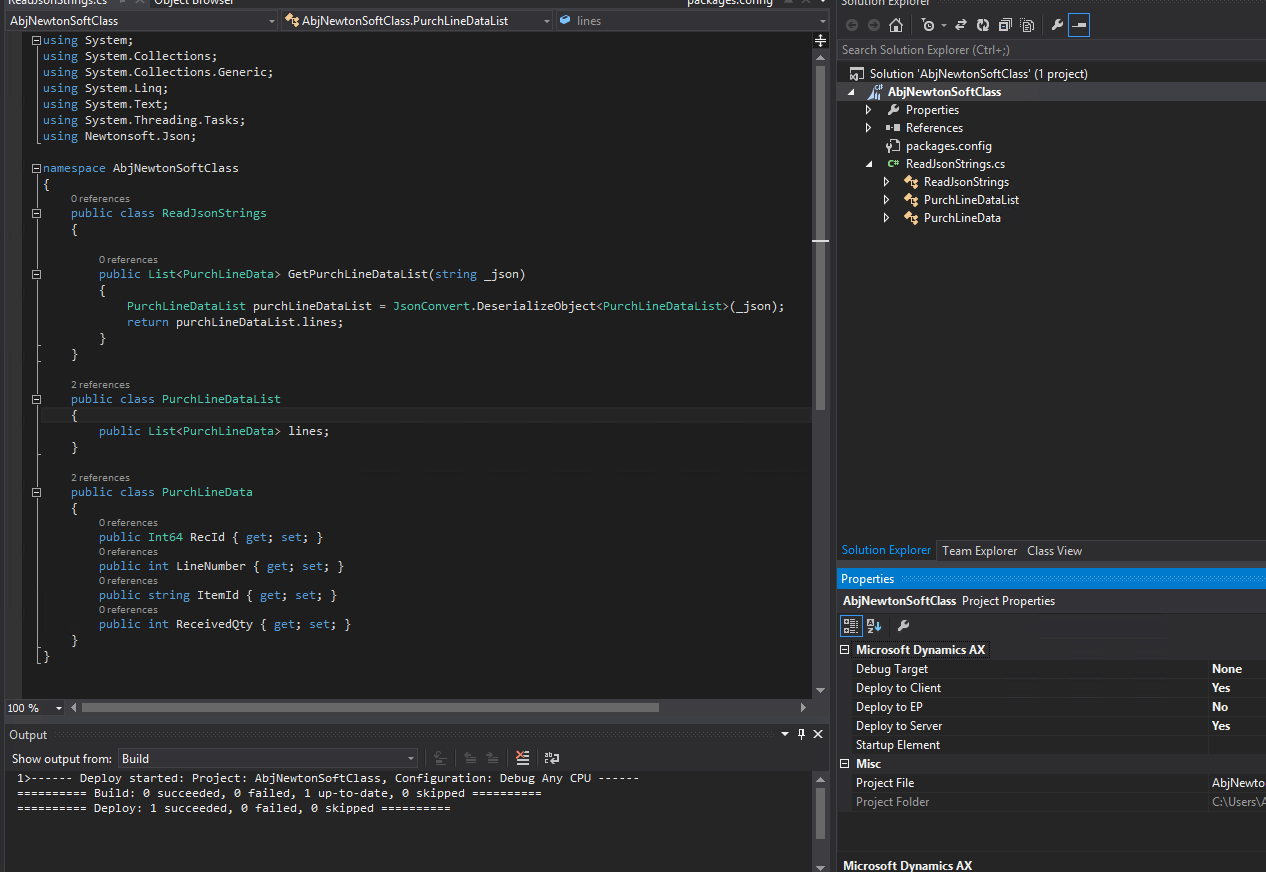
3022.4.PNG

- I also copied all .DLL in AOS User Account GAC Folder
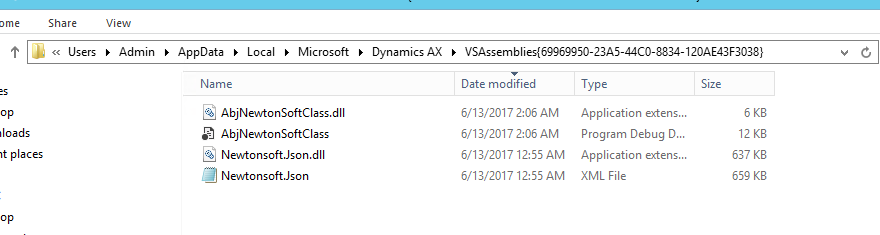
5187.3.PNG

- Server VSAssemblies Folder

8132.5.PNG

Anyone solutions much appreciated. 

*This post is locked for comments

I have the same question (0)
  • André Arnaud de Calavon Profile Picture
    300,911 Super User 2025 Season 2 on at

    Hi Ariston,

    Are you on the correct forum now? How is this question related to Dynamics AX? You could possibly better ask the question on the Visual Studio forum.

  • Martin Dráb Profile Picture
    237,795 Most Valuable Professional on at

    Try collecting more information with Assembly Binding Log Viewer.

  • Suggested answer
    Vilmos Kintera Profile Picture
    46,149 on at

    This is now at least the 3rd thread for resolving the same issue:

    community.dynamics.com/.../239800

    community.dynamics.com/.../240307

    Please stop opening new discussions, otherwise it is very hard to track what did you do in order to resolve your issue.

    Did you compile the VS class project to be on the same .Net framework version as your AX? Did you compile it for both 32 and 64-bit architecture? Has it been deployed automatically to the VSAssembly folder after restarting your AX AOS? It is only loaded as a library once you restart AX AOS, or if you have hotswapping of assemblies enabled in the Server configuration utility.

    Also please take your time to respect our work and mark helpful answers in your previous threads, to close the discussion if those were assisting you.

  • Community Member Profile Picture
    on at

    Hi Andre,

    He is in good position, issue is in AX retail, not the visual studio.

    Retail has been developed using visual studio.

    Hope answer your question.

    --

    Thanks

  • Community Member Profile Picture
    on at

    Hi Ariston,

    You should copy the .dll in services folder of the POS machine.

    Hope answer your question

    --

    Thanks

  • Vilmos Kintera Profile Picture
    46,149 on at

    He is talking about serialization of JSON files using the AX Application Integration Framework, I do not believe it has anything to do with Retail.

  • Ariston J. Profile Picture
    on at

    Hi Andre,

    Sorry for forgotten to mentioned that I was trying to read Json string from AX AIF Services.

    I build a simple C# Managed Code which reads Json using Newtonsoft and consume in AX.

    Actually when I try and call in AX Jobs I got the correct results without any errors. I only hit the errors once I used in AIF webservices.

    Sorry for some confusion.

  • Ariston J. Profile Picture
    on at

    Hi Vilmos,

    Did you compile the VS class project to be on the same .Net framework version as your AX?

    - Yes

    Did you compile it for both 32 and 64-bit architecture?

    - I compiled my C# Project using Visual Studio 64-bit

    Has it been deployed automatically to the VSAssembly folder after restarting your AX AOS?

    - Yes it was

    It is only loaded as a library once you restart AX AOS, or if you have hotswapping of assemblies enabled in the Server configuration utility.

    - Yes, hotswapping in my AX Server Configuration is enabled.

  • Vilmos Kintera Profile Picture
    46,149 on at

    All right, then your project is now correct and AX should be able to load the assembly. I do not know the cause of the file not found issue, but Martin has recommended a great tool which could help with further troubleshooting. Give it a try and keep us updated on your findings.

  • Martin Dráb Profile Picture
    237,795 Most Valuable Professional on at

    Restart AOS; I didn't find hot-swapping completely reliable.

    Don't forget that that to load your assembly, all its dependencies must be available as well. For example, if Newtonsoft.Json needs another library that isn't available on AOS, your assembly can't be loaded there.  The assembly binding log should tell you that.

    There is no 64-bit version of VS as far as I know, but that wasn't the question about. In situation like this, you have to take into account which processor architecture your library (and its dependencies) is built for. For example, an assembly built explicitly for 32-bit processes can't be loaded to a 64-bit process.

    You could also try:

    • running your code in X++ on server (jobs run on client, so that's a completely different environment)
    • running it in CIL on server (synchronously)

    It would help you to isolate the problem and simplify your testing.

Under review

Thank you for your reply! To ensure a great experience for everyone, your content is awaiting approval by our Community Managers. Please check back later.

Helpful resources

Quick Links

Responsible AI policies

As AI tools become more common, we’re introducing a Responsible AI Use…

Neeraj Kumar – Community Spotlight

We are honored to recognize Neeraj Kumar as our Community Spotlight honoree for…

Leaderboard > 🔒一 Microsoft Dynamics AX (Archived)

#1
Martin Dráb Profile Picture

Martin Dráb 4 Most Valuable Professional

#1
Priya_K Profile Picture

Priya_K 4

#3
MyDynamicsNAV Profile Picture

MyDynamicsNAV 2

Last 30 days Overall leaderboard

Featured topics

Product updates

Dynamics 365 release plans

