I've a customer that has been running GP 18.2.1036 since last year without any major issues.. They do have a Terminal Server running Windows 2016 Std, but they barely use it, as most local computers have the GP client deployed locally. I'd guess that most client computers are running Win10 so far, as Win7 has been deprecated and the computers where either upgraded or replaced with built-in OEM Win10 setups..
Recently they added a new computer to replace an old machine and it came setup with Win10 21H1 version.. Unfortunately the GP client that has been installed the same way as were all other clients, is behaving strangely. The user that is logged in Windows is member of the local admin group, and has full permissions on the machine..
When trying to start GP after the initial setup with the 'sa' user, it throws various pop-ups (3 times) and then logs into GP, but can never complete the setup of the various ISV products (like Rockton Smartfill and Toolbox), as if it was denied any permissions to do so. I've double-checked the ODBC and everything looks fine so far. GP Utilities starts & completes without any errors. I tried to re-sync the dictionaries, which are on a shared network folder like any other GP client uses it so far. It's not a permission issue on the shared network folder, as that user can create files and folders.. so read/write is granted.

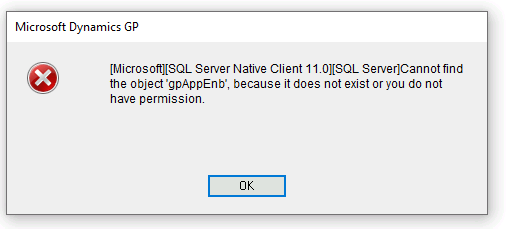
The later error message seems to point to a PSTL library issue, which the 'sa' user is not able to configure successfully either once logged into GP and past all the errors..
Could this be a problem with the Win10 21H1 build or totally unrelated?
TiA for any input.







