web
You’re offline. This is a read only version of the page.
close
Skip to main content

Notifications

Announcements

No record found.

Community site session details

Community site session details

Session Id :
Microsoft Dynamics CRM (Archived)

Delete button missing from custom entity

(0) ShareShare
ReportReport
Posted on by

Lordy, I cannot figure out how to get the Delete button to appear on my custom entity.  I am logged in as Administrator and see the following:

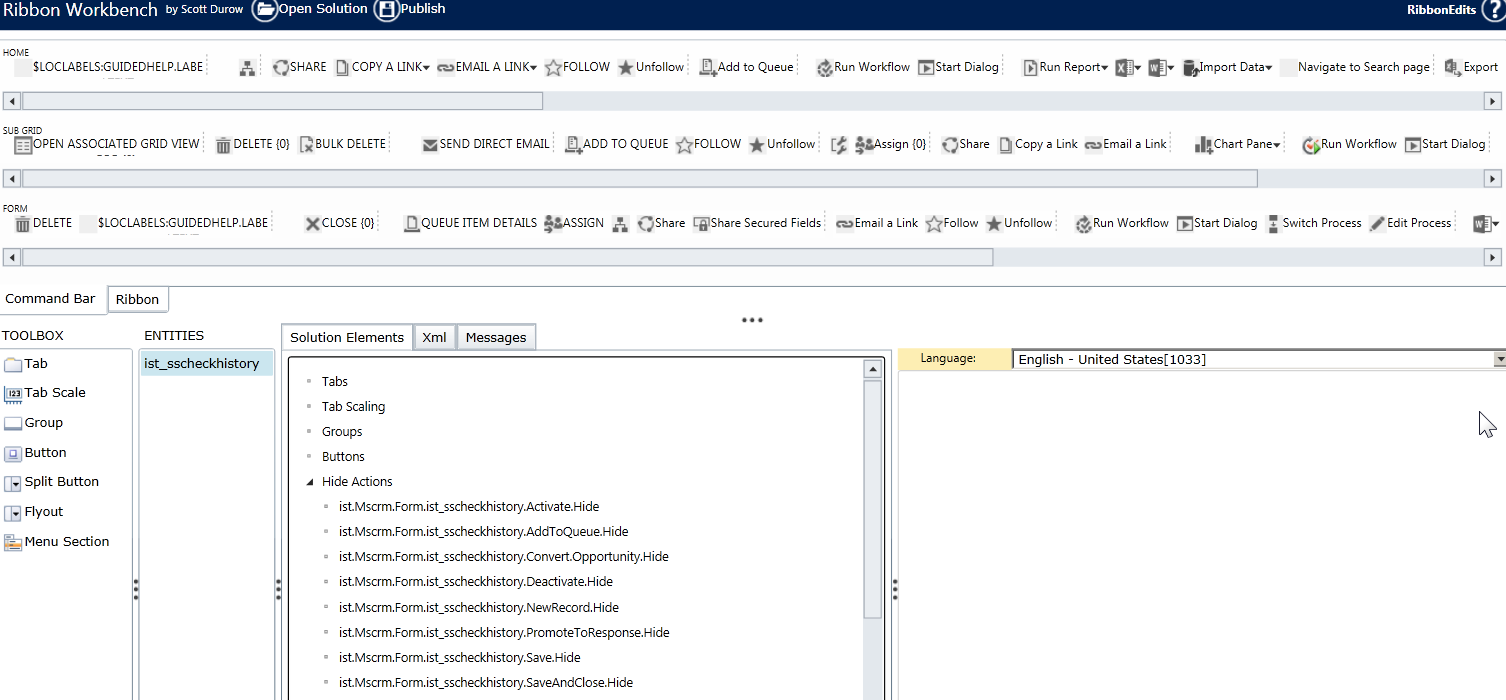
Ribbon Workbench - The Delete Action is nowhere under Hide Actions.
7853.1.png

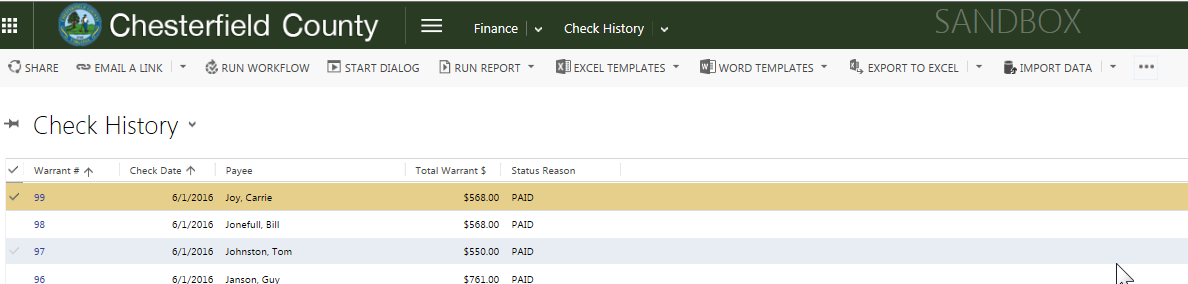
Grid - with or without anything selected the Delete button does not appear on the face or under any other button items
0020.2.png

*This post is locked for comments

I have the same question (0)
  • Suggested answer
    ScottDurow Profile Picture
    21 on at

    This looks like you don't have new/edit/delete privileges on this entity because you are not seeing the New or Edit buttons either!

  • Cyclefitness Profile Picture
    on at

    But I'm Admin.

  • Cyclefitness Profile Picture
    on at

    But I'm logged in as an Administrator

  • ScottDurow Profile Picture
    21 on at

    How odd! If you open a record can you delete/edit etc?

  • Cyclefitness Profile Picture
    on at

    Can edit, yes, but not delete.  I had removed the Delete button through the Ribbon Editor, but then when I tried to put it back it just won't show up.  At the time, I was less wise. ;-)

  • Inogic Profile Picture
    703 on at

    You can refer below link to restore your Delete button.
    http://develop1.net/public/post/How-to-restore-a-hidden-button-on-the-CRM-2013-Command-Bar.aspx 
    Hope this helps!

    Thanks!
    Sam

  • Cyclefitness Profile Picture
    on at

    I tried, but no luck.  I have no idea what any of this stuff means.  Here's what I see in Ribbon Workbench:

    2308.1.png

    Does anything here look amiss?  I need to be able to delete records from a grid.

  • ScottDurow Profile Picture
    21 on at

    Hi Deb,

    It looks like you have customised the delete button and command.

    Make sure that all out of the box Mscrm.* enable rules and display rules have the IsCore=True property set so that they are not changed in anyway.

    keep a backup incase there is functionality there that was needed!

  • Community Member Profile Picture
    on at

    Hello,

    We are using MS Dynamics CRM 365 to build a portal.

    buildercommerce01.microsoftcrmportals.com

    Problem:

    We have created an Entity list and added the Grid Edit control.

    Also created an Entity permission with Read, Write and Delete access to the Entity on the 'Contact' scope.

    Please refer this screen-shot.

    www.screencast.com/.../uuJXJU5qhyh

    Here we can view the data in the list form and can edit by clicking on the 'Update Loan'. But 'Delete' action that we implemented doesn't seem to work . In fact couldn't view it.

    Please refer these screen-shots. This is the MC CRM admin side.

    www.screencast.com/.../cNi6K20xQLx

    [View:http://www.screencast.com/t/Np8bgBMLJ:750:50]

    Thanks,

    Santhosh.

Under review

Thank you for your reply! To ensure a great experience for everyone, your content is awaiting approval by our Community Managers. Please check back later.

Helpful resources

Quick Links

Responsible AI policies

As AI tools become more common, we’re introducing a Responsible AI Use…

Neeraj Kumar – Community Spotlight

We are honored to recognize Neeraj Kumar as our Community Spotlight honoree for…

Leaderboard > 🔒一 Microsoft Dynamics CRM (Archived)

#1
SA-08121319-0 Profile Picture

SA-08121319-0 4

#1
Calum MacFarlane Profile Picture

Calum MacFarlane 4

#3
Alex Fun Wei Jie Profile Picture

Alex Fun Wei Jie 2

Last 30 days Overall leaderboard

Featured topics

Product updates

Dynamics 365 release plans



