web
You’re offline. This is a read only version of the page.
close
Skip to main content

Notifications

Announcements

No record found.

Community site session details

Community site session details

Session Id :
Microsoft Dynamics AX (Archived)

AX 2012 - PO autocharges posted as "Price difference in purchase" instead if "Purchase, inventory receipt"

(0) ShareShare
ReportReport
Posted on by

Hi All,

I am trying to increase stock value when posting PO invoice with some autocharges but seem no matter what i do the charges are treated as "Price difference in purchase" transaction type and instead of increasing stock valie value posted DT Price difference in purchase || CT Accrual account (Expected result will be DT Purchase, inventory receipt). Not sure what am i missing here and what could be the cause

Accounts payable setup:
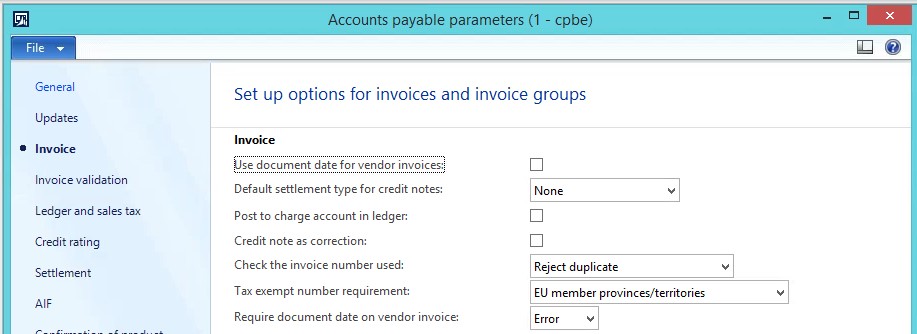
8081.1.jpg

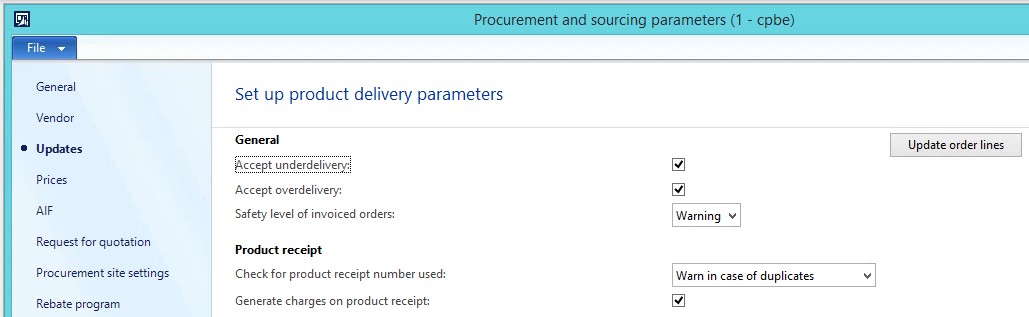
Procurement and sourcing setup:

8284.2.jpg

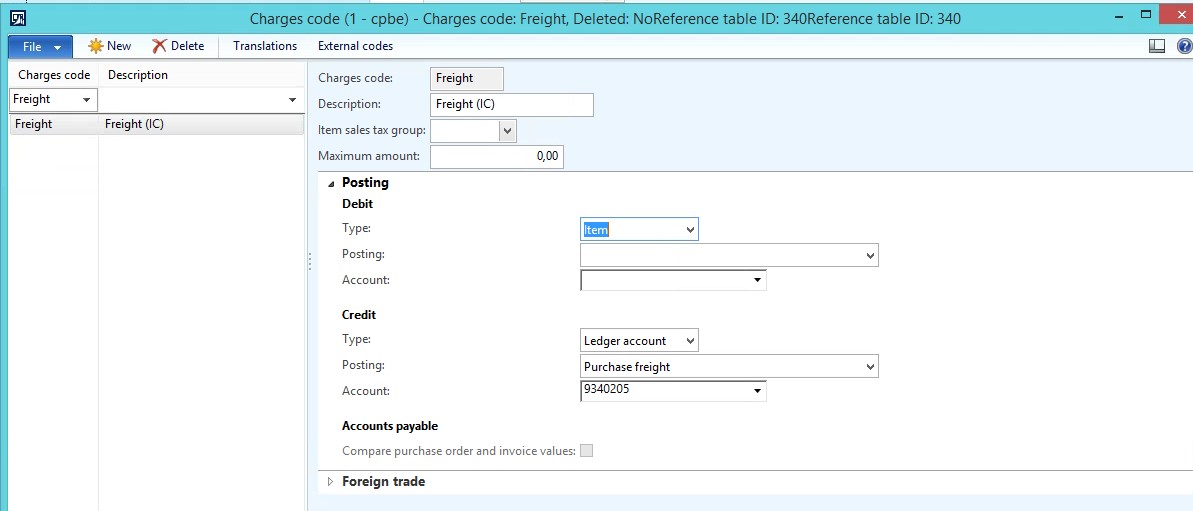
Charge code setup:

3187.3.jpg

Product receipt posting:

Here the product receipt posting type seem ok (increasing the amount with 10%). This is also visible in Inventory management module. Where Physical cost amount is 110 (100 base price = 10% auto charges)
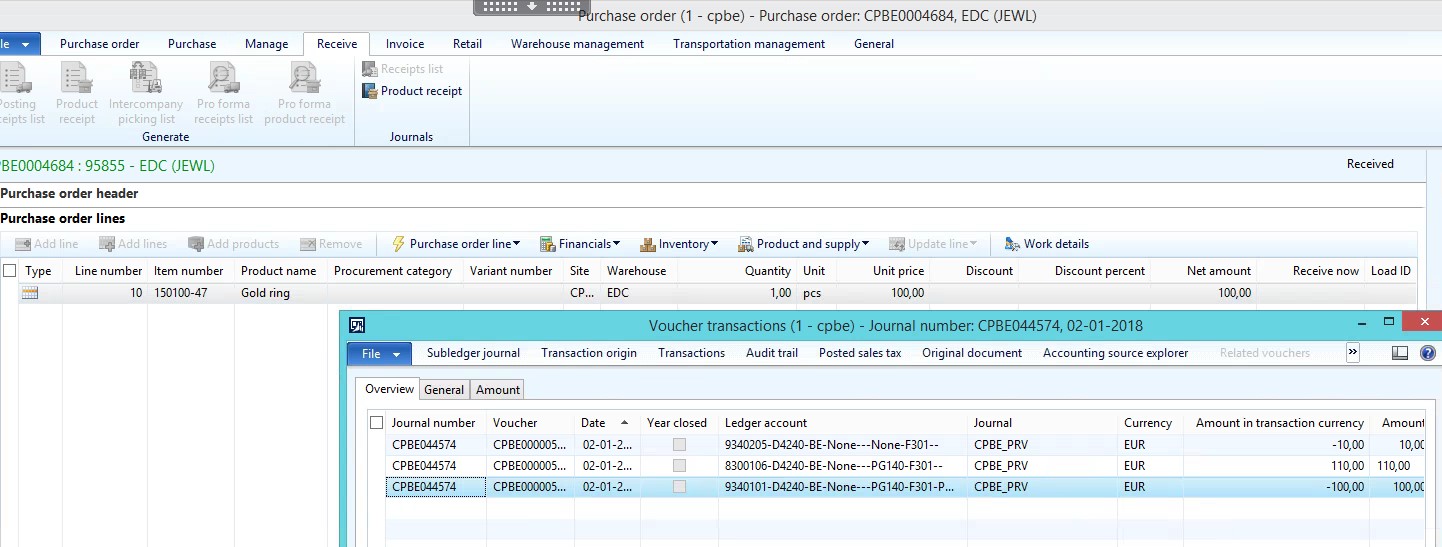
7870.4.jpg

Invoice postin:

And here the Increase inventory cost is reversed and charges posted on as "Price difference in purchase". Not sure why is happening and what might be the cause. The desired effect will be Purchase, inventory receipt (stock value) to be 110 (including the auto charges).
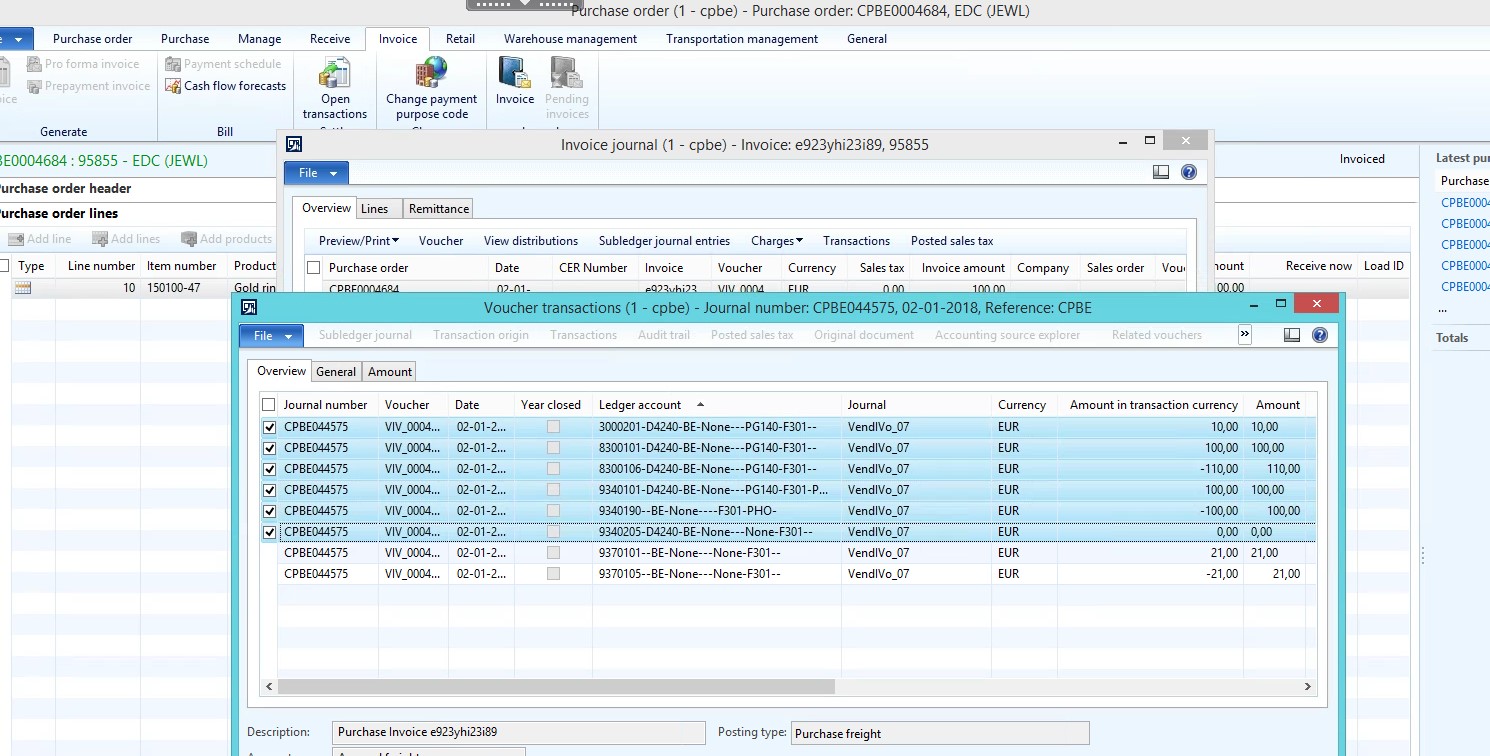
3125.6.jpg

Thank you for your help in advance

*This post is locked for comments

I have the same question (0)
  • Community Member Profile Picture
    on at

    I am trying to increase stock value when posting PO invoice with some autocharges but seem no matter what i do the charges are treated as "Price difference in purchase" transaction type and instead of increasing stock valie value posted DT Price difference in purchase || CT Accrual account (Expected result will be DT Purchase, inventory receipt). Not sure what am i missing here and what could be the cause

  • Ludwig Reinhard Profile Picture
    Microsoft Employee on at

    Hi,

    It seems that your screenprints were not attached.

    Can you edit your post and attach your saved screenprints by using the rich formatting functionality?

    Many thanks and best regards,

    Ludwig

  • Guy Terry Profile Picture
    28,924 Moderator on at

    Hi,

    What is the Inventory model on your item(s) Item model group?

  • Community Member Profile Picture
    on at

    Hi Ludwig,

    It should be visible now.

  • Community Member Profile Picture
    on at

    Hi,

    It's FIFO

    3731.7.jpg

  • Community Member Profile Picture
    on at

    Any ideas what could be the reason? or this is the standard?

  • Suggested answer
    Ludwig Reinhard Profile Picture
    Microsoft Employee on at

    Hi,

    What is your account no. 8300106 and what is your account 934101?

    Isn't account 8300106 your inventory account that includes the $10 surcharge?

    Where do you see the purchase price difference?

    Because you use a FIFO valuation, AX should not post a purchase price difference (variance) as it does for Standard cost items.

    Is it possible that you personalize your screenprints and add the posting type to the lines? This would make things much easier to identify.

    Many thanks and best regards,

    Ludwig

Under review

Thank you for your reply! To ensure a great experience for everyone, your content is awaiting approval by our Community Managers. Please check back later.

Helpful resources

Quick Links

Responsible AI policies

As AI tools become more common, we’re introducing a Responsible AI Use…

Neeraj Kumar – Community Spotlight

We are honored to recognize Neeraj Kumar as our Community Spotlight honoree for…

Leaderboard > 🔒一 Microsoft Dynamics AX (Archived)

#1
Martin Dráb Profile Picture

Martin Dráb 4 Most Valuable Professional

#1
Priya_K Profile Picture

Priya_K 4

#3
MyDynamicsNAV Profile Picture

MyDynamicsNAV 2

Last 30 days Overall leaderboard

Featured topics

Product updates

Dynamics 365 release plans