web
You’re offline. This is a read only version of the page.
close
Skip to main content

Notifications

Announcements

No record found.

Community site session details

Community site session details

Session Id :
Microsoft Dynamics AX (Archived)

Using table data for datasource of ComboBox

(0) ShareShare
ReportReport
Posted on by 648

Is it possible for a ComboBox to use data from a table instead of a enum?

If so, what is the recommended way to do this? I have tried adding this code to the init method of the form:

        combobox.clear();
        AxTable tbl;
        while select * from tbl
        {
            combobox.add(tbl.Name);
        }


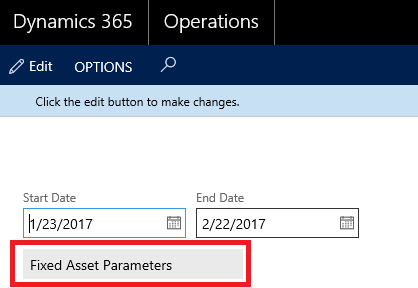
But when I try this the combo box loads the first result, but is disabled and does not allow for changing the value. 
3326.ax1.png

Which makes me think this is not the correct way to do this.

If this is not possible, is there another type of control that would allow for this type of functionality?

This question has been asked before

https://dynamicsuser.net/ax/f/developers/75598/fill-combobox-with-table-data

http://daynamicsaxaptatutorials.blogspot.com/2010/06/fill-combo-box-using-axapta-x-code.html

https://community.dynamics.com/ax/f/33/t/93167

But there was not a real answer that works for this.

Any help (and code if possible) is appreciated!

*This post is locked for comments

I have the same question (0)
  • Verified answer
    Mea_ Profile Picture
    60,284 on at

    Hi FP_Alex,

    What are you trying to do is just an ordinary lookup.  Create new string control and override lookup method that returns one field from a table msdn.microsoft.com/.../hh185372.aspx

  • alexmeyer.itguy Profile Picture
    648 on at

    Thanks for your input ievgen, I created a FormStringControl and overrode its lookup method like below following the lookup documentation you provided:

        [Control("String")]
        class StringControl
        {
            /// <summary>
            ///
            /// </summary>
            public void lookup()
            {
                Query query = new Query();
                QueryBuildDataSource queryBuildDataSource;
                QueryBuildRange queryBuildRange;
    
                SysTableLookup sysTableLookup = SysTableLookup::newParameters(tableNum(AxTable), this);
    
                sysTableLookup.addLookupField(fieldNum(AxTable, Name));
    
                queryBuildDataSource = query.addDataSource(tableNum(AxTable));
    
                sysTableLookup.parmQuery(query);
    
                sysTableLookup.performFormLookup();
                //super();
            }


    But when I launch the form, the box doesn't populate and it remains grayed out (disabled). Also a breakpoint in the lookup code never executes. Is there something special that needs to be done to do this?

  • Mea_ Profile Picture
    60,284 on at

    Did you try to click on "Edit" button on the action pane ? What is the value of  "allowEdit" property on new control ?

  • alexmeyer.itguy Profile Picture
    648 on at

    ievgen, you are absolutely correct that if I click the Edit button the control loads correctly. I probably should have explained more on what I was looking to do with this control. I'm looking to treat it as a psedo-filter control for a data grid, in that the user could select an item from the list and the grid would filter based on their selection. So the control would not act as a property for an object (as it normally would) but should be available for modification when the form loads without clicking the Edit action button. Is this still possible?

    I apologize for the confusion.

  • Verified answer
    alexmeyer.itguy Profile Picture
    648 on at

    It looks like if I set the View Edit Mode to Edit I get the desired control functionality.

    0272.ax.png

  • Mea_ Profile Picture
    60,284 on at

    Yep, that's the one you need. If your issues is solved could you please mark answer(s) that helped you as verified to close this thread ?

Under review

Thank you for your reply! To ensure a great experience for everyone, your content is awaiting approval by our Community Managers. Please check back later.

Helpful resources

Quick Links

Responsible AI policies

As AI tools become more common, we’re introducing a Responsible AI Use…

Neeraj Kumar – Community Spotlight

We are honored to recognize Neeraj Kumar as our Community Spotlight honoree for…

Leaderboard > 🔒一 Microsoft Dynamics AX (Archived)

#1
Martin Dráb Profile Picture

Martin Dráb 4 Most Valuable Professional

#1
Priya_K Profile Picture

Priya_K 4

#3
MyDynamicsNAV Profile Picture

MyDynamicsNAV 2

Last 30 days Overall leaderboard

Featured topics

Product updates

Dynamics 365 release plans



