web
You’re offline. This is a read only version of the page.
close
Skip to main content

Notifications

Announcements

No record found.

Community site session details

Community site session details

Session Id :
Microsoft Dynamics AX (Archived)

Modules Disappeared after Restoring AX DB AX 2012 R2 CU7

(0) ShareShare
ReportReport
Posted on by 895

Hi,

I am using AX 2012 R2 CU7. I am running into an issue as detailed below:

1. I have my PROD environment where AOS and DB are separate servers. I took the backup of "Live" & "Live_model" databases.

2. I have my DEV environment as standalone system having AOS and DB on the same system. I have restored the above backup from PROD into my DEV environment via SSMS.

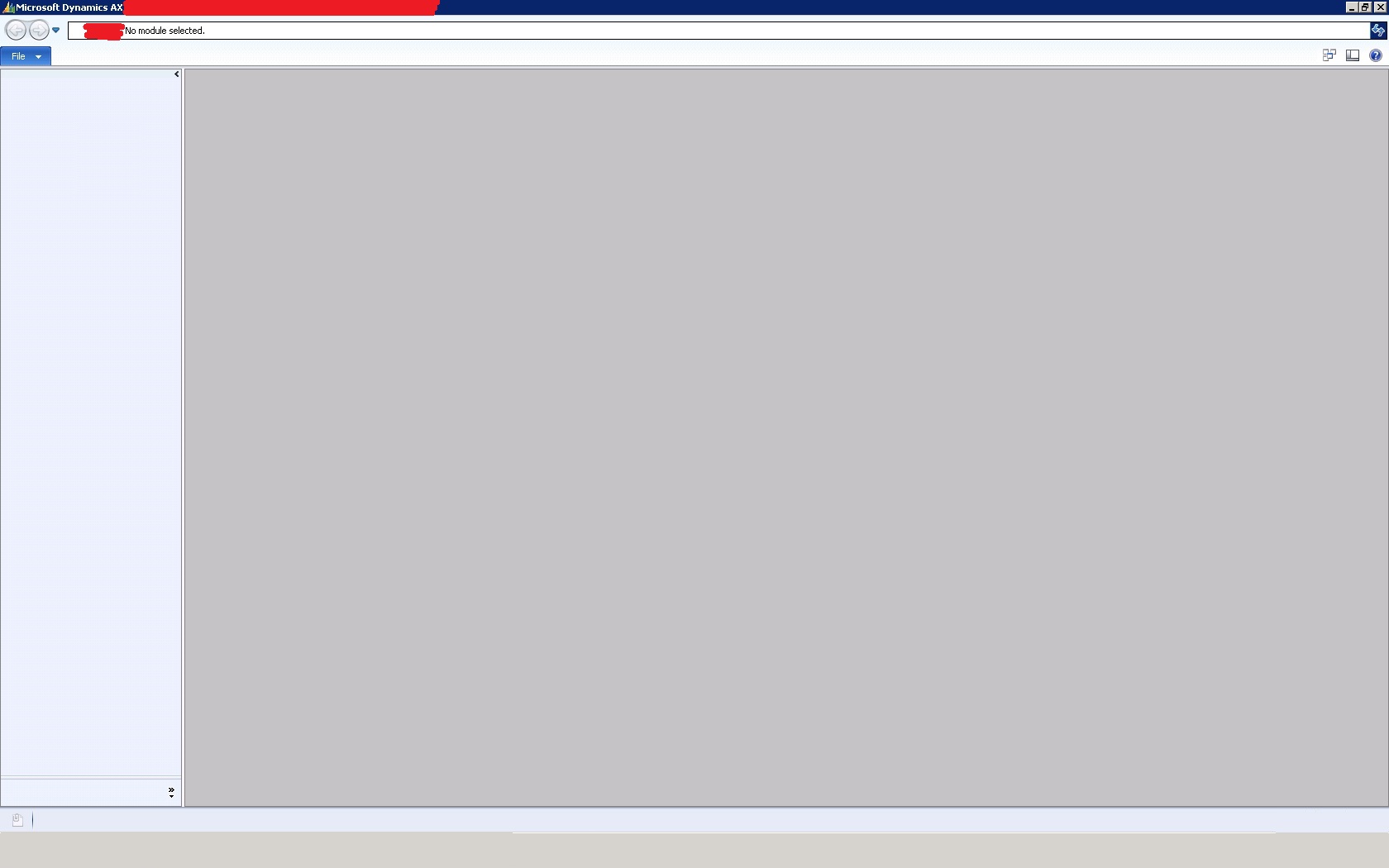
3. After restoring, I have restarted AOS & SQL Services but, when I am starting AX client, it is not displaying any module (As shown in the below snapshot). I am sure, there is something I am missing as the PROD & DEV systems are different. Can you please help me troubleshoot the issue and fix it.
7776.Issue_2D00_1.jpg

Would appreciate for your help.

Sincerely,

Muneeb

*This post is locked for comments

I have the same question (0)
  • dolee Profile Picture
    11,279 on at

    Hi,

    Do you see anything fishy in the event viewer?

    Also, for the record:

    - Are the machines in the same domain?

    - How is the security setup in the DEV SQL compare to PROD SQL?

    - Any version differences on the AOS installed in the machines?

    - Same client version?

    - [Anything else you can think of?]

  • Suggested answer
    Community Member Profile Picture
    on at

    Hello Muneeb,

    Please check Files-> View -> modules

    and try this as well

    2781.2.png

  • Dick Wenning Profile Picture
    8,705 Moderator on at

    can you press CTRL D?

    to get in the AOT?

  • Weaveriski Profile Picture
    23,618 Moderator on at

    This could be a result of having retail essentials ticked, you have to add the modules back in. It is by design and discussed on another post on here.

  • Muneeb Profile Picture
    895 on at

    Hi,

    I am unable to see anything when I Open the client.

    Lee, Are the machines in the same domain? - Yes. || How is the security setup in the DEV SQL compare to PROD SQL? - I given all possible security rights to the user on DEV using which I am restoring || Any version differences on the AOS installed in the machines? - No. || The version is same Same client version - Yes.

    Sufyan, I have checked, there are no modules available as you have shared the snapshot above.

    Wenning, Yes you are right. CTRL+D is not opening the AOT. Moreover when I am trying to open AOT using the command prompt, I am getting the below error:

    Weaver, I am not sure on this. I will have look into this. As same restore activity is working absolutely fine on another standalone system.

    I am clueless at this point, what is causing this issue.

    Would appreciate for your help to resolve this issue.

    Sincerely,

    Muneeb

  • Muneeb Profile Picture
    895 on at

    Hi,

    I am unable to see anything when I Open the client.

    Lee, Are the machines in the same domain? - Yes. || How is the security setup in the DEV SQL compare to PROD SQL? - I given all possible security rights to the user on DEV using which I am restoring || Any version differences on the AOS installed in the machines? - No. || The version is same Same client version - Yes.

    Sufyan, I have checked, there are no modules available as you have shared the snapshot above.

    Wenning, Yes you are right. CTRL+D is not opening the AOT. Moreover when I am trying to open AOT using the command prompt, I am getting the below error:

    Issue_2D00_3.jpg

    Weaver, I am not sure on this. I will have look into this. As same restore activity is working absolutely fine on another standalone system.

    I am clueless at this point, what is causing this issue.

    Would appreciate for your help to resolve this issue.

    Sincerely,

    Muneeb

  • Suggested answer
    Community Member Profile Picture
    on at

    Hi Muneeb,

    In the SQL management studio run the following query on the BusinessData Database :

    UPDATE USERINFO
    SET SID='your_sid', NETWORKALIAS='your_windows_username', NETWORKDOMAIN='your_domain', NAME='your_full_name'
    WHERE ID = 'Admin'

    After this you will be able to see all modules.


  • Verified answer
    Muneeb Profile Picture
    895 on at

    Hi Sufyan,

    Thank you so much for your help.

    I found out the fix. I just saw the AOS Services were starting with a user called AAA.

    Initially for this user AAA, for both the databases - "Live" & "Live_model" inside user mappings, same rights were given and I was able to import "Live" database and was getting error only for the "Live_model".

    Solved_5F00_2.jpg

    However, after i gave all the rights for this user "AAA" for "Live_model" DB (as shown below), I was able to successfully import the DB without any issues.

    Solved_5F00_2.jpg

    I am able to see all the modules and my AX is working all perfect.

    Once again thank you so much to everyone who really helped my out.

    Important: If anyone has any comments/suggestions, please do respond that would help me have further details for the above issue.

    Sincerely,

    Muneeb

Under review

Thank you for your reply! To ensure a great experience for everyone, your content is awaiting approval by our Community Managers. Please check back later.

Helpful resources

Quick Links

Responsible AI policies

As AI tools become more common, we’re introducing a Responsible AI Use…

Neeraj Kumar – Community Spotlight

We are honored to recognize Neeraj Kumar as our Community Spotlight honoree for…

Leaderboard > 🔒一 Microsoft Dynamics AX (Archived)

#1
Martin Dráb Profile Picture

Martin Dráb 4 Most Valuable Professional

#1
Priya_K Profile Picture

Priya_K 4

#3
MyDynamicsNAV Profile Picture

MyDynamicsNAV 2

Last 30 days Overall leaderboard

Featured topics

Product updates

Dynamics 365 release plans



