web
You’re offline. This is a read only version of the page.
close
Skip to main content

Notifications

Announcements

No record found.

Community site session details

Community site session details

Session Id :
Customer experience | Sales, Customer Insights,...
Answered

Advanced Search Static Worksheet with hyperlink column to contact record

(0) ShareShare
ReportReport
Posted on by 5

We have been using Dynamics for over a year and use the Advanced Find on a regular basis.  Typically, we export as a static worksheet and have our employees contact whomever is on their list.  Is there a way to add a column to that static worksheet that contains a hyperlink to the contact's record?  Would like for our employees to go down a list systematically, contact the potential customer, and update their information accordingly, without having to search for them.  A direct hyperlink in the worksheet would save a lot of time.

I have the same question (0)
  • Verified answer
    PS Profile Picture
    23,577 on at

    You will have to use Report Wizard and then apply the same filter as you do in advanced find and then download the report in excel and you will have hyperlinks to the records in excel.

    Here's How to: crmbook.powerobjects.com/.../

  • Verified answer
    LuHao Profile Picture
    40,892 on at

    Hi partner,

    I also recommend using report, but you can run the report directly in the advanced find view, so you don't need to set the filter for the report, you only need to set the columns and layout of the report.

    Because the article provided by Prashant is based on the classic UI, if you have disabled the classic UI, you could create a new report via advanced find.

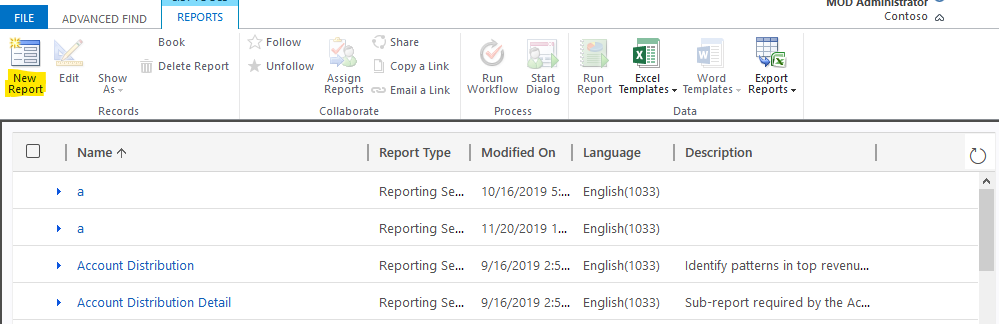
    pastedimage1574220537182v1.png     pastedimage1574220578178v2.png

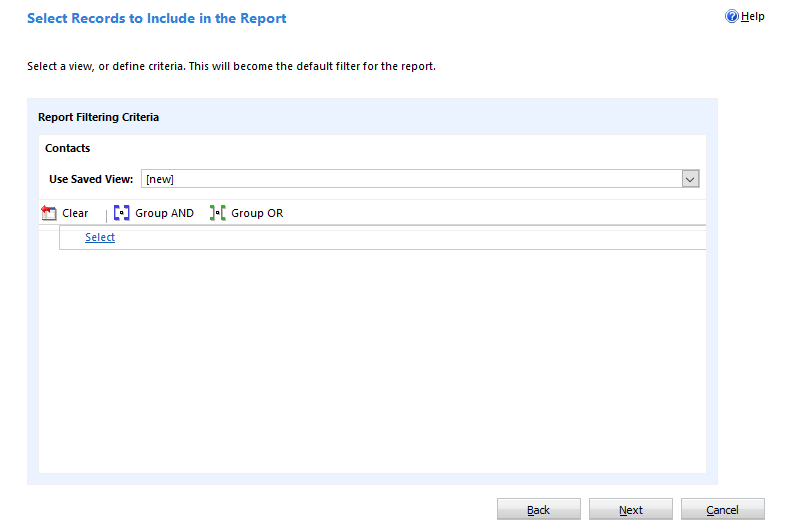
    When you are using the Report Wizard to create a report, you don't need to set any filters.

    pastedimage1574228743133v3.png    pastedimage1574228765795v4.png

    You only need to choose the columns.
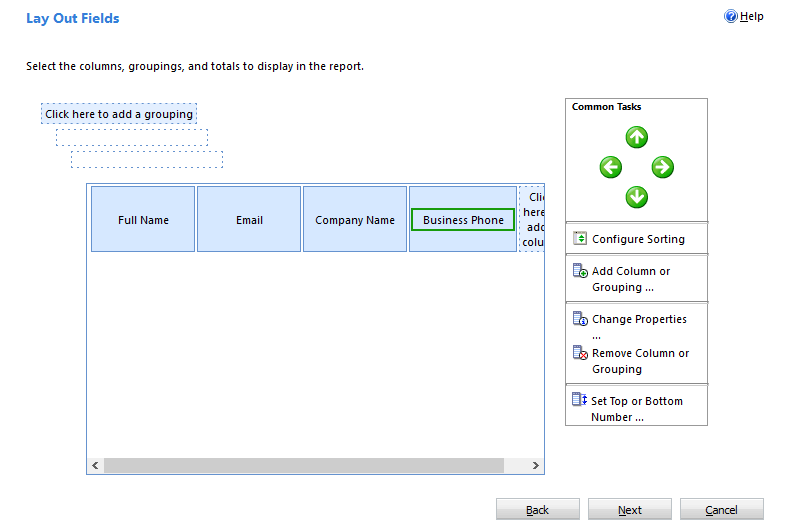
    pastedimage1574228845180v5.png

    When you use the advanced find to search for contacts as usual, set the filter, after clicking the 'Result' button to view the contact records, you will click the 'Run Report' button and select the report you created, then select 'All records on all pages in the current view', finally click Run Report.

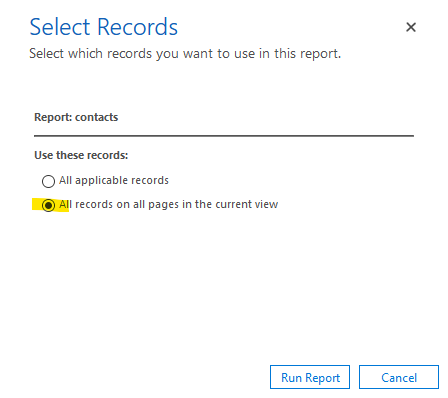
    pastedimage1574229069580v6.png    pastedimage1574229306307v7.png

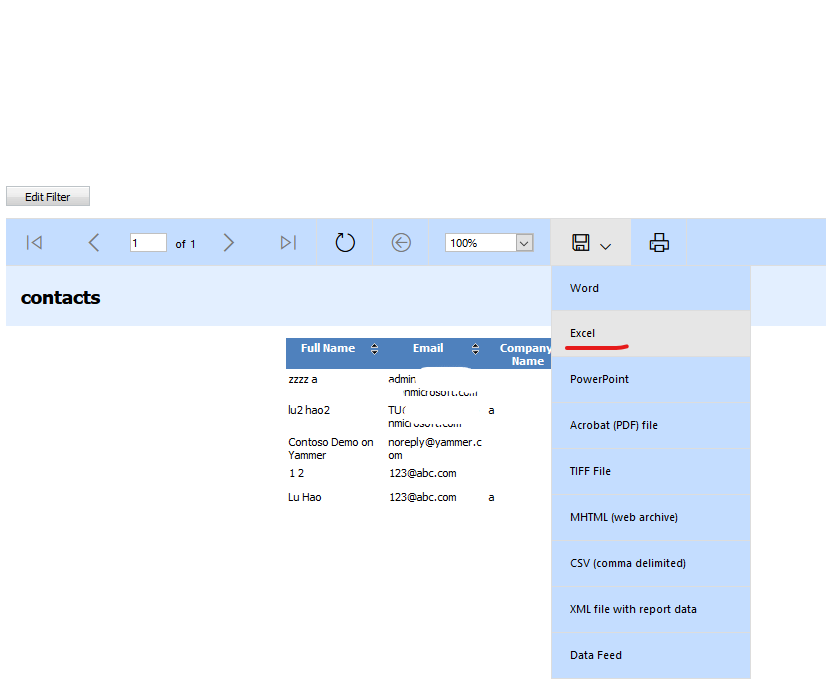
    Save it as Excel.

    pastedimage1574229448498v9.png

    The 'Full Name' column in Excel contains a hyperlink to the contact form in D365.

  • EEBuckeye4Life Profile Picture
    5 on at

    I was able to create a report successfully, which contains all the data that we require.  Even though the hyperlink is part of the contact cell, it still does not open up their contact page.  Have you experienced that before?  Clicking on the contact simply takes them to their default dashboard view.  However, if your right click on the cell, select edit hyperlink, copy the hyperlink from that prompt, and then paste it into a browser, you are taken to the contact's page.  Any ideas? 

  • Suggested answer
    PS Profile Picture
    23,577 on at

    Seems to be a bug. Contact MS.

  • Verified answer
    PS Profile Picture
    23,577 on at

    Download it as PDF and it should be fine; if you don't want to use PDF please go back to my previous response.

  • Verified answer
    LuHao Profile Picture
    40,892 on at

    Hi partner,

    Yes, this is a known issue.

    When you open a hyperlink to D365 in MS Excel, Word and PowerPoint, it will only navigate to the D365 home page.

    In addition to these three applications, D365 hyperlinks in other applications can navigate to the specified page correctly.

    So, I would recommend you save the report as a pdf, clicking on the hyperlink in the pdf will open up the D365 contact page.

    pastedimage1574302309979v1.png

    Then use PDF to match the original Excel static worksheet exported from the advanced find.

Under review

Thank you for your reply! To ensure a great experience for everyone, your content is awaiting approval by our Community Managers. Please check back later.

Helpful resources

Quick Links

Responsible AI policies

As AI tools become more common, we’re introducing a Responsible AI Use…

Neeraj Kumar – Community Spotlight

We are honored to recognize Neeraj Kumar as our Community Spotlight honoree for…

Leaderboard > Customer experience | Sales, Customer Insights, CRM

#1
Tom_Gioielli Profile Picture

Tom_Gioielli 108 Super User 2025 Season 2

#2
Jimmy Passeti Profile Picture

Jimmy Passeti 50 Most Valuable Professional

#3
Gerardo Rentería García Profile Picture

Gerardo Rentería Ga... 49 Most Valuable Professional

Last 30 days Overall leaderboard

Product updates

Dynamics 365 release plans