web
You’re offline. This is a read only version of the page.
close
Skip to main content

Notifications

Announcements

No record found.

Community site session details

Community site session details

Session Id :
Finance | Project Operations, Human Resources, ...
Suggested Answer

Accounts receivable Prepayment functionality

(1) ShareShare
ReportReport
Posted on by 135

Hello,

I am using version 10.0.18, Update 42, D365 Finance and Operation. I want to use the Prepayment option for a sales order but unfortunatelly does`nt work.

Enclose my setup:

1. Customer posting profile

pastedimage1623605808324v3.png

2. Accounts receivable parameters

pastedimage1623605603350v2.png

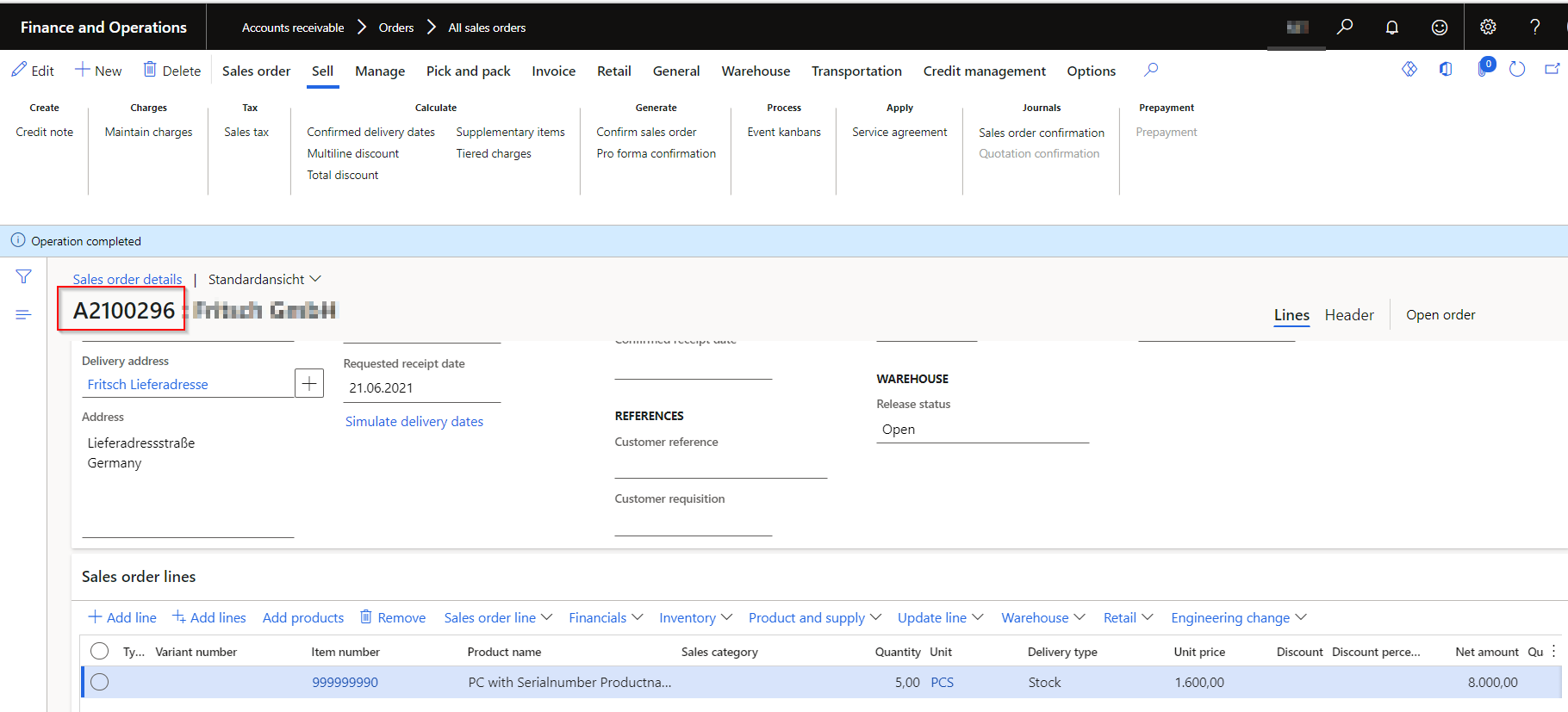
3. Create a new sales order

pastedimage1623605910376v4.png

4. Create a Customer payment journal

pastedimage1623606047660v5.png

pastedimage1623607038450v6.png

After posting the customer payment journal I expect to see the Prepayment on the sales order but unfortunatelly the Prepayment button is not active.

pastedimage1623607084426v7.png

Can you help me please and tell me what I´m doing wrong.

Thank you for your help

Liana

I have the same question (0)
  • Suggested answer
    OsmanIstanbul Profile Picture
    2,818 on at

    Hi,

    please check community.dynamics.com/.../view-prepayment-information-in-sales-order out.

    Regards.

  • Suggested answer
    Ludwig Reinhard Profile Picture
    Microsoft Employee on at

    Hello Liana,

    You are right. The reason for that is that this prepayment feature was deprecated for non retail related implementations. What you can do is apply the prepayment at the time you post the SO invoice and thereby make the deduction of the amount prepaid.

    Best regards,

    Ludwig

  • Suggested answer
    saurabh bharti Profile Picture
    15,039 Moderator on at

    HI,

    you can read here

    https://exploredynamics365.home.blog/2020/09/12/vendor-customer-advance-payments-in-microsoft-dynamics-365-finance-and-operations/

    Looks like you missed specifying SO number in payment journal.

    Also, settlement can not happen automatically, you have to select at the time of invoice from open settle transaction.

  • Suggested answer
    Sheela Ningappa Profile Picture
    on at

    Hi,

    You may also want to refer this link- How to mark a prepayment to a Sales order - Microsoft Dynamics AX Forum Community Forum

    Thanks,

    Sheela

  • Suggested answer
    Bharath jain Profile Picture
    1,443 Super User 2025 Season 2 on at

    Hi,

    As Ludwig suggested this option is disabled.

    Follow the below steps to apply prepayment for sales order.

    1) First post a customer payment journal and mark it as prepayment.

    2) Create a sales order, go to the invoice tab and click "settle open transaction", here select the prepayment entry.

    once the above steps are completed, prepayment will be adjusted to sales order.

Under review

Thank you for your reply! To ensure a great experience for everyone, your content is awaiting approval by our Community Managers. Please check back later.

Helpful resources

Quick Links

Responsible AI policies

As AI tools become more common, we’re introducing a Responsible AI Use…

Neeraj Kumar – Community Spotlight

We are honored to recognize Neeraj Kumar as our Community Spotlight honoree for…

Leaderboard > Finance | Project Operations, Human Resources, AX, GP, SL

#1
Martin Dráb Profile Picture

Martin Dráb 592 Most Valuable Professional

#2
André Arnaud de Calavon Profile Picture

André Arnaud de Cal... 478 Super User 2025 Season 2

#3
BillurSamdancioglu Profile Picture

BillurSamdancioglu 305 Most Valuable Professional

Last 30 days Overall leaderboard

Product updates

Dynamics 365 release plans