web
You’re offline. This is a read only version of the page.
close
Skip to main content

Notifications

Announcements

No record found.

Community site session details

Community site session details

Session Id :
Dynamics 365 general forum

Set Regarding on closed activities

(0) ShareShare
ReportReport
Posted on by 25

In one of our client databases they want the ability to migrate all activities from one record to another (similar to lead > opportunity, but between two custom entities related to grant tracking).  They are attempting to use the "Set Regarding" command on the Activities related view, however they receive an error on closed phone calls and tasks (email and appointments are successfully reassigned).  Those with the System Administrator role do not encounter this error and can migrate all activities successfully.  Is there a particular set of permissions that can be given to these users to enable the same functionality without promoting them to System Administrator? They currently have full access to both custom entities as well as Activities.

Here is a visual of the process:

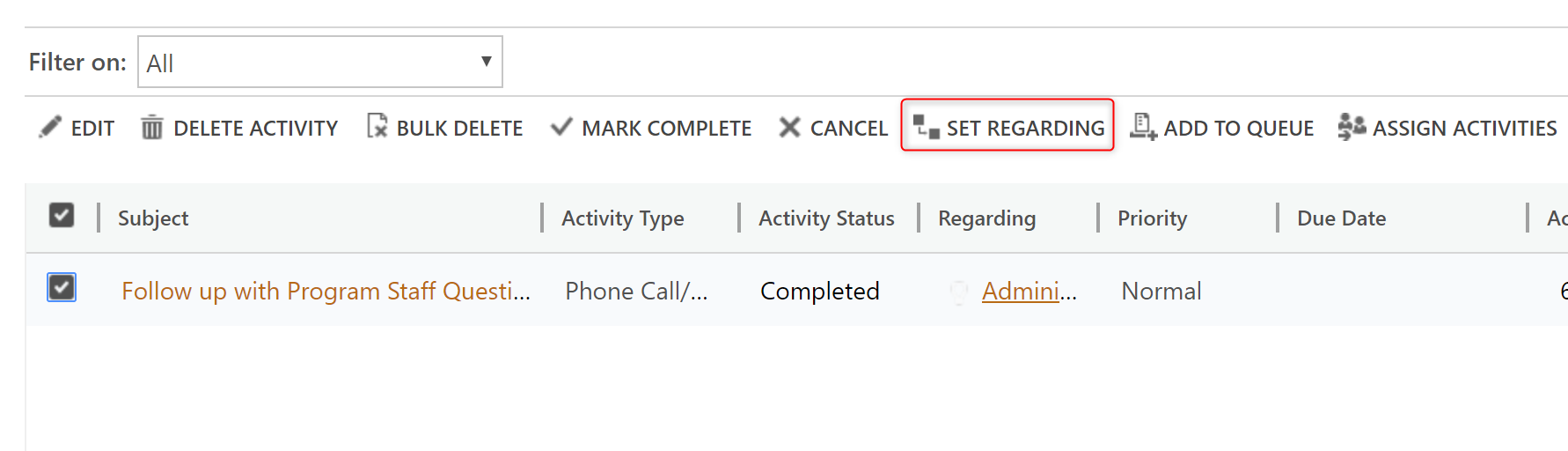
Open record, view All Activities, select all, choose "Set Regarding"
pastedimage1565780949990v1.png

For System Administrators this is successful.

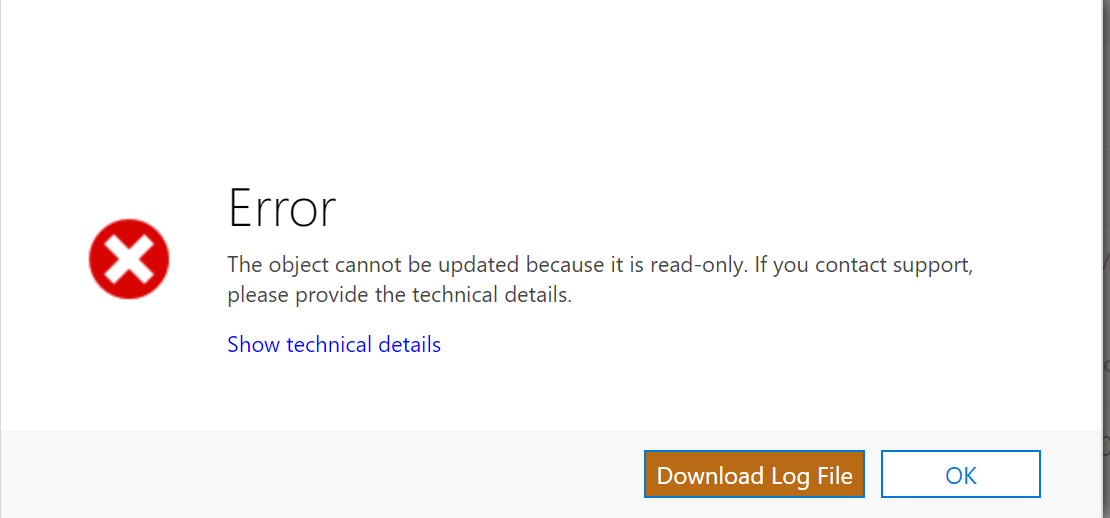
For all other users, they see this error (log file states "Cannot update Closed or Cancelled Activity")
pastedimage1565781073659v2.png

I have the same question (0)
  • LuHao Profile Picture
    40,892 on at

    Hi partner,

    This is by design, in order to comply with GDPR.

    Only system administrator can update read-only records.

    It is currently not possible for users who are not system administrators to perform this operation.

    Please refer to this document: https://docs.microsoft.com/en-us/dynamics365/customer-engagement/sales-enterprise/dynamics-365-sales-gdpr

  • mdavignon Profile Picture
    25 on at

    Thanks for the info, however I'm unclear why this would be allowed for Email and Appointments and not Phone Calls/Tasks.

  • LuHao Profile Picture
    40,892 on at

    Hi partner,

    I did not find an official document explaining this problem.

    But in my opinion, email and appointments can be updated in read-only status because they can be connected to Exchange via Server-Side Synchronization or Email Router to synchronize with Outlook.

    Normal users can modify their own email and appointments directly in Outlook, and the modification will take effect in D365.

    D365's phone calls and tasks are D365 internal activities, which cannot be modified in Outlook.

    This is the difference between them.

  • LuHao Profile Picture
    40,892 on at

    Hi partner,

    Is your problem solved? Are there any other questions?

    Please don't forget to close this theme by clicking Yes to mark the verified answer.

    pastedimage1566892990110v1.png

    This will help other users quickly navigate to this theme.

    Thanks.  :)

Under review

Thank you for your reply! To ensure a great experience for everyone, your content is awaiting approval by our Community Managers. Please check back later.

Helpful resources

Quick Links

November Spotlight Star - Khushbu Rajvi

Congratulations to a top community star!

Forum Structure Changes Coming on 11/8!

In our never-ending quest to help the Dynamics 365 Community members get answers faster …

Dynamics 365 Community Platform update – Oct 28

Welcome to the next edition of the Community Platform Update. This is a status …

Leaderboard > Dynamics 365 general

Last 30 days Overall leaderboard

Featured topics

Product updates

Dynamics 365 release plans
