web
You’re offline. This is a read only version of the page.
close
Skip to main content

Notifications

Announcements

No record found.

Community site session details

Community site session details

Session Id :
Customer experience | Sales, Customer Insights,...
Suggested Answer

View to list all opportunity products

(0) ShareShare
ReportReport
Posted on by 5

Hi

I created, using classic AdvancedFind, a View listing all Opportunty Products for all Opportunity selected by certain filters.

When used within the Opportunity it obviously runs against the products of the opp itself.

However it is not clear to me, how I can access and run such a view and list ALL products of all opps which is my objective.

Kind regards

Max

I have the same question (0)
  • Suggested answer
    Naveen Ganeshe Profile Picture
    3,397 User Group Leader on at

    Hi Max,

    you can create a navigation menu from the app designer for the "opportunity product" entity to view all the opportunity products for all opportunities and use your view there

  • Suggested answer
    Pradeep Rai Profile Picture
    5,489 Moderator on at

    Hi,

    As Naveen Ganeshe said you can add new menu in app designer and to add that please refer below link:

    https://learn.microsoft.com/en-us/dynamics365/customerengagement/on-premises/customize/create-edit-app?view=op-9-1

    Thank You,
    Pradeep Rai.

  • Suggested answer
    Mohamed GRAIB Profile Picture
    2,504 Moderator on at

    Hi Sigmamax, 

    So you can follow these steps : 

    Step 1 : navigate to make.powerappas.com > Apps > Select your app and click Edit 
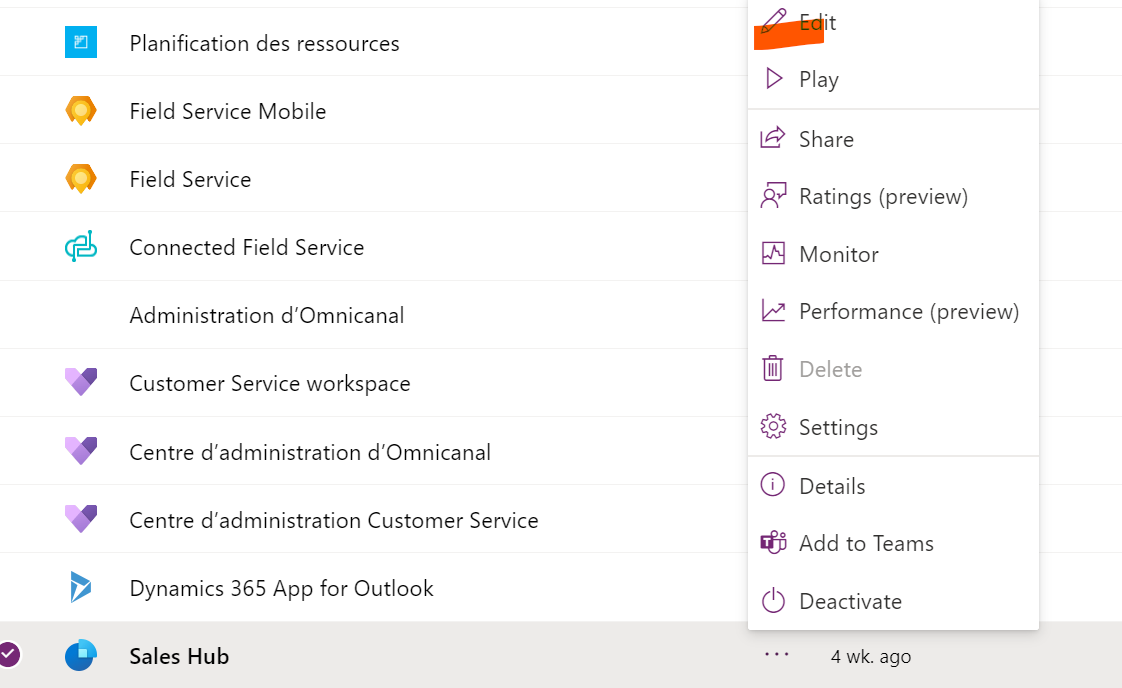
    pastedimage1673867984980v1.png

    Step 2 : Click on Add a new page and select Dataverse Table as shown in the figure below 
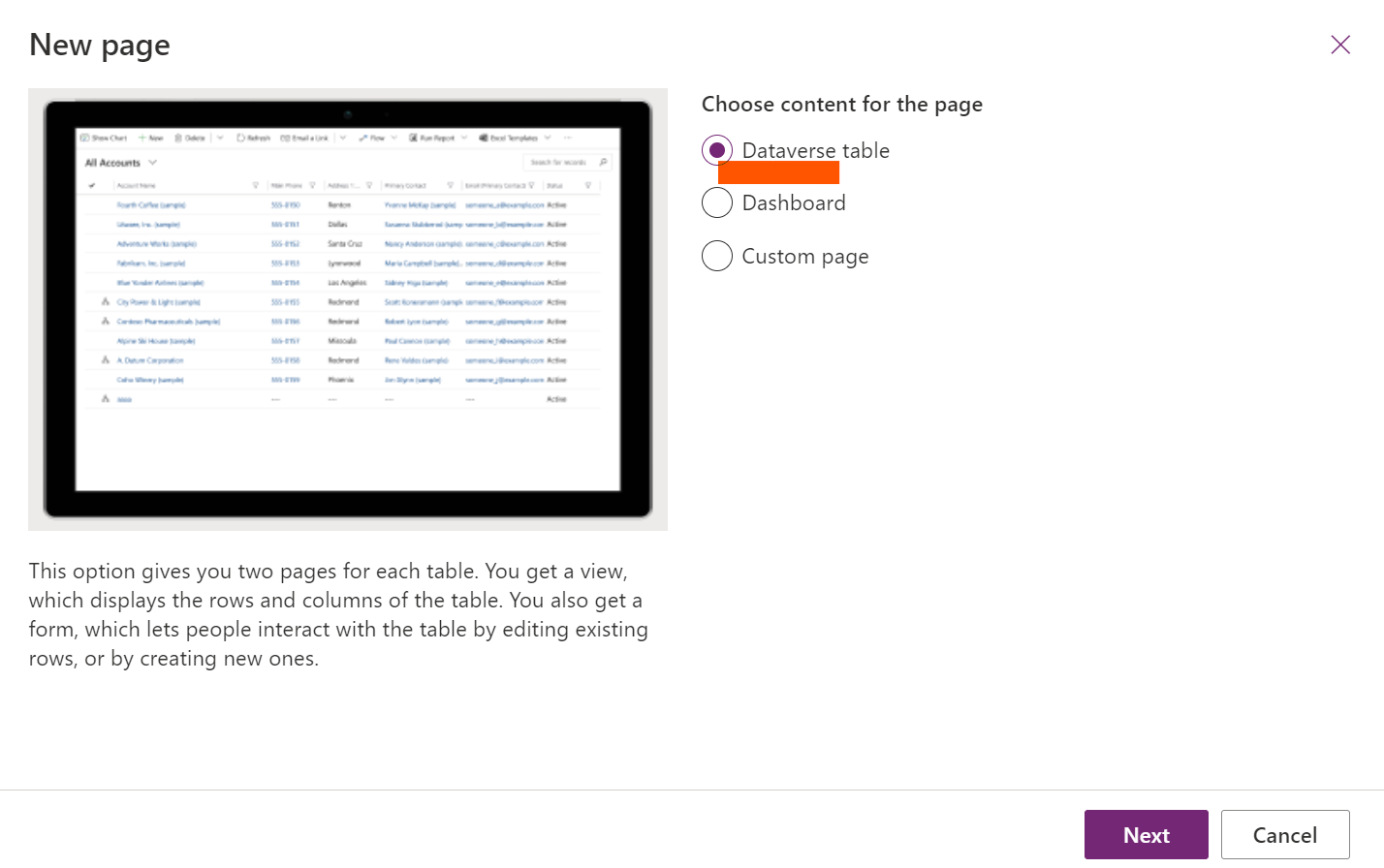
    pastedimage1673868050030v2.png

    Step 3 : Search the Opportunity product Table and Select it as shown in the figure below 
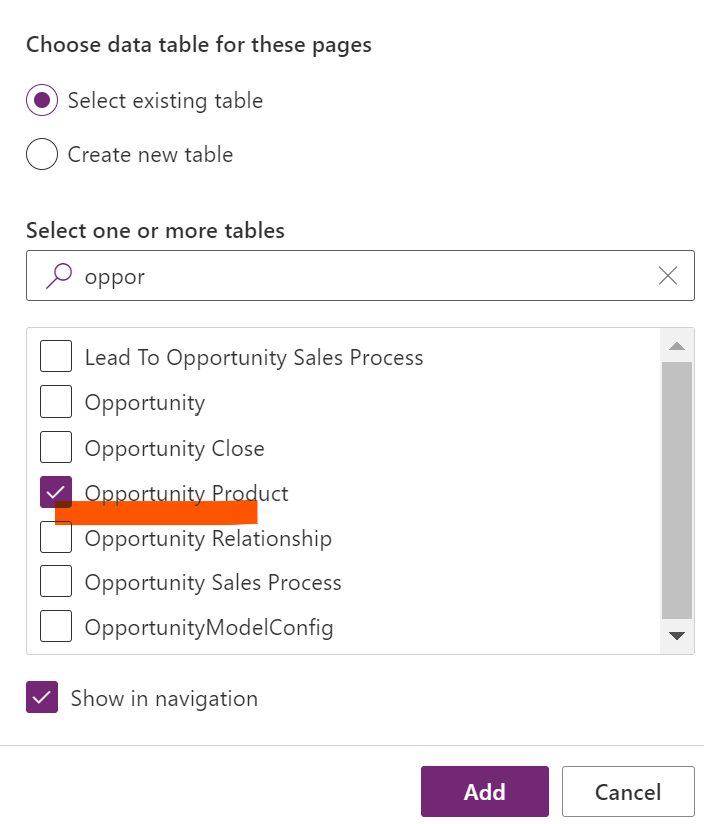
    pastedimage1673868105363v3.png

    Step 4 : If your opportunity Product entity is added, Just click on Save and then publish 
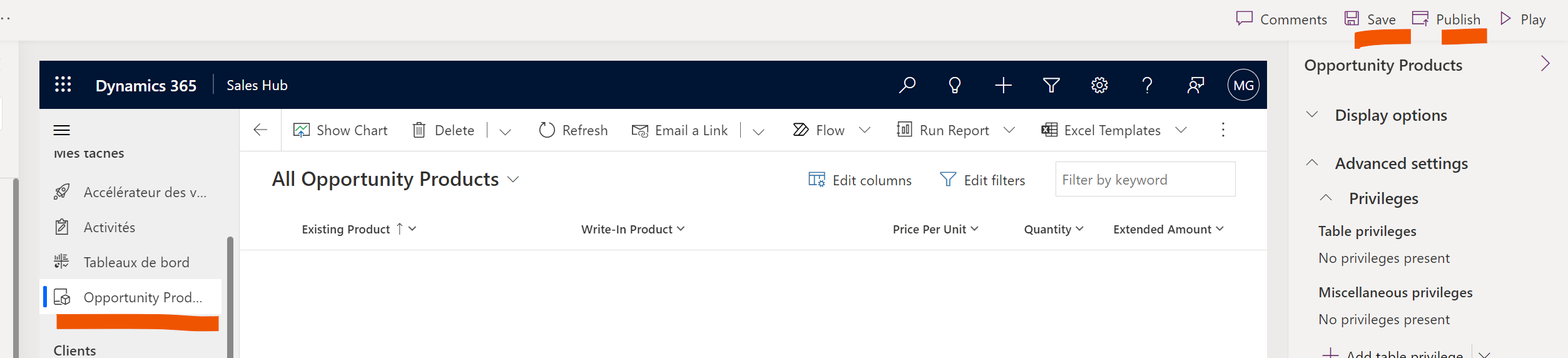
    pastedimage1673868209502v4.png

    Now, if you want create a custom view, Just navigate to make.powerapps.com>Dataverse> Select your table "OpportunityProduct> Views 

    And create your custom view using the filters that you want. 

    Hope that's helpful for you. 

    Please mark the answer as verified if that's helpful for you 

Under review

Thank you for your reply! To ensure a great experience for everyone, your content is awaiting approval by our Community Managers. Please check back later.

Helpful resources

Quick Links

Responsible AI policies

As AI tools become more common, we’re introducing a Responsible AI Use…

Neeraj Kumar – Community Spotlight

We are honored to recognize Neeraj Kumar as our Community Spotlight honoree for…

Leaderboard > Customer experience | Sales, Customer Insights, CRM

#1
Tom_Gioielli Profile Picture

Tom_Gioielli 137 Super User 2025 Season 2

#2
#ManoVerse Profile Picture

#ManoVerse 57

#3
Jimmy Passeti Profile Picture

Jimmy Passeti 50 Most Valuable Professional

Last 30 days Overall leaderboard

Product updates

Dynamics 365 release plans



