Hello Community,
I am encountering some unusual behaviour using Java to show and hide fields based on optionset values (inserted what I have so far):
function showRiskOnChange(executionContext)
{
   const formContext = executionContext.getFormContext();

   const notetype = formContext.getAttribute("rst_note_type").getValue();

	if (notetype != null)
	{
			// Risk Note Type
		if (notetype === 866570003)
		{
			formContext.getControl("rst_risk_policy_number").setVisible(true);
			formContext.getControl("rst_risk_insurer").setVisible(true);
			formContext.getControl("rst_risk_product").setVisible(true);
			formContext.getControl("rst_risk_date_issue").setVisible(true);
			formContext.getControl("rst_risk_super_self_owned").setVisible(true);
			formContext.getControl("rst_risk_policy_owner").setVisible(true);
			formContext.getControl("rst_risk_date_end").setVisible(true);
			formContext.getControl("rst_risk_life_insured").setVisible(true);
			formContext.getControl("rst_risk_type").setVisible(true);
			formContext.getControl("rst_risk_amount").setVisible(true);
			formContext.getControl("rst_risk_premium").setVisible(true);
			formContext.getControl("rst_risk_premium_type").setVisible(true);
			formContext.getControl("rst_risk_waiting_benefit_period").setVisible(true);
			formContext.getControl("rst_risk_loading_exclusions").setVisible(true);
		}
		else
		{
			formContext.getControl("rst_risk_policy_number").setVisible(false);
			formContext.getControl("rst_risk_insurer").setVisible(false);
			formContext.getControl("rst_risk_product").setVisible(false);
			formContext.getControl("rst_risk_date_issue").setVisible(false);
			formContext.getControl("rst_risk_super_self_owned").setVisible(false);
			formContext.getControl("rst_risk_policy_owner").setVisible(false);
			formContext.getControl("rst_risk_date_end").setVisible(false);
			formContext.getControl("rst_risk_life_insured").setVisible(false);
			formContext.getControl("rst_risk_type").setVisible(false);
			formContext.getControl("rst_risk_amount").setVisible(false);
			formContext.getControl("rst_risk_premium").setVisible(false);
			formContext.getControl("rst_risk_premium_type").setVisible(false);
			formContext.getControl("rst_risk_waiting_benefit_period").setVisible(false);
			formContext.getControl("rst_risk_loading_exclusions").setVisible(false);
		}
			// A&L Note Type
		if (notetype === 866700002)
		{
			formContext.getControl("rst_asset_description").setVisible(true);
			formContext.getControl("rst_asset_doa").setVisible(true);
			formContext.getControl("rst_asset_doa_col").setVisible(true);
			formContext.getControl("rst_asset_cost").setVisible(true);
			formContext.getControl("rst_asset_owner").setVisible(true);
			formContext.getControl("rst_asset_value").setVisible(true);
			formContext.getControl("rst_asset_dov").setVisible(true);
			formContext.getControl("rst_asset_dov_col").setVisible(true);
			formContext.getControl("rst_asset_bsb").setVisible(true);
			formContext.getControl("rst_asset_account").setVisible(true);
			formContext.getControl("rst_liability_description").setVisible(true);
			formContext.getControl("rst_liability_dd").setVisible(true);
			formContext.getControl("rst_liability_dd_col").setVisible(true);
			formContext.getControl("rst_liability_repayment").setVisible(true);
			formContext.getControl("rst_liability_repayment_rate").setVisible(true);
			formContext.getControl("rst_liability_value").setVisible(true);
			formContext.getControl("rst_liability_dov").setVisible(true);
			formContext.getControl("rst_liability_dov_col").setVisible(true);
			formContext.getControl("rst_liability_bsb").setVisible(true);
			formContext.getControl("rst_liability_account").setVisible(true);
		}
		else
		{
			formContext.getControl("rst_asset_description").setVisible(false);
			formContext.getControl("rst_asset_doa").setVisible(false);
			formContext.getControl("rst_asset_doa_col").setVisible(false);
			formContext.getControl("rst_asset_cost").setVisible(false);
			formContext.getControl("rst_asset_owner").setVisible(false);
			formContext.getControl("rst_asset_value").setVisible(false);
			formContext.getControl("rst_asset_dov").setVisible(false);
			formContext.getControl("rst_asset_dov_col").setVisible(false);
			formContext.getControl("rst_asset_bsb").setVisible(false);
			formContext.getControl("rst_asset_account").setVisible(false);
			formContext.getControl("rst_liability_description").setVisible(false);
			formContext.getControl("rst_liability_dd").setVisible(false);
			formContext.getControl("rst_liability_dd_col").setVisible(false);
			formContext.getControl("rst_liability_repayment").setVisible(false);
			formContext.getControl("rst_liability_repayment_rate").setVisible(false);
			formContext.getControl("rst_liability_value").setVisible(false);
			formContext.getControl("rst_liability_dov").setVisible(false);
			formContext.getControl("rst_liability_dov_col").setVisible(false);
			formContext.getControl("rst_liability_bsb").setVisible(false);
			formContext.getControl("rst_liability_account").setVisible(false);
		}
	}
}
The Show/Hide logic should kick in on the choice of either A&L or Risk (per code above):
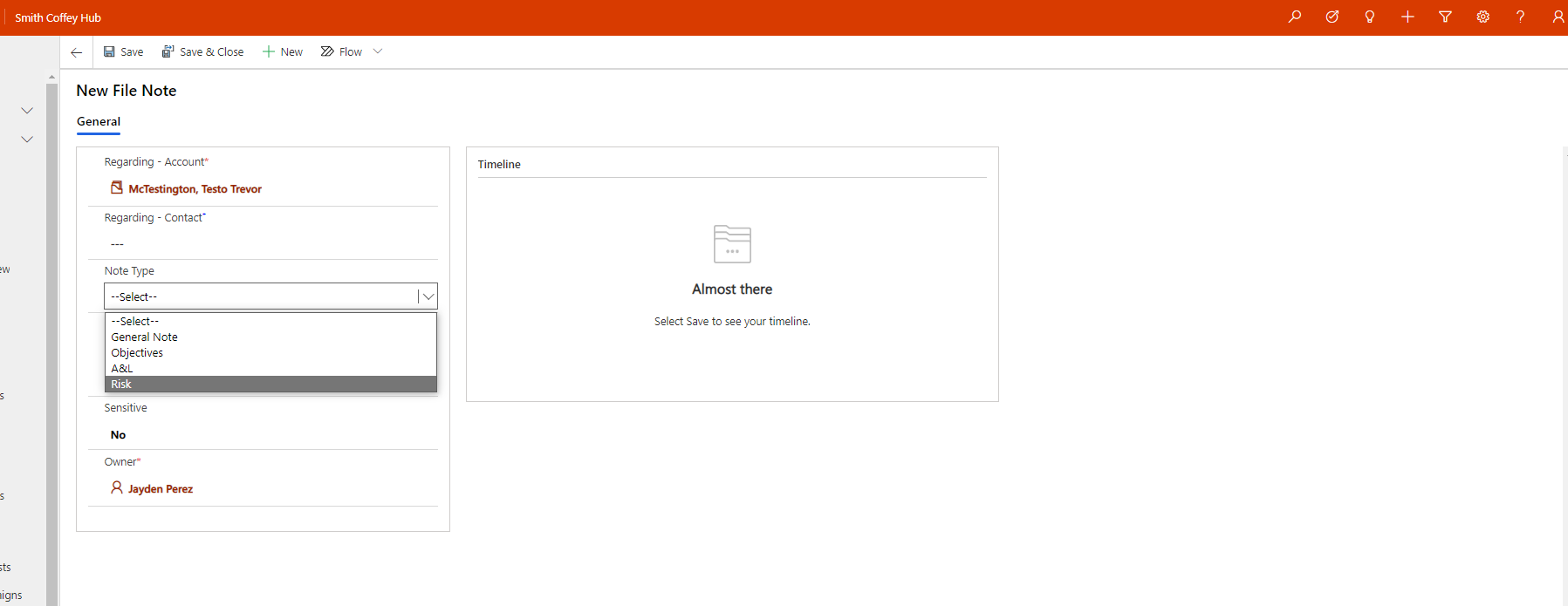
First entering the form, behaviour is normal and as expected:
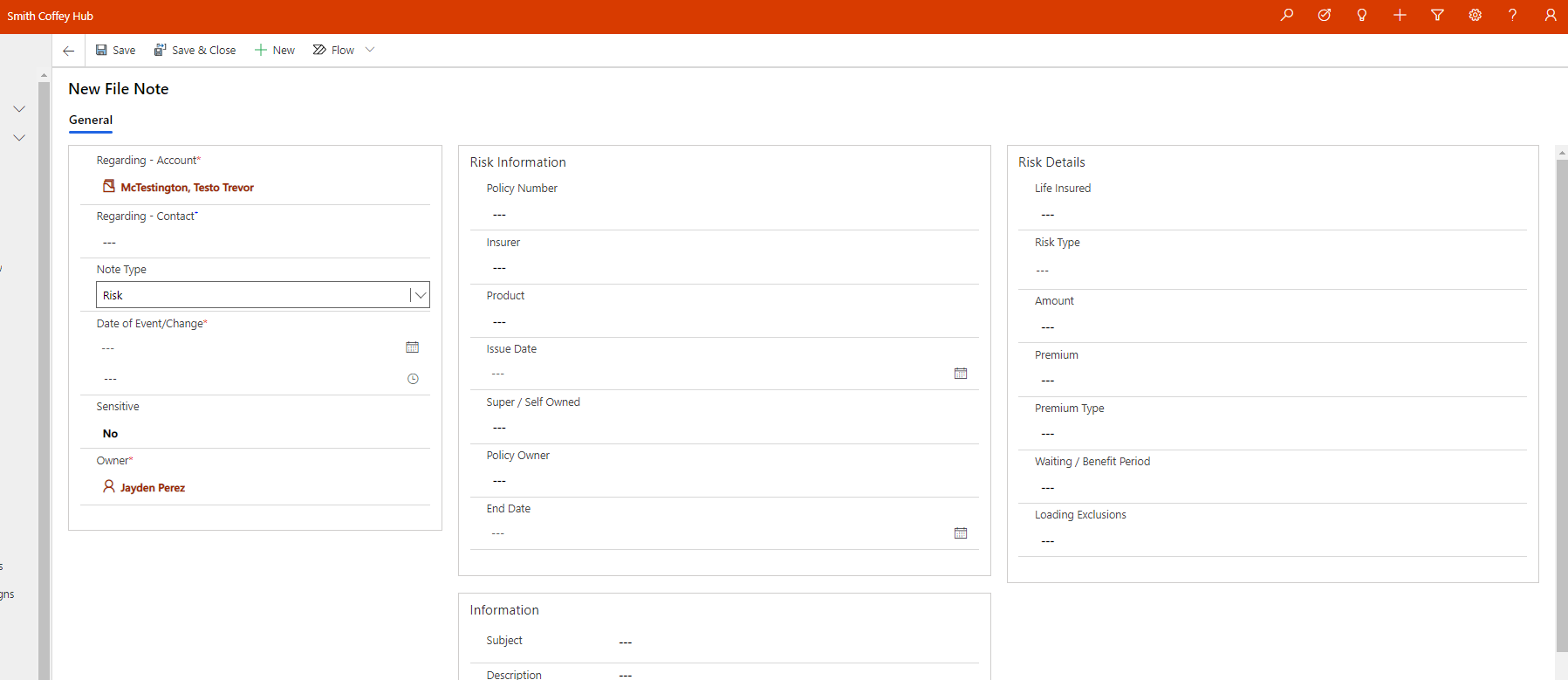
Entering the data, behaviour continues to be normal:
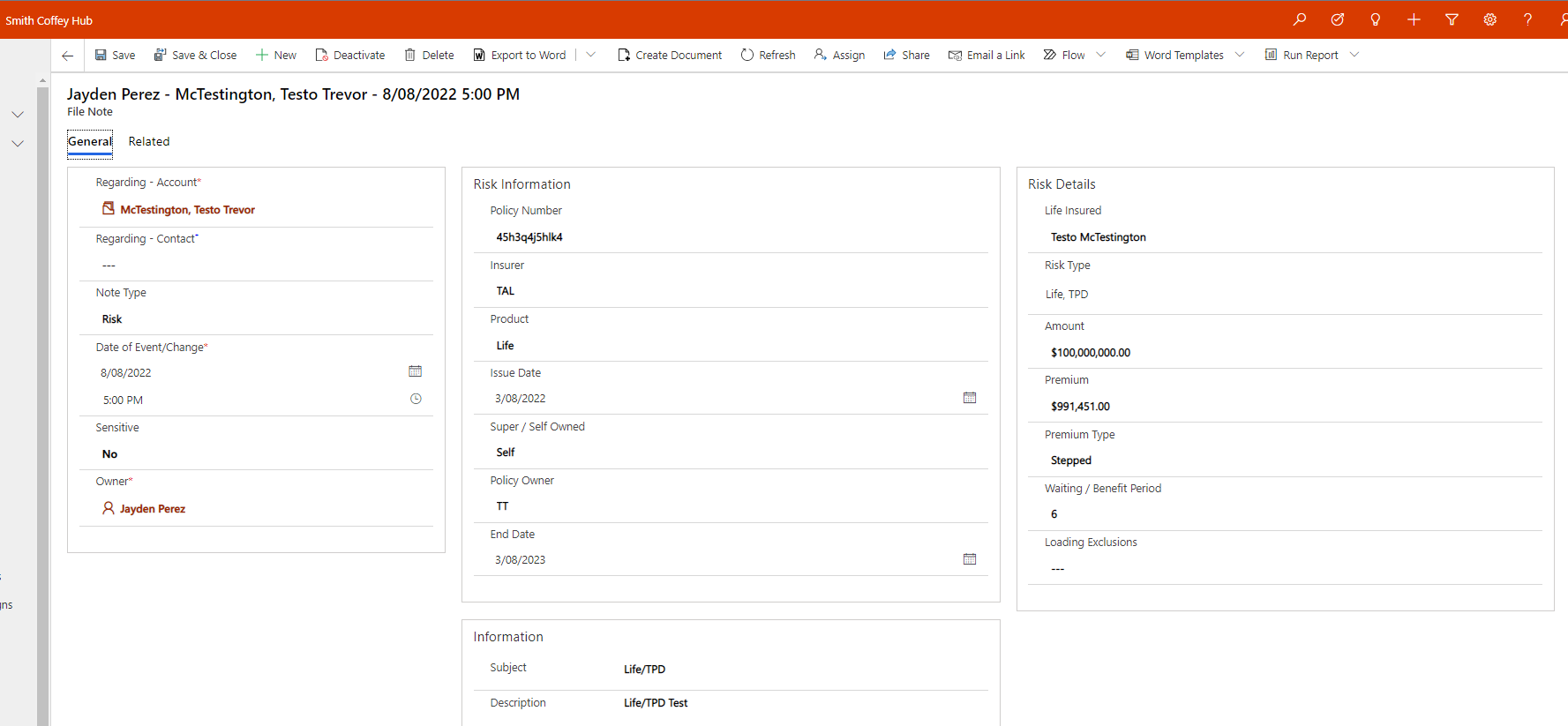
When we save and close, the information is correctly stored against the note:

My issues are when I attempt to view the newly created record, if needing to update/edit the records:
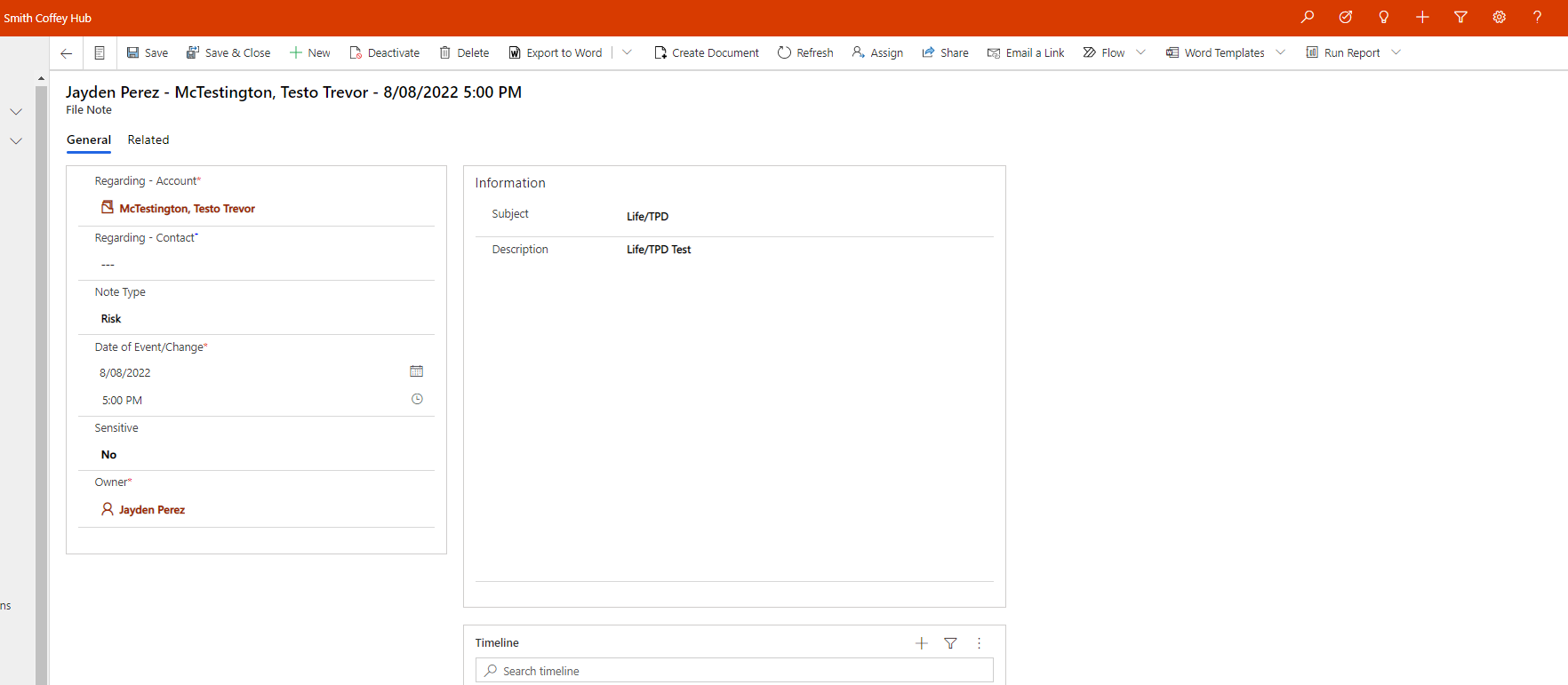
I have very unsuccessfully searched for a solution for this issue, and as I have noticed it appears to be consistent across the Show/Hide scripts I have created across a number of forms.
Is there anything obvious that I am missing, or any suggestions?
Thanks in advance,
Jayden.


