web
You’re offline. This is a read only version of the page.
close
Skip to main content

Notifications

Announcements

No record found.

Community site session details

Community site session details

Session Id :
Finance | Project Operations, Human Resources, ...
Suggested Answer

Error "Storage Framework File Reference Not Found Exception" in AOS Machines

(0) ShareShare
ReportReport
Posted on by 29

Hi everyone,

we have several offline on-premise environments. (Dynamics 365 F&O Installed product version : 10.0.23 (10.0.1037.82)  Installed platform version : Update47 (7.0.6206.79) )

when user tries to export any type of document, the action is done successfully and the document is exported and generated in the related shared folder, but at the same time an error is generated in the related AOS machine, we almost have this error in all AOSes (as any AOS might be used for exporting document). this happens for different shared folders.

Storage Framework File Reference Not Found Exception
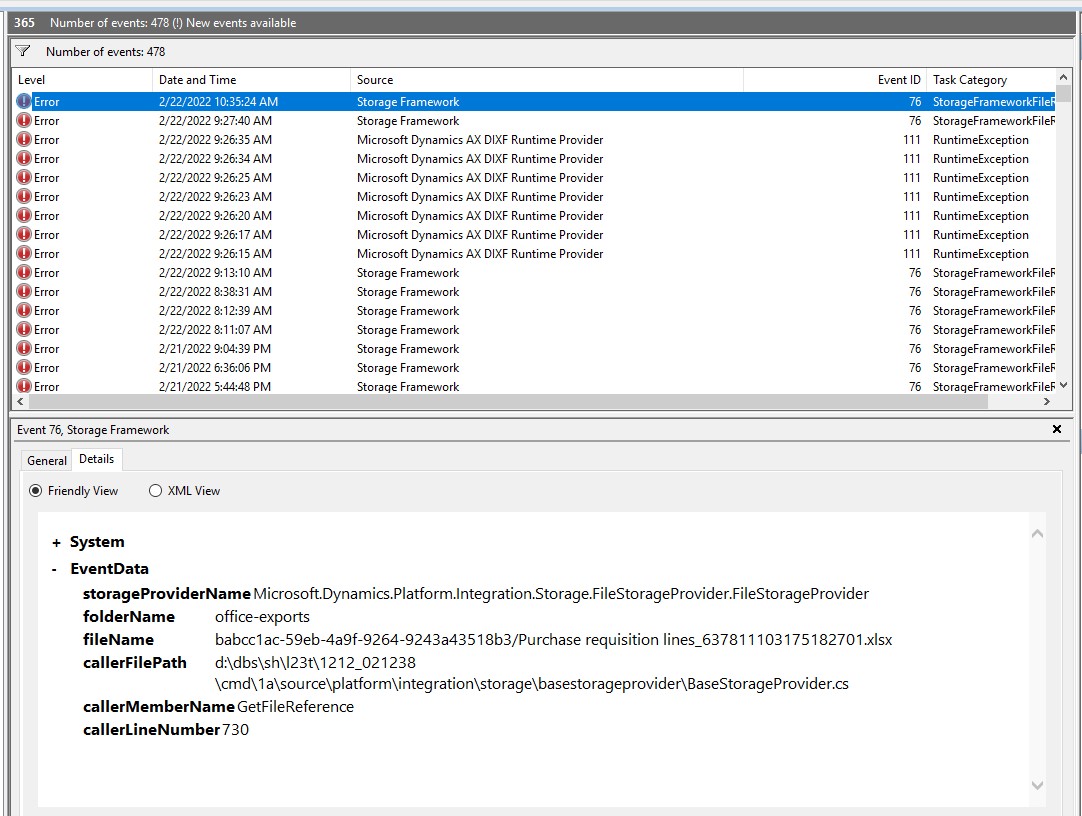
event viewer error

it might be something that user does not feel it (we`re not sure about it because it might have some effects somewhere that we don`t know yet) but having these error messages repeatedly made us look for the solution, I`d be thankful if you could guide.

I have the same question (0)
  • Suggested answer
    WillWU Profile Picture
    22,361 on at

    Hi partner,

    Please make sure that the "Set up file storage" section of the appropriate setup and deployment topic for your environment is completed:

    docs.microsoft.com/.../setup-deploy-on-premises-pu41

  • AliRezak8 Profile Picture
    29 on at

    Hi Will,

    yes, the requirements mentioned in this step are completely done.

    thanks

  • AliRezak8 Profile Picture
    29 on at

    I realized that we have the same error in online (on-premise) environments too.

    I have not found the root cause yet, so please let me know if you have any suggestion.

    Thanks

    Alireza

  • Stefan Vogel Profile Picture
    10 on at

    Hi everyone,

    we have exactly the same error in our "on premise" environment and also the same behavior. Would be nice to know why this pops up even it it does not harm anything until now.

  • Simon Poidevin Profile Picture
    15 on at

    hello AliRezak8 ,

    did you managed to fix this error please ?

Under review

Thank you for your reply! To ensure a great experience for everyone, your content is awaiting approval by our Community Managers. Please check back later.

Helpful resources

Quick Links

Responsible AI policies

As AI tools become more common, we’re introducing a Responsible AI Use…

Neeraj Kumar – Community Spotlight

We are honored to recognize Neeraj Kumar as our Community Spotlight honoree for…

Leaderboard > Finance | Project Operations, Human Resources, AX, GP, SL

#1
Martin Dráb Profile Picture

Martin Dráb 611 Most Valuable Professional

#2
André Arnaud de Calavon Profile Picture

André Arnaud de Cal... 529 Super User 2025 Season 2

#3
Sohaib Cheema Profile Picture

Sohaib Cheema 285 User Group Leader

Last 30 days Overall leaderboard

Product updates

Dynamics 365 release plans



