web
You’re offline. This is a read only version of the page.
close
Skip to main content

Announcements

News and Announcements icon
Community site session details

Community site session details

Session Id :
Service | Customer Service, Contact Center, Fie...
Unanswered

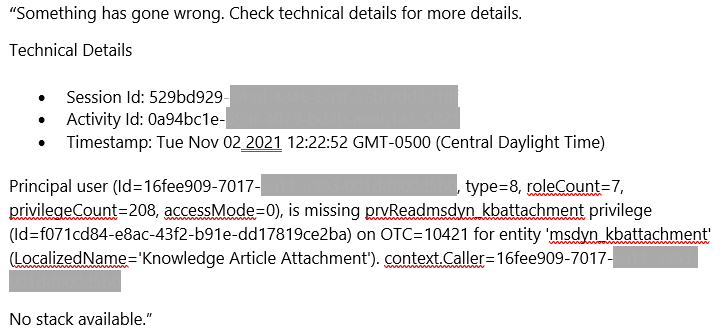
Knowledge Article Pop Out Error "...is missing prvReadmsdyn_kbattachment privilege."

(0) ShareShare
ReportReport
Posted on by

Since the Wave 2 release, this past weekend, our users are getting an error message when attempting to Pop-Out a Knowledge Article. 
pastedimage1636122307907v1.png

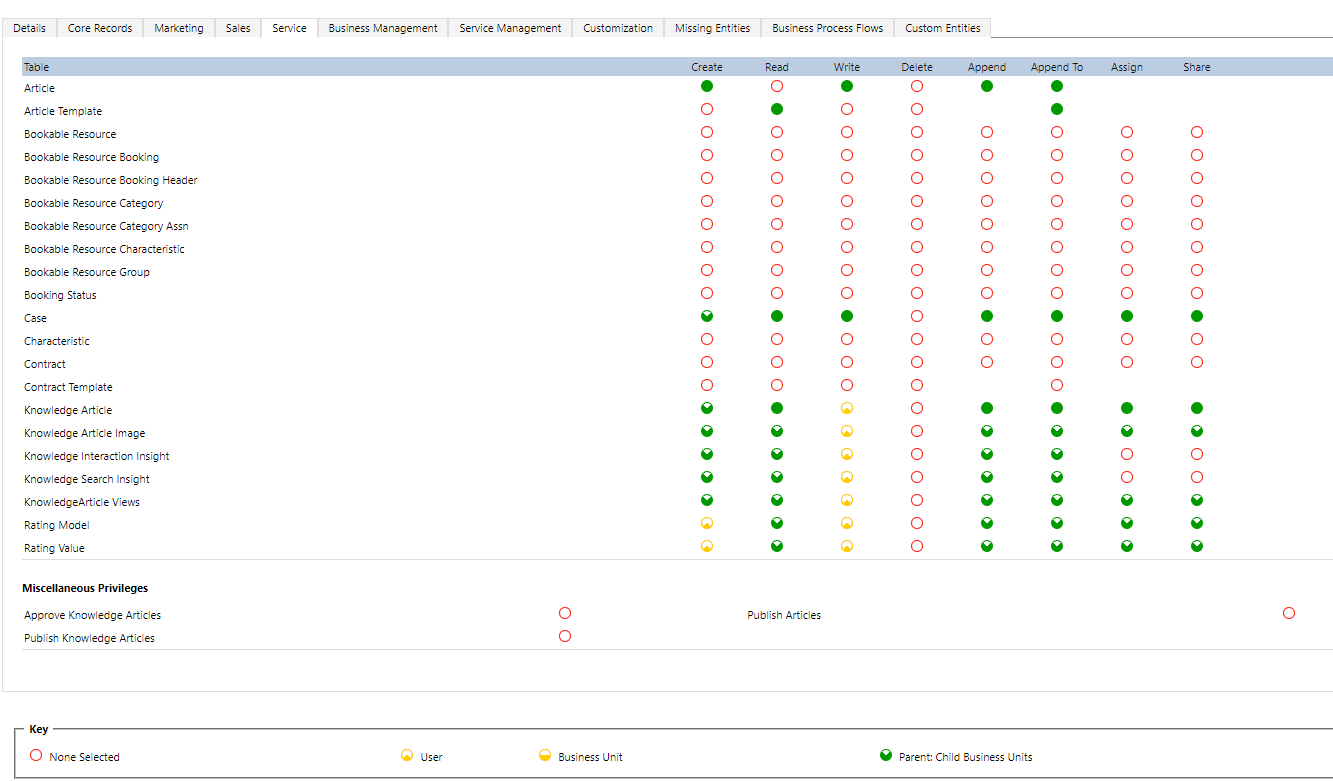
I found we were missing the new Knowledge Article Attachment entity in our custom solution. So, I added it. I can see that table in my custom solution. However, I am unable to find that entity on any tab on any of our Security Roles. 

For example, I looked at the Service tab and I don't see it there:
pastedimage1636122562444v2.png

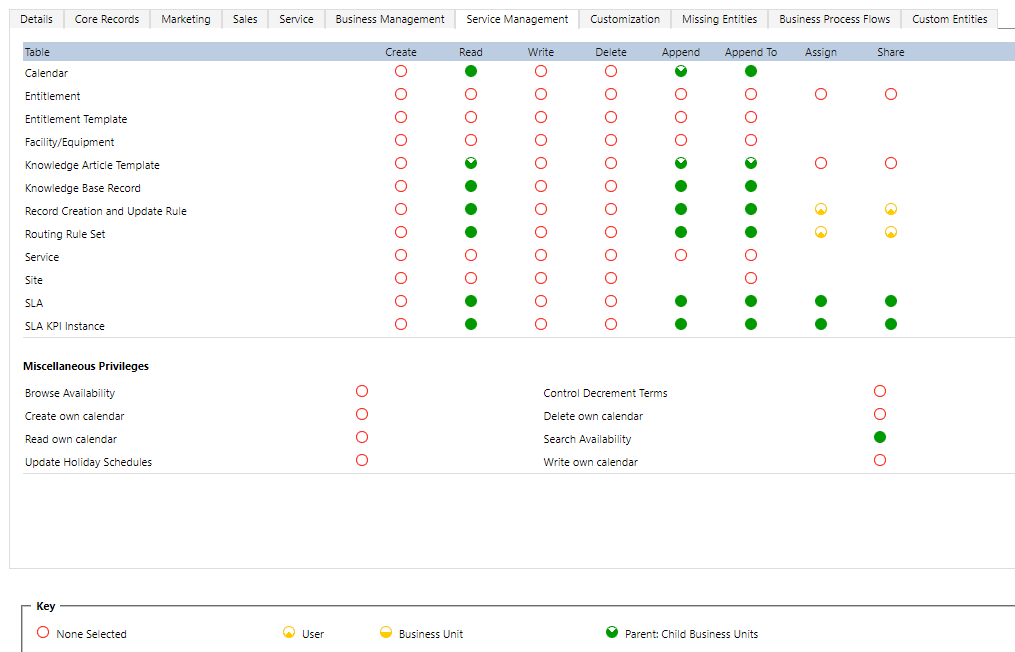
I also checked the Service Managment tab (in fact, I checked all the tabs):
pastedimage1636122608518v3.png

I see that Pop Out is not supported on tablet or mobile, but we are using desktop. 

How can we get this fixed?

I have the same question (0)
  • Community Member Profile Picture
    on at

    Hi Dreamer2112,

     All users meet same error? and the error has not occurred before?

    In addition to checking security roles, you need also check the Access Mode for users to set to Read-Write.

    Principal user (type=8) is missing prvReadXXX privilege in Dynamics CRM–You have verified user’s security role. What’s next? {CRM Tips from the vault} - Debajit's Power Apps & Dynamics 365 Blog (debajmecrm.com)

  • Community Member Profile Picture
    on at

    Hello Leah,

    I have confirmed this user has Read-Write Access Mode. The problem is, I am unable to provision read permission to the Knowledge Article Attachment entity because it does not exist in any of our Security Roles, even after I added it to our custom solution. I need to add this permission, but cannot find where to do so. Please see the screen shots I provided.

    Thank you,

    Dreamer2112

Under review

Thank you for your reply! To ensure a great experience for everyone, your content is awaiting approval by our Community Managers. Please check back later.

Helpful resources

Quick Links

Season of Sharing Community Challenge Launch!

Jump in, show your community spirit, and win prizes!

Women in Power Builds Momentum

Expanding mentorship, skilling, and AI innovation

Congratulations to the May Top 10 Community Leaders

These are the community rock stars!

Leaderboard > Service | Customer Service, Contact Center, Field Service, Guides

#1
Abhilash Warrier Profile Picture

Abhilash Warrier 51 Super User 2026 Season 1

#1
Muhammad Shahzad Shafique Profile Picture

Muhammad Shahzad Sh... 51 Most Valuable Professional

#3
Nagaraju_Matta Profile Picture

Nagaraju_Matta 50

Last 30 days Overall leaderboard

Featured topics

Product updates

Dynamics 365 release plans



