Hi Ding
I have by trial and error in a sandobox enviornment answered my questions which I have documented below to help anyone else in the community that may be looking at setting up hard consolidations with a seperate elimination entity. The area for me that was not clear or explicitly explained in the documentation have seen in the link to Microsoft docs that you provided or any other documentation I could find. Was exactly how to set-up and use a seperate elimination entity and be able to us both ellimination journals (journal type elimination) and general journals (journal type daily). So here are the key steps for creating the elimination entity and both types of journal processing.
Step 1. Create a new legal entity to be the elimination entity
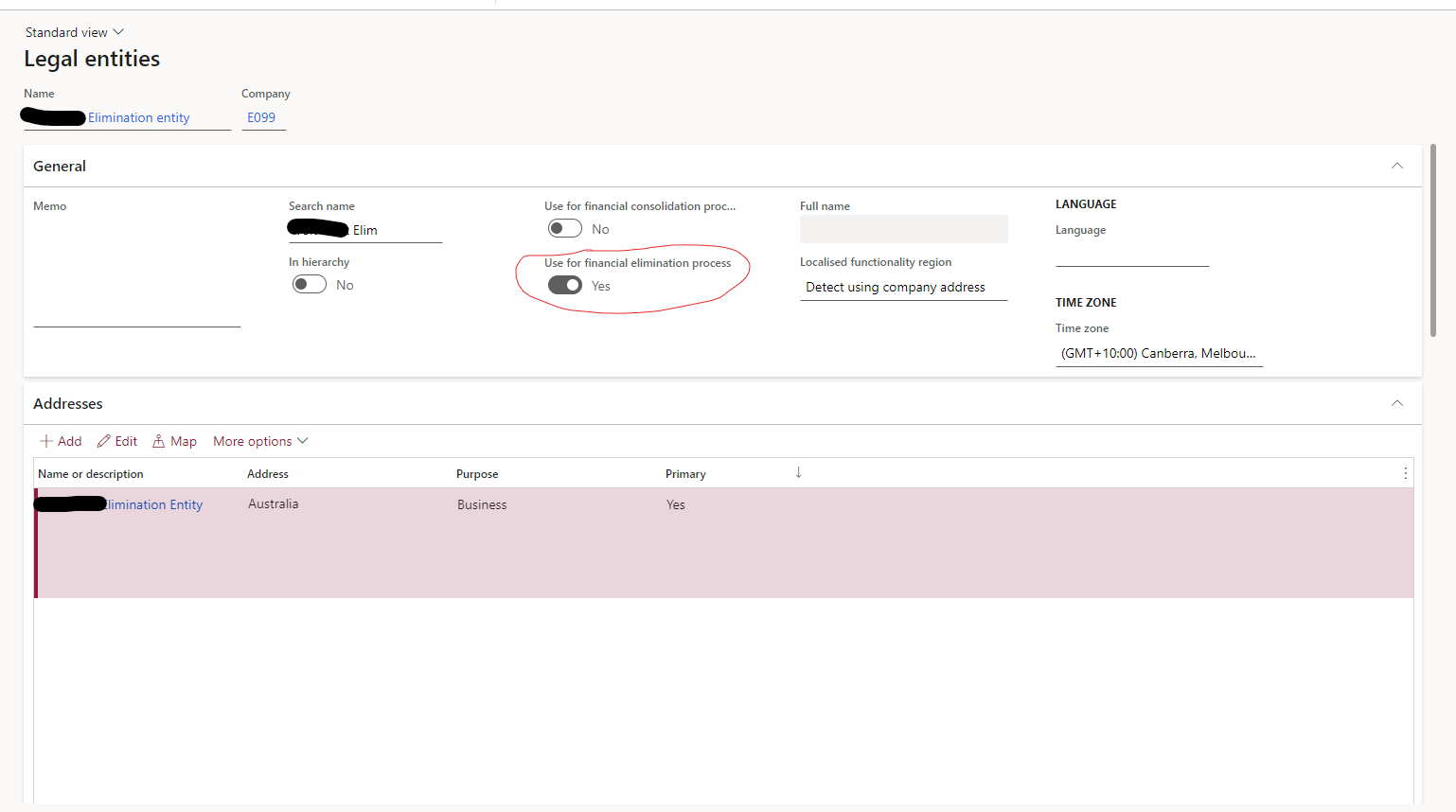
In the new entity set the switch for use for financial eliminations on. You will also need to set-up the ledger, GL parameters and relevant sequence numbers, which I will not cover here.
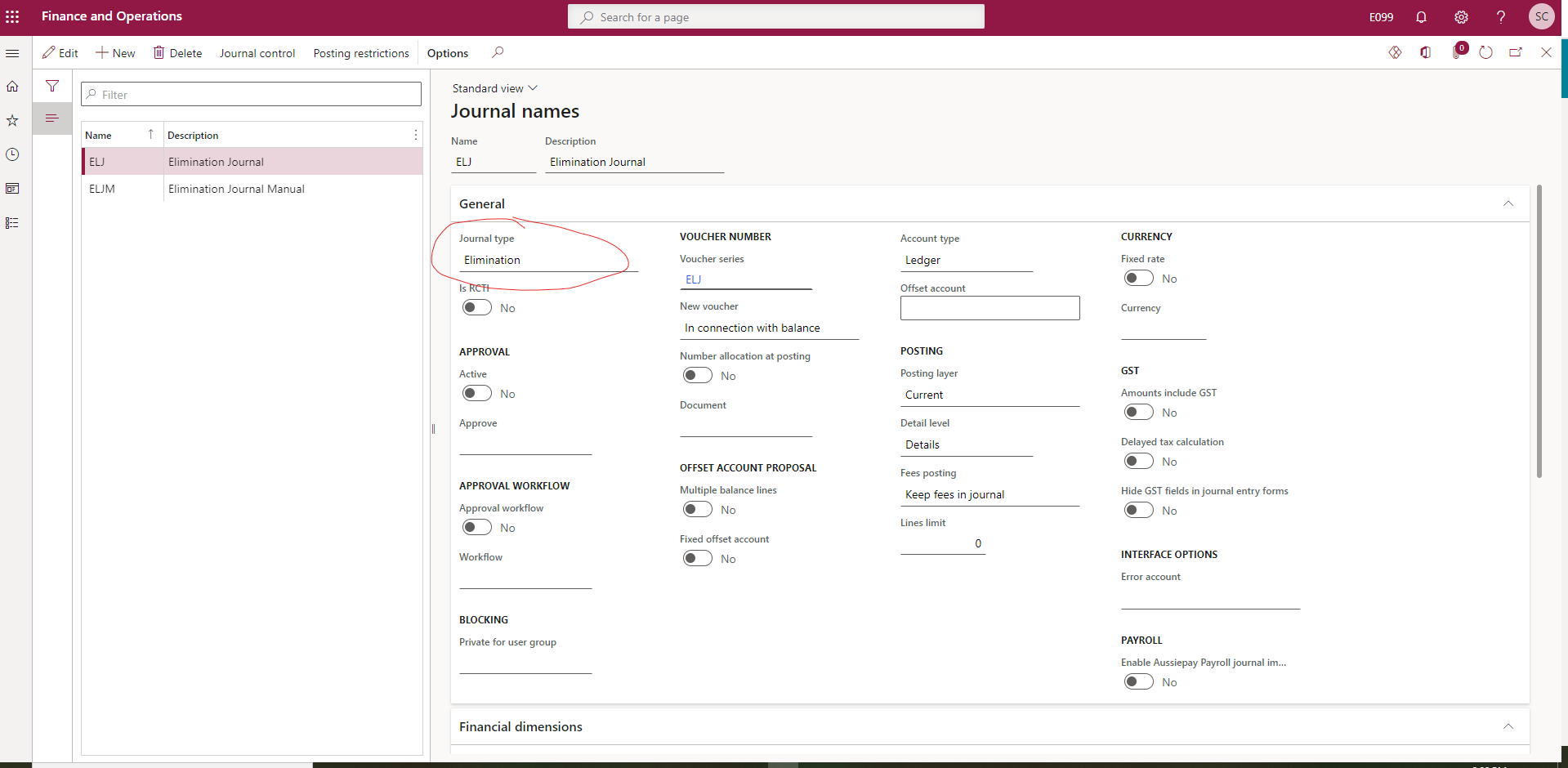
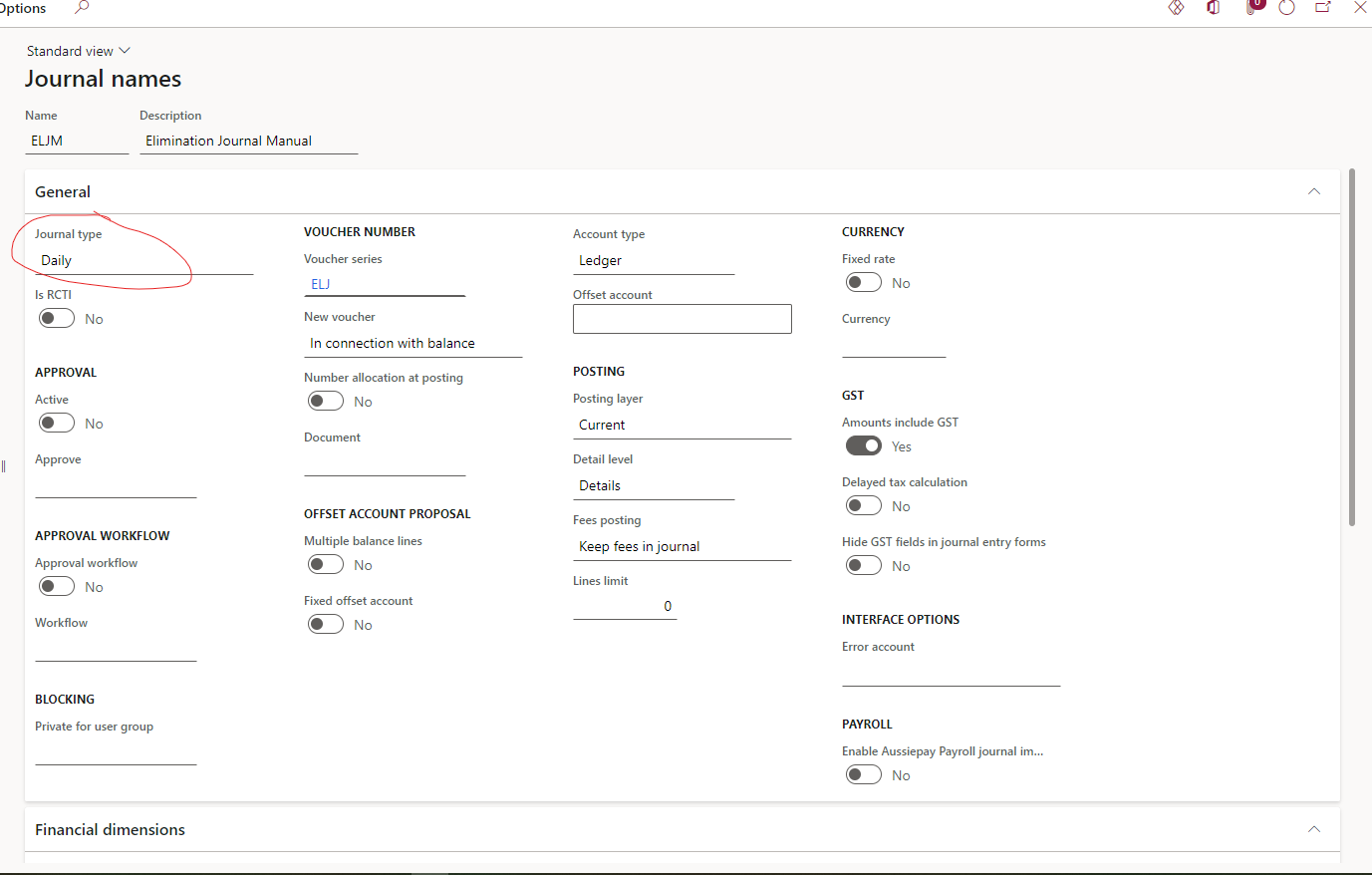
To be able to create both general journals for manual eliminations and elimination journals via elimination rules in the elimination entity create journal names in the elimination entity. I have used ELJ for elimination journals and ELJM for manual general journals to be used for eliminations.
See below
Step 2 - Create the journal names
Elimination Journal
General Journal
Step 3 - Generate the Elimination journals in the elimination company.
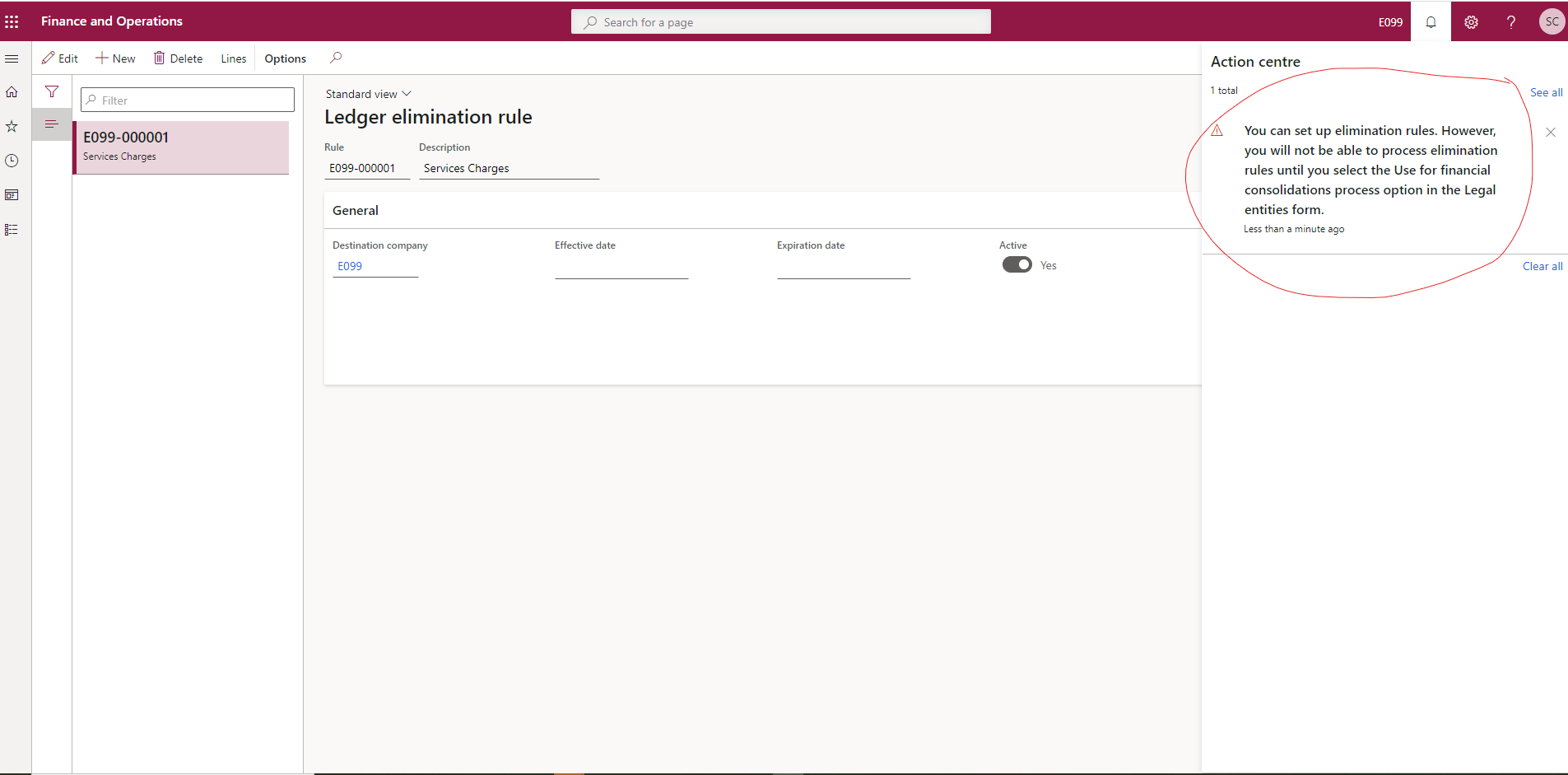
This is not immediatelty obvious, because you can create an elimination rule in the elimimation entity and create the journal proposal but you cannot post this journal unless you also make the elimination entity a consolidation entity. But if you make the elimination entity a consolidation entity then you cannot post manual general journals of type daily. There is an error message that tells you this see below. This was the source of my confusion and lead to my original post
So how do we do this? The answer is step 4.
Step 4. Create the elimination rule for the elimination entity in the consolidation entity not the elimination entity
On the elimination rule make the destination company the elimination entity
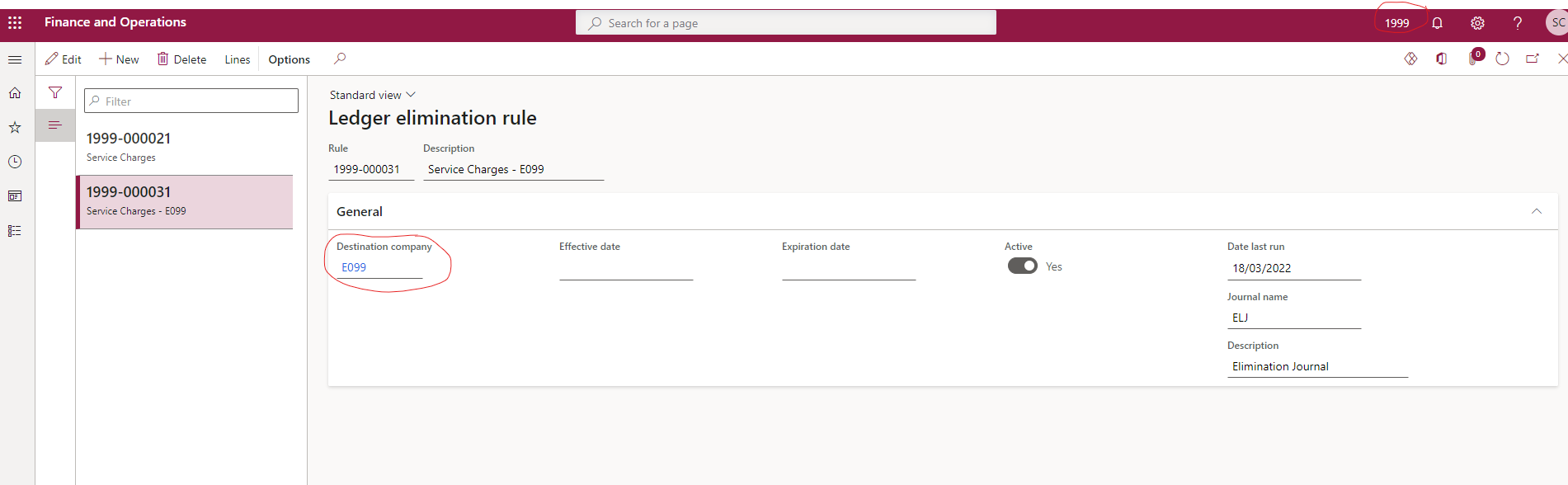
Step 5 - Consolidate on-line
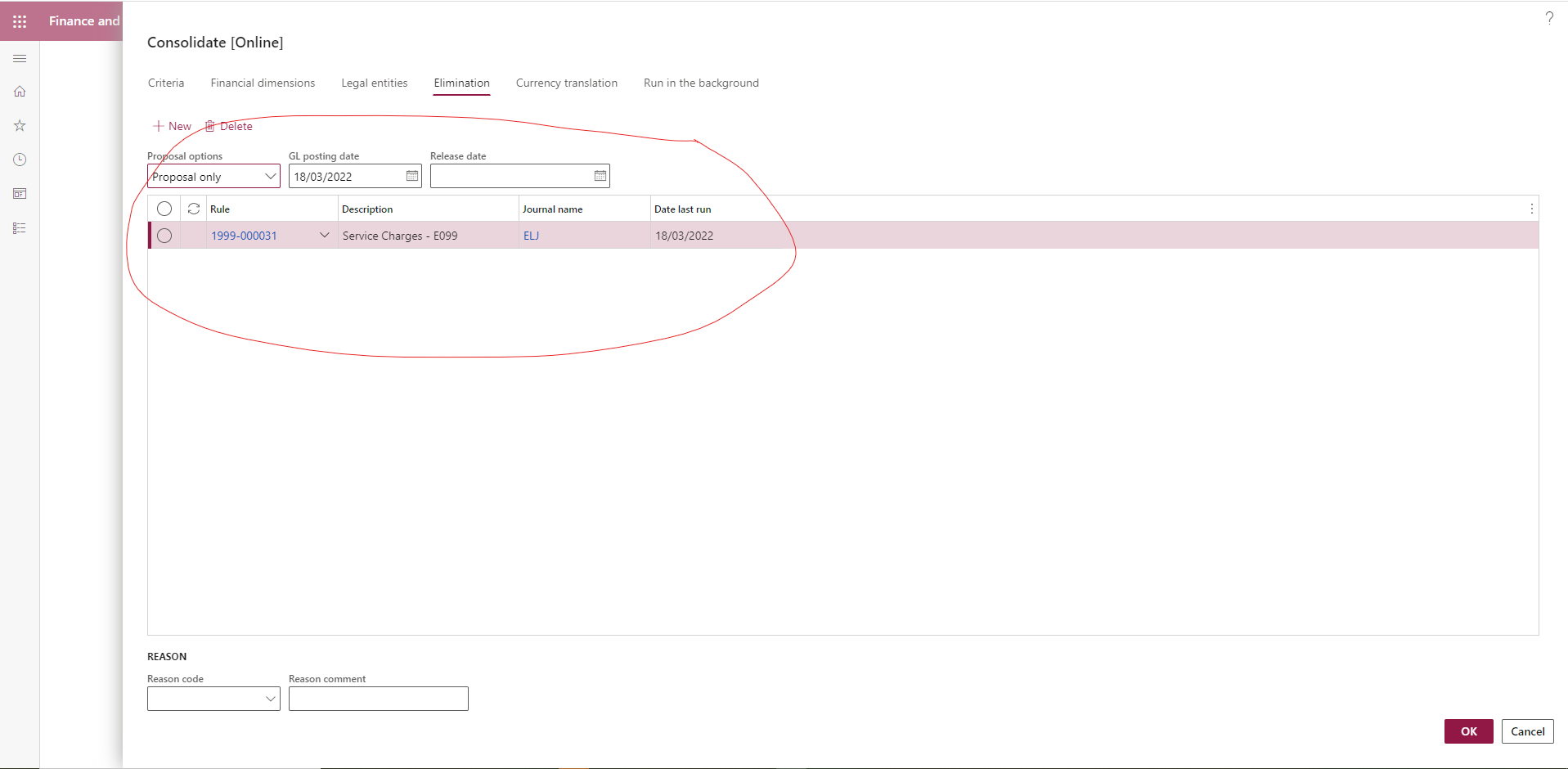
When you run the consolidate on line you can select the rule you have created for the elimination entity and have it create the journal (proposal only) or create and post the journal (Post only)
The jouranak will use the journal name you created in the elimination entity and the rule created in the consolidation entity
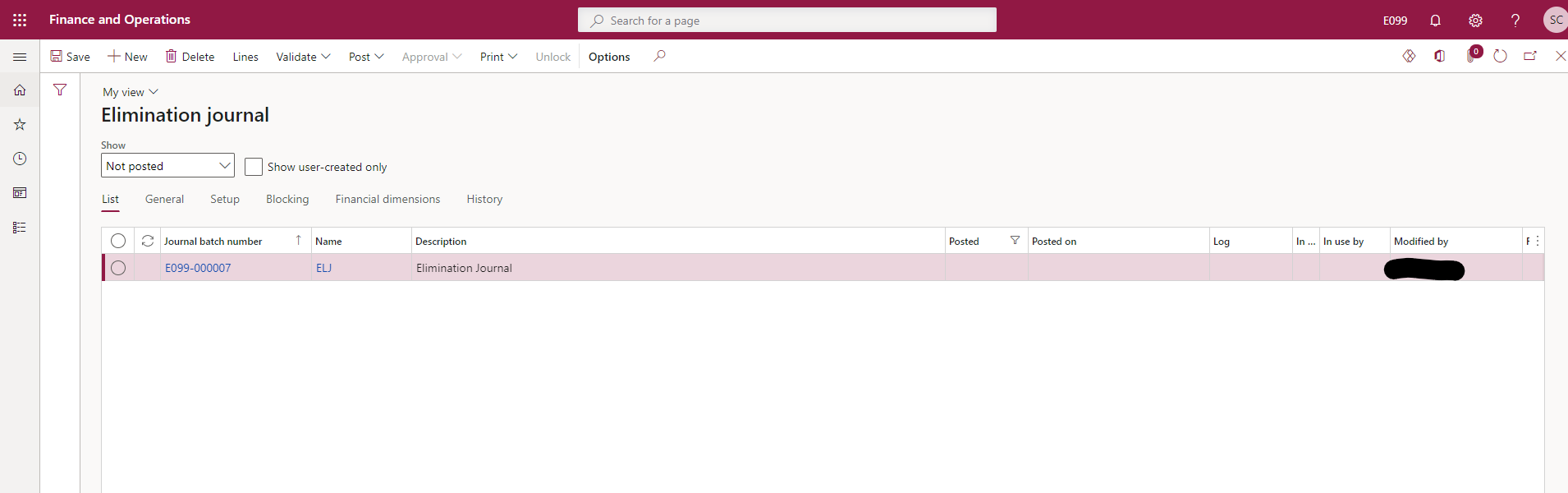
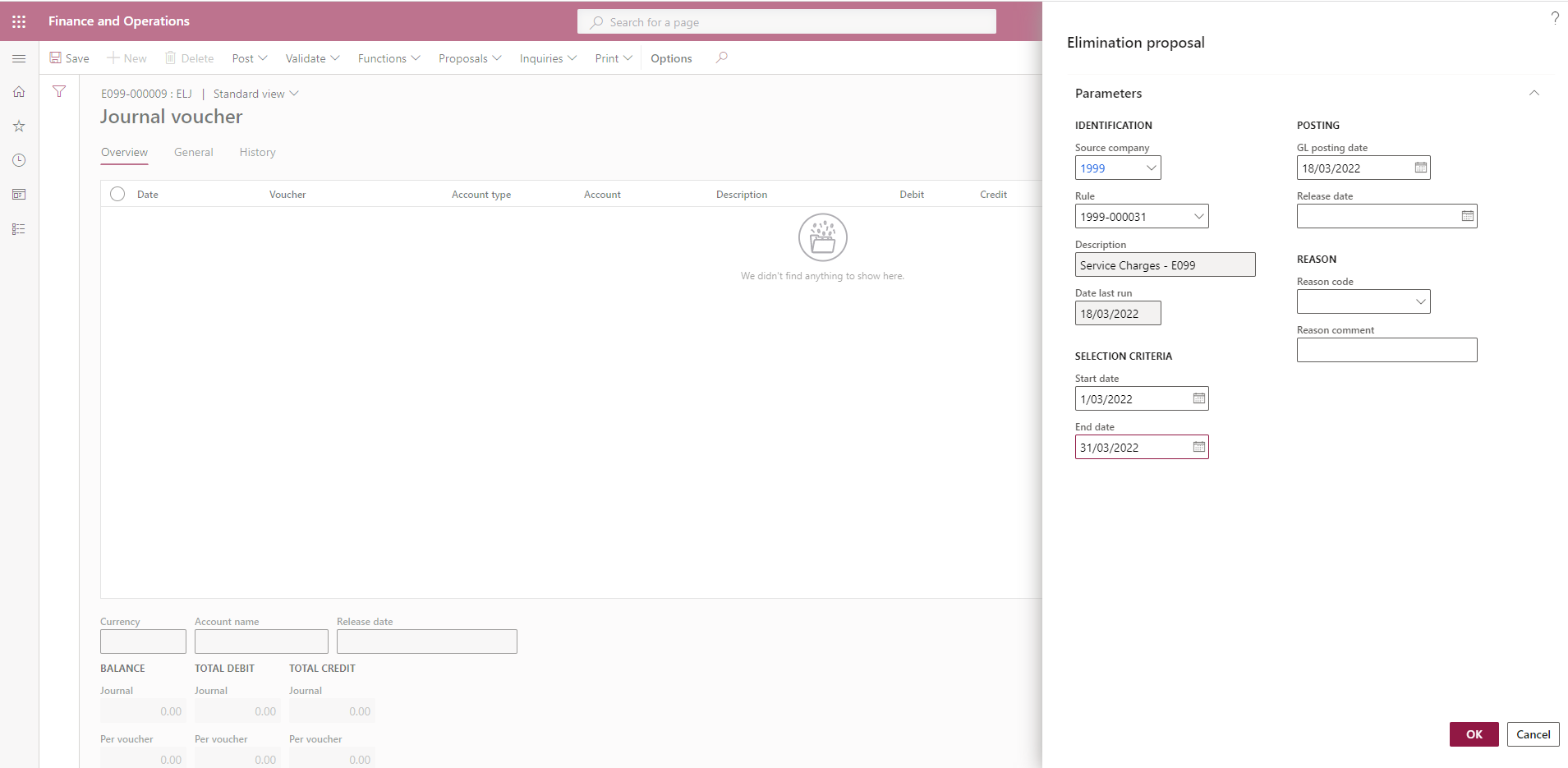
You can also manually create and propose the elimination in the elimination entity, as long as you select the elimination rules you created in the consolidation entity.
Step 6 - Create an elimination using a general journal
Just follow the steps you woudl follow to create a general journal in the elimination entity using the daily journal journal name

This also probably answers another question i had, which is how to correct an incorrectly posted elimination journal created by an elimination rule. There is no reverse option as there is is with a general journal. I beleive there are two ways but if any one has better option let me know? Option 1 is raise a general journal to reverse the entries or option 2 create an elimination rule with the fixed amounts that you want to reverse.
I hope this will be helpful to any one else that is trying to use consolidations with a seperate elimination entity.
Best regards
Simon


