web
You’re offline. This is a read only version of the page.
close
Skip to main content

Notifications

Announcements

No record found.

Community site session details

Community site session details

Session Id :
Microsoft Dynamics NAV (Archived)

NAV2016 Custom Report Layout

(0) ShareShare
ReportReport
Posted on by 275

Dear all,

I have been trying this for quite some time but could not figure it out.

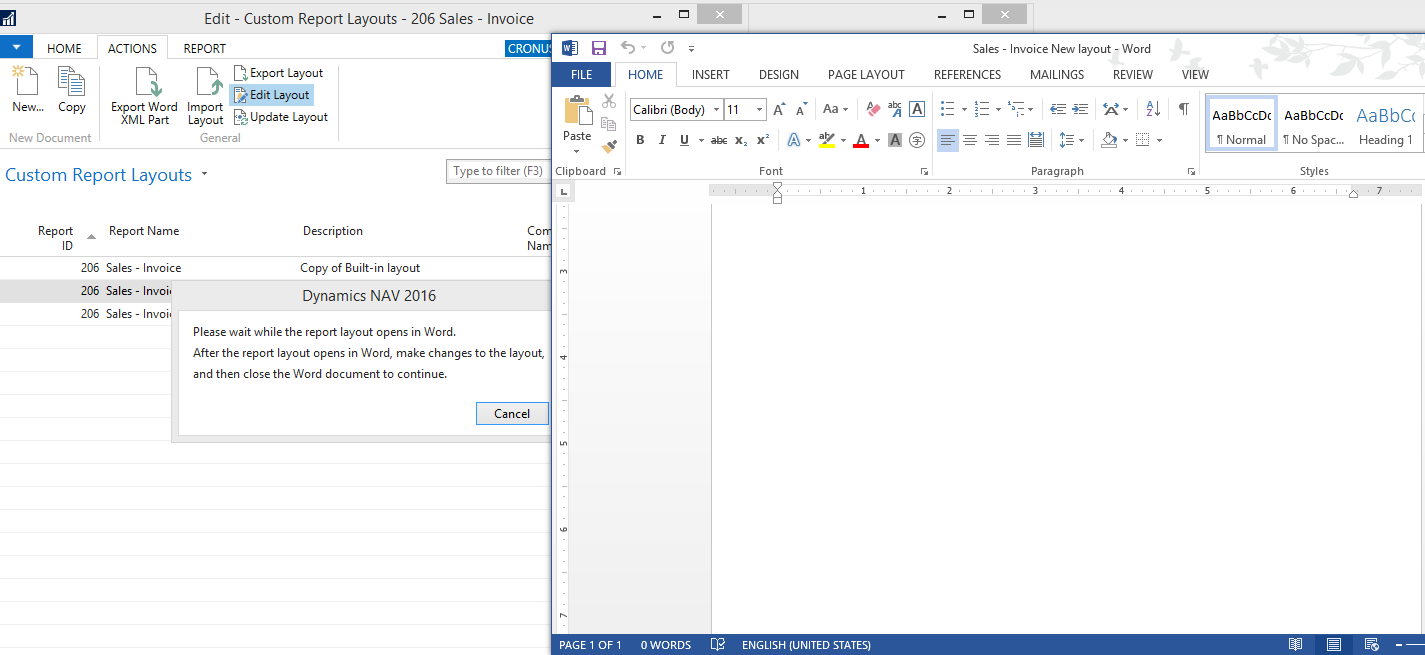
Following the MDSN and several standard databases, can someone who has successfully exported out (not empty Word) but existing standard layout and how I can make modify on top of standard layout?
2016_2D00_08_2D00_14_5F00_3_2D00_58_2D00_03.png

Thanks in advance

*This post is locked for comments

I have the same question (0)
  • Verified answer
    keoma Profile Picture
    32,729 on at

    add ribbon developer to word, in ribbon developer click "Xml Mapping Pane", is then shown at the right side. there change xml  mapping (custom xml part) to "urn:microsoft-dynamics-nav/reports/sales-invoice/206".  in the xml mapping structure you have then all mapped fields from the reports dataitems. to add a field into report click on one entry and right-click "insert content-control", submenu e.g. plain text. the field is then added to the word document. make the needed changes. save and close word. now run your report using "run report" button in page "custom report layouts".

  • jasontl Profile Picture
    275 on at

    Thanks mate but appreciate if you can guide me a bit further as I could not find the path from customer XML part mapping in MS Words.

    2016_2D00_08_2D00_14_5F00_5_2D00_13_2D00_11.png

  • jasontl Profile Picture
    275 on at

    Ok archer, I have tried exporting directly from NAV for the word doc but cannot see the mapped fields on the Words layout itself.

    It seems empty. I thought it will show the reports layout like how it does just like when opening in Visual studio etc. Please correct me if I am wrong, do you have a guide on how to proceed from here?

    2016_2D00_08_2D00_14_5F00_5_2D00_16_2D00_54.png

  • Verified answer
    keoma Profile Picture
    32,729 on at

    click on the dropdown under subtitle "custom xml part".

    the last entry in that list (.../sales-invoice/206) should contain the report's field/xml structure.

Under review

Thank you for your reply! To ensure a great experience for everyone, your content is awaiting approval by our Community Managers. Please check back later.

Helpful resources

Quick Links

Responsible AI policies

As AI tools become more common, we’re introducing a Responsible AI Use…

Neeraj Kumar – Community Spotlight

We are honored to recognize Neeraj Kumar as our Community Spotlight honoree for…

Leaderboard > 🔒一 Microsoft Dynamics NAV (Archived)

#1
HoangNam Profile Picture

HoangNam 7

Last 30 days Overall leaderboard

Featured topics

Product updates

Dynamics 365 release plans



