web
You’re offline. This is a read only version of the page.
close
Skip to main content

Notifications

Announcements

Community site session details

Community site session details

Session Id :
Finance | Project Operations, Human Resources, ...
Suggested Answer

How to revert or Undo the record changes in form

(0) ShareShare
ReportReport
Posted on by 15

Hi All,


Environment :365Fo

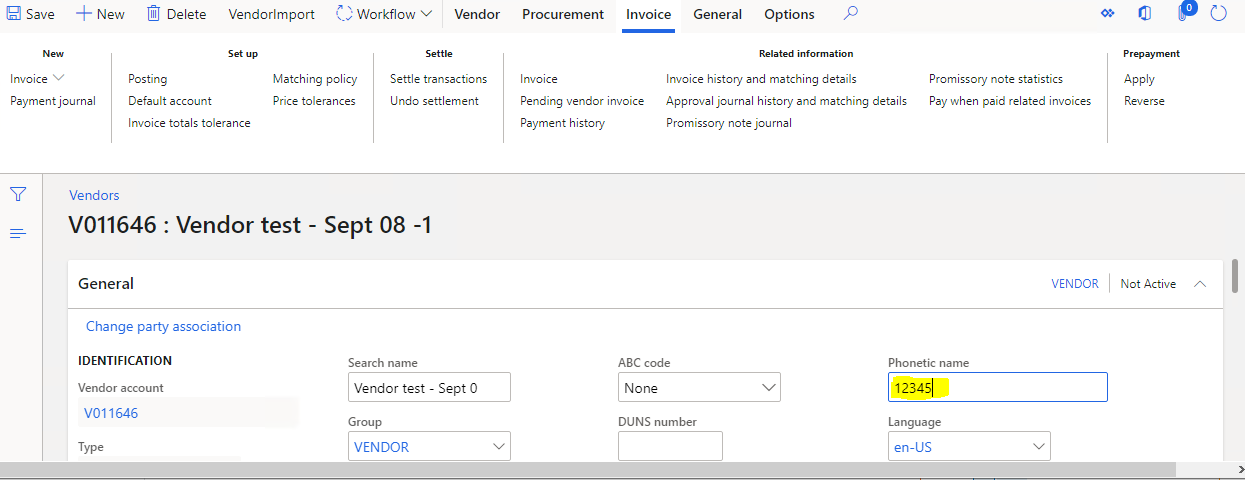
Requirement : We created customization Vendor workflow its working fine after workflow competed its show view history everything working good


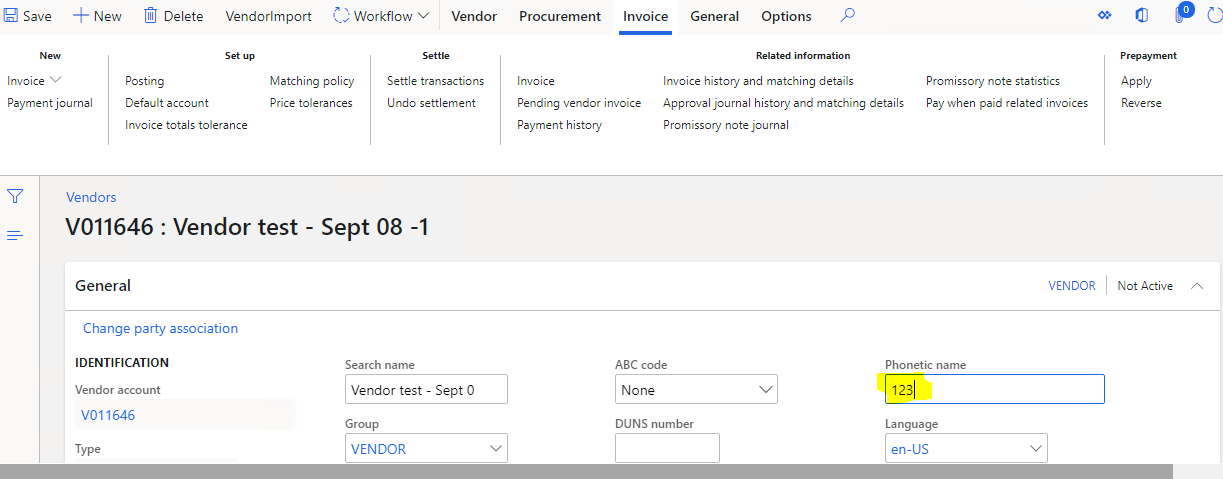
Client request If any vendor need any update after completed workflow again client click EDIT  button on vendor form and continues  the workflow  .


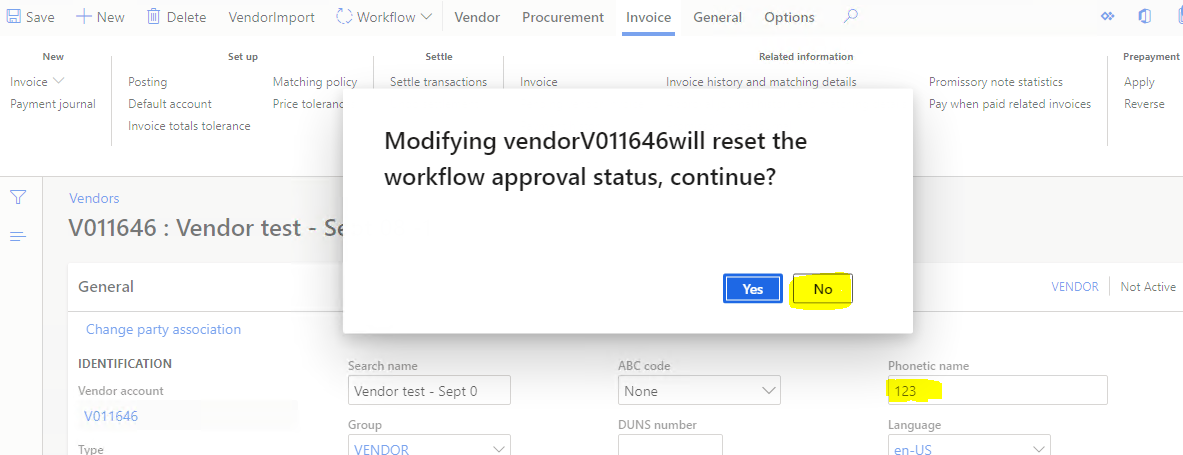
Below is my code if edit and save the vendor its ask dialog YES/NO dialog, if click YES again workflow start its working fine.

Issues : Once if click No on dialog ,I want revert what customer enter in vendor form ,Even after click NO on dialog its save the data.


 [FormDataSourceEventHandler(formDataSourceStr(VendTable, VendTable), FormDataSourceEventType::Written)]
    public static void VendTable_OnWritten(FormDataSource sender, FormDataSourceEventArgs e)
    {
       
        VendTable     VendTableorg;
        FormRun                 form         = sender.formRun();
        FormDataSource          VendTable_ds   =       form.dataSource(formDataSourceStr(VendTable,VendTable)) as FormDataSource;
        VendTable             VendTable        =    VendTable_ds.cursor();
        str acnum;
        Dialogbutton db;
        boolean    stament = false;
        VendTable             this_Orig = VendTable.orig ();
        acnum = VendTable.AccountNum;
      
        db = box::yesNo("Modifying vendor"+""+acnum+""+"will reset the workflow approval status, continue? ", dialogButton::Yes, "YesNo Box Example");
        ttsbegin;
        if (db == dialogButton::Yes)
        {
            select forupdate vendTable  where vendTable.AccountNum ==  acnum;//vendTable.AccountNum;
            ttsbegin;
            if(VendTable.ApprovalStatus == HcmApprovalStatus::Approved)
            {              
                VendTable.WorkflowState = VendTableChangeProposalWorkflowState::NotSubmitted;
              
                VendTable.doUpdate();
            }
            ttscommit;
          
            form.doResearch();           
        }
        else
        {
          
           
            error("changes reverted");
          
        }


       }
7077.PNG

16457.PNG

44660.PNG

I have the same question (0)
  • Gunjan Bhattachayya Profile Picture
    35,423 on at

    Hi Tony,

    This is because you have your code in the OnWritten event handler. You should try the validateWrite event handler and just set the new workflow status there in case the "Yes" button is clicked. You can return true in Yes button is clicked and return false if No is clicked.

    Also, You can just write  vendTable.WorkflowState = VendTableChangeProposalWorkflowState::NotSubmitted;

    No need for the doUpdate call here.

  • WillWU Profile Picture
    22,363 on at

    Hi MSTonyax,

    Moved to D365FO forum.

    The doresearch() method will be executed after the Onwriter method.

    You have to run validation before saving a record, if you return false in validateWrite, the record is not written to the table.

  • MSTonyax Profile Picture
    15 on at

    Hi Will,

    Can you please explain which is right method to reslove

  • Suggested answer
    Gunjan Bhattachayya Profile Picture
    35,423 on at

    Hi Tony,

    Please use the "OnValidatedWrite" event handler. Maybe try something like this -

    [FormDataSourceEventHandler(formDataSourceStr(VendTable, VendTable), FormDataSourceEventType::ValidatedWrite)]
    public static void VendTable_OnValidatedWrite(FormDataSource sender, FormDataSourceEventArgs e)
    {        
    	VendTable           vendTable       = sender.cursor();
    	var 				args 			= e as FormDataSourceCancelEventArgs;
    	boolean             result;
    
    	if (args != null && vendTable.WorkflowState == VendTableChangeProposalWorkflowState::Approved)
    	{
    		db = box::yesNo(strFmt("Modifying vendor %1 will reset the workflow approval status, continue?", vendTable.AccountNum), dialogButton::Yes, "YesNo Box Example");
    			
    		if (db == dialogButton::Yes)
    		{                        
    			if(vendTable.ApprovalStatus == HcmApprovalStatus::Approved)
    			{
    				VendTable.WorkflowState = VendTableChangeProposalWorkflowState::NotSubmitted;                          
    			}                                  
    		}
    		else
    		{
    			result = checkFailed("Cannot edit a vendor who is Approved");
    			args.cancel(result);
    		} 
    	}			   
    }

  • MSTonyax Profile Picture
    15 on at

    Hi Gunjan,

    Thanks for reply

    I tried your code modified data is store on table .

    Can you please share your  personal email id

  • Martin Dráb Profile Picture
    238,147 Most Valuable Professional on at

    Are you aware of the debugger? If so, use it to find out where the code fails.

    If you're not familiar with debugging, it's time to learn it. As you see, just checking the final result doesn't tell you much.

    By the way, the code will be a bit simpler (and easier to debug) if you use Chain of Command (CoC) instead of the event handler.

  • Suggested answer
    Gunjan Bhattachayya Profile Picture
    35,423 on at

    Tony,

    I was just trying out the code in an editor and got a couple of things wrong. This won't let you save the values and you will need to cancel the changes. I have tried and this code should work for you -

     /// 
    ///
    /// 
    /// 
    /// 
    [FormDataSourceEventHandler(formDataSourceStr(VendTable, VendTable), FormDataSourceEventType::ValidatedWrite)]
    public static void VendTable_OnValidatedWrite(FormDataSource sender, FormDataSourceEventArgs e)
    {        
    	VendTable           vendTable       = sender.cursor();
    	var 				args 			= e as FormDataSourceCancelEventArgs;
    	boolean             result;
    	Dialogbutton        db;
    
    	if (args != null && vendTable.WorkflowState == VendTableChangeProposalWorkflowState::Approved)
    	{
    		db = box::yesNo(strFmt("Modifying vendor %1 will reset the workflow approval status, continue?", vendTable.AccountNum), dialogButton::Yes, "YesNo Box Example");
    			
    		if (db == dialogButton::Yes)
    		{                        
    			if(vendTable.ApprovalStatus == HcmApprovalStatus::Approved)
    			{
    				VendTable.WorkflowState = VendTableChangeProposalWorkflowState::NotSubmitted;                          
    			}                                  
    		}
    		else
    		{
    			result = !checkFailed("Cannot edit a vendor who is Approved");
    			args.cancel(result);
    		} 
    	}			   
    }

  • WillWU Profile Picture
    22,363 on at

    Hi Tony,

    You could try the code if you are going to use COC:

    [ExtensionOf(tableStr(VendTable))]
    final class VendTable_Extension
    {
        public boolean validateWrite()
        {
            boolean ret;
            ret  =  next validateWrite();
            Dialogbutton db;
            str acnum = this.AccountNum;
            db = box::yesNo("Modifying vendor" "" acnum "" "will reset the workflow approval status, continue? ", dialogButton::Yes, "YesNo Box Example");
            if (ret)
            {
                if (db == dialogButton::Yes)
                {
                    if(this.ApprovalStatus == HcmApprovalStatus::Approved)
                    {
                        this.WorkflowState = VendTableChangeProposalWorkflowState::NotSubmitted;
                    }
                }
                else
                {
                    error("changes reverted");
                    return false;
                }
                
            }
    
            return ret;
        }
    
    }

  • MSTonyax Profile Picture
    15 on at

    Hi Will ,

    Coc method is  working fine,

    But is not work for vendor address and contact information tab only

  • WillWU Profile Picture
    22,363 on at

    Hi Tony,

    Try to extend formdatasource:

    [ExtensionOf(formdatasource(VendTable,vendtable))]

    final class VendTable_Extension

Under review

Thank you for your reply! To ensure a great experience for everyone, your content is awaiting approval by our Community Managers. Please check back later.

Helpful resources

News and Announcements

Season of Giving Solutions is Here!

Quick Links

Responsible AI policies

As AI tools become more common, we’re introducing a Responsible AI Use…

Neeraj Kumar – Community Spotlight

We are honored to recognize Neeraj Kumar as our Community Spotlight honoree for…

Leaderboard > Finance | Project Operations, Human Resources, AX, GP, SL

#1
Abhilash Warrier Profile Picture

Abhilash Warrier 732 Super User 2025 Season 2

#2
André Arnaud de Calavon Profile Picture

André Arnaud de Cal... 413 Super User 2025 Season 2

#3
Martin Dráb Profile Picture

Martin Dráb 289 Most Valuable Professional

Last 30 days Overall leaderboard

Product updates

Dynamics 365 release plans