web
You’re offline. This is a read only version of the page.
close
Skip to main content

Notifications

Announcements

No record found.

Community site session details

Community site session details

Session Id :
Microsoft Dynamics AX (Archived)

Purchasing - Product Receipt is not posting to GL

(0) ShareShare
ReportReport
Posted on by 373

Hello there

When posting a product receipt from the purchase order, everything seems perfect. The inventory is updated, although, when I check the associated voucher, it shows nothing.

Here are some facts which may help:

Item group is already configured to include the following required accounts:

  • Product Receipt
  • Purchase Expenditure - Un-Invoiced
  • Purchase Inventory, receipts
  • Purchase Accrual

Batch Transfer Rule is Synchronous  on the Company


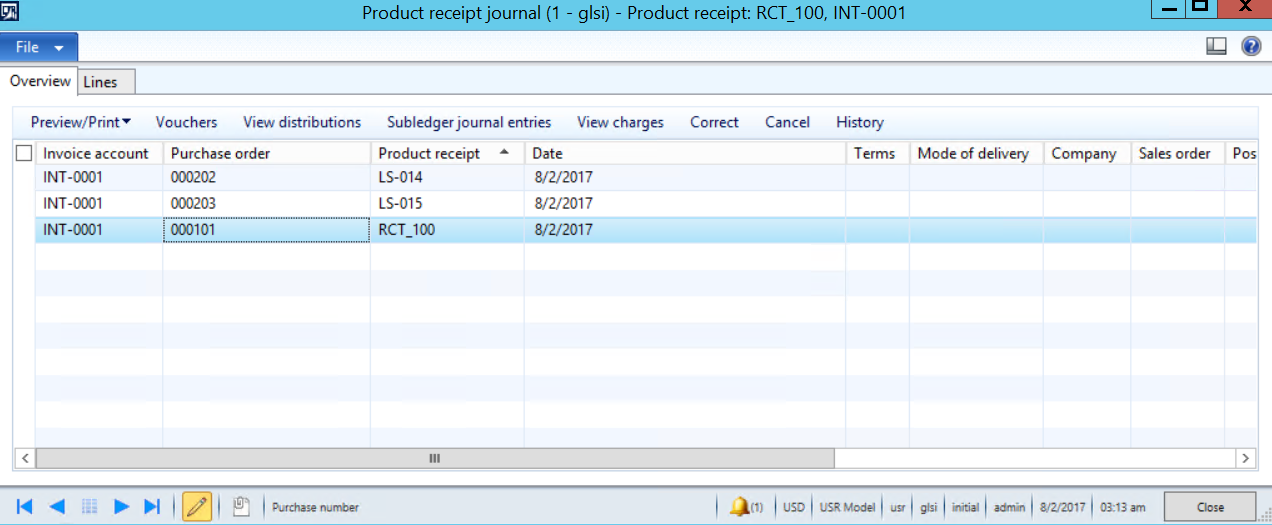
Here is the screen shot for the product receipt:
                    1145.A1.png

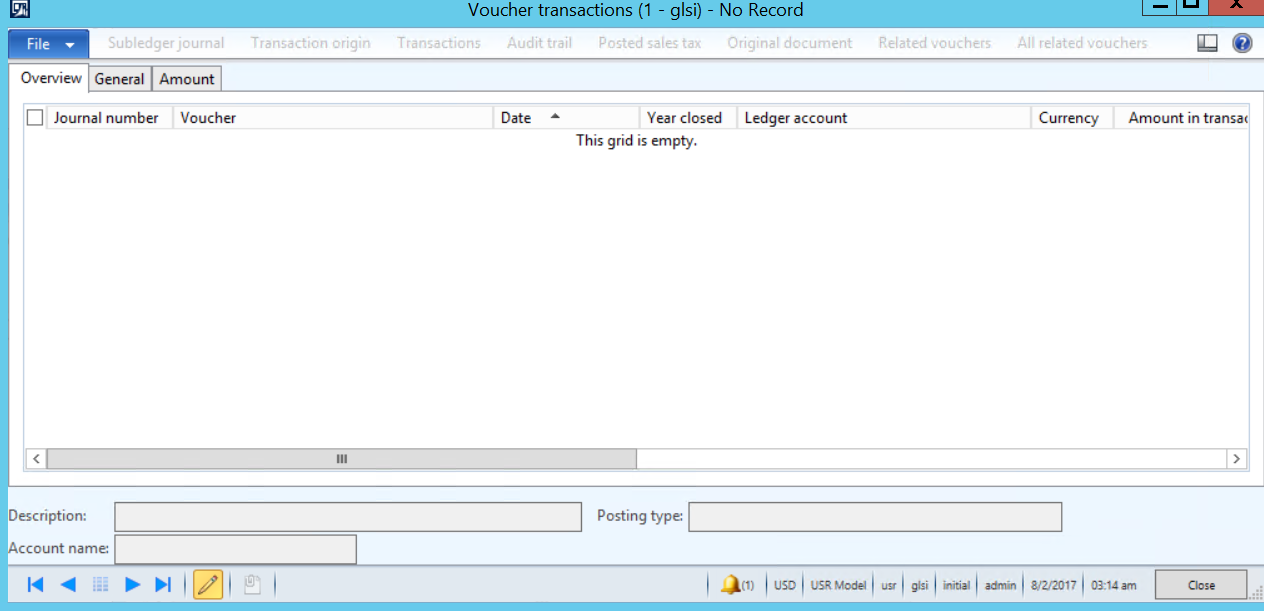
Once I highlight a product receipt, and click on "Vouchers", nothing shows up:
                    2234.A2.png

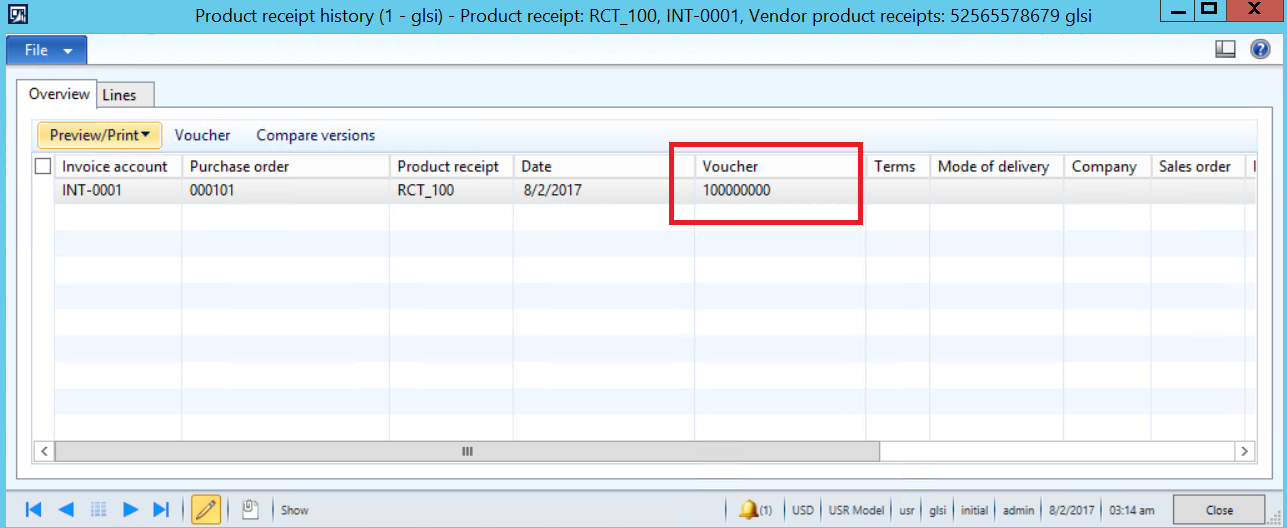
Although, If I highlight the product receipt and click on "History", there is a voucher number showing
                    5857.A3.png


Your help is much appreciated,
Thanks in Advance


*This post is locked for comments

I have the same question (0)
  • Ahmad_Safadi Profile Picture
    373 on at

    Anyone ?

  • Suggested answer
    Ludwig Reinhard Profile Picture
    Microsoft Employee on at

    Hi,

    GLSI is the contoso test company, right?

    This is probably not the best one for testing purchase order transactions as it is a service company.

    What transaction have you posted in your PO? (Service item, stocked item, category)?

    What is the purchase Price that you specified? Can it be $0?

    Better take the USMF company for testing purchase order transactions because it has a much richer setup.  

    Best regards,

    Ludwig

  • Ahmad_Safadi Profile Picture
    373 on at

    I have created new stocked items, item groups, item model groups .... etc., as per USMF.

    The items above are stocked, the inventory module was updated with the quantity balance and there is a unit price. Although, nothing is posting to GL.

    Any Idea ?

  • Ludwig Reinhard Profile Picture
    Microsoft Employee on at

    Hi A.Saf,

    What AX Version do you use?

    Can you share the set ups that you made?

    Best regards,

    Ludwig

  • Suggested answer
    Weaveriski Profile Picture
    23,620 Moderator on at

    So in the Purchase Ledger Parameters - Updates. Is the "Post Product Receipt in Ledger" ticked?

  • Suggested answer
    Ludwig Reinhard Profile Picture
    Microsoft Employee on at

    Right.

    Please check the parameter Steven mentioned.

    If I remember it correctly all ..SI contoso demo companies have that parameter unchecked.

    Best regards,

    Ludwig

  • Suggested answer
    Mahmoud Hakim Profile Picture
    17,887 on at

    can you check posting check box in product receipt form before post ??

    1754.p.png

  • RizwanGill Profile Picture
    10 on at

    Check 'Batch Transfer Rules' in GL parameters if it is 'Asynchronous' then you will see posting in the periodic of the GL

Under review

Thank you for your reply! To ensure a great experience for everyone, your content is awaiting approval by our Community Managers. Please check back later.

Helpful resources

Quick Links

Responsible AI policies

As AI tools become more common, we’re introducing a Responsible AI Use…

Neeraj Kumar – Community Spotlight

We are honored to recognize Neeraj Kumar as our Community Spotlight honoree for…

Leaderboard > 🔒一 Microsoft Dynamics AX (Archived)

#1
Martin Dráb Profile Picture

Martin Dráb 4 Most Valuable Professional

#1
Priya_K Profile Picture

Priya_K 4

#3
MyDynamicsNAV Profile Picture

MyDynamicsNAV 2

Last 30 days Overall leaderboard

Featured topics

Product updates

Dynamics 365 release plans
