web
You’re offline. This is a read only version of the page.
close
Skip to main content

Notifications

Announcements

No record found.

Community site session details

Community site session details

Session Id :
Finance | Project Operations, Human Resources, ...
Suggested Answer

Build pipeline failed from DevOps to LCS because required permission

(0) ShareShare
ReportReport
Posted on by 112

Hi,

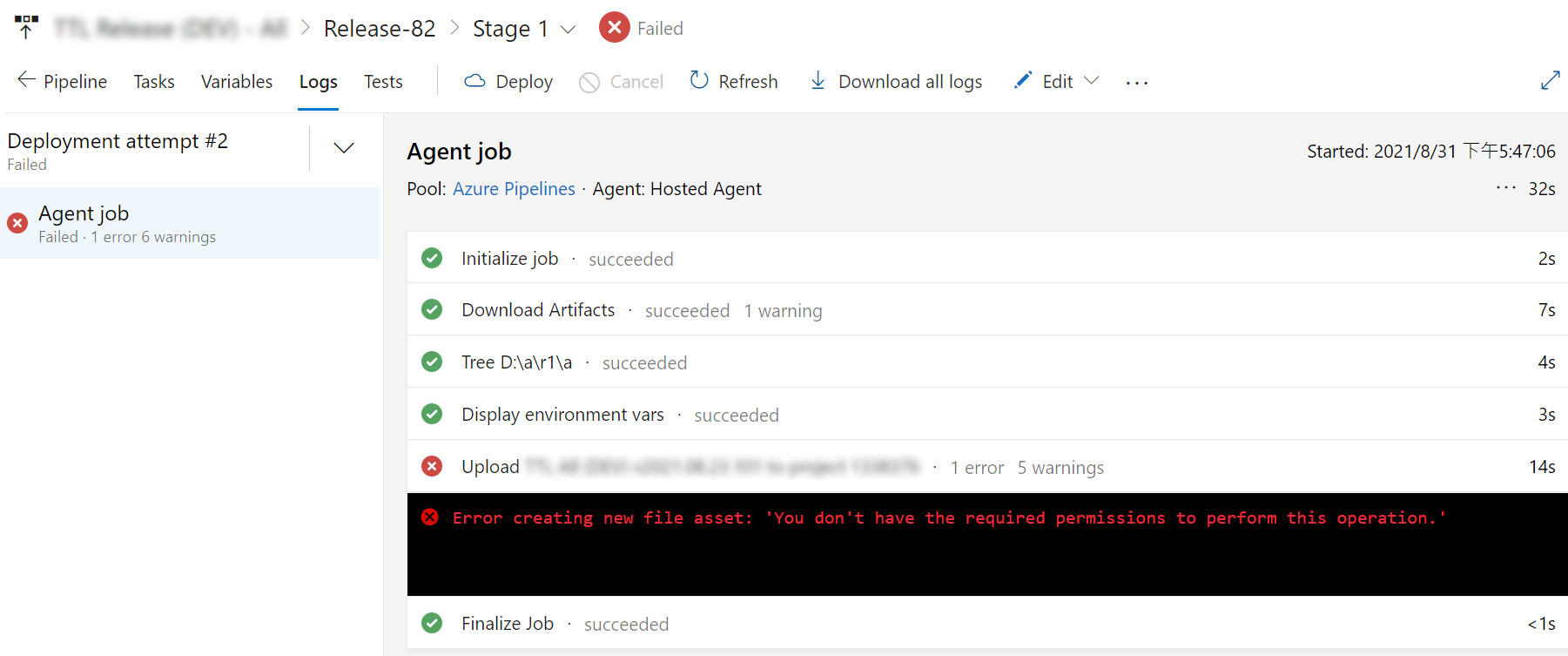
We deploy our D365FO package through DevOps release pipeline. Normally, it works well. But from one day, I found deployed failed log in upload zip file to Asset library step.

The error message as below:
2021-08-31T09:47:39.1488676Z ##[error]Error creating new file asset: 'You don't have the required permissions to perform this operation.'

Have anyone can told me how could I do in this situation?

What's setup I should check it?

Thanks.
2021_2D00_09_2D00_02_5F00_172901.jpg

I have the same question (0)
  • Suggested answer
    Ahmad_Sufyan Profile Picture
    on at

    Validate if you have done right setup.

    pastedimage1630580259424v1.png

    Create an LCS connection in Azure Pipelines - Finance & Operations | Dynamics 365 | Microsoft Docs

  • JoBox Profile Picture
    112 on at

    Hi Ahmad_Sufyan,

    Thanks for your sharing, I have checked some setups by your information. 

    This is my application, is it possible something expired to affect it?
    It seems like We can't deploy around after July, but it can run well in May.

    2021_2D00_09_2D00_03_5F00_1.jpg

    For API permissions, it shows green status as below so that I have no idea why have no permission to upload file to Asset Library.

    2021_2D00_09_2D00_03_5F00_2.jpg

    Thanks.

  • SC-19081230-0 Profile Picture
    7 on at

    We have the same problem. Any solution for this?

  • Suggested answer
    Ahmad_Sufyan Profile Picture
    on at

    Reconfigure and see if that resolves the issue.

  • SC-19081230-0 Profile Picture
    7 on at

    Thanks, but what should be re-configured?

  • Suggested answer
    Ahmad_Sufyan Profile Picture
    on at

    Azure Devops completely.

    Before that validate if Azure DevOps service connection is pointing right LCS url or not

  • SC-19081230-0 Profile Picture
    7 on at

    Where do you see that?

  • Suggested answer
    Ahmad_Sufyan Profile Picture
    on at

    learn.microsoft.com/.../pipeline-lcs-connection

    pastedimage1681386802227v1.png

    There are also a partner recommendation steps provide here

    Azure DevOps tasks for Microsoft Dynamics 365 for Finance and Operations – Part 2 - axperience

     Could you please redo the configuration steps as instructed above

Under review

Thank you for your reply! To ensure a great experience for everyone, your content is awaiting approval by our Community Managers. Please check back later.

Helpful resources

Quick Links

Responsible AI policies

As AI tools become more common, we’re introducing a Responsible AI Use…

Neeraj Kumar – Community Spotlight

We are honored to recognize Neeraj Kumar as our Community Spotlight honoree for…

Leaderboard > Finance | Project Operations, Human Resources, AX, GP, SL

#1
Martin Dráb Profile Picture

Martin Dráb 664 Most Valuable Professional

#2
André Arnaud de Calavon Profile Picture

André Arnaud de Cal... 522 Super User 2025 Season 2

#3
Sohaib Cheema Profile Picture

Sohaib Cheema 303 User Group Leader

Last 30 days Overall leaderboard

Product updates

Dynamics 365 release plans
