web
You’re offline. This is a read only version of the page.
close
Skip to main content

Notifications

Announcements

No record found.

Community site session details

Community site session details

Session Id :
Customer experience | Sales, Customer Insights,...
Suggested Answer

Software Developer Toolkit and deprecation of the Regional Discovery service

(1) ShareShare
ReportReport
Posted on by 22

The software developer toolkit (https://marketplace.visualstudio.com/items?itemName=DynamicsCRMPG.MicrosoftDynamicsCRMDeveloperToolkit) has stopped working for us today due to the deprecation of the Regional Discovery Service. We get the error FCB 'EnableRegionalDisco' is disabled when trying to connect to any Dynamics 365 online instances.

I know the product has never made it out of public preview, so I can't expect any official support for this, but if anyone has any ideas as to how to get round this problem, let me know. I've downloaded the latest copy of the DevTools and replaced everything in the Bin and PluginRegistration folders with the latest versions from the DevTools download, but it's made no difference.

Any suggestions gratefully received....

Thanks,

Ben

I have the same question (0)
  • Suggested answer
    davidrcapgemini Profile Picture
    10 on at

    Hello Ben, 

    The issue (so I'm told) is with the previous version of the core assemblies and connecting using Office 365 authentication which I think means it still tries to authenticate regionally. 

    There are 2 fixes worth exploring:

    • update core assemblies package to the latest version 
    • if possible for connections use OAuth

    and 1 interim workaround:

    • Microsoft I'm told are extending the removal of this if requested. 

    I'm also testing some of this stuff, will let you know how it goes

  • Suggested answer
    davidrcapgemini Profile Picture
    10 on at

    www.threegreymonkeys.com/.../  found this article, tried the short term fix and it is working

  • Ben  Walker Profile Picture
    22 on at

    Hi David, thanks for the replies.

    I tried using the latest version of the core assemblies and it hasn't helped.

    I have no problem connecting to my instance of CRM using the SDK in general, but the software developer toolkit does not allow you to enter a connection string by hand, so no way to add the 'skipdiscovery' argument.

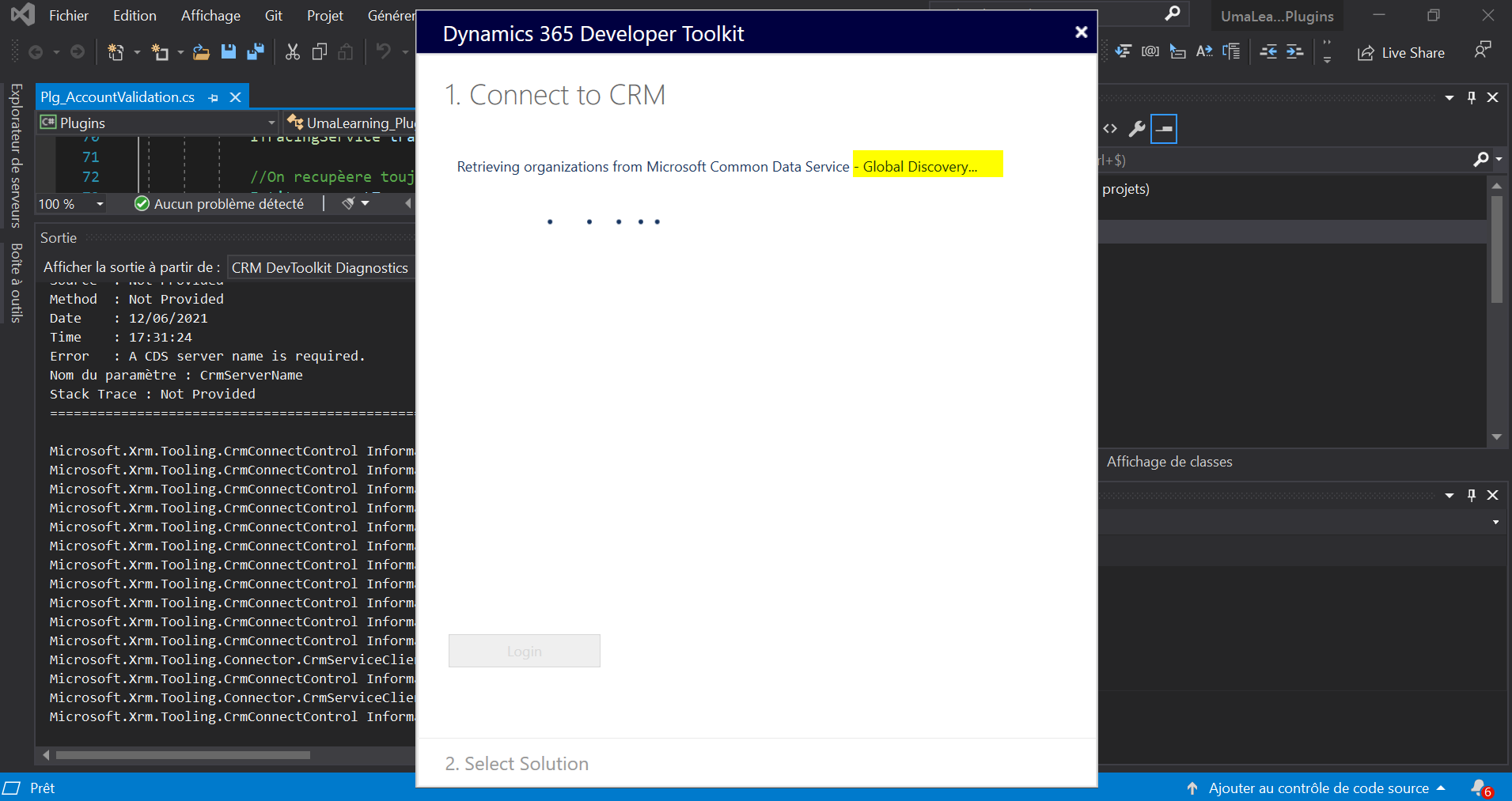
    You just a get a dialogue box like this:

    pastedimage1623512034136v1.png

    and there's no way to amend the connection string which is used.
    Let me know if I've misunderstood - if you've managed to get the software developer toolkit working with D365 online since the deprecation of the global discover service, do let me know.

    Thanks again,

    Ben

  • Suggested answer
    meelamri Profile Picture
    13,216 User Group Leader on at

    Hello Ben, 

    I have been looking for a solution to this problem for a few days. I think I can hold some things...

    Below is a screenshot of the issue: 
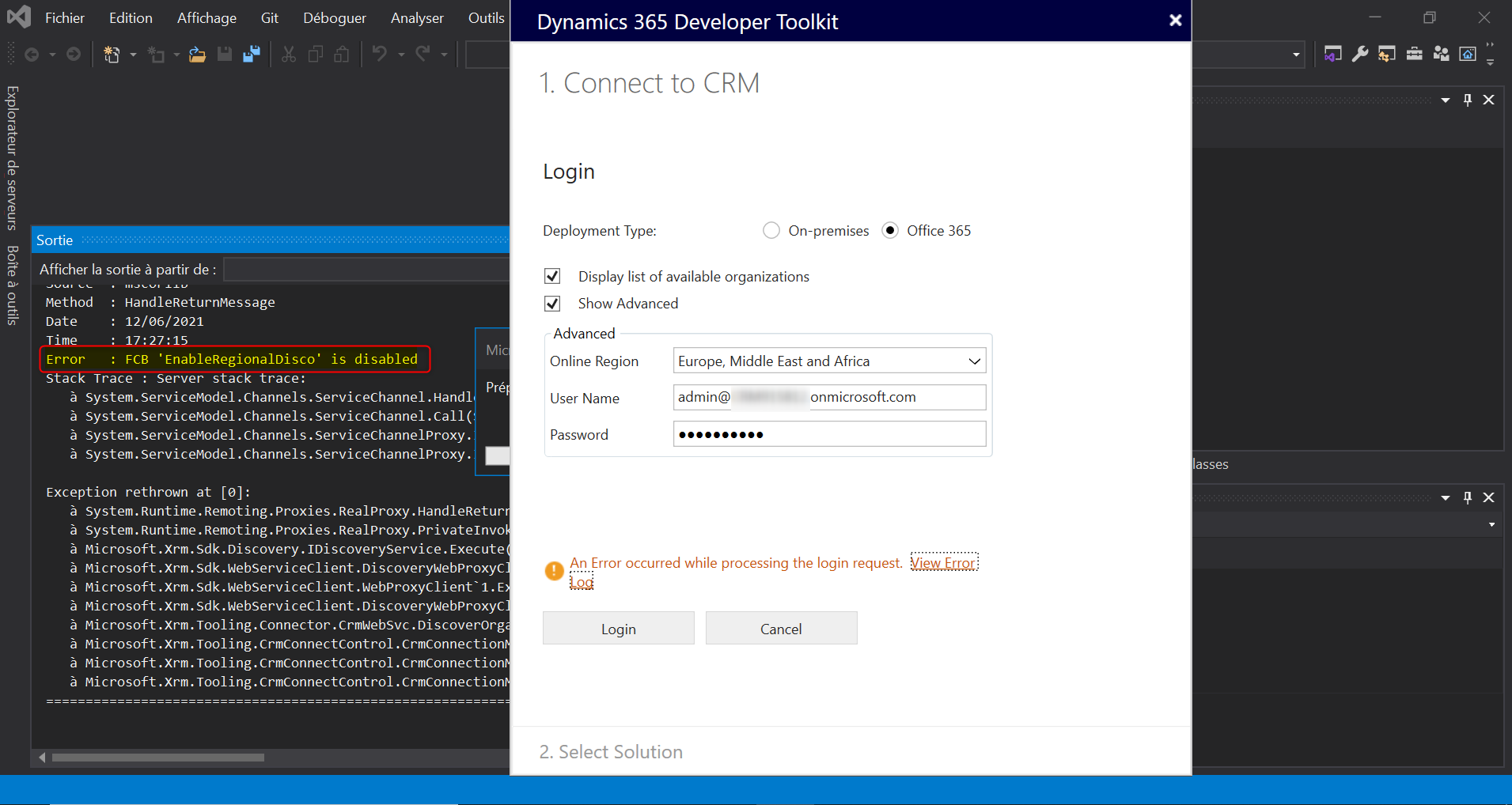
    pastedimage1623524009105v1.png

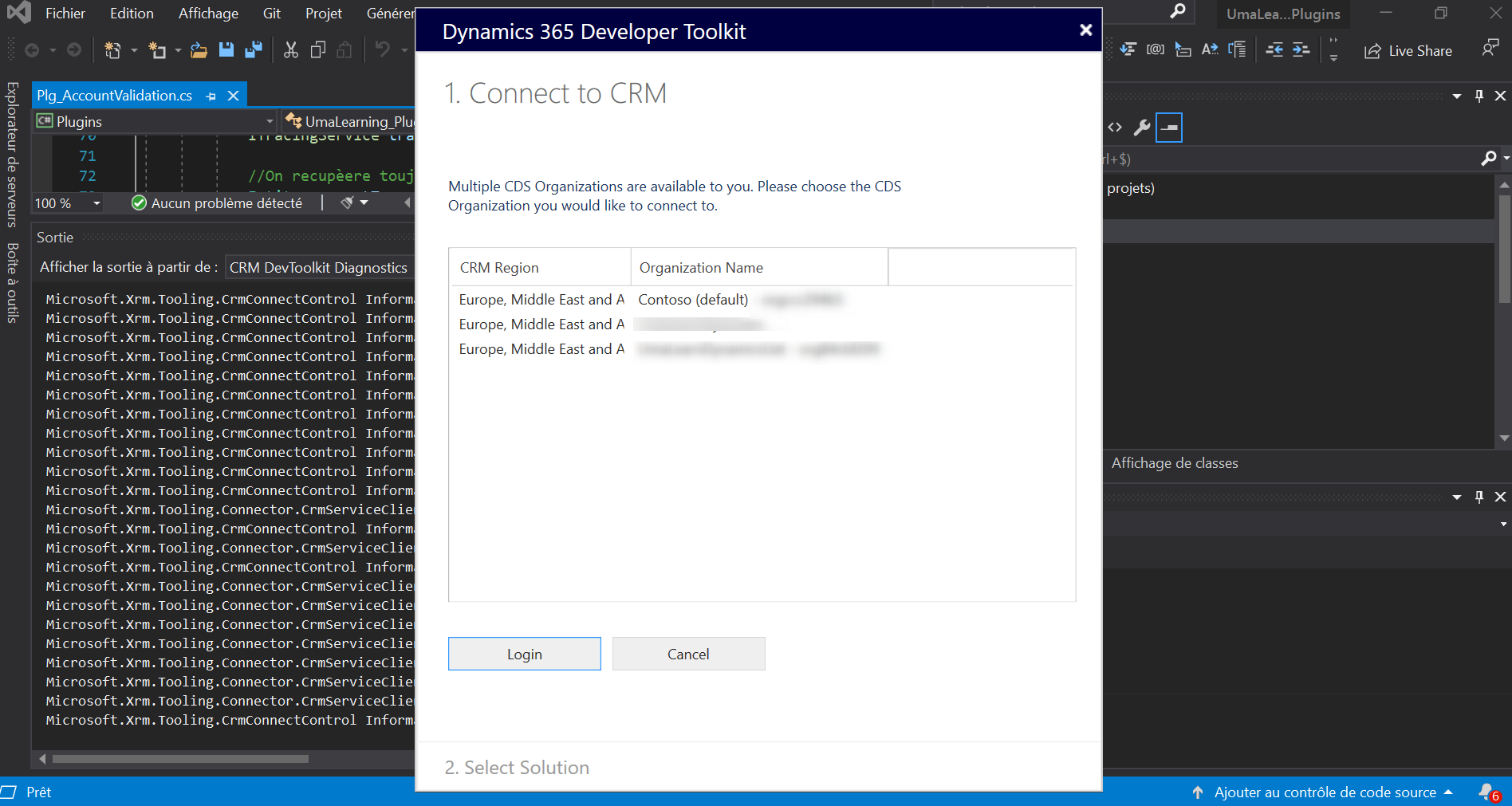
    After replacing the dll files in the folder of the extension. I can connect to the CRM using the Global Discovery. The new dll files are from tha latest SDK version..
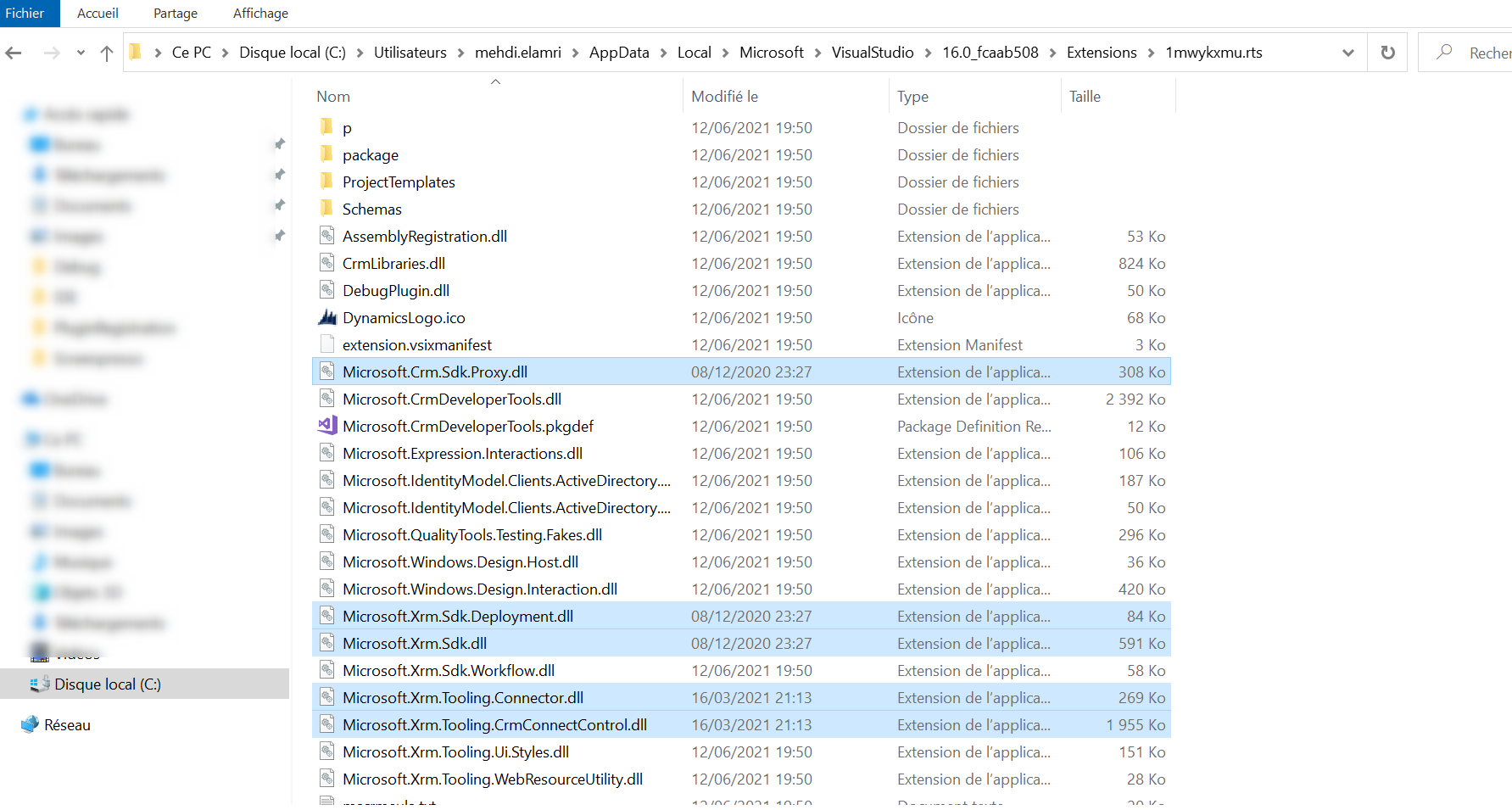
    pastedimage1623524411965v2.png

    Result: 

    pastedimage1623524441880v3.png

    pastedimage1623524469048v4.png

    I thought I could solve the problem...unfortunately not! Indeed, I receive the following error at the time of deployment: 

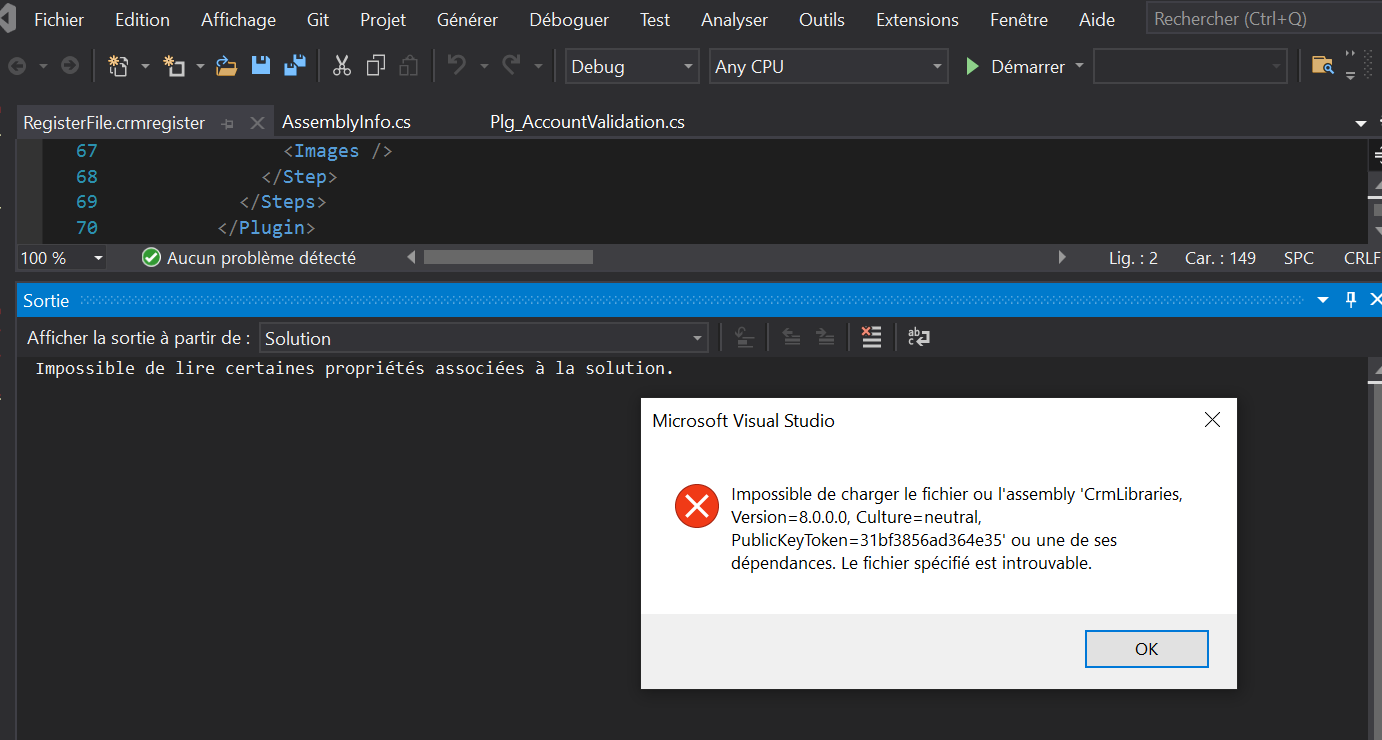
    Could not load file or assembly ''CrmLibraries, Version=8.0.0.0, Culture=neutral, PublicKeyToken=31bf3856ad364e35 or one of its dependencies. The located assembly's manifest definition does not match the assembly reference.

    pastedimage1623524596600v5.png

    After copying also the CrmLibrairies dll. I got the same error while connecting to the CRM: 
    pastedimage1623524833383v6.png

    I am still in the process of finding the solution to the problem. I would like to share my current progress though.

  • Ben  Walker Profile Picture
    22 on at

    Thanks for the update Mehdi, interesting that you are at least able to connect. I'm surprised that it's giving you that v8 assembly reference when you try and deploy. Let me know if you manage to get any further....

  • meelamri Profile Picture
    13,216 User Group Leader on at

    Hi, 

    Could you please test the same procedure I shared on my previous post? Thank you 

  • Ben  Walker Profile Picture
    22 on at

    After I replace those files in the extensions folder I now get this message when I try and connect the CRM Explorer:

    pastedimage1623533962927v1.png

    I'll keep investigating....

  • Suggested answer
    meelamri Profile Picture
    13,216 User Group Leader on at

    Hello Ben,

    I have some good news. I managed to connect the tool to the CRM and deploy my plugins..

    I explain all the details on my blog: xrmtricks.com/.../

    I wish you good luck !!

  • Ben  Walker Profile Picture
    22 on at

    That's great news Mehdi, I'll follow your instructions later today and feed back here. Fingers crossed!

  • Jupek Profile Picture
    5 on at

    Thanks for the blog Mehdi. That worked. One addition though based on my tests using this method. I had to copy also Microsoft.Rest.ClientRuntime.dll to the extension folder to be able login succesfully with legacy VS 2015.

    Without that I could see on the logs this error during login:

    Could not load file or assembly 'Microsoft.Rest.ClientRuntime, Version=3.0.0.0, Culture=neutral, PublicKeyToken=31bf3856ad364e35' or one of its dependencies. The system cannot find the file specified.

    Stack Trace : at Microsoft.Xrm.Tooling.Connector.CrmWebSvc.<ExecuteHttpRequestAsync>d__146.MoveNext()

    Maybe this is not the problem with newer Visual Studios or I missed some configuration.

Under review

Thank you for your reply! To ensure a great experience for everyone, your content is awaiting approval by our Community Managers. Please check back later.

Helpful resources

Quick Links

Responsible AI policies

As AI tools become more common, we’re introducing a Responsible AI Use…

Neeraj Kumar – Community Spotlight

We are honored to recognize Neeraj Kumar as our Community Spotlight honoree for…

Leaderboard > Customer experience | Sales, Customer Insights, CRM

#1
Tom_Gioielli Profile Picture

Tom_Gioielli 70 Super User 2025 Season 2

#2
Gerardo Rentería García Profile Picture

Gerardo Rentería Ga... 33 Most Valuable Professional

#3
Daniyal Khaleel Profile Picture

Daniyal Khaleel 32 Most Valuable Professional

Last 30 days Overall leaderboard

Product updates

Dynamics 365 release plans