web
You’re offline. This is a read only version of the page.
close
Skip to main content

Announcements

No record found.

News and Announcements icon
Community site session details

Community site session details

Session Id :
Service | Customer Service, Contact Center, Fie...
Unanswered

problem with team resource

(0) ShareShare
ReportReport
Posted on by 20

Hello everybody,

we have problems creating a bookable team resource.

The team could be created without any problems. Then the subordinate resources were added and the team management "Cascade" was selected.

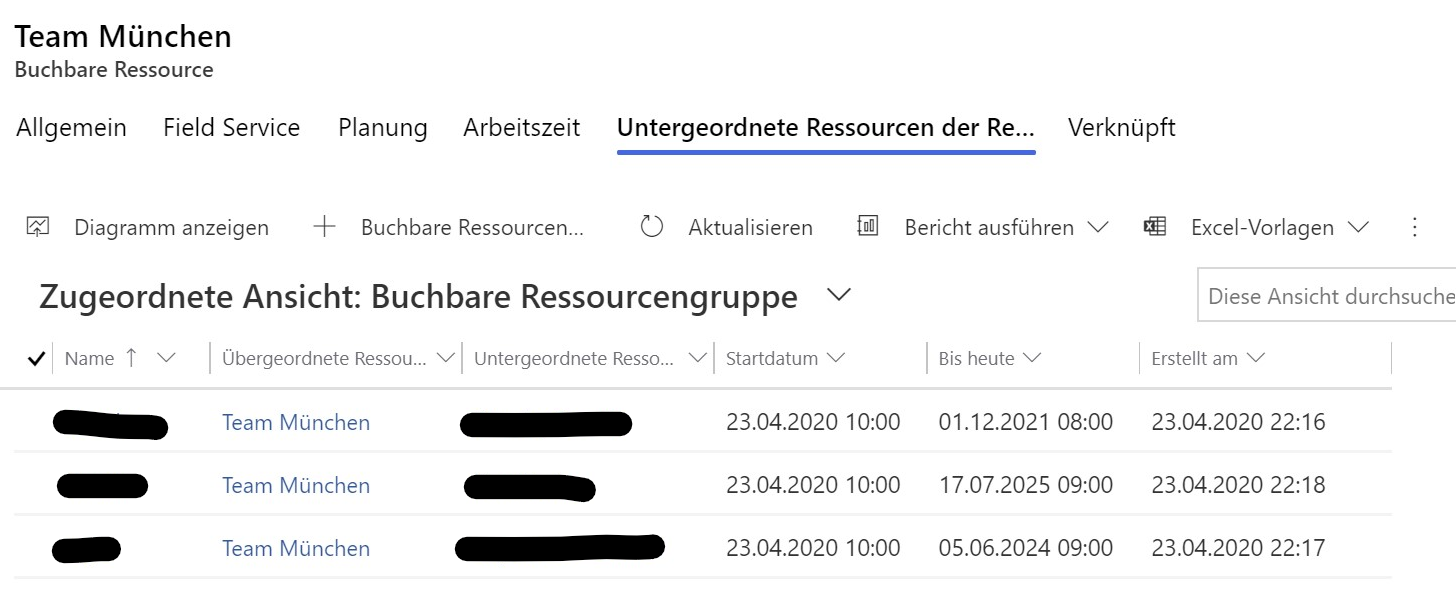
pastedimage1595234007981v1.png

pastedimage1595234144736v3.png

Now to the problem.
The problem arises when booking the team resource.
If I now book the team on a work order, a team member is always booked.

pastedimage1595238522887v4.png

Now one of the team must complete the booking and additionally the separate team member.

Do you know where the problem is? I just want to book the team so that a member can complete the assignment.

Thank you for the support!

  • Al Iggs Profile Picture
    Microsoft Employee on at

    Not sure if I understand the problem. You book the Crew resource (drag&drop? Schedule Assistant?). Do you see bookings created for all crew members? If one team member should update/complete the booking, please refer to docs.microsoft.com/.../resource-crews

  • Stephan88 Profile Picture
    20 on at

    Hello Alexander,

    I created a crew. That worked...

    Now I would like to book the crew on a workorder but an additional resource is always booked in addition to the crew. The resource is a crew member.

  • Al Iggs Profile Picture
    Microsoft Employee on at

    That's the desired behavior. If you book the crew, all crew members will get bookings too. And if you move one, by default the others will be updated as well.

    If that's not what you're looking for, can you detail your use case?

Under review

Thank you for your reply! To ensure a great experience for everyone, your content is awaiting approval by our Community Managers. Please check back later.

Helpful resources

Quick Links

Season of Sharing Community Challenge Winners!

Congratulations to our community stars!

Women in Power Builds Momentum

Expanding mentorship, skilling, and AI innovation

Congratulations to the August Top 10 Community Leaders

These are the community rock stars!

Leaderboard > Service | Customer Service, Contact Center, Field Service, Guides

#1
Travis South Profile Picture

Travis South 54

#2
11manish Profile Picture

11manish 33 Super User 2026 Season 2

#3
Syed Aqib Raza Profile Picture

Syed Aqib Raza 31

Last 30 days Overall leaderboard

Featured topics

Product updates

Dynamics 365 release plans



