I need to do a development that will allow the P.O. "Pro-forma confirmation" to be saved as a draft email instead of being sent. I have put in a crude hack to test I can do this and I can make the email save without sending and it pops up ready to send. It's just a case of driving this process by settings.
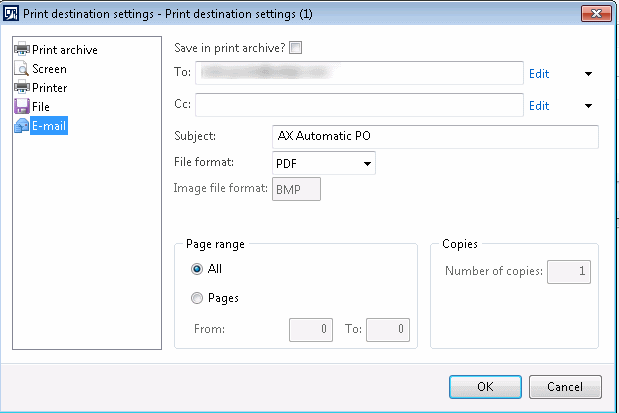
However, given that email settings are held in SRSPrintDestinationSettings, I believe this class would need to be customised so that automatic email sending can continue to be functional / supported for any other trade documents.
e.g. Ideally I would like to have a "Save as draft" checkbox under the Image file format below.
Can anyone offer advice about how best to do this?
*This post is locked for comments
I have the same question (0)







