web
You’re offline. This is a read only version of the page.
close
Skip to main content

Notifications

Announcements

No record found.

Community site session details

Community site session details

Session Id :
Finance | Project Operations, Human Resources, ...
Answered

Business Integration Studio ISV deployment

(0) ShareShare
ReportReport
Posted on by

Hi Friends,

I need a quick help in resolving an issue related to an ISV deployment into the Dev and other environments.

ISV Name - Business Integration Solution (Connectivity Studio)
ISV Provider - ToIncrease

Problem Statement - 
Deployed the ISV package and ISV license key on Dev1, it builds fine, no issues here. Checked in the model folders which got created in PackageLocalDirectory with the Bin folders to source control. Did get latest in Dev2. Full build succeeded but DB Synchronization Fails with this error - 
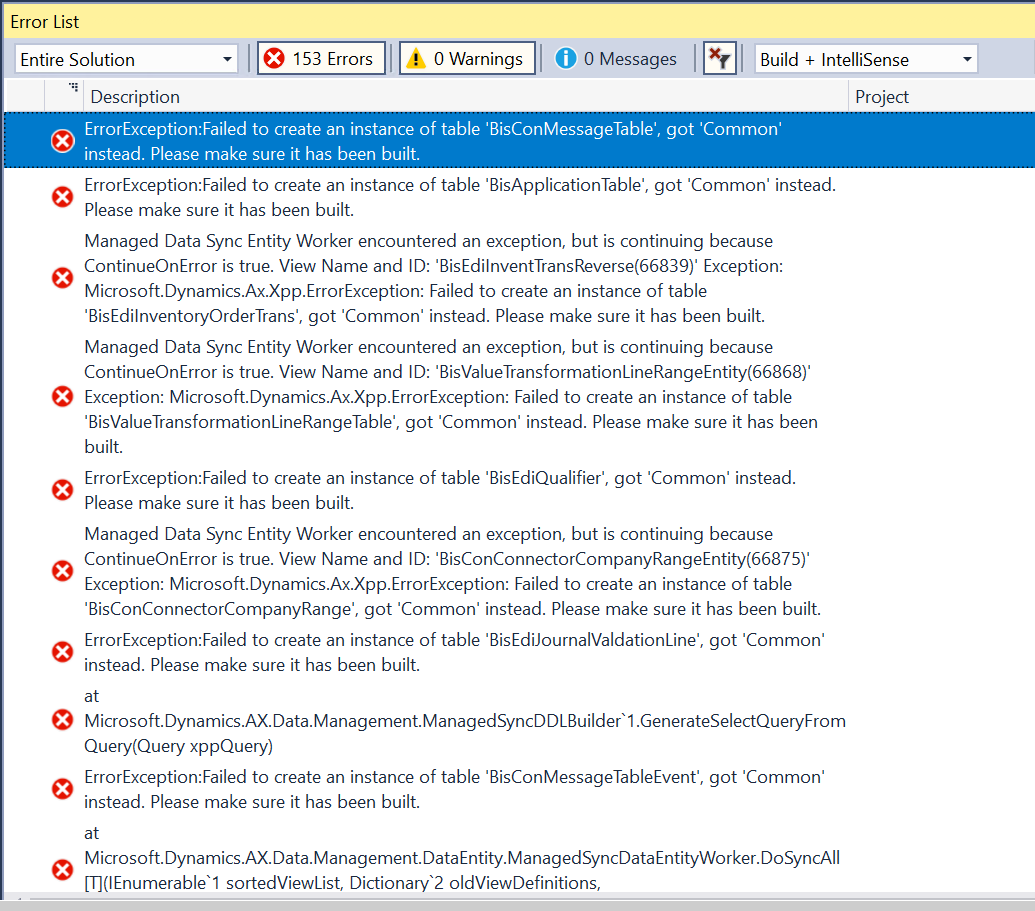
pastedimage1619327501277v2.png

If someone has deployed this ISV or have any information about how this is to be deployed and maintained in source control, please share.

For supporting information, Here is what I have in asset Library - 

> a solution package from where I have taken the latest version 26
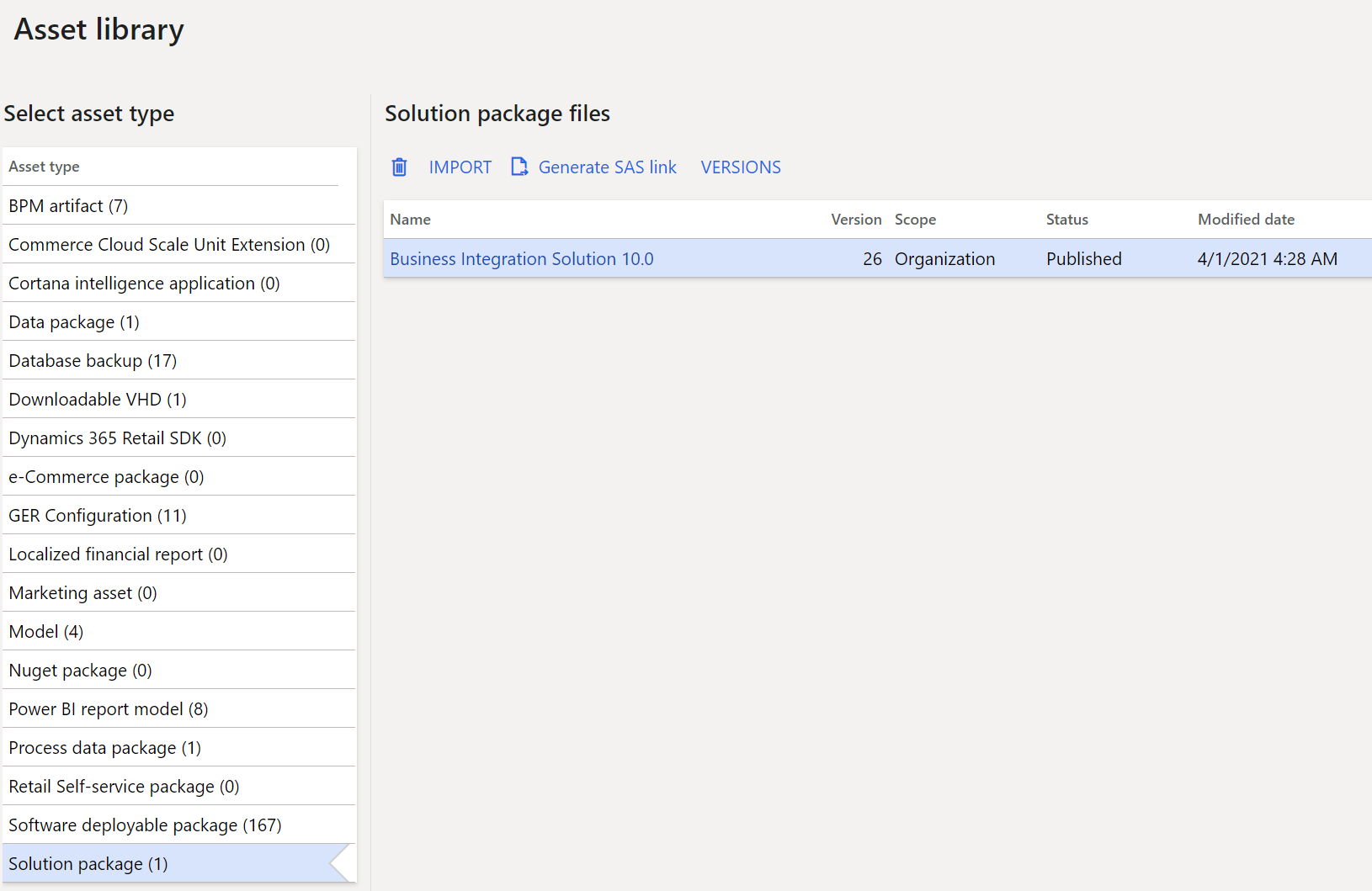
pastedimage1619327113212v1.png

> ISV application package and the license key deployable package
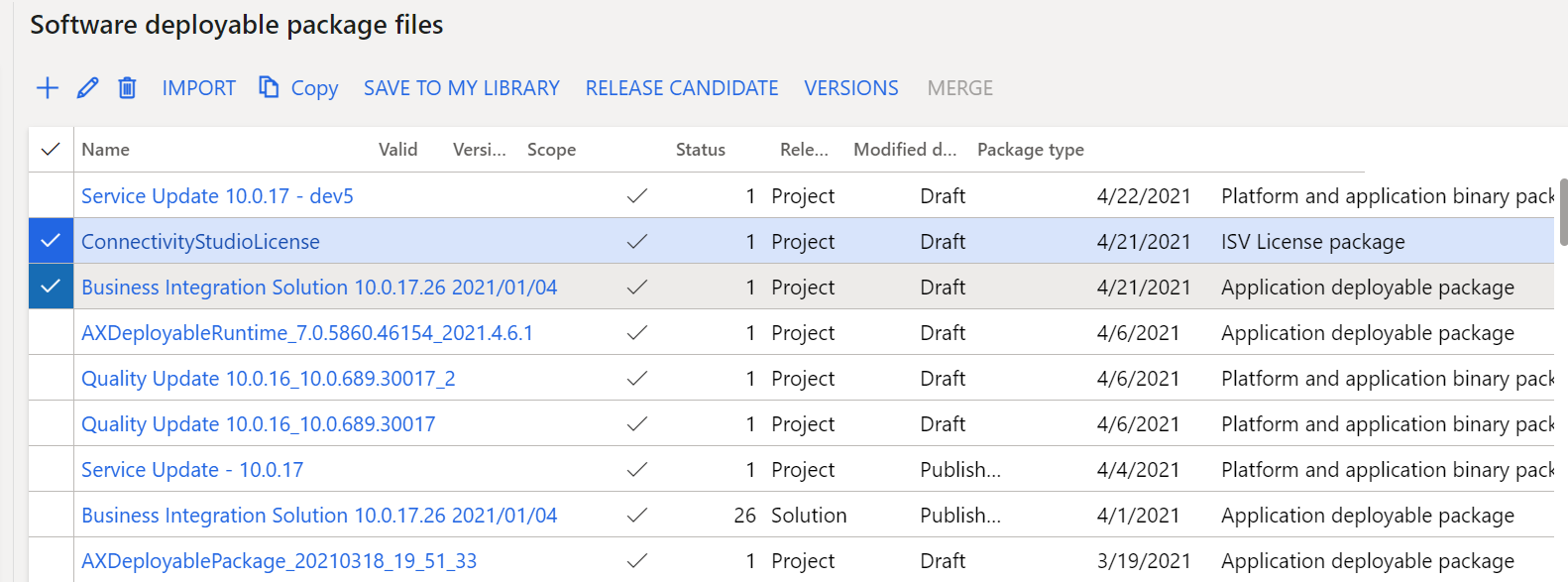
pastedimage1619327670364v3.png

I have the same question (0)
  • Suggested answer
    André Arnaud de Calavon Profile Picture
    301,231 Super User 2025 Season 2 on at

    Hi Saurabh,

    I'm working for To-Increase. I'm also involved as product manager for this solution.

    If the ISV solution works in one environment and not a second, you might have made a mistake somewhere. You can read the documentation how to deal with ISV deployable packages. Manage third-party models and runtime packages by using source control - Finance & Operations | Dynamics 365 | Microsoft Docs

    You mentioned, you checked in model directories. Note that we provide the deployable packages without model details. So, please verify the steps you have performed.

    If you can't solve the issue with the information provided above, I would suggest to log a case at To-Increase directly: www.to-increase.com/care

  • Saurabh_star Profile Picture
    on at

    Thanks Andre,

    but do you happen to have any deployment guide from to-increase instead of the standard Microsoft guide. The reason for the confusion is partly with the license key installation, because I can see 3 model files in asset library that I have deployed in dev now with AxUtil command and I can see all the code objects that I can check-in to source control.

    Business Integration Solution

    Business Integration Labels

    Business Integration MDM

    But these models have a reference to another model which is the Business Integration License and this model is available as deployable package in Asset Library.

    Is this the expected approach in sequence?, correct me if I am missing something -

    * Deploy the 3 models using AxUtil command on Dev1

    * Deploy the license model from LCS

    * Do complete build and sync

    * Check-in all 4 models in source control

    * On Dev2, get latest code from source control and perform full build and sync. No need to deploy anything from LCS for this environment.

  • Suggested answer
    André Arnaud de Calavon Profile Picture
    301,231 Super User 2025 Season 2 on at

    Hi Saurabh,

    Please contact To-Increase Support with this question. I think the confusion is with model files instead of deployable packages. The deployable packages should be installed and included in all-in-one deployable packages for the customer environments. Via the support you should get the clarity.

  • Verified answer
    Saurabh_star Profile Picture
    on at

    The issue was related to the wrong license file and support team was supportive. thanks for all the help and quick advises.

  • André Arnaud de Calavon Profile Picture
    301,231 Super User 2025 Season 2 on at

    Hi Saurabh,

    I got internal feedback that indeed an issue was related to the wrong license. Could be indeed the same case as you posted here. Glad it is solved now.

Under review

Thank you for your reply! To ensure a great experience for everyone, your content is awaiting approval by our Community Managers. Please check back later.

Helpful resources

Quick Links

Responsible AI policies

As AI tools become more common, we’re introducing a Responsible AI Use…

Neeraj Kumar – Community Spotlight

We are honored to recognize Neeraj Kumar as our Community Spotlight honoree for…

Leaderboard > Finance | Project Operations, Human Resources, AX, GP, SL

#1
Abhilash Warrier Profile Picture

Abhilash Warrier 669 Super User 2025 Season 2

#2
André Arnaud de Calavon Profile Picture

André Arnaud de Cal... 449 Super User 2025 Season 2

#3
Martin Dráb Profile Picture

Martin Dráb 384 Most Valuable Professional

Last 30 days Overall leaderboard

Product updates

Dynamics 365 release plans



