web
You’re offline. This is a read only version of the page.
close
Skip to main content

Notifications

Announcements

No record found.

Community site session details

Community site session details

Session Id :
Microsoft Dynamics AX (Archived)

Visual Studio 2013 tools installation Issue

(0) ShareShare
ReportReport
Posted on by

Hello Sir,

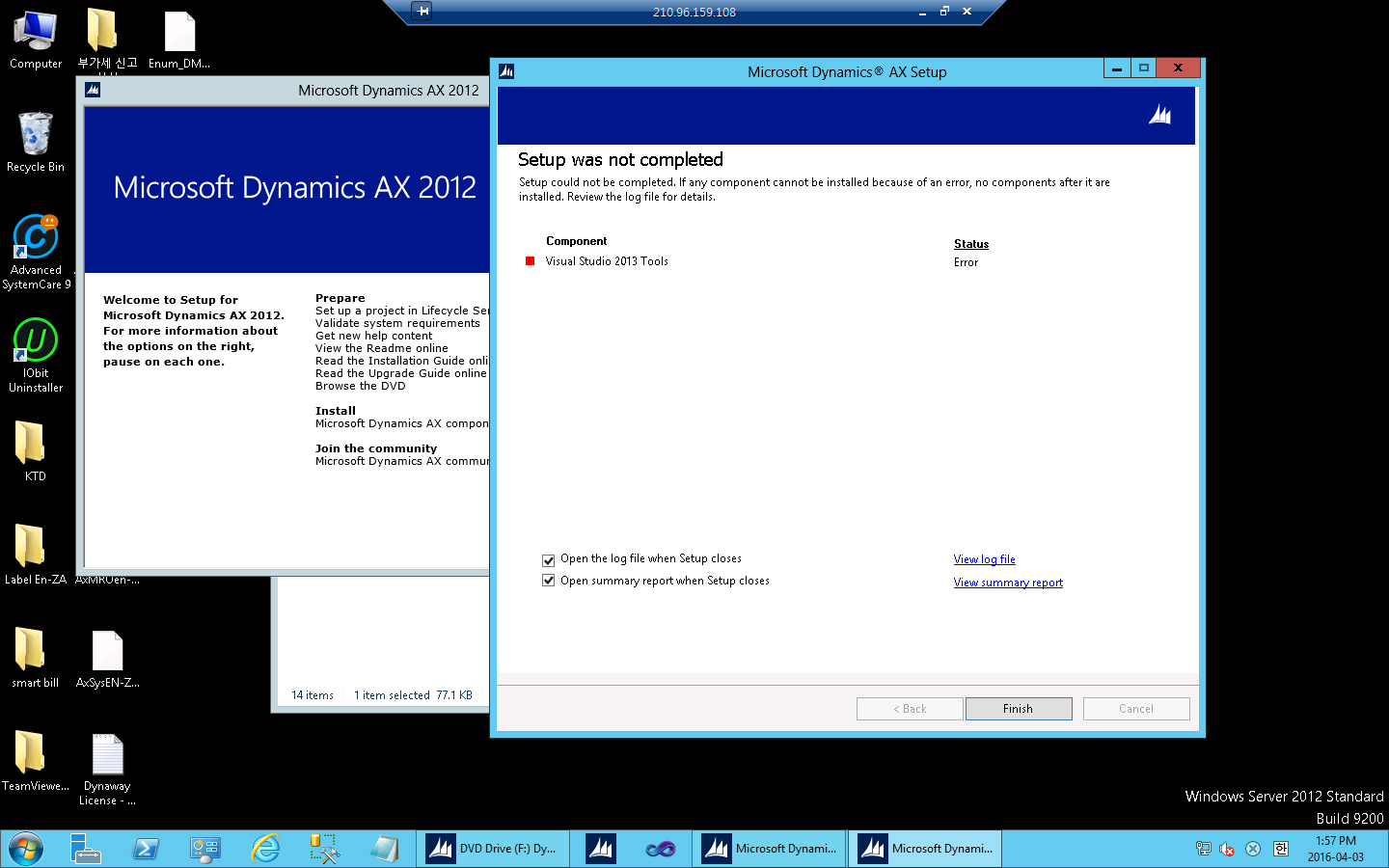
Im trying to install Visual studio 2013 tools in Ax2012 R3.

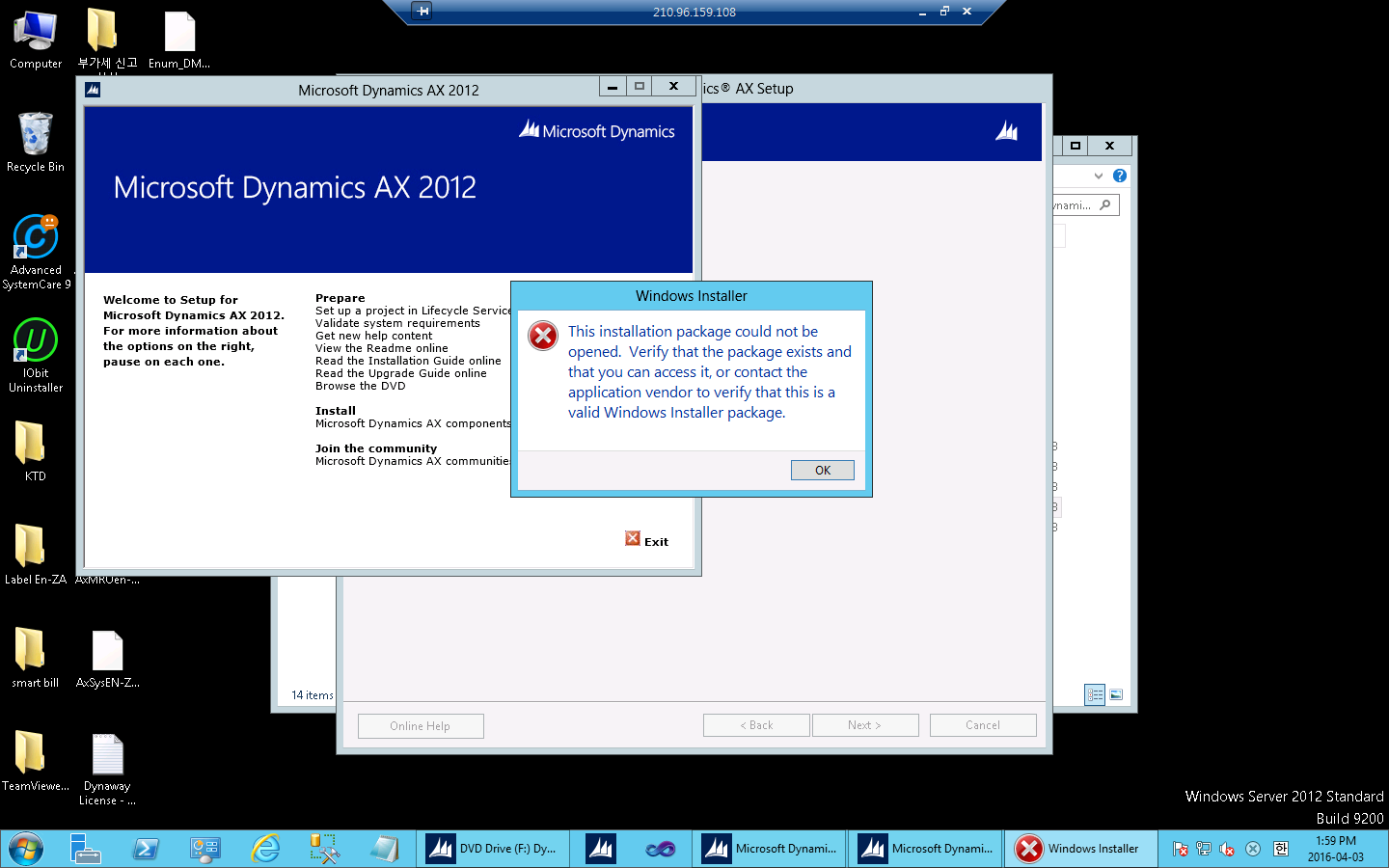
but, there are occurred an error such as a below message.

"This installation package could not be opened.

Verify that the package exists and that you can  access it, or

 contact the application vendor to verify that this is a 

valid windows installer package"

Ax2012 R3 application version is 6.3.1000.473

Visual studio version is 2013 update5

anyway, should I remove to all of Visual Studio old version like 2012, 2010?

The below images are occurred error windows
_091173110F11731105117511AB1109116311BA11_-2016_2D00_04_2D00_03-_0B11691112116E11_-2.16.48.png

_091173110F11731105117511AB1109116311BA11_-2016_2D00_04_2D00_03-_0B11691112116E11_-2.19.06.png

*This post is locked for comments

I have the same question (0)
  • Sohaib Cheema Profile Picture
    49,443 User Group Leader on at

    have you a previous installation of Visual Studio Tools 2010?

  • Ali Zaidi Profile Picture
    4,657 on at

    Dynamics Ax 2012 R3 standard support Visual studio 2010 Sp1. If you want to install visual studio 2013 tools with Dynamics Ax 2012 R3, then you need to upgrade it to CU8.

  • Dick Wenning Profile Picture
    8,705 Moderator on at

    be shure all visual studio 2010 is gone

    install Visual studio 2013

    add CU8 or higher slipstream in AX 2012 R3 RTM, and it should work out.

  • Community Member Profile Picture
    on at

    I resolved this problem.

    our Install package didn't included Visual Studio 2013 tools component.

    I got to know it from our system engineer.

    If you have same problem, Check your AX install > MSI folder.

  • Community Member Profile Picture
    on at

    Also I have installed Visual studio 2010 before.

    so already removed 2010 before install 2013.

    and our AX already updated CU8, Visual studio Ultimate update5

    Thank you every one.

  • Suggested answer
    Subramani Profile Picture
    50 on at

    Hi Leo,

    Try with this link..!

    www.axdynamicsworld.com/2017/07/if-you-are-installing-these-tools.html

  • Community Member Profile Picture
    on at

    I installed visual studio 2017 but asking 2013, only visual studio 2013 acceptable?

Under review

Thank you for your reply! To ensure a great experience for everyone, your content is awaiting approval by our Community Managers. Please check back later.

Helpful resources

Quick Links

Responsible AI policies

As AI tools become more common, we’re introducing a Responsible AI Use…

Neeraj Kumar – Community Spotlight

We are honored to recognize Neeraj Kumar as our Community Spotlight honoree for…

Leaderboard > 🔒一 Microsoft Dynamics AX (Archived)

#1
Martin Dráb Profile Picture

Martin Dráb 4 Most Valuable Professional

#1
Priya_K Profile Picture

Priya_K 4

#3
MyDynamicsNAV Profile Picture

MyDynamicsNAV 2

Last 30 days Overall leaderboard

Featured topics

Product updates

Dynamics 365 release plans