web
You’re offline. This is a read only version of the page.
close
Skip to main content

Notifications

Announcements

No record found.

Community site session details

Community site session details

Session Id :
Customer experience | Sales, Customer Insights,...
Answered

Dynamics 365 CE Edit Filter Criteria Error

(0) ShareShare
ReportReport
Posted on by

Hi expert,


Our CRM version is 2022 wave 1. Found an issue a couple of days age - when filter by One of the columns, e.g. Name, of Document Associate Grid View, it’s not work. When I check Document Associate Grid View and try to Edit Filter Criteria, there is an error, screen as below.
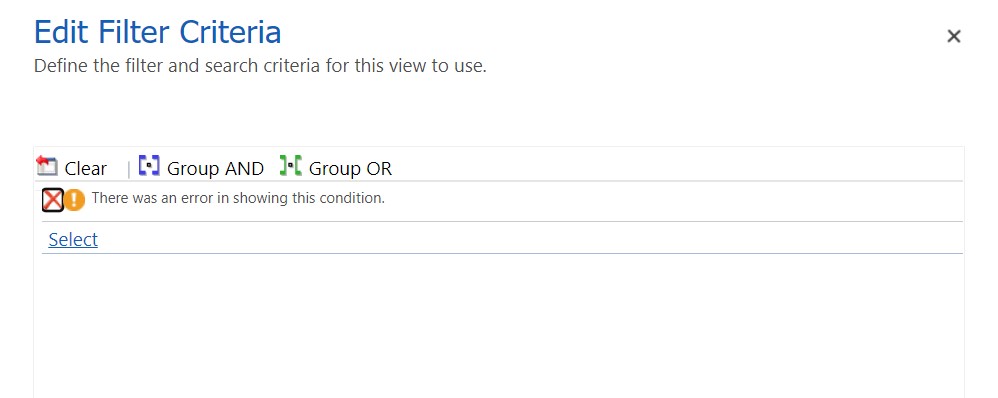
edit-filter.jpg

Can you help to analyze what’s the root reason causing the issue?  Appreciate any advice and reply.

I have the same question (0)
  • Verified answer
    Bipin D365 Profile Picture
    28,983 Moderator on at

    Hi,

    Please check below blog to fix this issue.

    www.google.com/.../

  • ALAN365 Profile Picture
    on at

    Hi Bipin,

    Thank you so much for introducing the useful blog. I have followed the steps to try to revert the searchable property of the Field from "No" to “yes”, but the setup is disabled (gray). Screen as below:

    edit-filter-01.jpg

    How should I do? Thank you in advance.

  • ALAN365 Profile Picture
    on at

    Screen as above, how can I change the read-only Searchable value? Can anybody help?

  • Suggested answer
    Bipin D365 Profile Picture
    28,983 Moderator on at

    Hi,

    Can you please let me know the Table/Entity name you are checking this field?

    May be it is a limitation from Microsoft to not change this field. So can you not create custom field and use that field in yoru view filter criteria.

  • ALAN365 Profile Picture
    on at

    Hi Bipin,

    The Entity is SharePoint Document and View is Document Associated Grid. I checked the error massage, it show that:

    edit-filter-02.jpg 

    So the Field isrecursivefatch related this error. The solution is revert Field Searchable value from "No" to "Yes", but the value is read-only. 

    You are right, the entity ,view and field are all OOB. How can I change field Searchable value? Thanks. 

  • Verified answer
    Bipin D365 Profile Picture
    28,983 Moderator on at

    Hi,

    It is not possible to update searchable property of this field.

    You should lodge Microsoft Support ticket.

    admin.powerplatform.microsoft.com/support

  • ALAN365 Profile Picture
    on at

    I'll issue a ticket. Thank you so much for your time and reply.

Under review

Thank you for your reply! To ensure a great experience for everyone, your content is awaiting approval by our Community Managers. Please check back later.

Helpful resources

Quick Links

Responsible AI policies

As AI tools become more common, we’re introducing a Responsible AI Use…

Neeraj Kumar – Community Spotlight

We are honored to recognize Neeraj Kumar as our Community Spotlight honoree for…

Leaderboard > Customer experience | Sales, Customer Insights, CRM

#1
Tom_Gioielli Profile Picture

Tom_Gioielli 170 Super User 2025 Season 2

#2
#ManoVerse Profile Picture

#ManoVerse 70

#3
Jimmy Passeti Profile Picture

Jimmy Passeti 50 Most Valuable Professional

Last 30 days Overall leaderboard

Product updates

Dynamics 365 release plans
