web
You’re offline. This is a read only version of the page.
close
Skip to main content

Notifications

Announcements

No record found.

Community site session details

Community site session details

Session Id :
Customer experience | Sales, Customer Insights,...
Suggested Answer

How do i add a lead name column on the Email Send views

(0) ShareShare
ReportReport
Posted on by 155

Hi Guys,

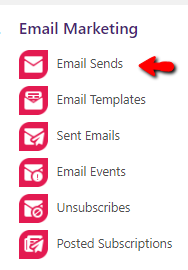
I have a view on Marketing which shows the Email Sends that has been done.
pastedimage1592713882089v1.png

When I go to it I see a specific view named "All Email Sends"

pastedimage1592713954058v3.png

My goal is to add a column in there which would state what the name of the Lead is that it sent the email to however when i try to edit the view and add a column i could not find any field that would show up the Lead Name.

As I have checked the fields on these entities does not show up the Lead name that i would like to see.

pastedimage1592714120046v4.png

Has anyone ever come across this? or is there any way to have that Lead name column added.

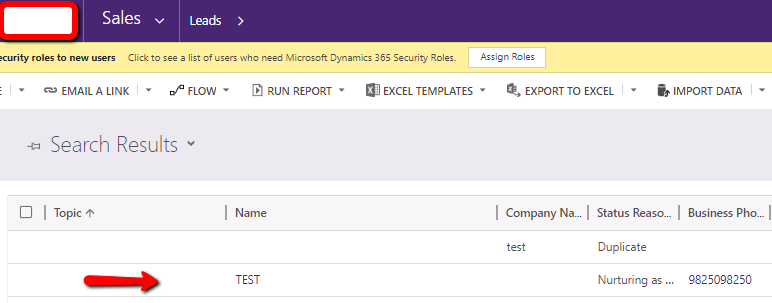
By the way here is the field i am trying add on the view.
pastedimage1592714227596v5.png

Thanks for the help guys.

I have the same question (0)
  • Suggested answer
    cloflyMao Profile Picture
    25,210 on at

    Hi Jimmar,

    Are you using ClickDimensions? It seems that "Email Send" is a custom entity of the 3rd party solution?

    As per my understanding, we could only add directly related entity of source entity as column of view.

    In other word, the column should be a lookup field of source entity.

    It seems that "From Email" field of "Email Send" is a lookup field, but its source entity is Contact or Account,(As similar to OOB "Email" entity.)

    and your lead is associated with the contact.

    You may need to create a custom field to save lead of "email send" entity record, then populate the field with JavaScript/workflow/flow.

    In addition, you could also ask your question in ClickDimensions support page for help.

    https://support.clickdimensions.com/hc/en-us

    Regards,

    Clofly

  • Suggested answer
    FabiolaRT Profile Picture
    155 on at

    Hi Jimmar!

    You are in the incorrect entitiy.

    You need to use "Sent emails" , since in this entity a record is created for each email sent to a lead or contact, in the email send entity only records are created where you occupied a marketing list

    Regards!

Under review

Thank you for your reply! To ensure a great experience for everyone, your content is awaiting approval by our Community Managers. Please check back later.

Helpful resources

Quick Links

Responsible AI policies

As AI tools become more common, we’re introducing a Responsible AI Use…

Neeraj Kumar – Community Spotlight

We are honored to recognize Neeraj Kumar as our Community Spotlight honoree for…

Leaderboard > Customer experience | Sales, Customer Insights, CRM

#1
Tom_Gioielli Profile Picture

Tom_Gioielli 108 Super User 2025 Season 2

#2
Jimmy Passeti Profile Picture

Jimmy Passeti 50 Most Valuable Professional

#3
Gerardo Rentería García Profile Picture

Gerardo Rentería Ga... 49 Most Valuable Professional

Last 30 days Overall leaderboard

Product updates

Dynamics 365 release plans
