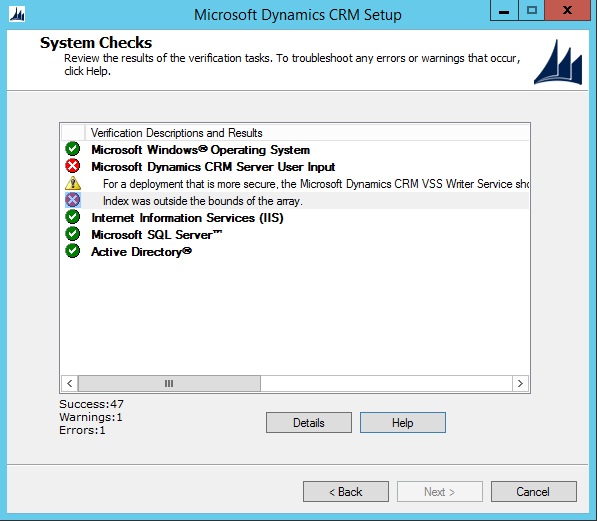
I'm trying to upgrade to CRM 2016 on-prem from 2015 on-prem. I'm using the in-place method where I upgrade the CRM software first, and then import and upgrade the organization second, as that's the simplest and risk-free upgrade approach within my infrastructure. I get stuck during System Checks stage.
These are the instructions given when "Help" is clicked.

The wildcard (service communications) certificate is in the local personal store already and it shows up in IIS and ADFS.
The service that CrmAppPool runs as has permissions to read the certificate.
Things I've tried but didn't help:
- There are token signing and decrypting certificates that are used in ADFS, but I'm not sure if those are the ones the upgrade is talking about. I've added them to the local store as well just in case with read permissions to the CrmAppPool service.
- Re-configured claims-based authentication, to maybe reset some stale certificate-related properties.
- Re-configured the server (IIS, ADFS, CRM Claims and IFD, cert read permissions) with the same certificate.
- Disabled claims based auth and IFD in Deployment Manager and removed the HTTPS binding in IIS, to hopefully circumvent the need to check the encryption certificate.
- Tried to configure the server with the old certificate that the CRM was initially installed with, but since it expired, some parts of the process didn't work, so I rolled back.
Does anyone have any recommendations on how to overcome this error?







