web
You’re offline. This is a read only version of the page.
close
Skip to main content

Notifications

Announcements

No record found.

Community site session details

Community site session details

Session Id :
Small and medium business | Business Central, N...
Suggested Answer

SMTP Mail Setup Error

(0) ShareShare
ReportReport
Posted on by 102

Hi Team, 

Good day.

Could you please help me in this. I am trying to setup SMTP Email and getting this error while sending test email to my gmail address. Please see the screenshot for reference.

pastedimage1593847324570v1.png

Thanks

I have the same question (0)
  • Suggested answer
    Mohana Yadav Profile Picture
    60,993 Super User 2025 Season 2 on at

    Getting same error and reported in Yammer almost a month back and no fix yet.

  • Suggested answer
    JAngle Profile Picture
    133 on at

    Have you tried it with another SMTP server? I got similar with gmail and it was the settings on my gmail account preventing it not BC

  • aluzaja178 Profile Picture
    102 on at

    I have also tried to send test email to outlook address. But getting same error. I am using these settings for SMTP.

    pastedimage1593849882017v1.png

  • Suggested answer
    JAngle Profile Picture
    133 on at

    Based on your current settings, interested in the "Send as" being blank, look at this blog: www.navisionplanet.com/.../

  • aluzaja178 Profile Picture
    102 on at

    Let me try it. Thanks a bunch Josh :-)

  • Suggested answer
    Marco Mels Profile Picture
    on at
  • Suggested answer
    Binesh Profile Picture
    7,885 on at

    Hello,

    If you are using office 365 then try outlook.office365.com in the SMTP server.

    if you are using trial office 365 account xyz@abc.onmicrosoft.com then it won't work because by default MFA is disabled for the trail account.

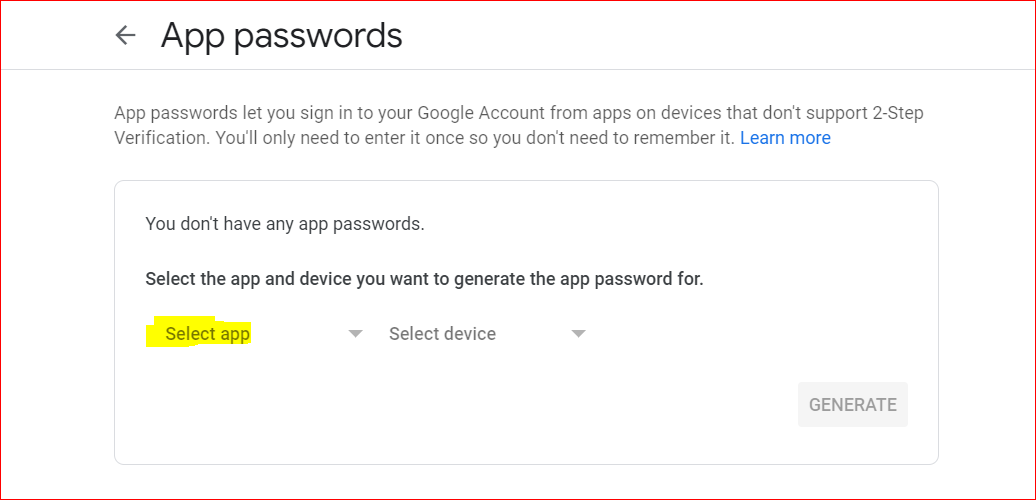
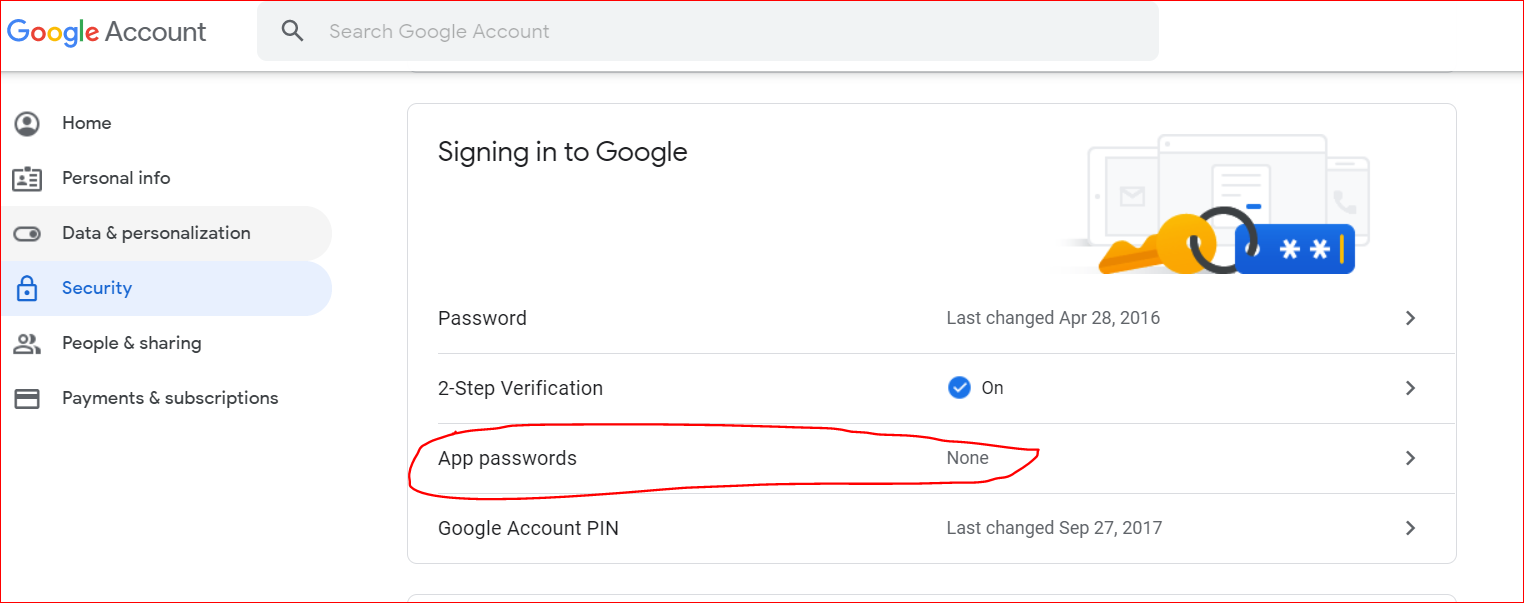
    If you are using gmail with 2 Authentication then setup a App password as shown below

    Login your Gmail account,

    Go to Manage Account -> Security
    pastedimage1594049179209v1.png

    Select other and type a name

    pastedimage1594049291221v2.png

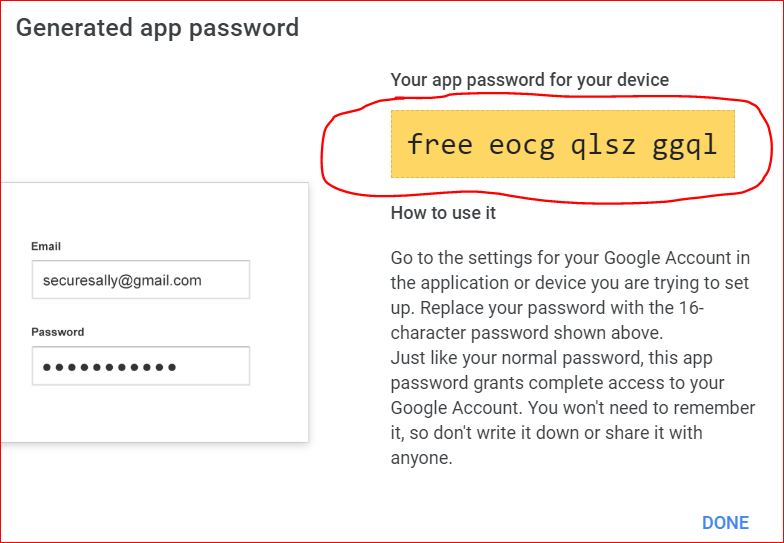
    Enter a name and click on Generate you will get a pop up window, copy the password as shown below.
    pastedimage1594049538714v4.png

    Now use this password in your BC SMTP Mail Setup.

  • Yuri Ventura Profile Picture
    30 on at

    Thanks Binesh.

    I had the same issue. It was on a trial office 365.

    It is sorted now. I have provided a yahoo mail account and I also generated and app password as you suggested.

    Finally, I did the SMTP set up in every company of my environment. The SMTP set up is not at environment level but at company level.

    Thanks again !

Under review

Thank you for your reply! To ensure a great experience for everyone, your content is awaiting approval by our Community Managers. Please check back later.

Helpful resources

Quick Links

Responsible AI policies

As AI tools become more common, we’re introducing a Responsible AI Use…

Neeraj Kumar – Community Spotlight

We are honored to recognize Neeraj Kumar as our Community Spotlight honoree for…

Leaderboard > Small and medium business | Business Central, NAV, RMS

#1
OussamaSabbouh Profile Picture

OussamaSabbouh 3,229

#2
Jainam M. Kothari Profile Picture

Jainam M. Kothari 1,867 Super User 2025 Season 2

#3
YUN ZHU Profile Picture

YUN ZHU 1,153 Super User 2025 Season 2

Last 30 days Overall leaderboard

Featured topics

Product updates

Dynamics 365 release plans