web
You’re offline. This is a read only version of the page.
close
Skip to main content

Announcements

No record found.

News and Announcements icon
Community site session details

Community site session details

Session Id :
Microsoft Dynamics AX (Archived)

Simple customized field

(0) ShareShare
ReportReport
Posted on by 327

I just added CustRef field to the SalesParmTable table. It is just a simple text field. The data entered by the user is not saved.
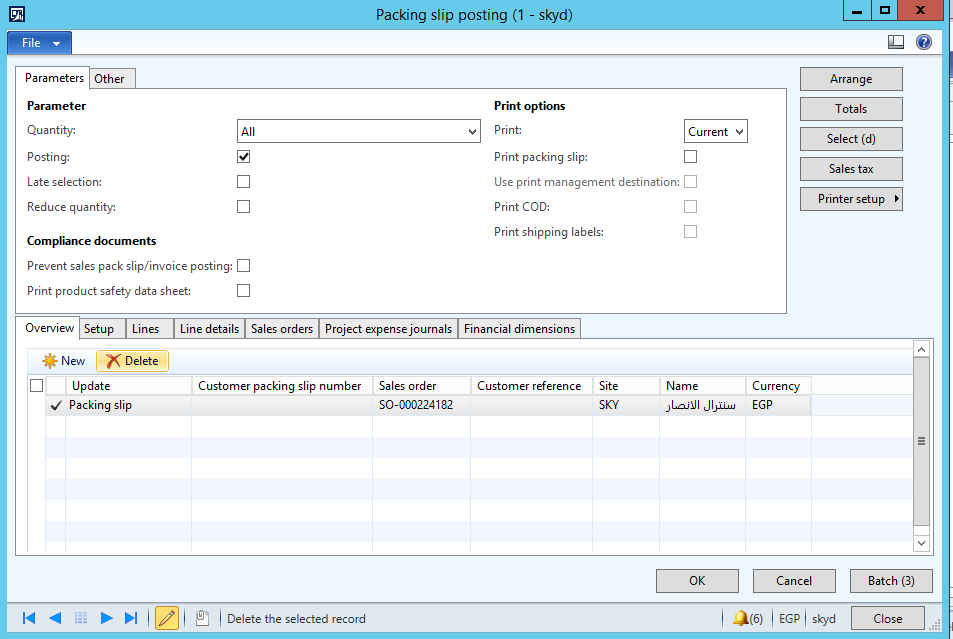
2502.image.png

What could be the problem?

Any help is most appreciated.

*This post is locked for comments

I have the same question (0)
  • André Arnaud de Calavon Profile Picture
    303,679 Super User 2026 Season 1 on at

    Hi J. Doe,

    Did you add it only to the table on the form or both? Can you tell in details what you have done? If you only added it on the form, then you need to start over by adding the field on the table definition; then add it on the form.

  • NewWatermelon Profile Picture
    327 on at

    I added it to the table then on the form. Also, it is mandatory.

    When I input a value, the record get saved without my value and without any mandatory warning message!

  • István Orosz Profile Picture
    2,137 on at

    Hi,

    Did you do db sync on the SalesParmTable  table? Did you check that the field is present on the form datasource section (if not, try to do a form restore)?

  • NewWatermelon Profile Picture
    327 on at

    I did a table sync and it is there on the form datasource for sure.

  • Mea_ Profile Picture
    60,286 on at

    Is not saved where ? SalesParmTable  is used during posting, so you have to write extra code to pass it from SalesParmTable   to invoice or packing slip.

  • NewWatermelon Profile Picture
    327 on at

    It is not saved on SalesParmTable . I did not reach the posting stage yet. I know that sounds weird to you but it is happening.

  • André Arnaud de Calavon Profile Picture
    303,679 Super User 2026 Season 1 on at

    Hi J. Doe,

    Have you tried to insert a value for this new field using the table browser in the AOT? Then you know if it is an issue on the table or possibly a property issue on the form.

  • Mea_ Profile Picture
    60,286 on at

    How do you check that it is not saved?

  • NewWatermelon Profile Picture
    327 on at

    The field is cleared on the form and empty on the table although it is a mandatory.

  • nmaenpaa Profile Picture
    101,166 Moderator on at

    Cleared in what scenario? Could you share exact steps what you are doing and when it's cleared.

Under review

Thank you for your reply! To ensure a great experience for everyone, your content is awaiting approval by our Community Managers. Please check back later.

Helpful resources

Quick Links

Introducing the 2026 Season 1 community Super Users

Congratulations to our 2026 Super Stars!

Congratulations to our 2025 Community Spotlights

Thanks to all of our 2025 Community Spotlight stars!

Leaderboard > 🔒一 Microsoft Dynamics AX (Archived)

#1
Joris dG Profile Picture

Joris dG 5

#2
Alexey Lekanov Profile Picture

Alexey Lekanov 2

#2
Henrik Nordlöf Profile Picture

Henrik Nordlöf 2 User Group Leader

Last 30 days Overall leaderboard

Featured topics

Product updates

Dynamics 365 release plans
