web
You’re offline. This is a read only version of the page.
close
Skip to main content

Notifications

Announcements

No record found.

Community site session details

Community site session details

Session Id :
Microsoft Dynamics NAV (Archived)

Deleting Item / Stock Item from NAV

(0) ShareShare
ReportReport
Posted on by

Hello

I have tried to browse the forum but it's hard without a search option so apologies if this was asked before.

We have a number of stock items that are no longer used (discontinued). When I try to delete the items of the inventory I get an error message that I can't delete it because there is at least one Item Journal Line that includes this item. When I go to view the item journal lines there is no way of deleting those. It's an item code we haven't used for over a year.

I have seen a similar problem in one of the threads and someone suggested blocking the items and adjusting the VIEW so I don't see them. This solution does not work for us as we use BLOCKED feature with other items that we block for a period of time and then unblock them. 

Is there a way of deleting the items / stock codes off the stock / inventory at all?

Looking forward to hearing from you.

Thanks!
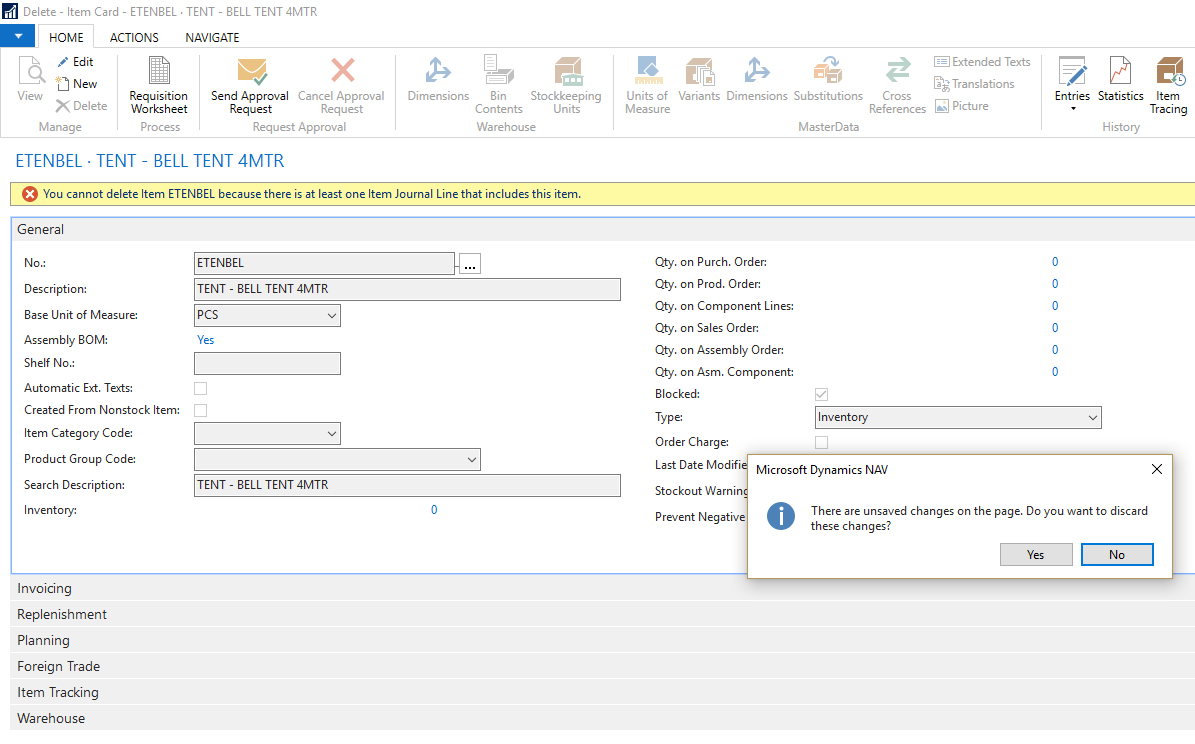
NAV_2D00_ERROR.jpg

*This post is locked for comments

I have the same question (0)
  • Suggested answer
    Stefano Demiliani Profile Picture
    37,166 Most Valuable Professional on at

    In standard NAV, you cannot delete an item if it has Item Ledger Entries. The standard way of working is to set the Item as Blocked in Item Card.

  • Community Member Profile Picture
    on at

    Hi Stefano

    So there isn't even a way of deleting them kind of from the back end, as in I would send the items list to a programmer and they would delete it?

    We use a company that installed NAV in our office and they do an ongoing support, but the communication is a bit... well difficult. 

    thanks!

  • Suggested answer
    Stefano Demiliani Profile Picture
    37,166 Most Valuable Professional on at

    Via the backend yes, there's always a way :) otherwise, in my opinion I agree with the standard NAV behaviour: if an Item has an history, this should be preserved. Blocking the Item is correct (an Item blocked cannot be used).

  • Community Member Profile Picture
    on at

    Oh yes, I agree with you. If it has history you shouldn't be able to delete it. Ok, but I think you just confirmed that I may have communication issues with our programmers / i peeps. Thanks Stefano.

Under review

Thank you for your reply! To ensure a great experience for everyone, your content is awaiting approval by our Community Managers. Please check back later.

Helpful resources

Quick Links

Responsible AI policies

As AI tools become more common, we’re introducing a Responsible AI Use…

Neeraj Kumar – Community Spotlight

We are honored to recognize Neeraj Kumar as our Community Spotlight honoree for…

Leaderboard > 🔒一 Microsoft Dynamics NAV (Archived)

#1
HoangNam Profile Picture

HoangNam 7

Last 30 days Overall leaderboard

Featured topics

Product updates

Dynamics 365 release plans



