web
You’re offline. This is a read only version of the page.
close
Skip to main content

Notifications

Announcements

No record found.

Community site session details

Community site session details

Session Id :
Microsoft Dynamics AX (Archived)

Item cost rounding method

(0) ShareShare
ReportReport
Posted on by 997

Dear All,

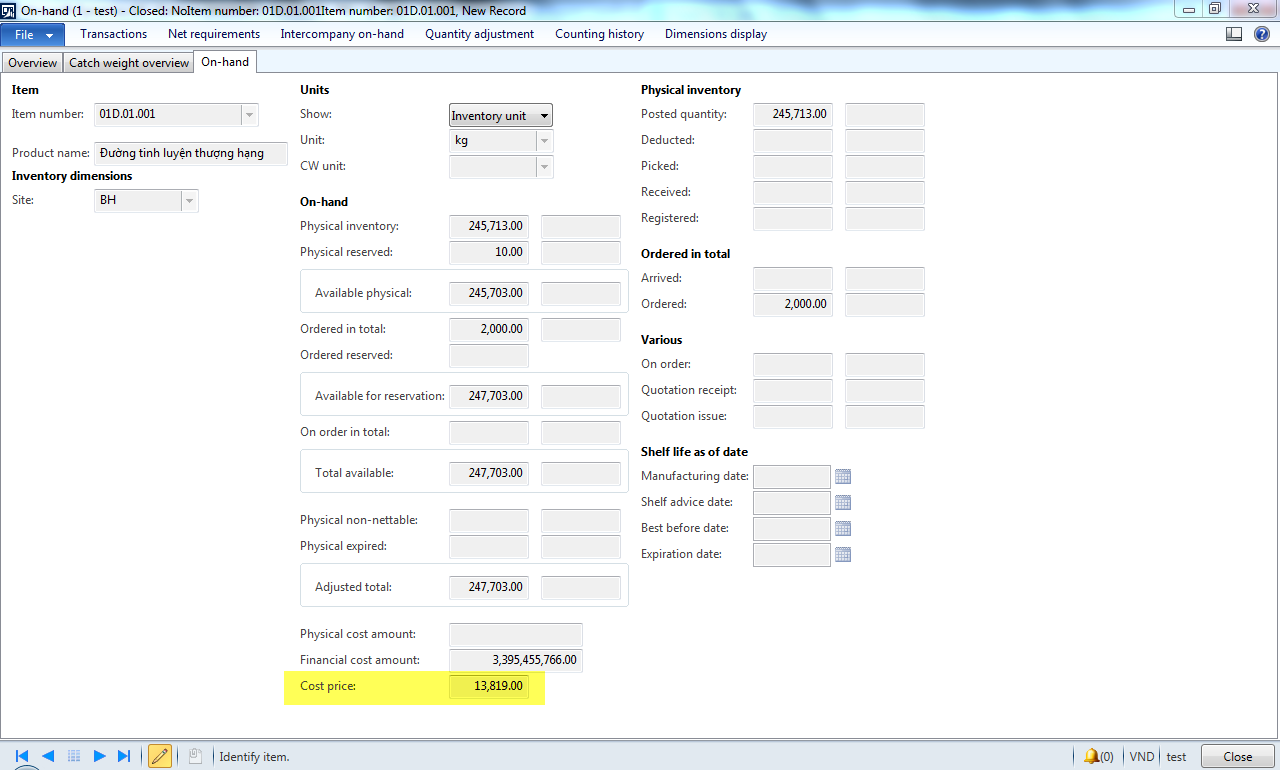
When I go to on-hand (release product), I see item cost that show 2 decimal, but it is rounded.

Item cost = 13.819 
0218.cost1.png

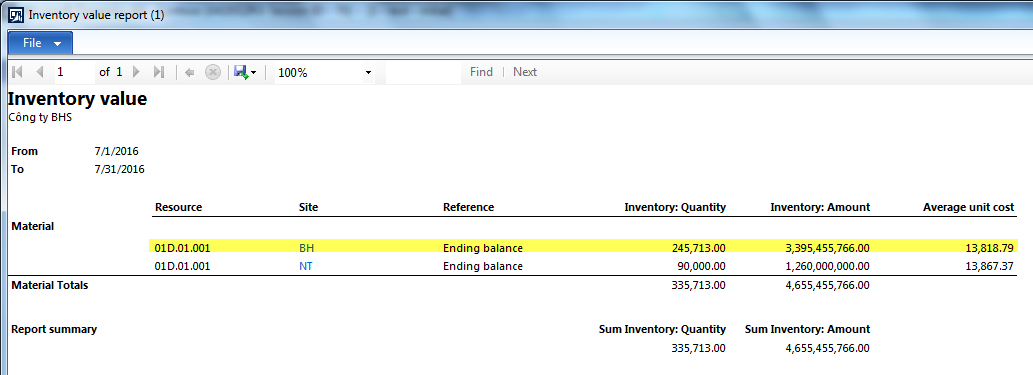
I print Inventory value report. Item cost show 2 decimal.

Item cost = 13.818,79
1374.cost2.png

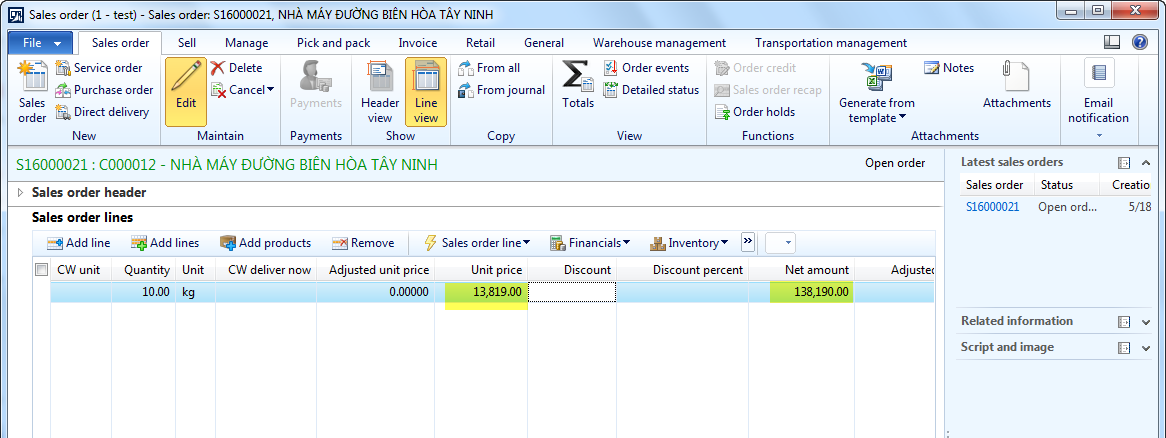
I try create a sales order, and I would like to revenue = consumption, show I get unit price = cost price. I sell 10kg.
cost3.png

I check in view sales order totals. I see margin is 2. Cost value do not use cost item in on-hand form (13.819), it use cost item that is not rounded to record.

cost4.png.

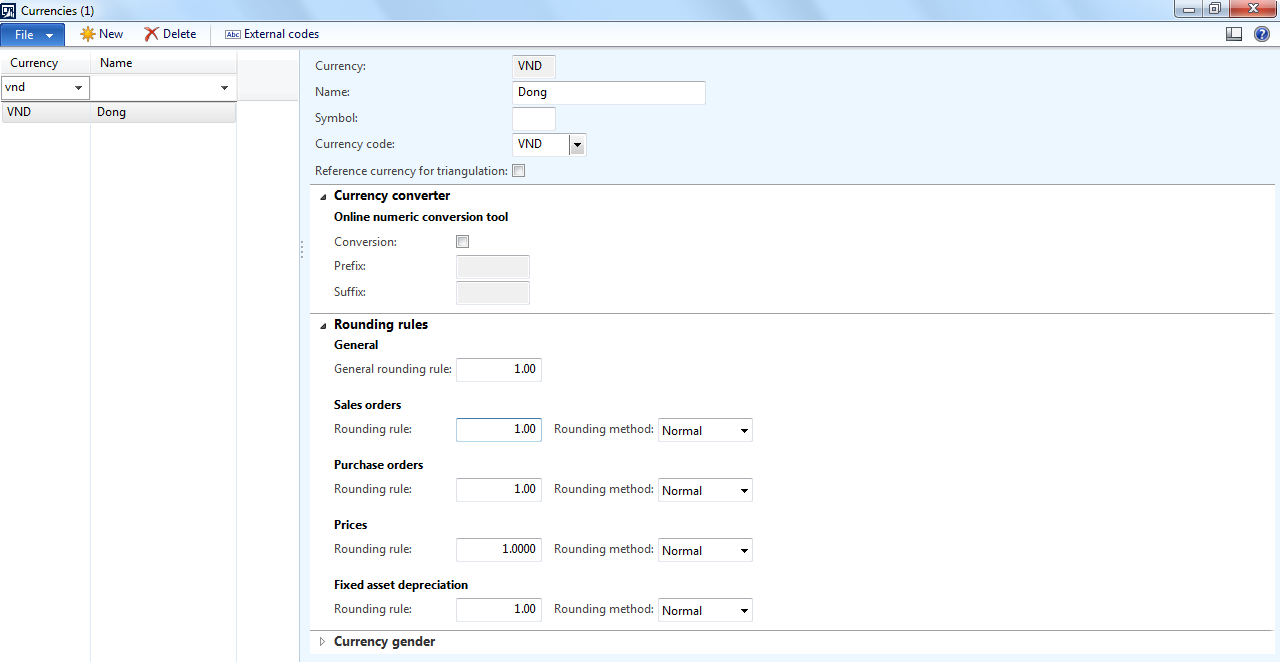
This is set up in rounding currency.

cost5.png

Question: Please help me to explain this strange?

Thank you

Phung Luong

*This post is locked for comments

I have the same question (0)
  • André Arnaud de Calavon Profile Picture
    301,025 Super User 2025 Season 2 on at

    Hi Phung,

    The currency roundings are 1. This is the reason why AX will not use decimals for postings.

  • Suggested answer
    Ludwig Reinhard Profile Picture
    Microsoft Employee on at

    Hello Phung Luong,

    I cannot see a problem from the screenshots you show above.

    You setup rounding in a way to round to whole $.

    The only screenprint that shows decimal places is the inventory value report and here only the average unit cost Price Information. The amount you see there is not rounded according to the currency rounding rules. It is simply calculated by dividing the amount by the quantity.

    Please note that AX uses more than 2 decimal places for calculations. That's why you can get the effect that you see in the total form for your sales order.

    Best regards,

    Ludwig

  • Cam Phung Profile Picture
    997 on at

    Hi André,

    Our currency (VND) rounding are 1. However, amount that record COGS use item cost to calculation with not rounding.

  • Cam Phung Profile Picture
    997 on at

    Hi Ludwig,

    You mean I can not edit item cost with no decimal (rounding are 1) for calculation.

    I want to create a sales order with sales price = item cost. That mean margin does not occur.

    Thank you

  • Verified answer
    Ludwig Reinhard Profile Picture
    Microsoft Employee on at

    Hi Phung Luong,

    In your case the sales Price is 13189. The internal "running average" cost Price is 13818,79.

    That's why you get the 2$ difference.

    Is this an intercompany sales order or are there any other reasons why you don't want to make a profit?

    If this is an intercompany sales order you can specify cost Price = sales price in the intercompany setup parameters.

    Ludwig

  • Hariharans87 Profile Picture
    3 on at

    I am not functional. But, i think it works like 13819 - 13818.79 = 0.21.

    0.21 is displaying as 2 in margin.

    Try with 13818.79 in sales order, it may change margin to 0.

  • Verified answer
    André Arnaud de Calavon Profile Picture
    301,025 Super User 2025 Season 2 on at

    Hi Phung,

    You can type the total sales amount (138188) in the Net amount field. The Unit price then will be set empty, but the margin become 0 and the sales invoice can be posted.

  • Cam Phung Profile Picture
    997 on at

    Hi Ludwig Reinhard,

    This is not an intercompany sales order. In Vietnam, when I transfer inventory between 2 location that is not in a province, I have to create an invoice with not revenue. So I try to create a sales order with COGS = revenue to the final transaction is

    Dr summary account

    Cr Issue

    Cr Sales tax payable

  • Verified answer
    Cam Phung Profile Picture
    997 on at

    Dear all,

    I change something in customer setup.

    cost7.png
    cost7.png

    I create sales order without price unit and net amount. I get the result that I expect.

    cost8.png

  • lally Profile Picture
    8 on at

    Useful information.

Under review

Thank you for your reply! To ensure a great experience for everyone, your content is awaiting approval by our Community Managers. Please check back later.

Helpful resources

Quick Links

Responsible AI policies

As AI tools become more common, we’re introducing a Responsible AI Use…

Neeraj Kumar – Community Spotlight

We are honored to recognize Neeraj Kumar as our Community Spotlight honoree for…

Leaderboard > 🔒一 Microsoft Dynamics AX (Archived)

#1
Martin Dráb Profile Picture

Martin Dráb 4 Most Valuable Professional

#1
Priya_K Profile Picture

Priya_K 4

#3
MyDynamicsNAV Profile Picture

MyDynamicsNAV 2

Last 30 days Overall leaderboard

Featured topics

Product updates

Dynamics 365 release plans