Hello Sir/Ma'am,
I am trying to get dynamic field from record and make a template using that fields, I've setup a DocuSign with Dynamics 365 integration and followed below steps:-
- Created a new Dynamics 365 trail instance and created new environment for Dynamics 365 trail instance offering all apps.
- DocuSign from Microsoft AppStore offer a solution on trial and it redirects to PowerApps and eventually install by it's own.
- Created a DocuSign Developer account from DocuSign site and linked it with Dynamics 365, by entering the credential and by clicking "Connect" button.
- Enabled the entity for use in Setting from DocuSign Admin via Advanced Setting in Dynamics 365.
- To assign the correct DocuSign User role via Advanced Setting->Security->User and then assigned the user as DocuSign User role.
- Added the DocuSign users a new record with the System user as the only admin in dynamics 365 trail and DocuSign email which I created in Step 4.
- Later I've added an "Action" which will fetch dynamic fields from record and then create template and get signature as shown here Send dynamics field to DocuSign from D365 here is the use of solution that was offered by DocuSign.
and trying to use "Send with DocuSign" button which comes preloaded with the solution and is visible on every entity setup in the Step 5, but it keeps "Loading..."
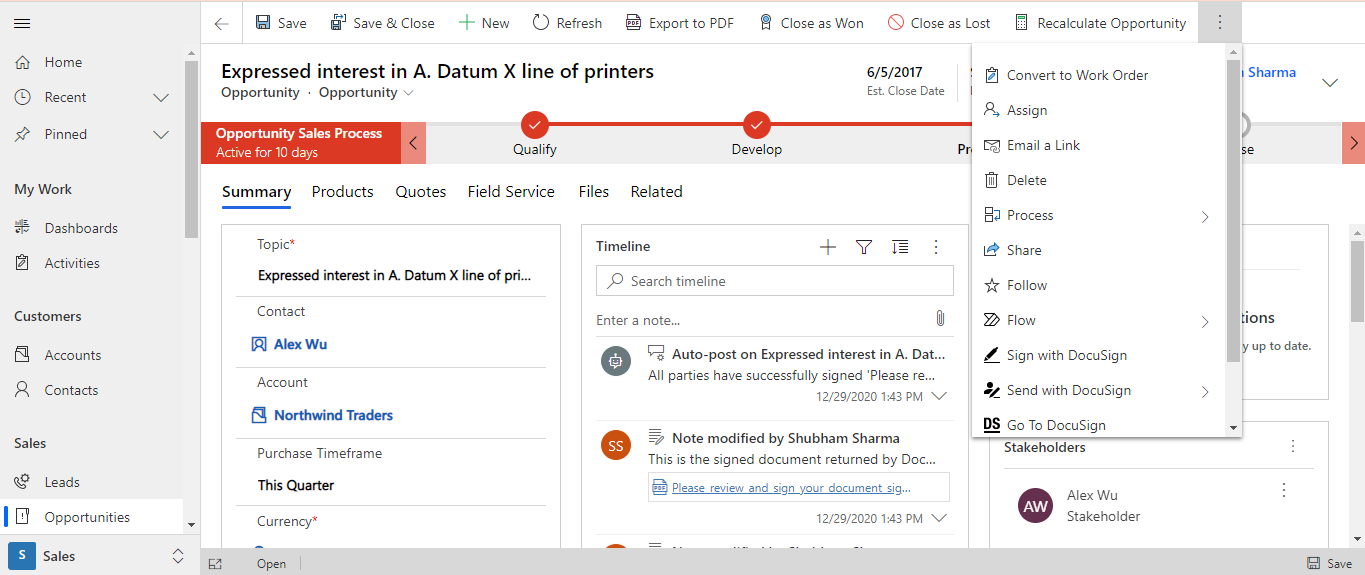
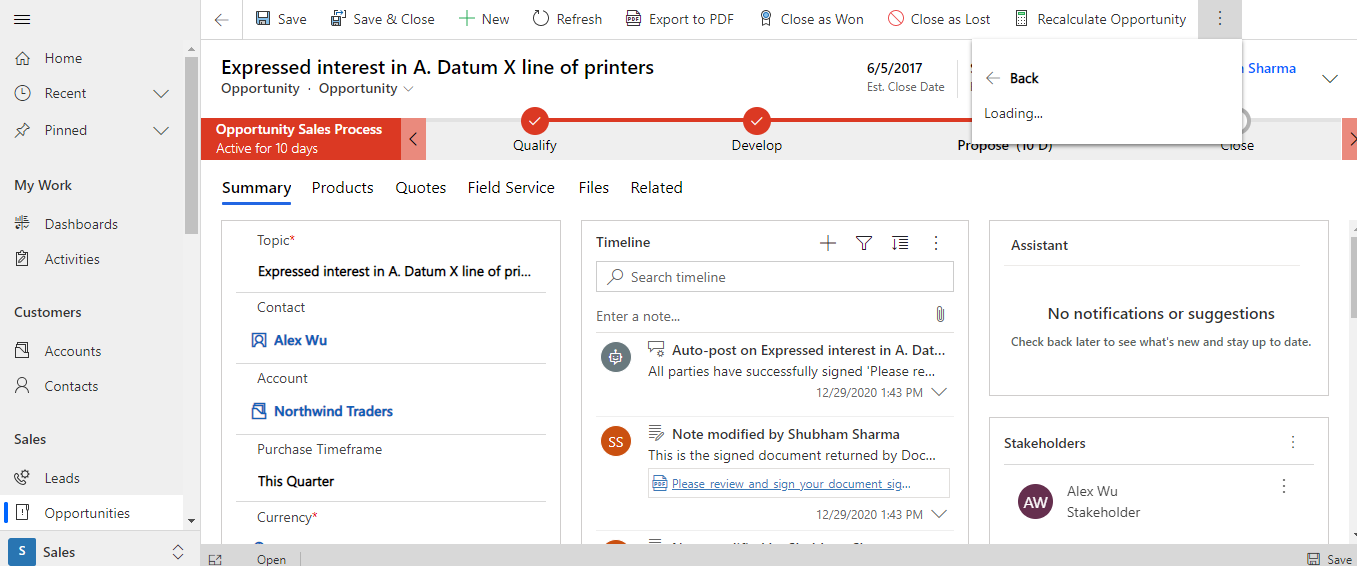
After all this, "DocuSign" official manual Official DocuSign for Dynamics 365 manual states it is possible to see the "Send with DocuSign" button, all I see is Loading.. instead of buttons like "Get Signature" and "Bulk Send ".I've researched a little and found out that :-
- Unified Interface DocuSign However, it has same issue but because I'm using the online Dynamics 365 version 9.1, and in my case it is showing "Loading.." and in the supported link it says "No Options Available".
My question is:
- How to achieve the functionality explained above, am I missing some crucial steps ?
- Does DocuSign trail on "Microsoft Appstore" that is offering Solution have some fault in it ?
Thanks
User1001


