Hi,
You can refer to the following JavaScript code.
var Acc = {};
Acc.formEvents = {
    form_load: function (e) {
       var fc = e.getFormContext();
       // use the below code to remove a registered event handler.
       //fc.data.process.removeOnPreStageChange(Acc.formEvents.handlePreStage);
       fc.data.process.addOnPreStageChange(Acc.formEvents.handlePreStage);
    },

    handlePreStage: function (e) {
      //  debugger;
       // get the event arguments
       var bpfArgs = e.getEventArgs();
       var ageValue= e.getFormContext().getAttribute("crd9d33_age").getValue()


      if (bpfArgs.getDirection() === "Next" && ageValue==null) { // only next stage movement is allowed. You can stop it depending on custom business logic as well
          // stop the stage movement
          bpfArgs.preventDefault();
          alertStrings = { confirmButtonLabel: "OK", text: "Next stage movement is not allowed", title: "Sample title" };
          alertOptions = { height: 120, width: 260 };
          Xrm.Navigation.openAlertDialog(alertStrings, alertOptions);
          return;
       }
       // you can also play with the other properties of eventargs
       // get the stage - bpfArgs.getStage();
       // get the steps - bpfArgs.getStage().getSteps();
    }
};
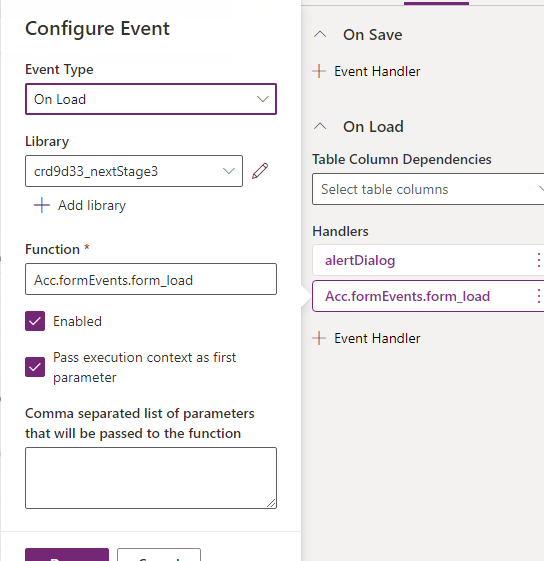
Add On-Load event to the form.
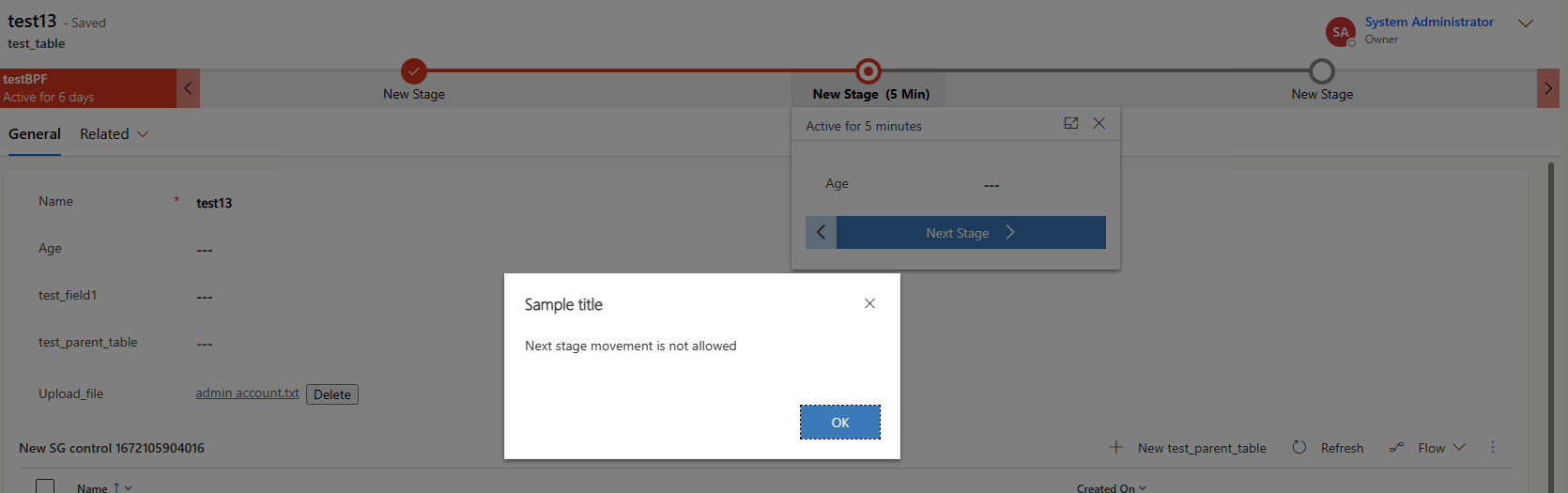
In my test, the prompt box will pop up if the age field is not filled in and will prevent you to move on to the next stage.