web
You’re offline. This is a read only version of the page.
close
Skip to main content

Notifications

Announcements

No record found.

Community site session details

Community site session details

Session Id :
Microsoft Dynamics AX (Archived)

Changing Ledger calendar Period status error

(0) ShareShare
ReportReport
Posted on by 60

Hi. Expert. 

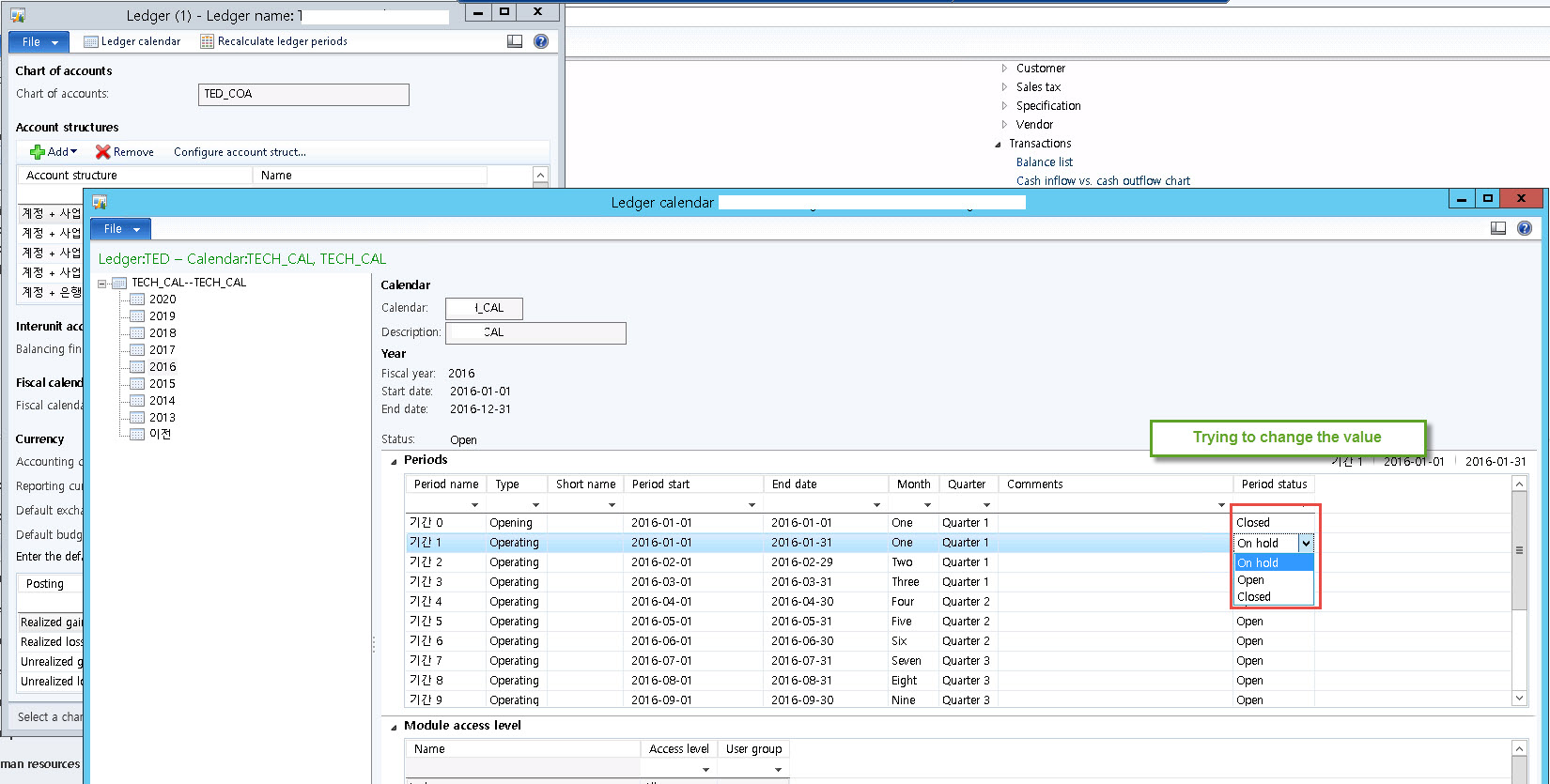
I'd like to change Ledger calendar Period status from 'open' to 'on hold'. 

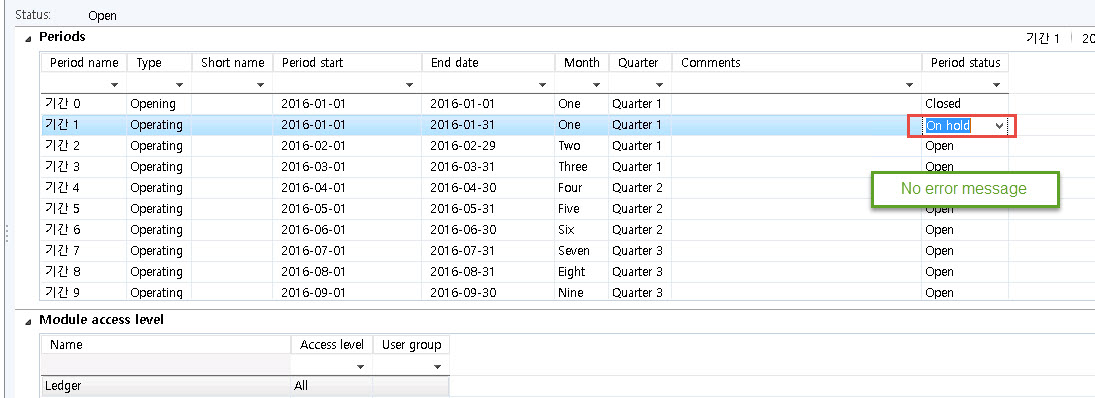
so then I've changed the status value without any error message. 

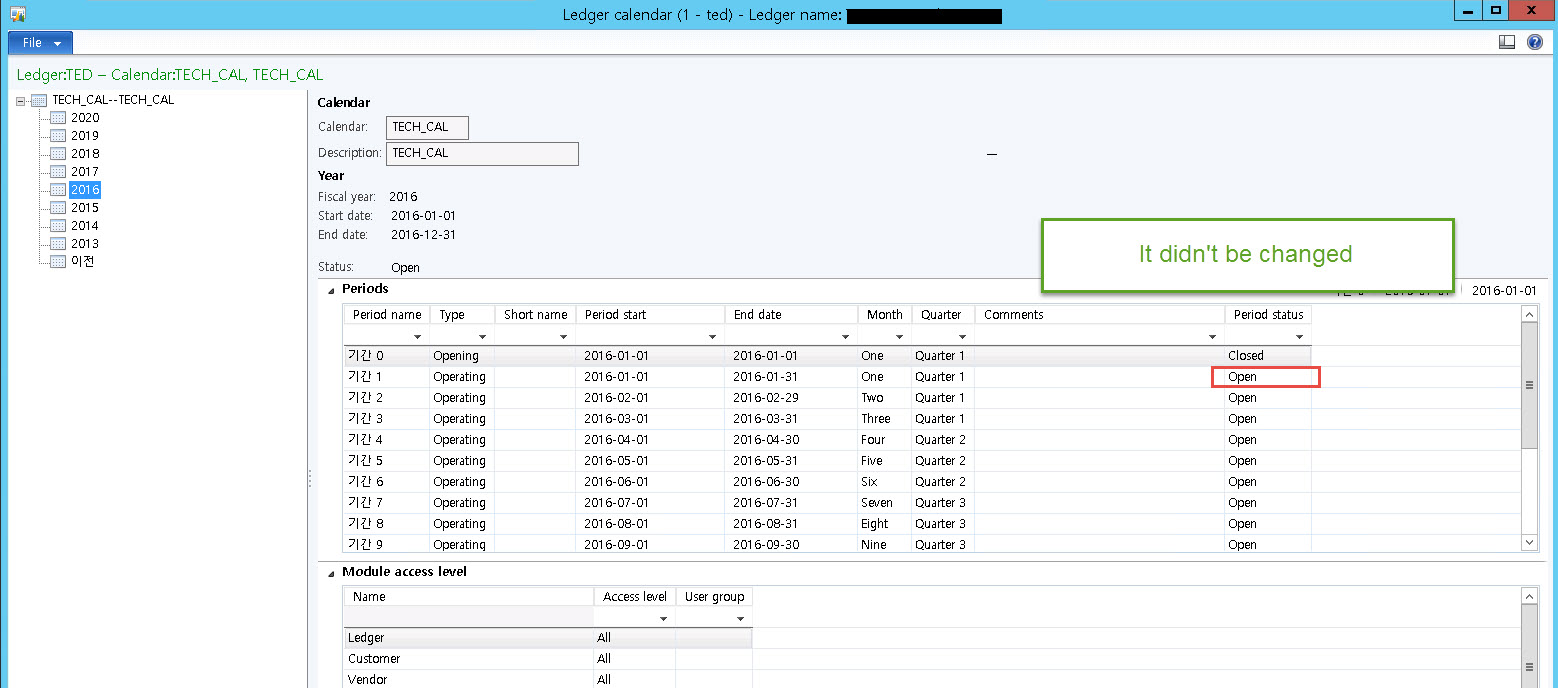
But, when I re-open the Ledger calendar windows, I could find the status value which is not changed. 

I couldn't find why. there is no error, but It can't changed. 

Please advise me. 
6864.1.jpg

305506.2.jpg

I did re-open the window, but it didn't be changed
88300.3.jpg

*This post is locked for comments

I have the same question (0)
  • Suggested answer
    Ludwig Reinhard Profile Picture
    Microsoft Employee on at

    Hi,

    Have you opened the form twice?

    Try to change the status, press CTRL+S and F5 to see if the change in the period status applies.

    Other than that are you working as a System admin or does your role possibly prevent you from changing the status?

    Ludwig

  • Colin Lee Profile Picture
    60 on at

    hi. Ludwig Reinhard

    I connected as admin... and I've tried to press Ctrl+S and F5 sevral times......

  • Ludwig Reinhard Profile Picture
    Microsoft Employee on at

    Ci Colin Lee,

    Do you have any virtualizations and/or adjustment in place that prevent you changing the period status from your company's ledger form?

    Ludwig

  • Colin Lee Profile Picture
    60 on at

    thanks for your kind replying.

    we don't have any virtualizations and/or adjustment in the place. Only normal environment..  

    we just guest about why is related the relation tables.... But we couldn't find it yet..

  • Suggested answer
    Ludwig Reinhard Profile Picture
    Microsoft Employee on at

    Hi Colin Lee,

    I would suggest that you try to grap a developer around you and debug this issue.

    I have not seen this before and it might be caused by some changes/modifications that have been built into your system.

    Would be great if you could keep us updated here.

    Best regards,

    Ludwig

Under review

Thank you for your reply! To ensure a great experience for everyone, your content is awaiting approval by our Community Managers. Please check back later.

Helpful resources

Quick Links

Responsible AI policies

As AI tools become more common, we’re introducing a Responsible AI Use…

Neeraj Kumar – Community Spotlight

We are honored to recognize Neeraj Kumar as our Community Spotlight honoree for…

Leaderboard > 🔒一 Microsoft Dynamics AX (Archived)

#1
Martin Dráb Profile Picture

Martin Dráb 4 Most Valuable Professional

#1
Priya_K Profile Picture

Priya_K 4

#3
MyDynamicsNAV Profile Picture

MyDynamicsNAV 2

Last 30 days Overall leaderboard

Featured topics

Product updates

Dynamics 365 release plans