web
You’re offline. This is a read only version of the page.
close
Skip to main content

Notifications

Announcements

No record found.

Community site session details

Community site session details

Session Id :
Customer experience | Sales, Customer Insights,...
Answered

How to create a view that only shows contacts related to one item?

(0) ShareShare
ReportReport
Posted on by 5

Hey there,

I hope the subject covers the question because I'm not sure how to explain the problem in one sentence. I try to explain this as good as I possibly can. The text is in Dutch. 

I want to create a new view that shows customers that are only on a specific marketing list, let's call this list DUO. When I apply the below filter the result will be; all Contacts that are connected to the DUO marketing list, but also to other marketing lists.
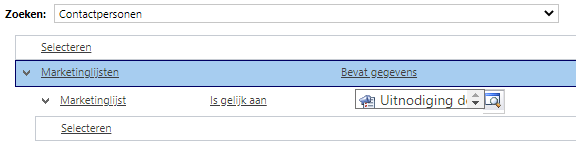
pastedimage1643713945988v1.png

Like the picture below. The contact is connected to the DUO marketing list, but also to other.
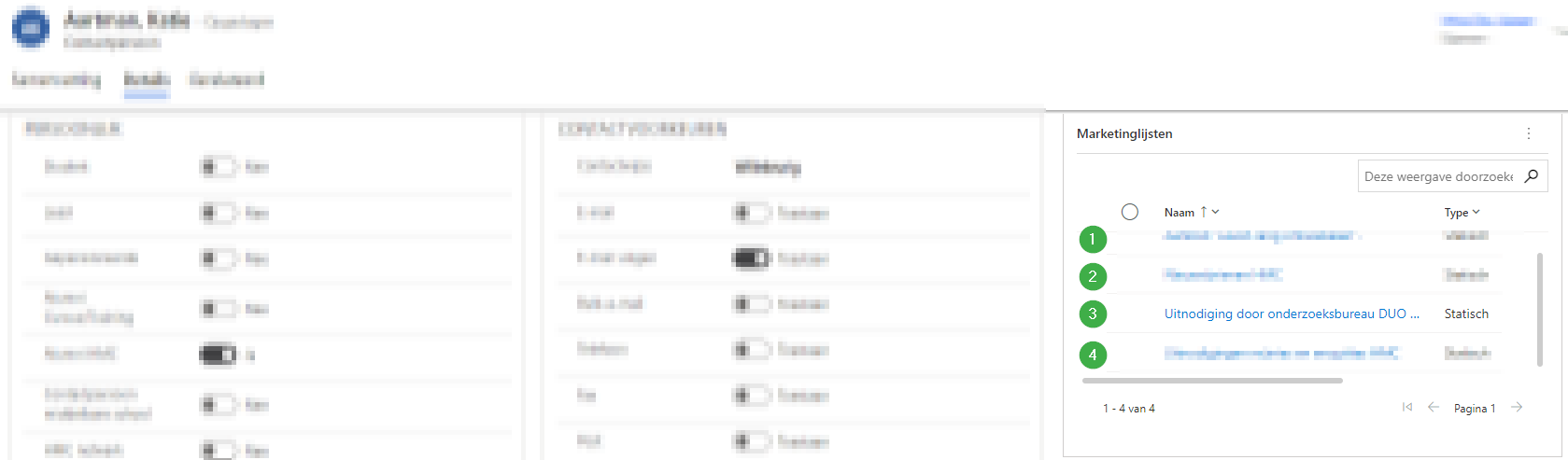
 pastedimage1643716755175v5.png

Because of GDPR regulations I want to create a view that shows only the contacts that are connected to the DUO marketing list only. If another marketing list is connected to the contact I don't want to have that contact in the created view. After the view is created we can delete the contacts in bulk. 

I'm not strong in javascript of any coding, so is this is possible within the standard that would be nice.

If something is not clear, i'll love to hear that and i'll try to explain this in a different way.

Thank you in advance. 

I have the same question (0)
  • Verified answer
    a33ik Profile Picture
    84,331 Most Valuable Professional on at

    Hello,

    I'm afraid it won't be doable using just building a view but again you can use Marketing Lists to build that list. Here are steps:

    1. Create a new static Marketing list with contact type.

    2. Using the "Add Members Based on Advanced Find" feature add all the members of your DUO marketing list.

    3. Using the "Remove Members Based on Advanced Find" feature remove all the members from the current list that belong to other marketing lists.

    After the steps mentioned your list will contain only members that are listed only in your DUO marketing list. Don't hesitate to reach out if you have any issues.

  • Suggested answer
    a33ik Profile Picture
    84,331 Most Valuable Professional on at

    If my reply (or replies) answers your question take a minute and verify the answer. You can do it by clicking "Yes" at the top of the reply (or replies) under the label "Does this answer your question?"

  • Sven Wijsman Profile Picture
    5 on at

    Sorry forgot to do this. Thank you for your help.

Under review

Thank you for your reply! To ensure a great experience for everyone, your content is awaiting approval by our Community Managers. Please check back later.

Helpful resources

Quick Links

Responsible AI policies

As AI tools become more common, we’re introducing a Responsible AI Use…

Neeraj Kumar – Community Spotlight

We are honored to recognize Neeraj Kumar as our Community Spotlight honoree for…

Leaderboard > Customer experience | Sales, Customer Insights, CRM

#1
Tom_Gioielli Profile Picture

Tom_Gioielli 137 Super User 2025 Season 2

#2
#ManoVerse Profile Picture

#ManoVerse 57

#3
Jimmy Passeti Profile Picture

Jimmy Passeti 50 Most Valuable Professional

Last 30 days Overall leaderboard

Product updates

Dynamics 365 release plans



