We are using the Data Management framework. here are what we did:
- Via Data Management Export, date for Purchase Order Headers are saved
- now the record is lost ( in testing, we just deleted the record at the front end GUI)
- use the data exported at step 2 to constructed a Data Management Import package
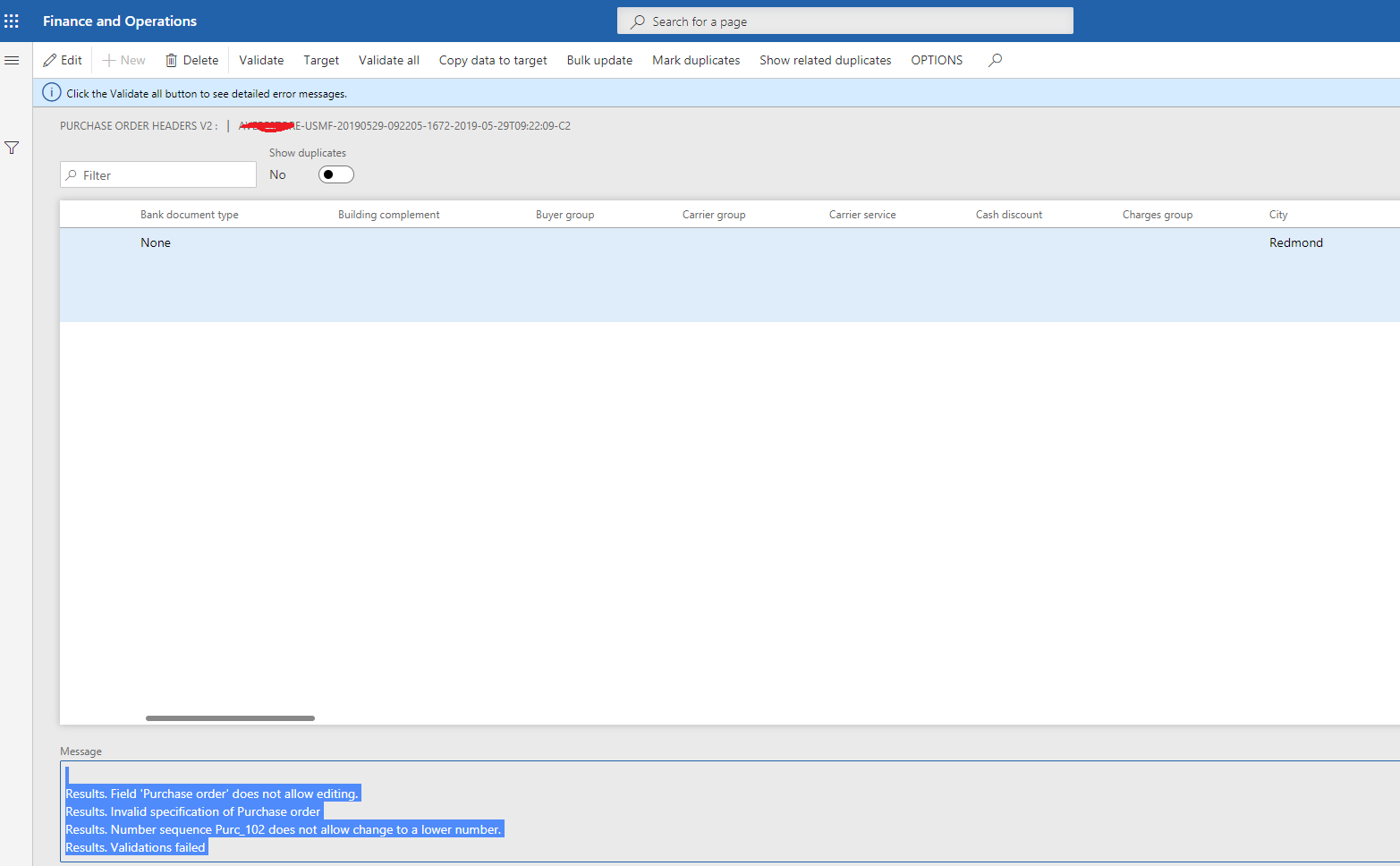
- import is failed with error message:
Results. Field 'Purchase order' does not allow editing.
Results. Invalid specification of Purchase order
Results. Number sequence Purc_102 does not allow change to a lower number.
Results. Validations failed
here is the screen shot:
One thing we found out that if we allow to "a lower number" for that particular NumberSeq, we would be able to import successfully. Since this is backup data, it seems reasonable to allow at least temporally during import. One thing is how to modify this via X++ code. Could we do the following:
- find all the NumberSeq on the current Entity (or all tables for current entity?)
- then modify the AllowChangeDown (https://technet.microsoft.com/en-us/systemcenter/numbersequencetable(v=ax.50)) to allow importing and then restore the setting.
Just wonder if there are any sample codes around any of this. I did some search over internet and did find various ways to get the NumberSeq (not sure if we could enumerate all the NumberSeq on a table or entity or not) although didn't see a method to set AllowChangeDown.
Thanks very much and any insights are really appreciated.


