web
You’re offline. This is a read only version of the page.
close
Skip to main content

Notifications

Announcements

No record found.

Community site session details

Community site session details

Session Id :
Finance | Project Operations, Human Resources, ...
Suggested Answer

Correct filename not coming for File in electronic reporting in d365fo

(0) ShareShare
ReportReport
Posted on by 47

Hi All,

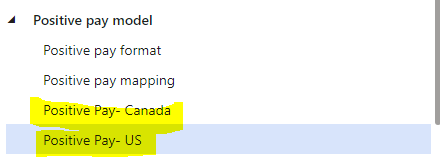
I have created two designs for positive pay in electronic reporting as shown below-
pastedimage1663235069641v1.png

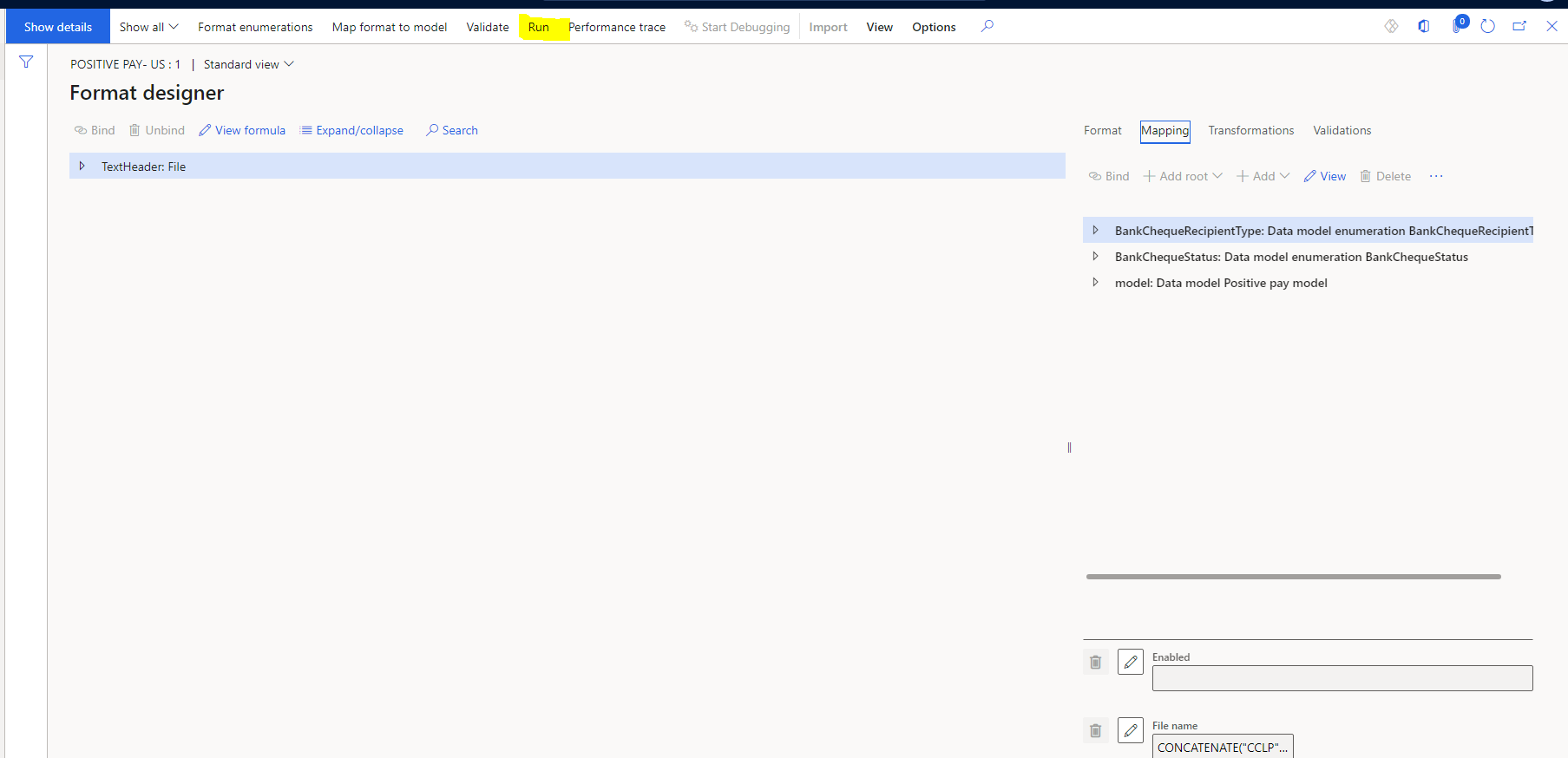
I have given different filenames for both the files in designer and when i run from the designer as highlighted below it gives me the correct filename- 
pastedimage1663235184562v3.png

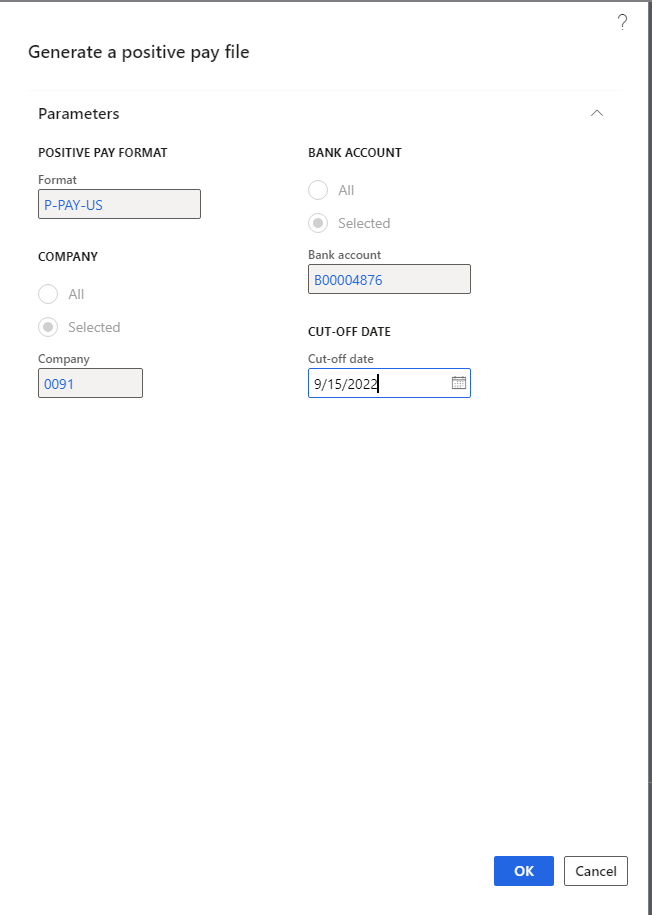
But when i run it from the Positive pay file batch job or bank accounts form page it gives me the wrong filename- 
pastedimage1663235306771v4.png

Am i missing any extra setup or anything that i have to do?

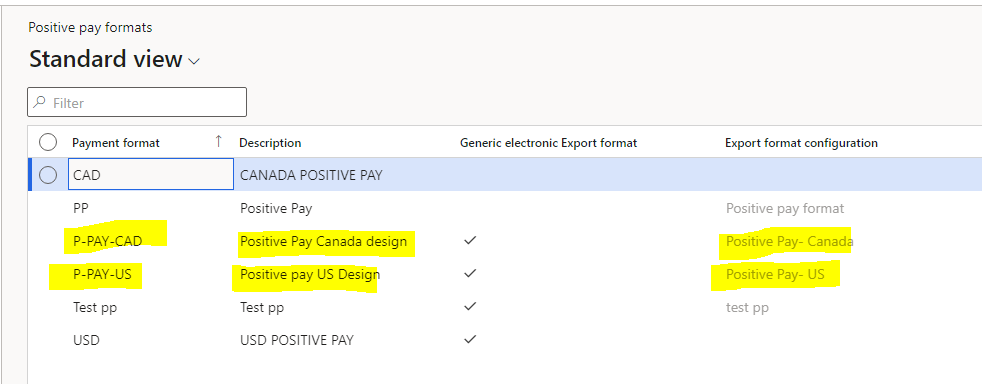
I have added my designs in positive pay format form too-
pastedimage1663235391735v5.png

Can anybody help me? what step or configuration am i missing?

Any help will be appreciated.

Thanks in Advance

Deeksha

I have the same question (0)
  • Suggested answer
    nunomaia Profile Picture
    25 Moderator on at

    In Electronic Reporting ,after making file name change, did you change status to complete of ER ? 

  • Deeksha singh Profile Picture
    47 on at

    Hi Nuno,

    Yes i have marked it as completed that's why the design was available in the positive pay format form and i was able to use that design in the positive pay batch job and bank account page.

    Still getting different design names.

  • nunomaia Profile Picture
    25 Moderator on at

    I was mentioned that, since already occurred to me a similar issue.

    Corrected file name formula

    Forgot to apply again status.

    changes weren't applied by D365. It was still using older version of ER  

  • Deeksha singh Profile Picture
    47 on at

    I checked, my design and the version which i am using is mark as completed.

    I am unable to understand what is the issue.

  • Suggested answer
    Alireza Eshaghzadeh Profile Picture
    14,679 Super User 2025 Season 2 on at

    Hi Deeksha,

    Can you run the GER config directly to see if you get desired result?

    pastedimage1663245057294v1.png

    Can you run test File name function to check if you get any result?

    pastedimage1663245102272v2.png

  • Deeksha singh Profile Picture
    47 on at

    Hi Alireza,

    Yes when i run directly from GER config, it gives me correct name but when i generate the file from positive pay batch job it gives me another name.

    This is the formula which i am using-

    CONCATENATE("CCLP","_","TX","_","USD",DATETIMEFORMAT(NOW(), "MMddyyHHMM" ))

    file name which i get when i run from GER CONFIG- 'CCLP_TX_USD0915220809'

    file name which i get when i run from batch job-  'P-PAY-US-0091-00361'

  • Suggested answer
    Alireza Eshaghzadeh Profile Picture
    14,679 Super User 2025 Season 2 on at

    Hi Deeksha,

    Like you mentioned, you have set the status to "Completed" after you made the modification. Can you run the "Generate a positive pay file" without batch to check if you get the file with correct name?

    Nb.Your formula will work while it seems that it will have same value with each run (eg. you can run CONCATENATE("CCLP","_","TX","_","USD", DATETIMEFORMAT(NOW(), "dd.MM.yyyy HH:mm:ss" ))

  • Deeksha singh Profile Picture
    47 on at

    Hi Alireza,

    I get the correct name only when i run from GER config,

    I ran from Generate  a positive pay file but still getting that wrong filename.

  • Suggested answer
    Alireza Eshaghzadeh Profile Picture
    14,679 Super User 2025 Season 2 on at

    Hi Deeksha,

    Please try to delete Positive pay formats, then delete your user data  and then log out.

    Try to login via private browser and create the Positive pay formats and then try to generate the file-

  • Deeksha singh Profile Picture
    47 on at

    Hi Alireza,

    I created new designs and still no luck i am getting the same output.

    So i debugged and what i found from standard class-

    I am getting the same output name(Wrong one) as highlighted below.

    pastedimage1663329910547v1.png

    So after going through the method, i setup my format in ER Destinations, but still i am getting the same wrong output name from batch job, can anyone please help, its very urgent for me.

    pastedimage1663330086512v2.png

    Thanks

    Deeksha

Under review

Thank you for your reply! To ensure a great experience for everyone, your content is awaiting approval by our Community Managers. Please check back later.

Helpful resources

Quick Links

Responsible AI policies

As AI tools become more common, we’re introducing a Responsible AI Use…

Neeraj Kumar – Community Spotlight

We are honored to recognize Neeraj Kumar as our Community Spotlight honoree for…

Leaderboard > Finance | Project Operations, Human Resources, AX, GP, SL

#1
André Arnaud de Calavon Profile Picture

André Arnaud de Cal... 456 Super User 2025 Season 2

#2
Martin Dráb Profile Picture

Martin Dráb 429 Most Valuable Professional

#3
BillurSamdancioglu Profile Picture

BillurSamdancioglu 239 Most Valuable Professional

Last 30 days Overall leaderboard

Product updates

Dynamics 365 release plans
