web
You’re offline. This is a read only version of the page.
close
Skip to main content

Notifications

Announcements

No record found.

Community site session details

Community site session details

Session Id :
Finance | Project Operations, Human Resources, ...
Suggested Answer

Change name of SEPA xml file

(0) ShareShare
ReportReport
Posted on by 75

Hello, I was wondering, if it is possible to change the name of XML file when Generating payments in Vendor payment journal. When I Generate payments, .zip file is exported, the name of the zip file is set in dialog: 
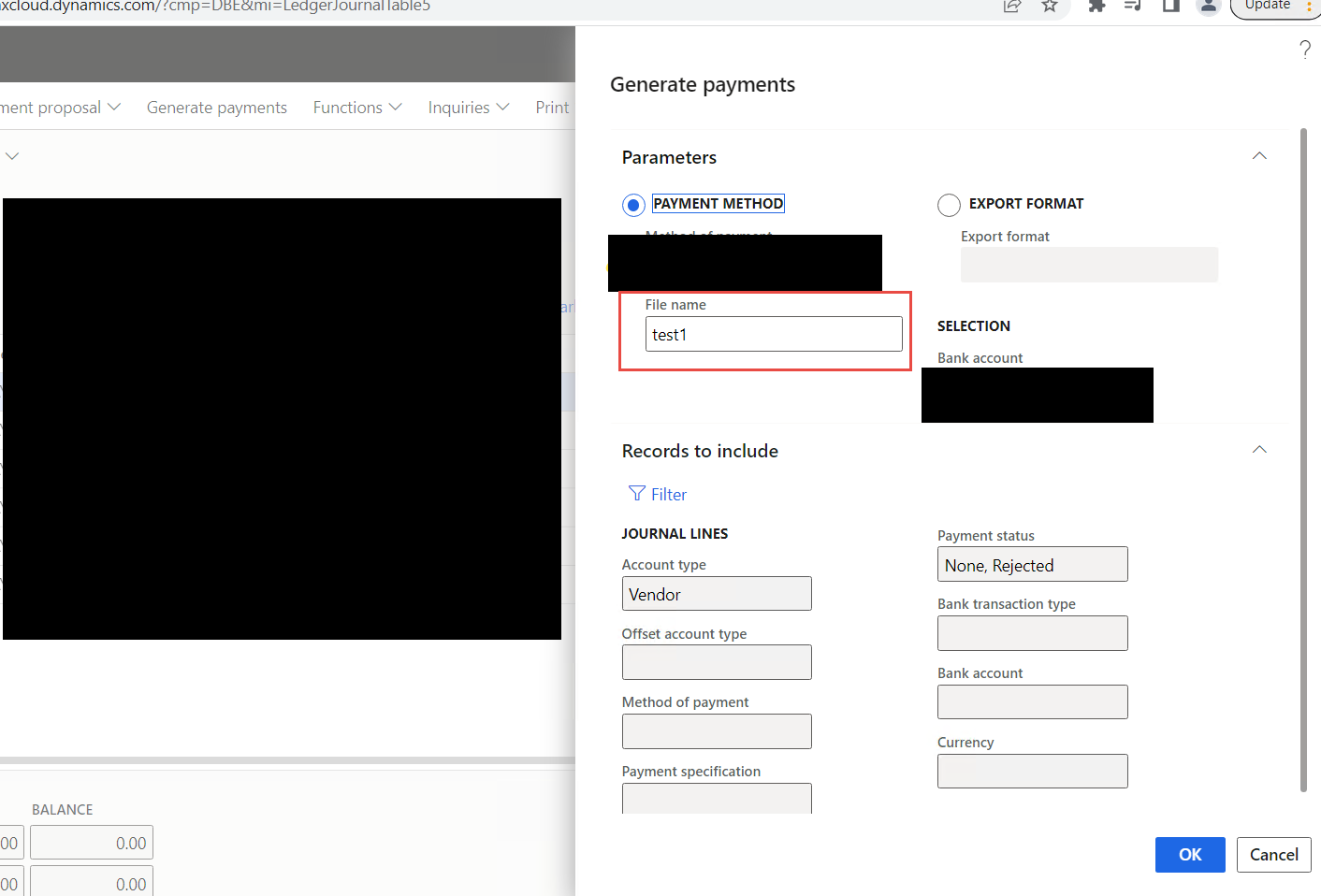
pastedimage1669825049323v3.png

e.g. in this example, .zip file is exported named test1 and in the .zip file, there is xml file called e.g. ISO2022 Credit transfer, based on Electronic reporting configuration:

pastedimage1669824899496v2.png

is it somehow possible please, to the .xml file has the same name, that is written in the dialog for the .zip file? E.g. both of the files has the name test1? I tried to check that in electronic reporting, but can not find how to e.g. bind that.

Thanks for any advice

regards, Sayid

I have the same question (0)
  • Magno Pereira Profile Picture
    2,435 Moderator on at
  • Sayid Profile Picture
    75 on at

    Hi Magno, thanks, this site looks cool and explains a lot. I am just not sure about my requirement of having the "File name"

    pastedimage1669845203023v1.png

    For example when I try to debug that in Electronic reporting:pastedimage1669845254259v2.png

    so I can take a look on the values, it is not possible to enter File name. Is there somewhere in the Data source on the left data source for the name inserted while Generating payments?

  • Suggested answer
    Magno Pereira Profile Picture
    2,435 Moderator on at

    As far as I know, I can't get the file name field of the payment generation base form.

    Does the name have to be free text and user defined at payment generation time?

  • Sayid Profile Picture
    75 on at

    Unfortunately yes, the name is written by the user when he wants to generate the payment...

  • Suggested answer
    Alireza Eshaghzadeh Profile Picture
    14,679 Super User 2025 Season 2 on at

    Hi Sayid,

    As a workaround, you can define a user input parameter and add the same value of file name to this field. Then you can map XMLHeader to this custom field so the xml file will be generated with specified value.

    pastedimage1669930013191v1.png

  • Sayid Profile Picture
    75 on at

    Hi Alireza,

    thanks for your advice, I have tried that and it works, unfortunately, it is not exactly what the user requires, because they have to fill in name of the file twice, once in a Generate payments dialog and then in Electronic report parameters...

    I was thinking about if it is not possible to change, where the xml file name is taken from, now it is taken from Electronic reporting, is it possible to change the code, that it would be taken from the dialog, and not from electronic reporting? I have tried to look for that, but could not find in the code, where it is set. Don't you know, please?

Under review

Thank you for your reply! To ensure a great experience for everyone, your content is awaiting approval by our Community Managers. Please check back later.

Helpful resources

Quick Links

Responsible AI policies

As AI tools become more common, we’re introducing a Responsible AI Use…

Neeraj Kumar – Community Spotlight

We are honored to recognize Neeraj Kumar as our Community Spotlight honoree for…

Leaderboard > Finance | Project Operations, Human Resources, AX, GP, SL

#1
Martin Dráb Profile Picture

Martin Dráb 659 Most Valuable Professional

#2
André Arnaud de Calavon Profile Picture

André Arnaud de Cal... 533 Super User 2025 Season 2

#3
Sohaib Cheema Profile Picture

Sohaib Cheema 289 User Group Leader

Last 30 days Overall leaderboard

Product updates

Dynamics 365 release plans



