web
You’re offline. This is a read only version of the page.
close
Skip to main content

Notifications

Announcements

Community site session details

Community site session details

Session Id :
Finance | Project Operations, Human Resources, ...
Suggested Answer

Dynamics filter in SSRS Report query based x++

(0) ShareShare
ReportReport
Posted on by 163

I made a SSRS Report display data from Loan Item and Loan Equipment form using RDP that Loop on query have 3 table loan item , Hcm person loan , Hcm worker

first Q : I put values in query range appear in dialog but not appearing when I click on filter button
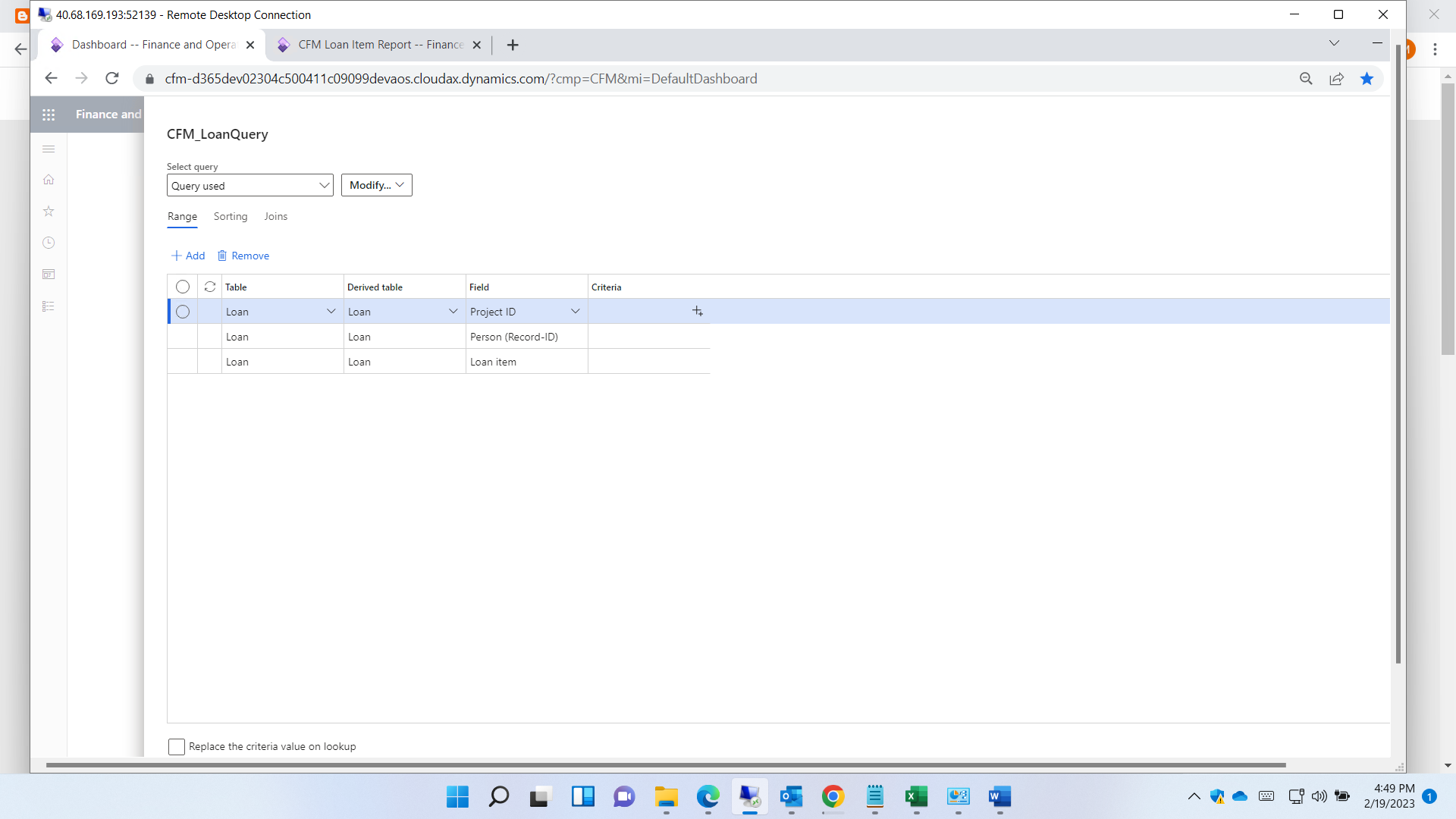
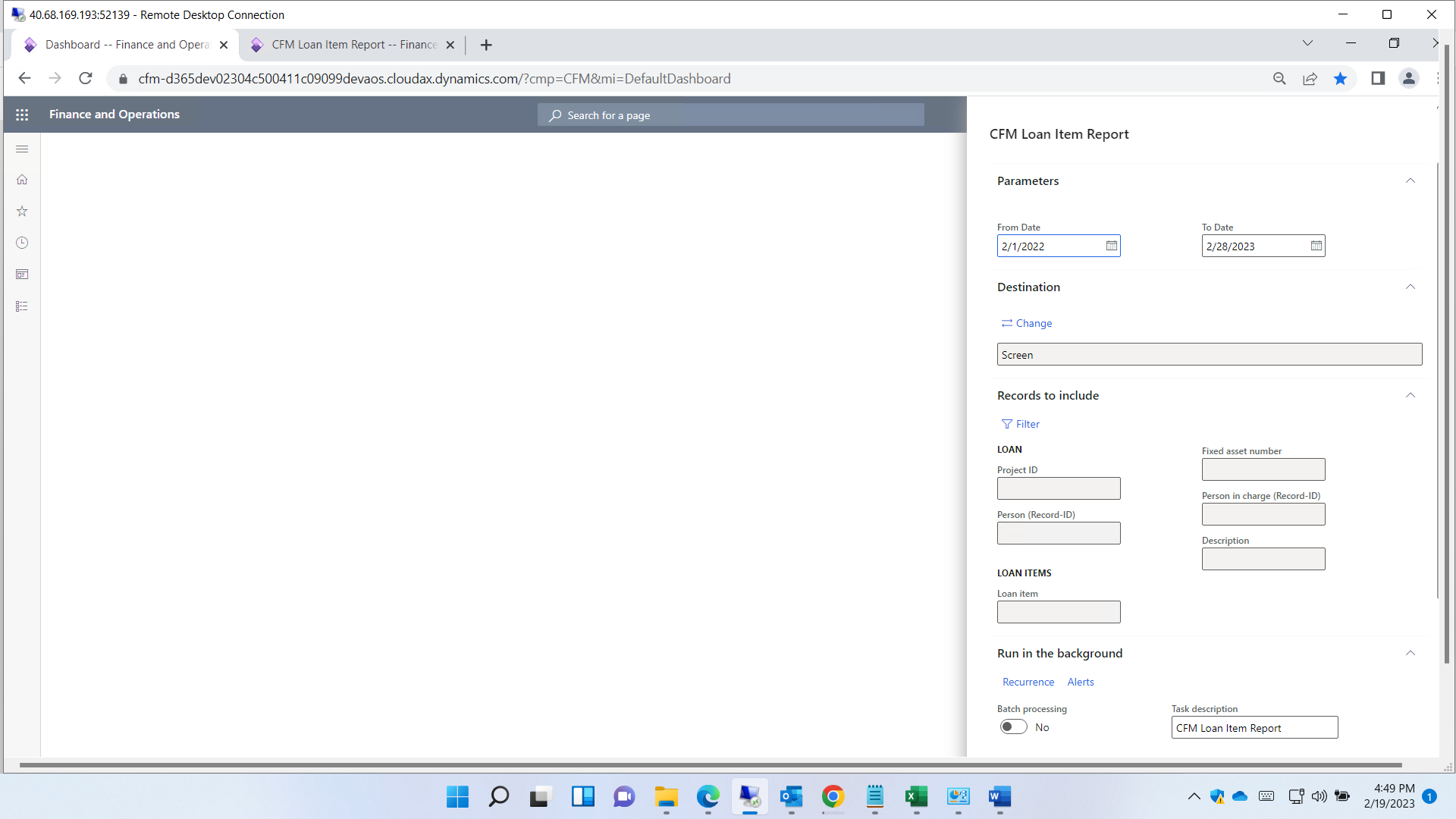
6153.Screenshot-_2800_14_2900_.png0508.Screenshot-_2800_15_2900_.png

Second Q :

I don't want field of person shows like person (record-ID) because It put rec id in filter field not name

I want person lookup shows as name first then rec ID 

How to Fix it ?
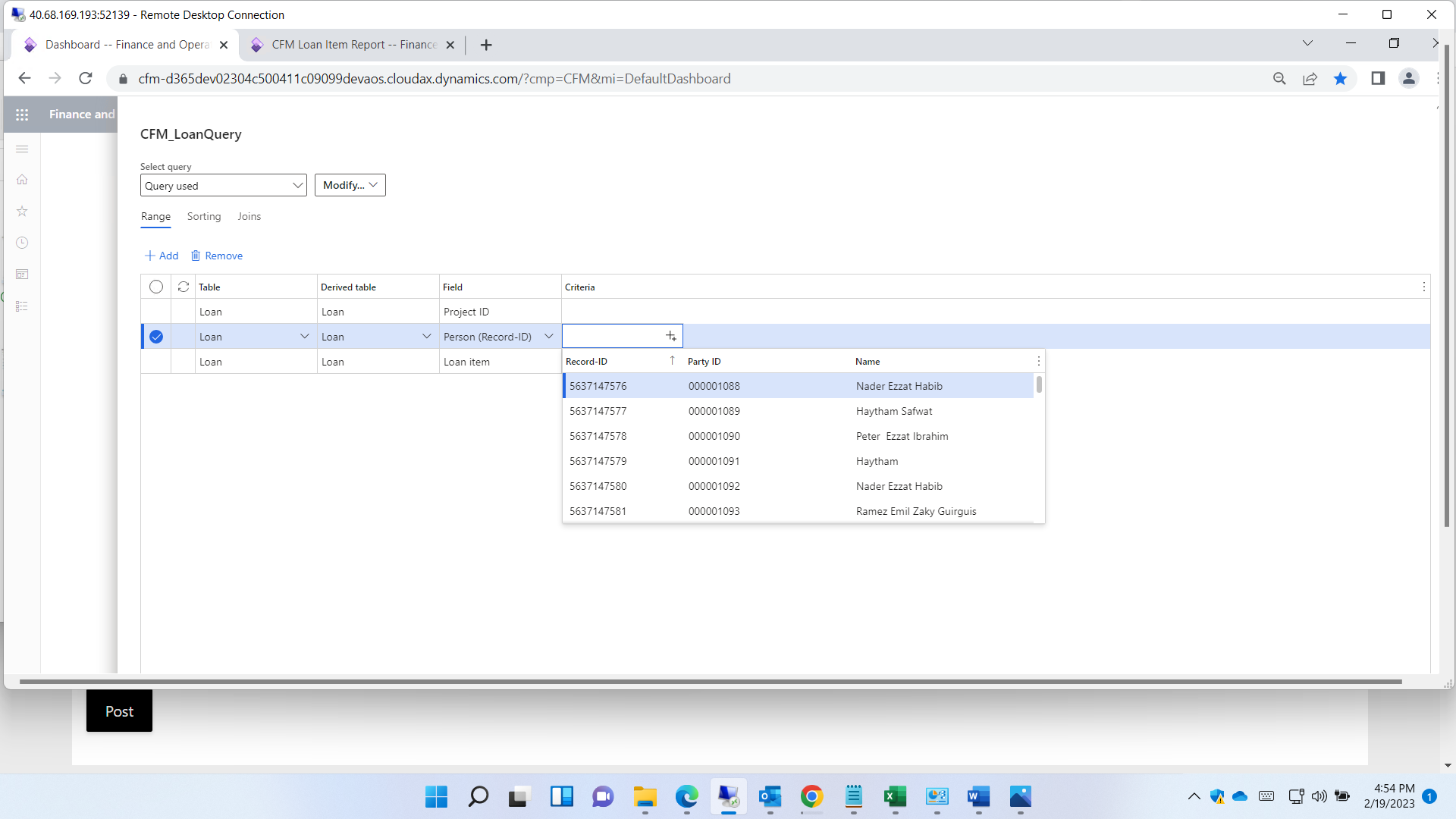
2134.Screenshot-_2800_16_2900_.png

last question : I want to add lookup in query fields , How to do this  ?

description field shows as string field not lookup I want to show as lookup 

I have the same question (0)
  • Suggested answer
    GirishS Profile Picture
    27,827 Moderator on at

    Hi Menna Allah Ahmed,

    Question 1 - After adding range have you added values using criteria column?

    Question 2- If you want to lookup name - On the report query try to add HcmWorker table and add the Personnel number field as a Range.

    Question 3 - Lookup will be shown based on the relation and you cannot add code for the lookup, as the form is global one for all the reports. If you want a lookup add the required fields in the report query and add that particular field as range in the Records to include form.

    Thanks,

    Girish S.

  • Menna Allah Ahmed Profile Picture
    163 on at

    Question 1 : I want fields appear in filter form without add columns Like Loan Item ID field

  • GirishS Profile Picture
    27,827 Moderator on at

    If you want to add columns to Records to include tab - You need to add your required fields to report query under Range node.

    Thanks,

    Girish S.

  • Menna Allah Ahmed Profile Picture
    163 on at

    I did this .

    It appeared in dialog and not appeared in filter form

  • GirishS Profile Picture
    27,827 Moderator on at

    From your screenshot you have added Person, LoanItem and ProjectId field - This fields are available under both advance filter form and report dialog form.

    Can you elaborate your question?

    Thanks,

    Girish S.

  • Menna Allah Ahmed Profile Picture
    163 on at

    I've added 3 fields in query range but only 2 appear in the filter form. also the 2 tables are joined (outer join).

    Screenshot-_2800_21_2900_.png_2D00_640x480.png_2D00_640x480.png2654.Screenshot-_2800_19_2900_.png5280.Screenshot-_2800_20_2900_.png

  • GirishS Profile Picture
    27,827 Moderator on at

    May be due to the Outer Join between 2 tables - Can you try changing that to inner join and confirm.

    I understand that it must be Outer join but for testing, change it to inner join and confirm.

    Thanks,

    Girish S.

  • Menna Allah Ahmed Profile Picture
    163 on at

    It Works in inner join .

    how to fix it in outer join ?

  • GirishS Profile Picture
    27,827 Moderator on at

    This you can't fix it. It must be inner join between the tables to show the range field in filter form.

    It will show fields added in the range only if the relation between the tables must be set to inner join.

    There is no other fix for this.

    You need to make it a join as inner, that is the only fix.

    Thanks,

    Girish S.

  • Menna Allah Ahmed Profile Picture
    163 on at

    but inner join didn't get all data . it gets only common

Under review

Thank you for your reply! To ensure a great experience for everyone, your content is awaiting approval by our Community Managers. Please check back later.

Helpful resources

News and Announcements

Season of Giving Solutions is Here!

Quick Links

Responsible AI policies

As AI tools become more common, we’re introducing a Responsible AI Use…

Neeraj Kumar – Community Spotlight

We are honored to recognize Neeraj Kumar as our Community Spotlight honoree for…

Leaderboard > Finance | Project Operations, Human Resources, AX, GP, SL

#1
Abhilash Warrier Profile Picture

Abhilash Warrier 678 Super User 2025 Season 2

#2
André Arnaud de Calavon Profile Picture

André Arnaud de Cal... 394 Super User 2025 Season 2

#3
Martin Dráb Profile Picture

Martin Dráb 281 Most Valuable Professional

Last 30 days Overall leaderboard

Product updates

Dynamics 365 release plans
