Hi
I'm currently working on CRM 365 on Premise, I'm trying to access the system setting to turn off auto saving
When I try to click turn off auto saving radio button off, nothing happens
I browsed the console on chrome and click on the system setting, I'm getting a crash report every time I'm clicking on the system setting.
The system settings window dose appear but nothing works on it.
Same crash happen on Mozilla,IE,Chrom,Edge
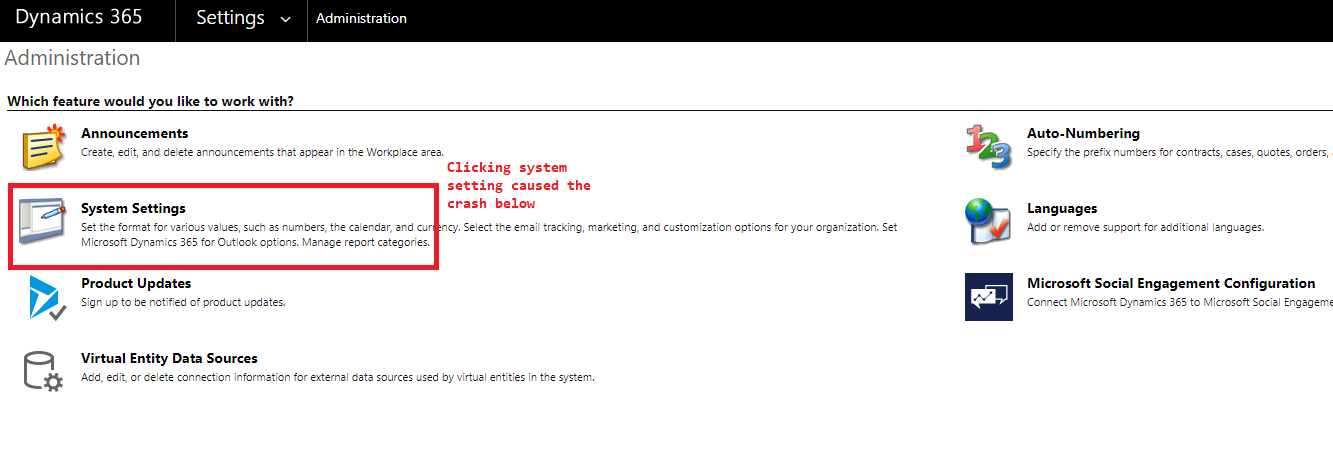
Crash Report:
CrashReport:
FileName:/tools/systemsettings/dialogs/systemsettings.aspx
LineNumber:3486
Function:anonymousr:Failedtoexecute'serializeToString'on'XMLSerializer':parameter1isnotoftype'Node'.
ErrorReport:<CrmScriptErrorReport>
<ReportVersion>1.0</ReportVersion>
<ScriptErrorDetails>
<Message>Uncaught TypeError: Failed to execute 'serializeToString' on 'XMLSerializer': parameter 1 is not of type 'Node'.</Message>
<Line>3486</Line>
<URL>/tools/systemsettings/dialogs/systemsettings.aspx?dType=1</URL>
<PageURL>/tools/systemsettings/dialogs/systemsettings.aspx?dType=1</PageURL>
<Function>anonymousr:Failedtoexecute'serializeToString'on'XMLSerializer':parameter1isnotoftype'Node'.</Function>
<FunctionRaw>TypeError: Failed to execute 'serializeToString' on 'XMLSerializer': parameter 1 is not of type 'Node'.</FunctionRaw>
<CallStack>
<Function>anonymousr:Failedtoexecute'serializeToString'on'XMLSerializer':parameter1isnotoftype'Node'.</Function>
</CallStack>
</ScriptErrorDetails>
<ClientInformation>
<BrowserUserAgent>Mozilla/5.0 (Windows NT 10.0; Win64; x64) AppleWebKit/537.36 (KHTML, like Gecko) Chrome/87.0.4280.88 Safari/537.36</BrowserUserAgent>
<BrowserLanguage>undefined</BrowserLanguage>
<SystemLanguage>undefined</SystemLanguage>
<UserLanguage>undefined</UserLanguage>
<ScreenResolution>1920x1080</ScreenResolution>
<ClientName>Web</ClientName>
<ClienState>Online</ClienState>
<ClientTime>2020-12-24T13:26:00</ClientTime>
</ClientInformation>
</CrmScriptErrorReport>
global.ashx?ver=-1252028201:6780 CrashReport:
FileName:/_common/global.ashx
LineNumber:6780
Function:anonymousr:Failedtoexecute'evaluate'on'XPathEvaluator':parameter2isnotoftype'Node'.
ErrorReport:<CrmScriptErrorReport>
<ReportVersion>1.0</ReportVersion>
<ScriptErrorDetails>
<Message>Uncaught TypeError: Failed to execute 'evaluate' on 'XPathEvaluator': parameter 2 is not of type 'Node'.</Message>
<Line>6780</Line>
<URL>/_common/global.ashx?ver=-1252028201</URL>
<PageURL>/tools/systemsettings/dialogs/systemsettings.aspx?dType=1</PageURL>
<Function>anonymousr:Failedtoexecute'evaluate'on'XPathEvaluator':parameter2isnotoftype'Node'.</Function>
<FunctionRaw>TypeError: Failed to execute 'evaluate' on 'XPathEvaluator': parameter 2 is not of type 'Node'.</FunctionRaw>
<CallStack>
<Function>anonymousr:Failedtoexecute'evaluate'on'XPathEvaluator':parameter2isnotoftype'Node'.</Function>
</CallStack>
</ScriptErrorDetails>
<ClientInformation>
<BrowserUserAgent>Mozilla/5.0 (Windows NT 10.0; Win64; x64) AppleWebKit/537.36 (KHTML, like Gecko) Chrome/87.0.4280.88 Safari/537.36</BrowserUserAgent>
<BrowserLanguage>undefined</BrowserLanguage>
<SystemLanguage>undefined</SystemLanguage>
<UserLanguage>undefined</UserLanguage>
<ScreenResolution>1920x1080</ScreenResolution>
<ClientName>Web</ClientName>
<ClienState>Online</ClienState>
<ClientTime>2020-12-24T13:26:00</ClientTime>
</ClientInformation>
</CrmScriptErrorReport>
Anyone have this issue or ran into it please let me know







