Hi Ioannis,
Yes, I am aware that "custom button actions might stop functioning after updates get applied and contain web resource changes." :)
I want to be able to start the "Open Org Chart" LinkedIn Extension from the CONTACT entity.
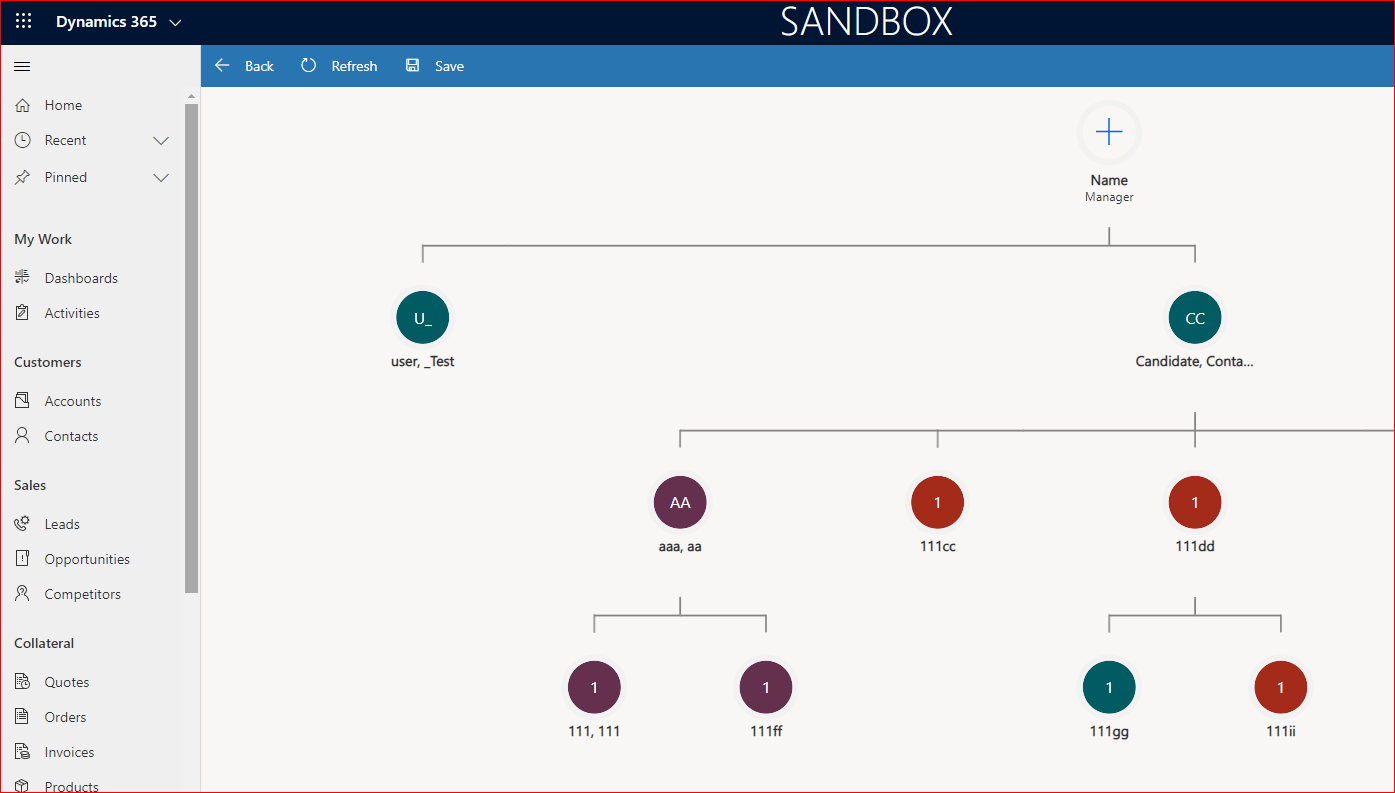
This "Open Org Chart" button is defaulf only available on accountt entity and I want the same functionality beeing started from the contact entity form.
If I just copy the logic from the button on account entity to the button on the contact entity it does not work because in the JavaScript of the LinkedIn Extension the entity ID (from the account) is expected.
From the account, the "r.prototype.ViewOrgChart" method is called, and as we can see, it depends on the entity ID (from the account, because it is started from the account form).
All the "r.prototype.xxx" functions I mention below are functions from the LinkedIn Extension.
r.prototype.ViewOrgChart = function () {
if (null != Xrm.Page.data && null != Xrm.Page.data.entity) {
var t = Xrm.Page.data.entity.getId(),
e = Xrm.Page.data.entity.attributes.get("name") ? Xrm.Page.data.entity.attributes.get("name").getValue() : "";
this.ValidateAndOpenOrgChart(t, e)
}},
Of course, if I start this method from a contact it does not work :(. Nothing happens by pressing the ribbon button.
But, I can call the next function directly from the contact ribbon button ( and it works) , but I must give the method a static account ID.
This means that for any of my contacts in the whole organization, the same "OrgChart" belonging to the same accountId will be shown - this is not correct !!!!!
r.prototype.ViewOrgChartFromGrid = function (t) {
var e = t[0].Id,
n = t[0].Name;
this.ValidateAndOpenOrgChart(e, n)
},
So, my idea was to call this method from a custom JavaScript code that is called by a ribbon button on the contact form and dinamically pass the "parentcustomerid" as accountId.
Unfortunately, I am able to load the Extension JS file, but the logic does not work. Nothing happens :(
This is my code in the custom JS file that is called from the ribbon button:
declare let Form;
export function OpenOrgChart(primaryControl: Xrm.ExecutionContext<any>): void {
Form = primaryControl;
var url = Form.applicationContext.DataSource._serverUri + "/webresources/LinkedInExtensions/Account/LinkedInExtensions_Account.js";
loadScript(url, RunCodeAfterLoadingScript);
}
function loadScript(url, callback) {
// Adding the script tag to the head as suggested before
var head = document.head;
var script = document.createElement('script');
script.type = 'text/javascript';
script.src = url;
// Then bind the event to the callback function.
// There are several events for cross browser compatibility.
script.onload = callback;
// Fire the loading
head.appendChild(script);
}
function RunCodeAfterLoadingScript() {
var account_attr = Form.getAttribute('parentcustomerid');
if (account_attr === null) {
alert("Please select a valid Client for this contact first!")
return;
}
var account_ref = account_attr.getValue();
var id = account_ref[0].id;
var name = account_ref[0].name;
alert("id=" + id + "; name=" + name);
LinkedInExtensions.Account.Instance.ValidateAndOpenOrgChart(id, name); - Nothing happens after calling this method - no error, no result.
I expected here the LinkedIn extension in the picture above to be started, belonging to the provided accountId
}
Best regards,
Sorin







