web
You’re offline. This is a read only version of the page.
close
Skip to main content

Notifications

Announcements

No record found.

Community site session details

Community site session details

Session Id :
Finance | Project Operations, Human Resources, ...
Answered

I deploy multiple VM ( Dynamics 365 finance and operation) on Hyper-V but only the first one work

(0) ShareShare
ReportReport
Posted on by

Recently I go to LCS asset shared library and download VHD 10.0.5.

I extract it and run it on Hyper-V into 5 Vitrual machines with exactly the same VHD file.

The first one was working fine, i can access to the home page of Dynamics 365 finance and operation and submit a new Admin user provisioning successfully ( in desktop screen )

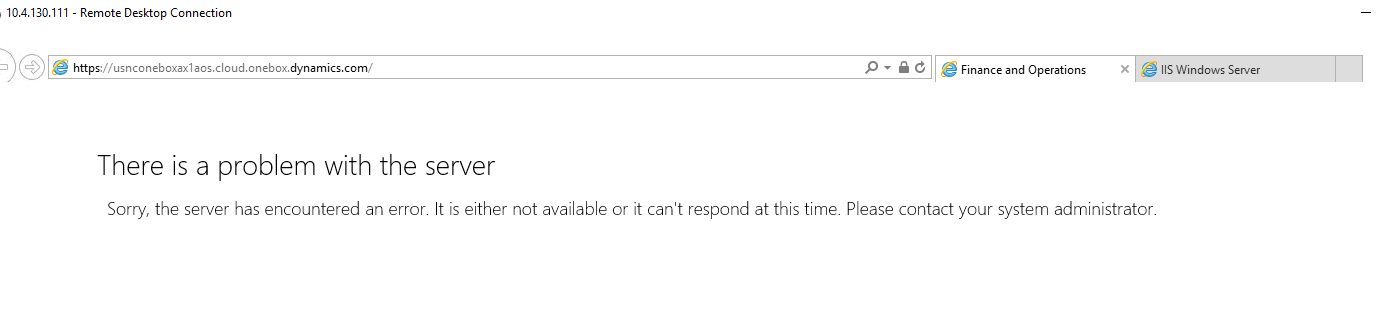
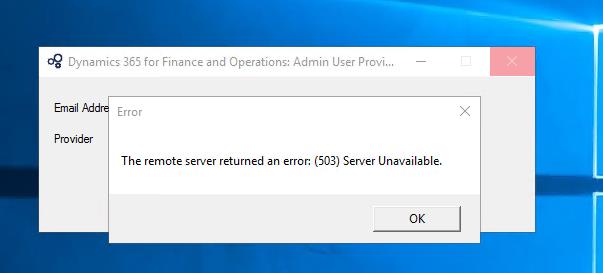
But in the VM 2,3,4,5. When I submit a new Admin user provisioning. This error below always show up and I can not access to home page of Dynamics 365 finance and operation either.

Please help me to solve this problem.
pastedimage1585808226231v1.jpeg

ab.png

[View:/cfs-file/__key/communityserver-discussions-components-files/765/Event-Log.zip]

I have the same question (0)
  • WillWU Profile Picture
    22,361 on at

    Hi MrXXXsupport,

    1,Check whether the World Wide Web Publishing Service is up and running on VM. If not, please start it.

    2,Check whether the AOSService applicaiton pool is running on VM.If not , please restart it.

  • Community Member Profile Picture
    on at

    I already check World Wide Web Publishing Service and AOSService applicaiton pool

    Both is running and i tried to restart it also

    But it's not working, the issue's still persist

  • WillWU Profile Picture
    22,361 on at

    Hi partner,

    Please check the event logs for more information.

  • Community Member Profile Picture
    on at

    I updated event logs in the first post, found nothing useful yet

    Please help to review it. Thank you so much

  • Verified answer
    André Arnaud de Calavon Profile Picture
    300,911 Super User 2025 Season 2 on at

    Hi MrXXXsupport,

    Can you enable it on VM2 when you put the the other machines to a saved state? If so, they might be in conflict with each other on IP address and/or machine name

  • zhifeng Profile Picture
    on at

    As mentioned by André  you can check IP address if there is any conflict. Also check windows event log application/system and see if there is an exception.

  • Community Member Profile Picture
    on at

    I already tried to turn off all the VMs except VM2, I put different IP for each VM and they connect to internet just fine.

    But the result is the same when I tried connect to

    usnconeboxax1aos.cloud.onebox.dynamics.com

    you said  "they might be in conflict with each other on IP address and/or machine name"

    Where can I change the machine name ? ( on Hyper-V I already changed it )

    Event log show some warning notifications nothing much.

  • André Arnaud de Calavon Profile Picture
    300,911 Super User 2025 Season 2 on at

    On Hyper V itself was indeed the correct place. Are you using the same credentials or another email address on VM2 and onwards?

  • Community Member Profile Picture
    on at

    Finally I found out that some of our proxy policies block some connections of VMs so my issue has been solved

Under review

Thank you for your reply! To ensure a great experience for everyone, your content is awaiting approval by our Community Managers. Please check back later.

Helpful resources

Quick Links

Responsible AI policies

As AI tools become more common, we’re introducing a Responsible AI Use…

Neeraj Kumar – Community Spotlight

We are honored to recognize Neeraj Kumar as our Community Spotlight honoree for…

Leaderboard > Finance | Project Operations, Human Resources, AX, GP, SL

#1
Martin Dráb Profile Picture

Martin Dráb 660 Most Valuable Professional

#2
André Arnaud de Calavon Profile Picture

André Arnaud de Cal... 549 Super User 2025 Season 2

#3
Sohaib Cheema Profile Picture

Sohaib Cheema 307 User Group Leader

Last 30 days Overall leaderboard

Product updates

Dynamics 365 release plans