I'm new to plugin development, so bare my naivety. This is an exercise so I can become more familiar with plugins.
When a user updates a Contact record's Account Name field, the plugin will obtain the id of the Account used in the update and return the total number of child Contacts with Account. It will then update the Contact's 'Total Contacts in Account' field with the number of contacts it found.
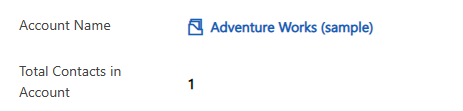
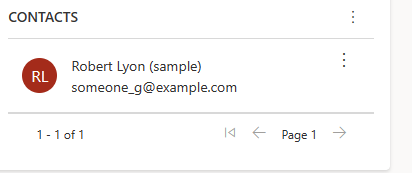
List of Contacts with Adventure Works (sample)
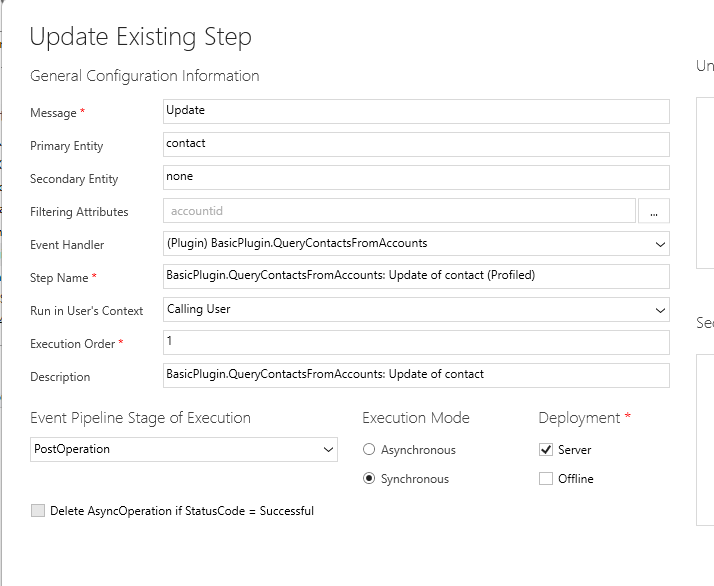
The problem I'm facing is that the logic will work when I activate Plugin Profiler, but not when plugin profiler is off. I'm assuming there's something wrong with the registration step, but I can't seem to find a way to fix it.
Here is my code:
public class QueryContactsFromAccounts : IPlugin
    {
        public void Execute(IServiceProvider serviceProvider)
        {
            // Obtain the execution context from the service provider.
            IPluginExecutionContext context = (IPluginExecutionContext) serviceProvider.GetService(typeof(IPluginExecutionContext));

            // The InputParameters collection contains all the data passed in the message request.
            if (context.InputParameters.Contains("Target") && context.InputParameters["Target"] is Entity){
                // Obtain the target entity from the input parameters.
                Entity entity = (Entity)context.InputParameters["Target"];

                // Obtain the organization service reference which you will need for
                // web service calls.
                IOrganizationServiceFactory serviceFactory = (IOrganizationServiceFactory)serviceProvider.GetService(typeof(IOrganizationServiceFactory));
                IOrganizationService service = serviceFactory.CreateOrganizationService(context.UserId);
                // Retrieves Target entity. Contact is the target. We will register this plugin for Contact Update on Primary Customer and Update Primary Customer
                if (entity.LogicalName == "contact")
                    {
                    if (entity.Attributes.Contains("parentcustomerid"))
                        {
                            // Instantiate QueryExpression looking for Contact.
                            QueryExpression qeContacts = new QueryExpression("contact");
                            qeContacts.ColumnSet.AddColumns("contactid");
                            //
                            if (entity.GetAttributeValue("parentcustomerid") != null)
                            {
                                // Instantiate AccountGUID that you will use to lookup Contacts.
                                string AccountGUID = entity.GetAttributeValue("parentcustomerid").Id.ToString();
                                // Build query with PageInfo to include Total Record Count.
                                qeContacts.PageInfo = new PagingInfo { ReturnTotalRecordCount = true };
                                qeContacts.Criteria.AddCondition("parentcustomerid", ConditionOperator.Equal, AccountGUID);
                                // retireve number of Contacts.
                                EntityCollection ec = service.RetrieveMultiple(qeContacts);
                                int totalRecordCount = ec.TotalRecordCount;
                                // update Contac record.
                                Entity updateContact = new Entity();
                                updateContact.LogicalName = "contact";
                                updateContact.Id = entity.Id;
                                updateContact["cr876_totalcontactsinaccount"] = totalRecordCount;
                                service.Update(updateContact);
                            }
                        }
                    }
            }
        }

    }
Here is my plugin registration step.