Hi experts,
Im making lookup for asset number because the standard setting for asset number cannot do any filter while the user need the asset number can be filter.
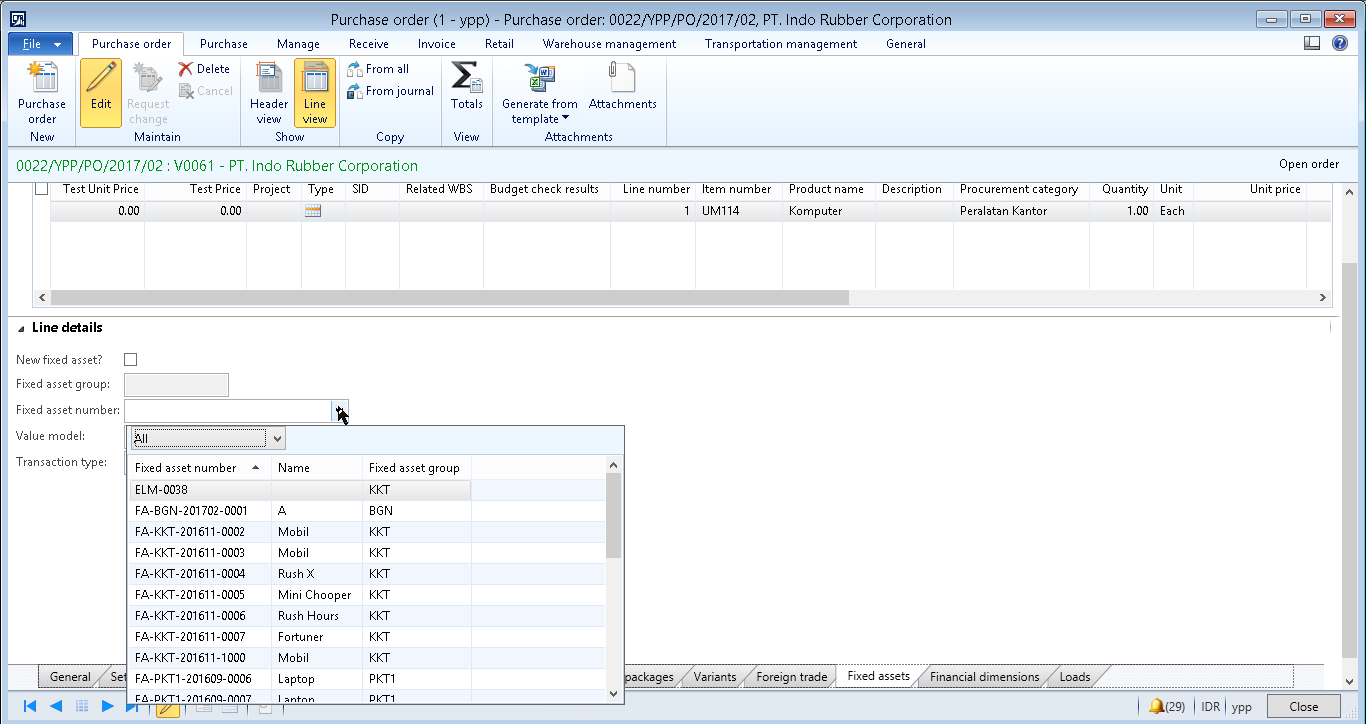
Above is the standard lookup for the asset number in purchase order.
Here is the picture after Im doing the custom
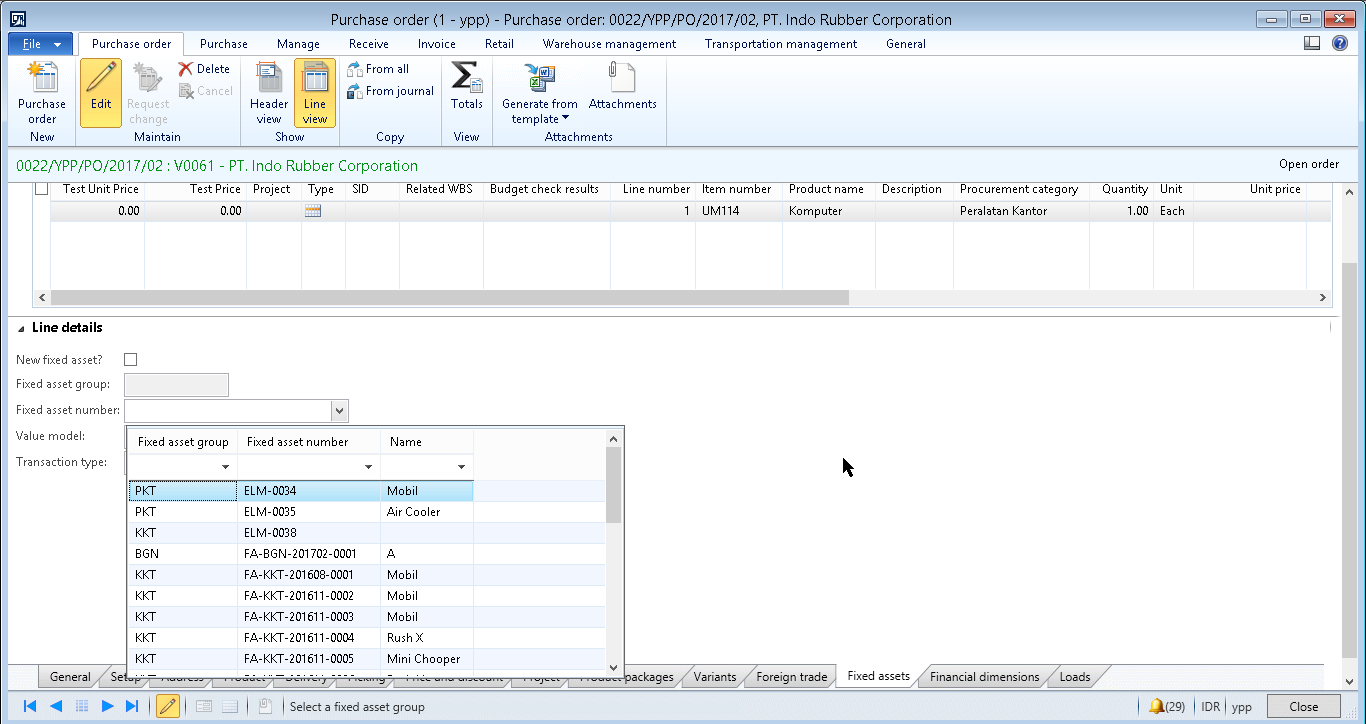
The lookup can be filter, below is the code I made to do the lookup
public void lookup()
{
    //AssetTable::lookupInvoiceAsset(this, curext());
    SysTableLookup          sysTableLookup  = SysTableLookup::newParameters(tablenum(AssetTable), this);
    Query                   query           = new Query();
    QueryBuildDataSource    queryBuildDataSource;
    QueryBuildRange         queryBuildRange;
    ;
    sysTableLookup.addLookupfield(fieldnum(AssetTable, AssetGroup));
    sysTableLookup.addLookupfield(fieldnum(AssetTable, AssetId));
    sysTableLookup.addLookupfield(fieldnum(AssetTable, Name));

   //BP deviation documented
    queryBuildDataSource = query.addDataSource(tablenum(AssetTable));
    queryBuildRange = queryBuildDataSource.addRange(fieldnum(AssetTable, AssetId));
    //queryBuildRange.value(Global::queryNotValue(TableName.fieldname));

    sysTableLookup.parmQuery(query);
    sysTableLookup.performFormLookup();
}
But after Im choosing one item there is an warning. Below is the warning info log
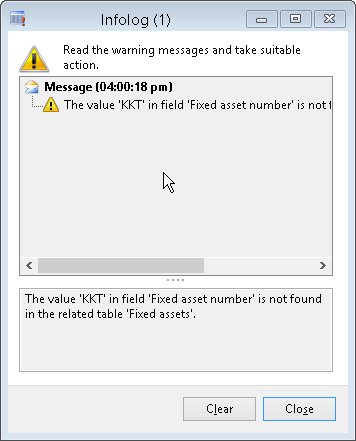
What should I check first when the warning is showing up?
I already check some method that contain "Asset" word in the form but there is none that explain about the table Fixed Assets.
Can some one tell me what should I check to repair the warning?
Your help mean a lot to me
Thanks and Regards,
Enggar
*This post is locked for comments
I have the same question (0)







