web
You’re offline. This is a read only version of the page.
close
Skip to main content

Notifications

Announcements

No record found.

Community site session details

Community site session details

Session Id :
Customer experience | Sales, Customer Insights,...
Suggested Answer

How to display independent view (advanced view) in one of the tabs in CRM ?

(0) ShareShare
ReportReport
Posted on by 5

Hi , 

I´ve created a view via´´advanced find´´ for the ´´notes ´´ where we enter in the timeline of accounts to get track of important info. 

I would like to display this saved view in either dashboard or under some of other tabs , but could not find any option. 

Is this supported in CRM?

Thanks, 

Cigdem Erol

FC

Test environment: Edu02

Entered a note in timeline in one of accounts . 
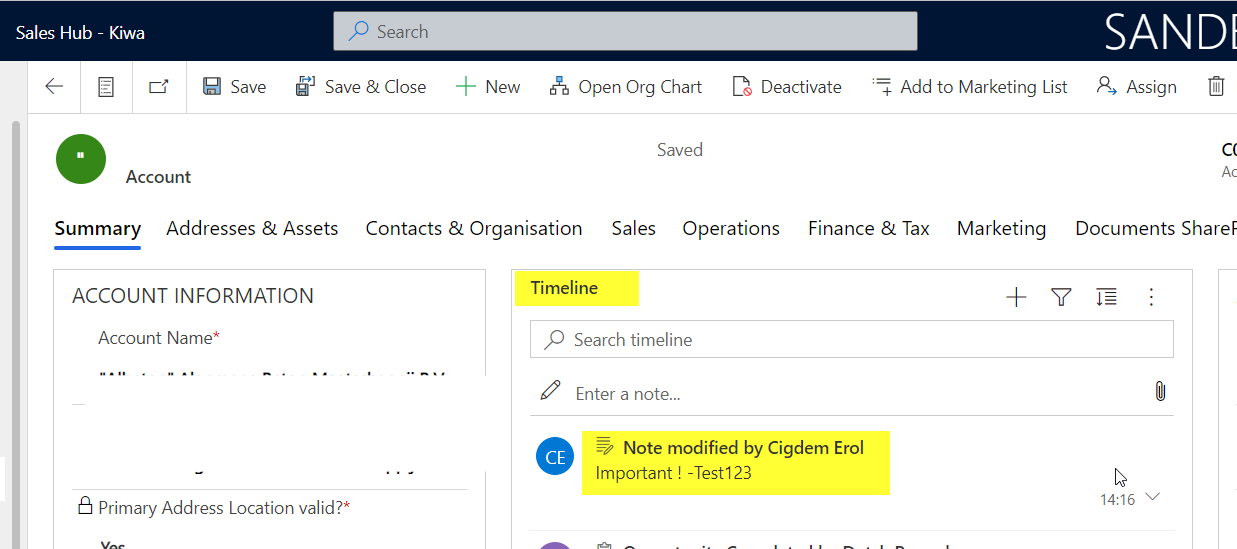
pastedimage1652446211138v3.png

Created a view for notes and saved the view. 

pastedimage1652446031011v1.png

Want to display in dashboard or under activities , etc,

but No Record type available to select the view. 
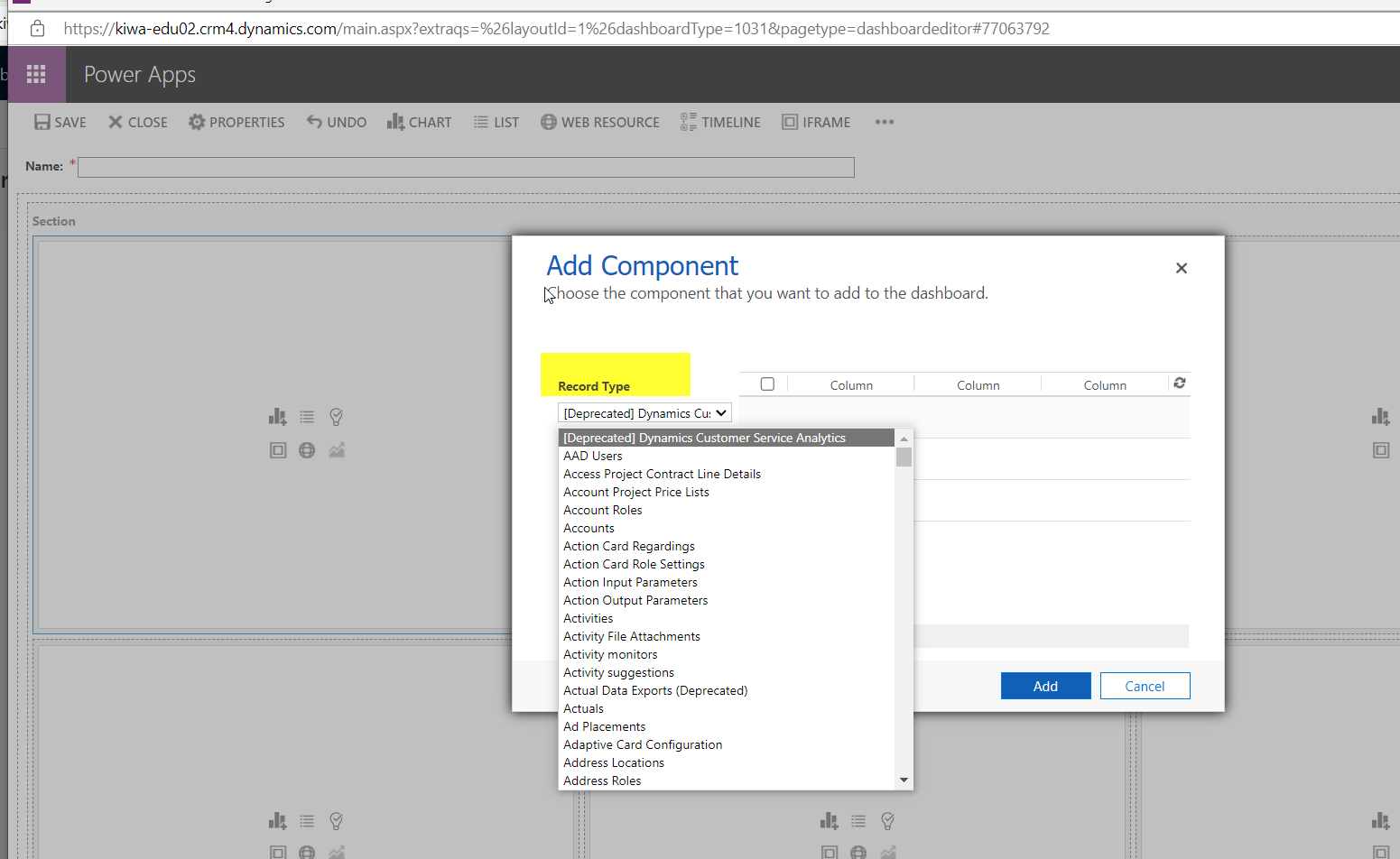
pastedimage1652446131302v2.png

CRM vers.

pastedimage1652446337933v4.png

I have the same question (0)
  • Yoshika Suzuki Profile Picture
    on at

    If you add a note entity to your sitemap, you'll see a view of the note entity.

  • Suggested answer
    gdas Profile Picture
    50,091 Moderator on at

    Can you create public view by going to settings -> Customization --> Customize the system /Solutions --> Under note entity --> Create Views .

    Do publish all customization  and check.

    If you are creating saved view (Independent view) then  make sure a personal view cannot be added to System dashboard.

  • Cigdem Erol Profile Picture
    5 on at

    want to have such view under activities, or account , etc. Notes are independent function so that can not display them without any customization. my-view.jpg_2D00_544x322.jpg

  • Cigdem Erol Profile Picture
    5 on at

    Hi Goutam , customization is done by our supplier , so not possible for me to edit this part.

    It seems that without customization, I´ll not get the note view displayed on the CRM.

    Thanks,

  • Cigdem Erol Profile Picture
    5 on at

    Hi Yoshika, could you please maybe share some screenshots ?

  • Suggested answer
    Gagandeep Singh Profile Picture
    587 on at

    Hi,

    I think Yoshika is pointing you to the right direction. What Yoshika meant was, you can add the entity directly into the site map. You need to access the App Designer > Site Map > Add a sub area > Add Notes entity.

    pastedimage1653431178154v2.png

    Once you have added Notes entity into the navigation, you should see something like this. In this example I have added it under Workplace group.

    pastedimage1653430923384v1.png

    How to enable modern advanced find in model driven apps in D365CE

Under review

Thank you for your reply! To ensure a great experience for everyone, your content is awaiting approval by our Community Managers. Please check back later.

Helpful resources

Quick Links

Responsible AI policies

As AI tools become more common, we’re introducing a Responsible AI Use…

Neeraj Kumar – Community Spotlight

We are honored to recognize Neeraj Kumar as our Community Spotlight honoree for…

Leaderboard > Customer experience | Sales, Customer Insights, CRM

#1
Tom_Gioielli Profile Picture

Tom_Gioielli 171 Super User 2025 Season 2

#2
#ManoVerse Profile Picture

#ManoVerse 83

#3
Jimmy Passeti Profile Picture

Jimmy Passeti 50 Most Valuable Professional

Last 30 days Overall leaderboard

Product updates

Dynamics 365 release plans