web
You’re offline. This is a read only version of the page.
close
Skip to main content

Notifications

Announcements

No record found.

Community site session details

Community site session details

Session Id :
Microsoft Dynamics AX (Archived)

Couldn't write Visual Studio Project assembly file error when opening AX client

(0) ShareShare
ReportReport
Posted on by 107

Hi,

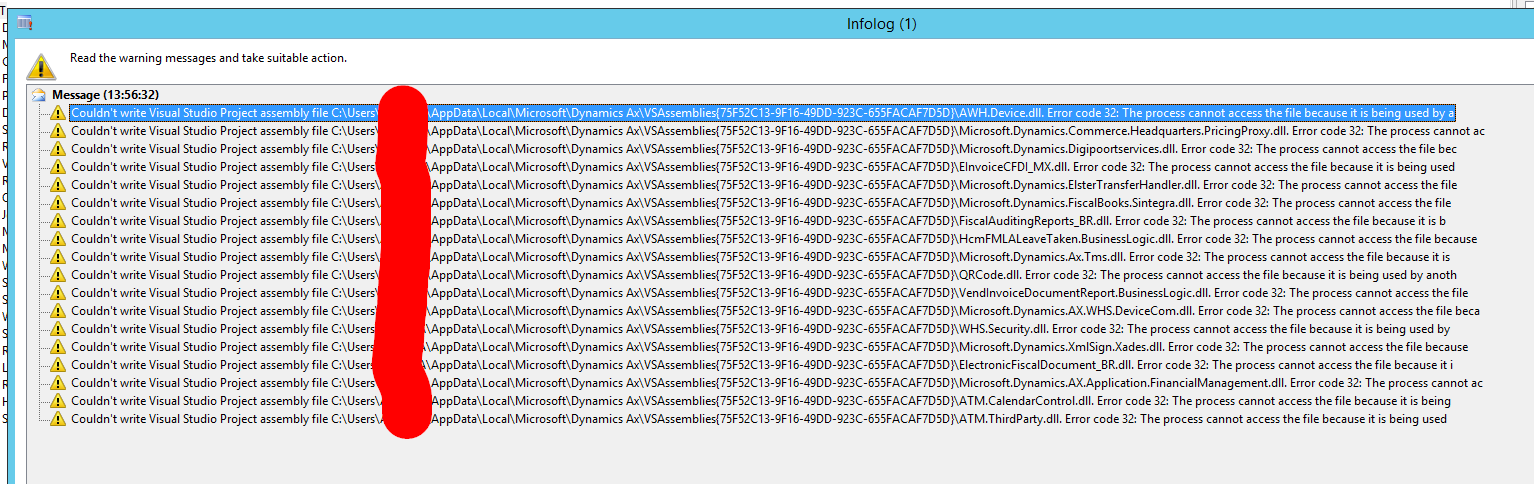
I receive the following error when opening the AX client:
1067.Error.png

Error message:

Couldn't write Visual Studio Project assembly file C:\Users\***\AppData\Local\Microsoft\Dynamics Ax\VSAssemblies{75F52C13-9F16-49DD-923C-655FACAF7D5D}\AWH.Device.dll. Error code 32: The process cannot access the file because it is being used by another process.

I couldn't find much info on this error message. Does anyone have any ideas?

*This post is locked for comments

I have the same question (0)
  • Blue Wang Profile Picture
    on at

    Hi BuBbA,

    Have you read this thread?

    https://community.dynamics.com/ax/f/33/p/70653/129041

    Do you have multiple AOS? Use a separate service account for each AOS.

  • BuBbA Profile Picture
    107 on at

    There are 3 AOS's: 2 client AOS and 1 batch AOS.

    But the error is on the client, not on the server, so it's not on the service account.

  • Blue Wang Profile Picture
    on at

    Hi BubbA,

    The assembly Dll file is updated.

    Are you using the hot-swap feature of the AOS?

    Check the Hot-Swapping settings in Microsoft Dynamics AX 2012 Server Configuration.

    Refer this: https://docs.microsoft.com/en-us/dynamicsax-2012/developer/hot-swapping-of-net-assemblies-in-the-aos

  • BuBbA Profile Picture
    107 on at

    Hi,

    These are production servers, the hot swapping is not activated.

    There is 1 AOS, the batch AOS, where debugging is active.

  • Blue Wang Profile Picture
    on at

    Hi BubbA,

    Yes.

    Hot-swap should not be activated in the production environment.

    Do you have a solution to your problem now? If so, please share with us.

    I will still look at other solutions.

    Thank you

  • BuBbA Profile Picture
    107 on at

    No, the problem still exsists, no solution has been found yet.

  • MSDev Profile Picture
    32 on at
    Hi,is anyone find solution of this problem?
    If yes kindly do answer here,. I am facing the same issue

Under review

Thank you for your reply! To ensure a great experience for everyone, your content is awaiting approval by our Community Managers. Please check back later.

Helpful resources

Quick Links

Responsible AI policies

As AI tools become more common, we’re introducing a Responsible AI Use…

Neeraj Kumar – Community Spotlight

We are honored to recognize Neeraj Kumar as our Community Spotlight honoree for…

Leaderboard > 🔒一 Microsoft Dynamics AX (Archived)

#1
Priya_K Profile Picture

Priya_K 4

#1
Martin Dráb Profile Picture

Martin Dráb 4 Most Valuable Professional

#3
Ali Zaidi Profile Picture

Ali Zaidi 2

Last 30 days Overall leaderboard

Featured topics

Product updates

Dynamics 365 release plans
