Hi Anant,
Maybe you can try to user power automate to create flow to get value from email to case when case is created.
1.Go Power Automate(https://us.flow.microsoft.com/en-us/ ) to create automated cloud flow.
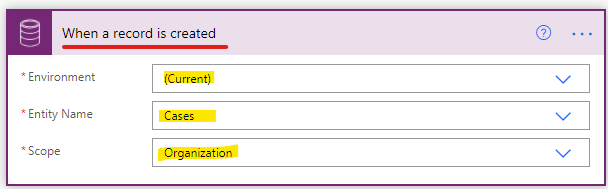
2.Set ‘when a record is created’ as trigger.
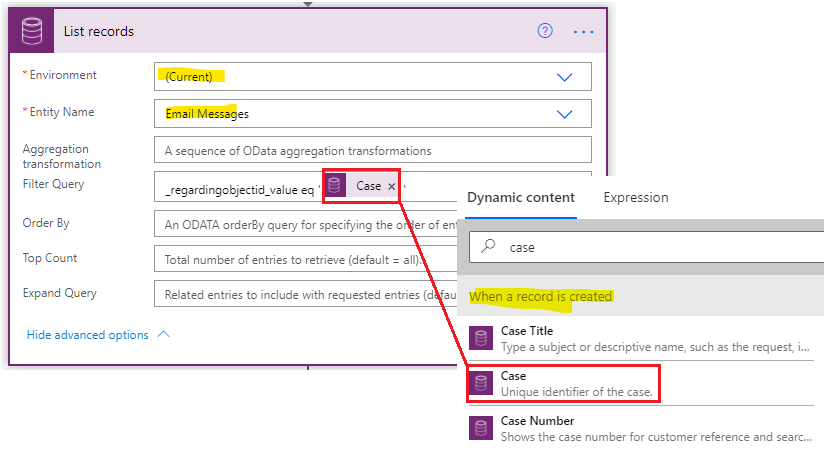
3.Add ‘List record’ action to fetch email by filter—regarding field eq case.
If the case is converted from email, only one email’s regarding field value is the case.
4.Add ‘Update a record’ to update case with value from email.
and 'Apply to each' action will be created automatically after adding update action, don't add it manually.

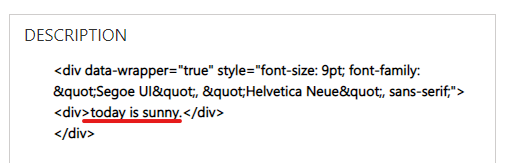
5.Due to the email being in rich text format, therefore it will show with the HTML Tags visible inside the case description field.
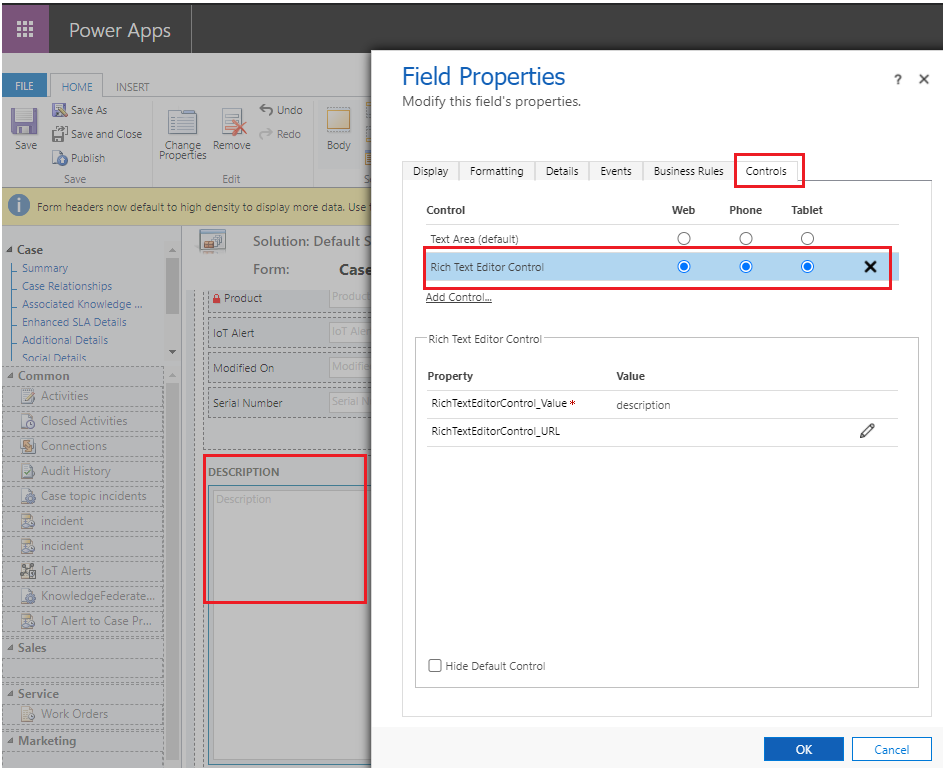
Now "Rich Text Editor Control" is available in latest Dynamics 365 version (2020 release wave 2 enabled).
You can go Settings > Customizations > Customize the system > entities > case > forms to open case main form, then double-click description field to open ‘Field Properties’ dialog.
Move to ‘Control’ tab to select ‘Rich Text Editor Control’.
If you are not in the latest version, you need Search for “Content conversion HTML to text”. Select the Html to text (preview) Content Conversion action in power automate steps.


6.Test.
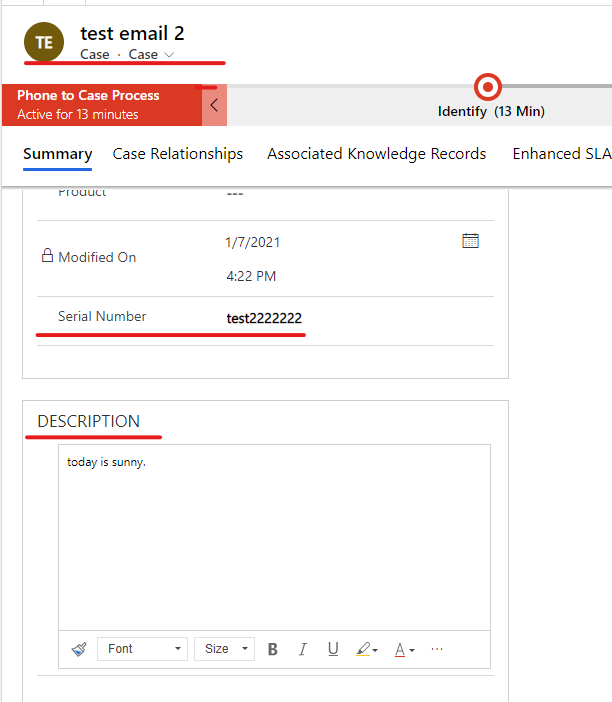
When you click 'convert to case' to navigate to case form, you need click ‘Save’ button in case form and wait for minutes and refresh current form.
Serial number and description field will be filled automatically.
Regards,
Leah Ju
Please mark as verified if the answer is helpful. Welcome to join hot discussions in Dynamics 365 Forums.


