web
You’re offline. This is a read only version of the page.
close
Skip to main content

Announcements

No record found.

News and Announcements icon
Community site session details

Community site session details

Session Id :
Customer experience | Sales, Customer Insights,...
Suggested Answer

Notification to Team / Forms

(0) ShareShare
ReportReport
Posted on by 20

Hello,

I've seen that this was allready a problem but the answers aren't usefull for me.

After someone has done a submition the only thing I wan't to have is that an email message is send to a specific email address or to a team. So I want inform the team: Firstname, lastname,... submitted the form XY. If there are radio buttons I also want to include the option he choosed.

Is there any easy to use option like they have in ClickDimensions.

Regards

Tobias

I have the same question (0)
  • Suggested answer
    cloflyMao Profile Picture
    25,210 on at

    Hi Tobias,

    Have you checked my anwser in the thread below?

    https://community.dynamics.com/365/marketing/f/dynamics-365-for-marketing-forum/371955/marketing-module-and-workflow

    We could achieve your requirement with Workflow/Flow, and I would like add supplements for your scenario:

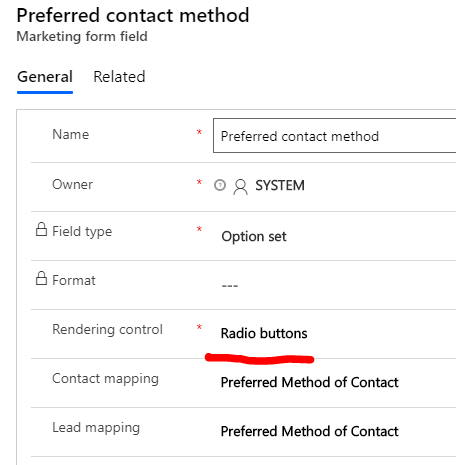
    At beginning, you can render optionset field to multiple radio buttons in form field configuration.
    pastedimage1573785176091v1.png

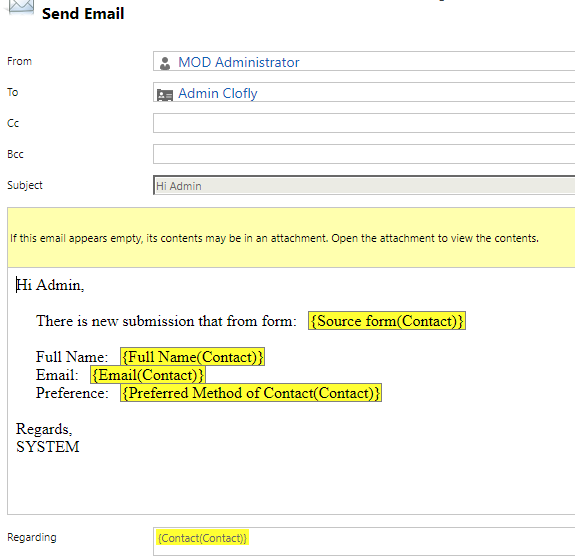
    Workflow:

    Just add data you want with dynamic values assist, To field is required to be an existing user record in CRM.
    pastedimage1573785250044v2.png

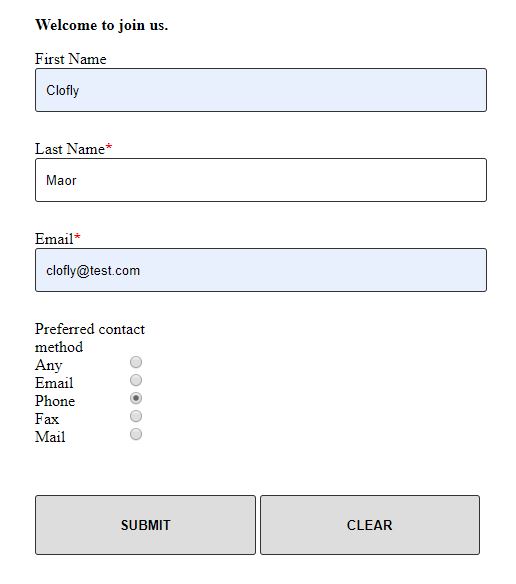
    Demo submission:
    4382.JPG

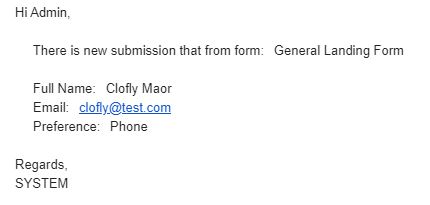
    Email:

    6648.JPG

    Flow:

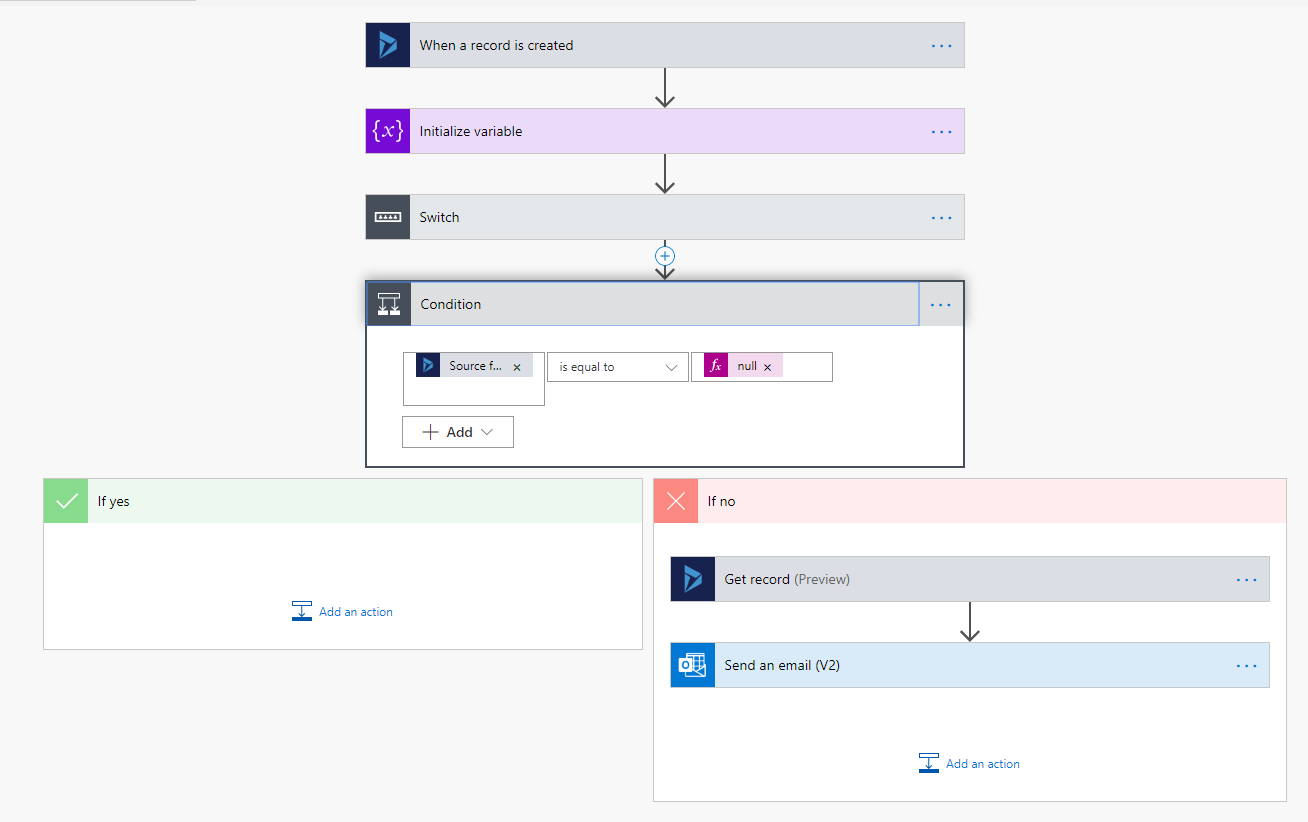
    Due to source form field stored data is guid reference for a marketing form record,

    and option set field stored data is integer, these fields could be mapped with CRM workflow,

    but we need customization in flow to show formatted value of them.
    pastedimage1573786290582v3.png

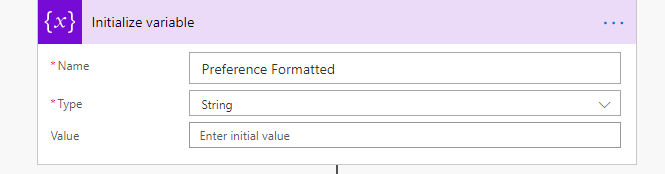
    In step 2, I add a temp variable to store optionset formatted value, let name its "Preference Formatted"
    pastedimage1573786420617v4.png

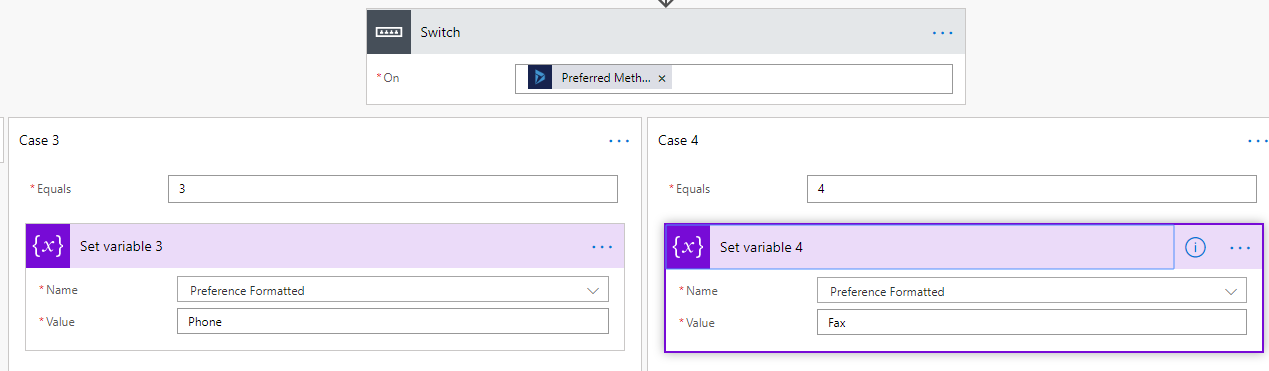
    In step 3, I use a Switch control to set Preference Formatted value based on Preference Contact method integer data. 
    pastedimage1573786463492v5.png

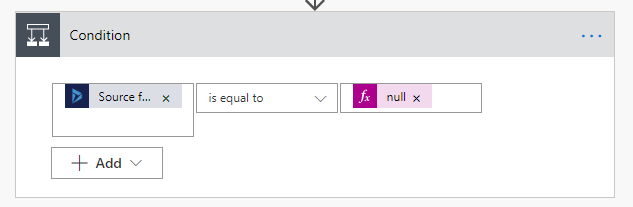
    In step 4, check if the new record is from marketing form:
    pastedimage1573786582221v6.png

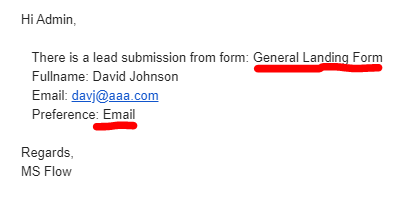
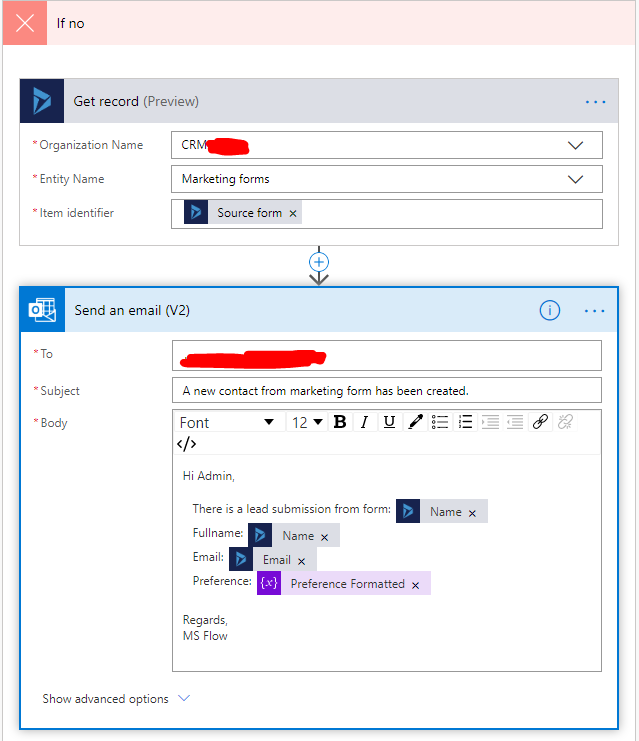
    In step 5, I retrieved form name with source form data, now both form name and option set get their formatted value.
    pastedimage1573786629356v7.png

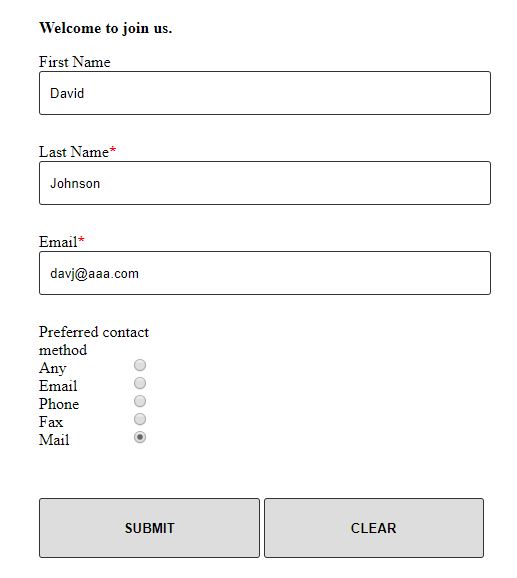
    Demo submission:

    5078.JPG

    Email:

    pastedimage1573786765933v8.png

    Please let me know your doubt and whether my anwser could be useful for you.

    Regards,

    Clofly

  • cloflyMao Profile Picture
    25,210 on at

    Hi Tobias,

    Please let me know whether my anwser could help you and whether you still have any doubt.

    Regards,

    Clofly

  • TobifromBonn Profile Picture
    20 on at

    Hi Clofly,

    the thing is, that this is not easy to use. Is there any option that we can create a dashboard where the sales team or others can see the trasmitted information in overview? As an easy notification.

    We want to use it also for download conversions.

    Regards

    Tobias

  • cloflyMao Profile Picture
    25,210 on at

    Hi Tobias,

    Do you mean you would like to make an overview or analytics for all form submissions records?

    If so, form submissions data are stored as Insights data which is not directly accessible as other entites in CRM, so we couldn't make dashboard for them directly.

    There are 2 solutions, you could take them reference:

    1. Use PowerBI to connect to your marketing instance and do analytic for Insights data in OOB way, this is officially supported and recommended way.

    https://docs.microsoft.com/en-us/dynamics365/marketing/custom-analytics

    2. Add a custom entity to save each submission with workflow, you could read my last response in thread below:

    https://community.dynamics.com/365/marketing/f/dynamics-365-for-marketing-forum/373440/can-we-create-a-form-field-dynamics-marketing-without-having-to-map-to-contact-lead-field

    then create dashboard based on custom form submission entity.

    Regards,

    Clofly

Under review

Thank you for your reply! To ensure a great experience for everyone, your content is awaiting approval by our Community Managers. Please check back later.

Helpful resources

Quick Links

Introducing the 2026 Season 1 community Super Users

Congratulations to our 2026 Super Stars!

Meet the Microsoft Dynamics 365 Contact Center Champions

We are thrilled to have these Champions in our Community!

Congratulations to the March Top 10 Community Leaders

These are the community rock stars!

Leaderboard > Customer experience | Sales, Customer Insights, CRM

#1
11manish Profile Picture

11manish 151

#2
ManoVerse Profile Picture

ManoVerse 149 Super User 2026 Season 1

#3
Jimmy Passeti Profile Picture

Jimmy Passeti 66 Most Valuable Professional

Last 30 days Overall leaderboard

Product updates

Dynamics 365 release plans