web
You’re offline. This is a read only version of the page.
close
Skip to main content

Notifications

Announcements

No record found.

Community site session details

Community site session details

Session Id :
Finance | Project Operations, Human Resources, ...
Suggested Answer

Why are emails sent from collection process automation blank?

(0) ShareShare
ReportReport
Posted on by 117

Some emails from collection process automation are blank. There is no subject or email body even if (1) there is an email template set up in collection process setup; (2) there are other emails sent from the same process automation and the same email that have the correct email subjects/body.

I have the same question (0)
  • Ludwig Reinhard Profile Picture
    Microsoft Employee on at

    Hello Abigail,

    There are a number of ways how one can send out emails for collection letters.

    Can you provide us some additional details what 'way' you use and share some details of the setup made?

    Many thanks,

    Ludwig

  • Abigail Verano Profile Picture
    117 on at

    Hi Ludwig,

    Thank you for your reply.

    I did the following configurations:

    1. Defined the system email templates to be used for the collection process automation

    2. Set up the collection process in Credit and Collections module > the process hierarchy, process details and the relevant business document email templates
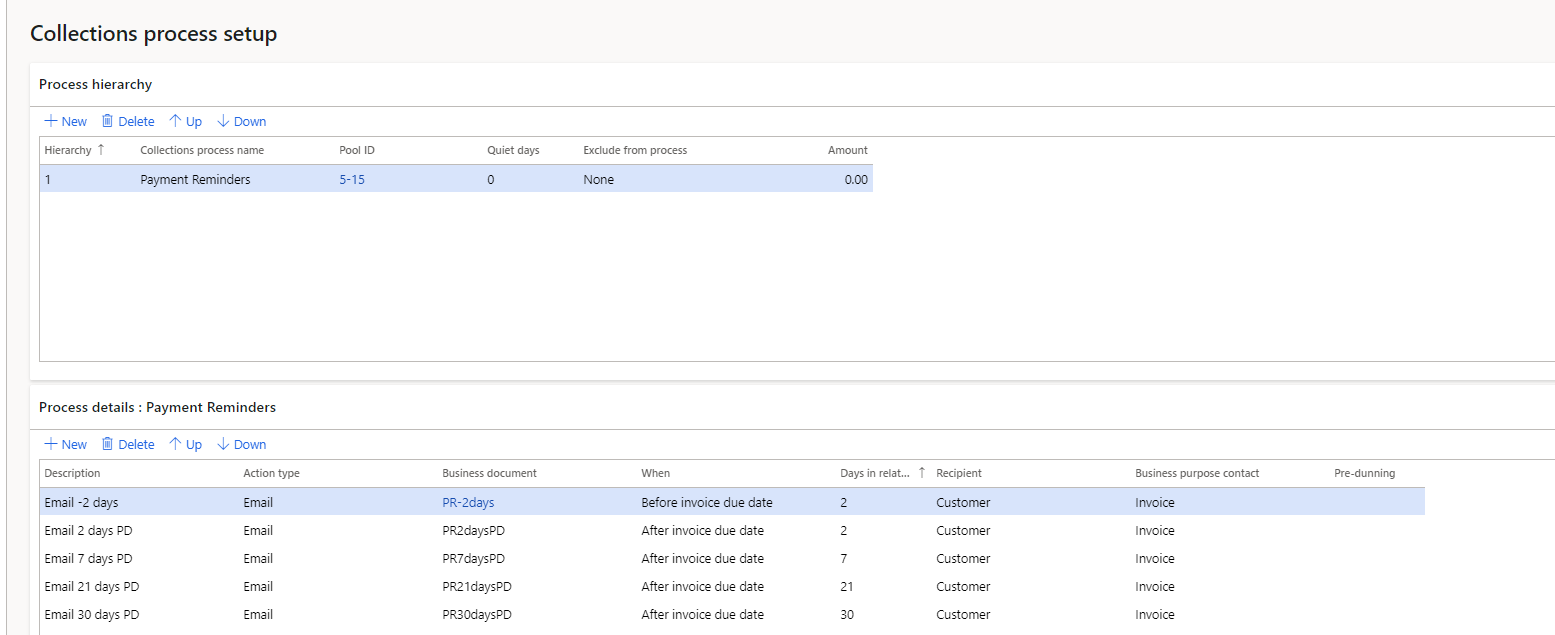
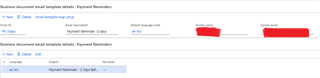
    pastedimage1622091044885v1.png

    pastedimage1622091143749v3.png

    3. Created a collection process automation 

    pastedimage1622091329587v4.png

    During testing, process automation was completed and I was able to receive the emails for this process automation, however, the results were as below:
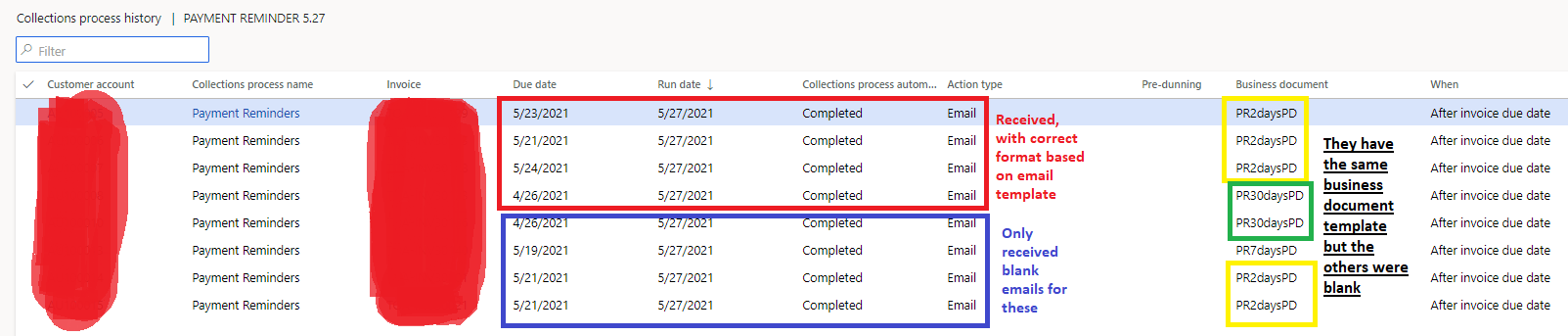
    pastedimage1622091694464v5.png

    Some had actual content based on template while others were just blank emails - no subject and no body, even though some share the same business document template. 

    I am not sure if I missed a set up but the other seem to work.

    Thank you for your help. 

  • Suggested answer
    Abigail Verano Profile Picture
    117 on at

    Hi Ludwig,

    After revisiting this feature, I've figured out the cause. The language of the email template has bearing to the email the customer receives.

    Customer language should match the email template language - or a separate email template should be set up per language that has been assigned to customers to ensure they receive the intended email format.

    Thanks!

Under review

Thank you for your reply! To ensure a great experience for everyone, your content is awaiting approval by our Community Managers. Please check back later.

Helpful resources

Quick Links

Responsible AI policies

As AI tools become more common, we’re introducing a Responsible AI Use…

Neeraj Kumar – Community Spotlight

We are honored to recognize Neeraj Kumar as our Community Spotlight honoree for…

Leaderboard > Finance | Project Operations, Human Resources, AX, GP, SL

#1
Martin Dráb Profile Picture

Martin Dráb 664 Most Valuable Professional

#2
André Arnaud de Calavon Profile Picture

André Arnaud de Cal... 522 Super User 2025 Season 2

#3
Sohaib Cheema Profile Picture

Sohaib Cheema 303 User Group Leader

Last 30 days Overall leaderboard

Product updates

Dynamics 365 release plans
