web
You’re offline. This is a read only version of the page.
close
Skip to main content

Announcements

No record found.

News and Announcements icon
Community site session details

Community site session details

Session Id :
Microsoft Dynamics AX (Archived)

AOS Instance Installing in Client Machine under sub domain

(0) ShareShare
ReportReport
Posted on by 219

Dear All,

We have two Domain .. Domain Test 1 and Sub Domain Test 2 , and both the Domain Already Synchronized.  

if am installing Client in Domain Test 1 user Machine installed successfully and the same if am installing in Sub Domain Test 2 user Machine Client installation

getting error *The Application Object Server AX****-1 Does not exists ?.Proceed*

then if i proceed next error is coming while opening the instance after installed 

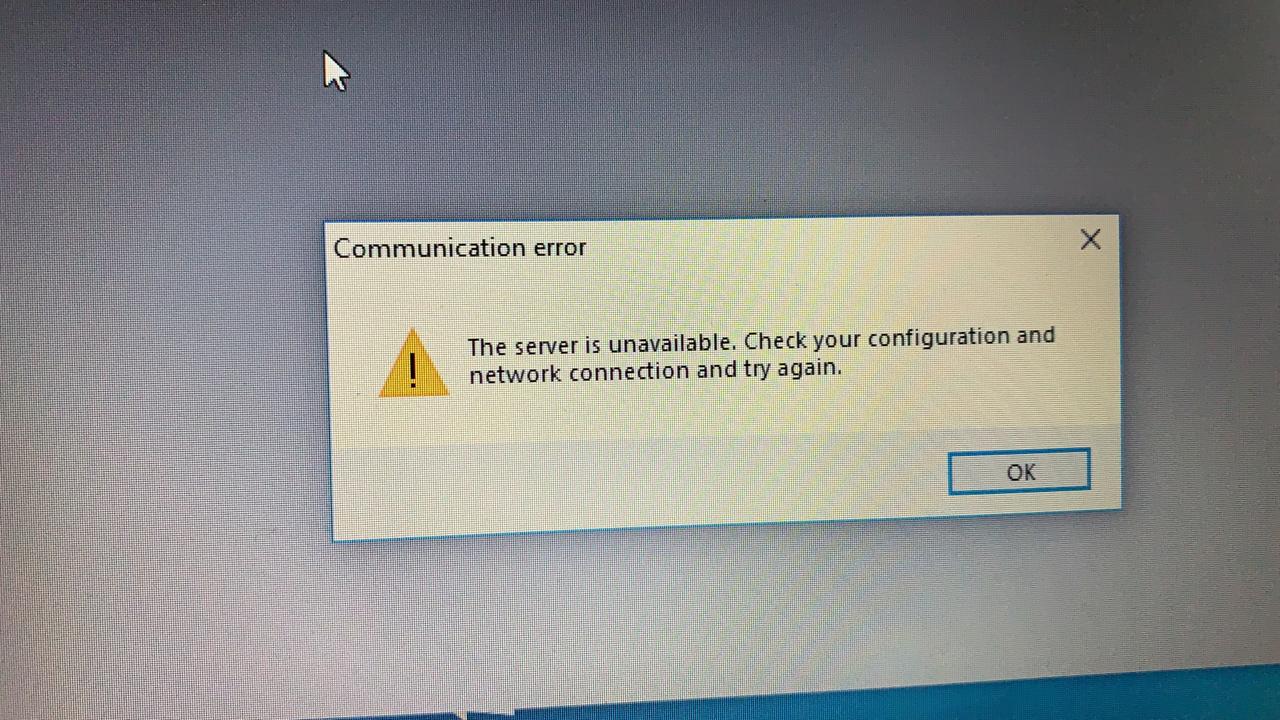
*The Server is unavailable . Check your Configuration and network connection and try again *

IMG_2D00_20190520.jpg   

IMG_2D00_20190520_2D00_WA0004.jpg

*This post is locked for comments

I have the same question (0)
  • Suggested answer
    nmaenpaa Profile Picture
    101,172 Moderator on at

    The AOS name in your client configuration doesn't contain any domain info. That's one possible explanation for the problem.

    Instead of just "MyAOS" it should be something like "MyAOS.myDomain.local".

  • kavinDevarajan Profile Picture
    219 on at

    Hi Nikolaos,

    Let Me try as you suggest and get back to you .

  • kavinDevarajan Profile Picture
    219 on at

    Hi Nikoloas

    As you said AOS name its taken now and first error message is gone . i used AOS name same like "MyAOS.myDomain.local" but after installed client while trying to open the  AX getting below error as

    *The server is unavailable. Check your configuration and network connection and try again*

  • Suggested answer
    nmaenpaa Profile Picture
    101,172 Moderator on at

    Is the AOS running? Can you ping the AOS server from the client machine?

    And does your AX client configuration that you use with the client also refer to myDomain.local? Maybe you use a configuration that doesn't have the server name set up like that?

  • kavinDevarajan Profile Picture
    219 on at

    Hi Nioloas ,

    yes i tried to ping the AOS server in client machine and its working fine .. i tried this one to add the AOS server ip and AOS server name

    then it is working .

    in start - search - notepad and open it as administrator then file - open -

  • Verified answer
    nmaenpaa Profile Picture
    101,172 Moderator on at

    Good to hear it's working now. Please mark the helpful answer(s) as verified if your issue is resolved. Thanks!

  • kavinDevarajan Profile Picture
    219 on at

    It is network problem and you can solve it.

  • kavinDevarajan Profile Picture
    219 on at

    Open host file ( c:\ windows - system32 - drivers - etc - hosts) on the AX Client PC or Terminal Server.

    Add IP address of AOS server and AOS server name

    000.000.0.00     AOSServer

  • Muneeb Profile Picture
    895 on at

    Hi Kavin,

    Can you please share the snapshot on how you achieved it?

Under review

Thank you for your reply! To ensure a great experience for everyone, your content is awaiting approval by our Community Managers. Please check back later.

Helpful resources

Quick Links

Introducing the 2026 Season 1 community Super Users

Congratulations to our 2026 Super Stars!

Meet the Microsoft Dynamics 365 Contact Center Champions

We are thrilled to have these Champions in our Community!

Congratulations to the March Top 10 Community Leaders

These are the community rock stars!

Leaderboard > 🔒一 Microsoft Dynamics AX (Archived)

#1
CP04-islander Profile Picture

CP04-islander 39

#2
Michel ROY Profile Picture

Michel ROY 14

#3
imran ul haq Profile Picture

imran ul haq 8

Last 30 days Overall leaderboard

Featured topics

Product updates

Dynamics 365 release plans