Hello Everyone
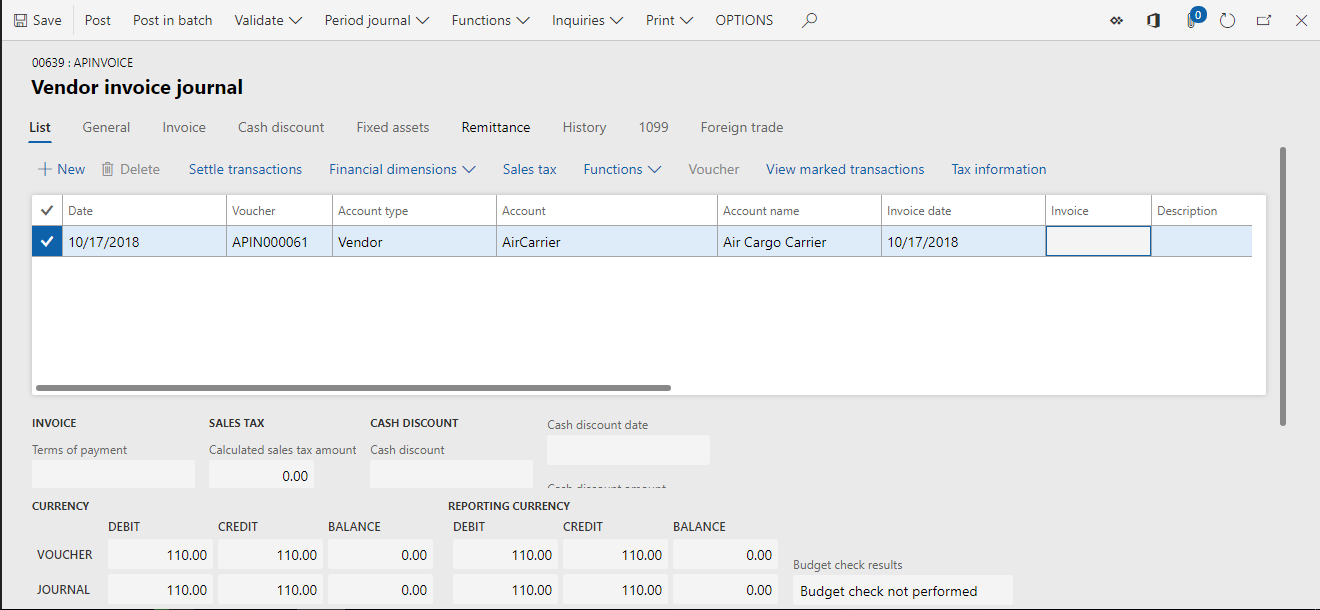
I am trying to create vendor invoice journal through code as shown in the below.The journal is created as shown the second screenshot but it is opening in non editable mode on the front end .Kindly provide your valuable suggestions.
Code:-
class OA
{
	public static void main (Args _args)
	{
		OATPChargesPost OATPChargesPost;
		FormDataSource tpCharges_DS;
		OATPCharges tpCharges, tpChargesIns, tpChargesRow;
		Dialog dialog;
		LedgerJournalCheckPost jourCheckPost;
		LedgerJournalTable jourTable;
		LedgerJournalTrans jourTrans;
		container offsetDim;
		DimensionAttributeValueConsolidation davc, davcOffset;
		MarkupTable markupTable;
		MCRLedgerJournal journalTable;
		LedgerJournalTable ledgerJournalTable;
		Counter recordsInserted = 0;
		MarkupTrans markupTrans;

		OATPChargesPost = OATPChargesPost::construct();

		if(_args.record().TableId == tableNum(OATPCharges))
		{
			tpCharges = _args.record();
			tpCharges_DS = tpCharges.dataSource();

			dialog = new Dialog("@OA:OA1");
			dialog.addText("@OA:OA2");

			if (dialog.run())
			{
				if (tpCharges_DS.anyMarked())
				{
					tpChargesRow = tpCharges_DS.getFirst( 1, false);

					ttsBegin;

					journalTable = new MCRLedgerJournal_VendInvoiceRegister(LedgerJournalType::VendInvoiceRegister, "APInvoice");
					ledgerJournalTable = journalTable.createLedgerJournalTable("APInvoice");

					journalTable.parmLedgerJournalTable(ledgerJournalTable);
					journalTable.parmMCRCCGeneralLedgerId();
					journalTable.parmLedgerAccountType(LedgerJournalACType::Vend);
					journalTable.parmAccountNum(tpChargesRow.OATPVendAccount);
					journalTable.parmLedgerOffsetAccountType(LedgerJournalACType::Ledger);
					journalTable.parmLineNum(recordsInserted + 1);
					journalTable.parmApprover(HcmWorker::findByPersonnelNumber("000001").RecId);
					journalTable.parmExchRate(100);
					journalTable.parmCurrencyCode('USD');
					journalTable.parmTransTxt("Test");

					markuptable = MarkupTable::find(tpChargesRow.ModuleType, tpChargesRow.MarkupCode);

					journalTable.parmledgerOffsetAccount(markupTable.VendorLedgerDimension);
					journalTable.parmTransDate(DateTimeUtil::getToday(DateTimeUtil::getUserPreferredTimeZone()));
					journalTable.parmPostingProfile("Gen");
					journalTable.parmPaymTermId("Net30");
					journalTable.parmPaymMode("Check");
					journalTable.parmDueDate(mkDate(12,12,2018));

					while (tpChargesRow)
					{
						jourTrans = journalTable.createLedgerJournalTrans(tpChargesRow.Value,0,LedgerJournalACType::Vend);

						if(jourTrans)
						{
							ttsbegin;
							jourTrans.selectForUpdate(true);
							jourTrans.OAMarkupTrans = tpChargesRow.MarkupTrans;
							jourTrans.update();
							ttscommit;
							recordsInserted++;
						}

						tpChargesRow = tpCharges_DS.getNext();
					}
					ttsCommit;
				}
			}
		}
	}

	public static OATPChargesPost construct()
	{
		OATPChargesPost OATPChargesPost;
		OATPChargesPost = new OATPChargesPost();
		return OATPChargesPost;
	}

}


